Why Structured Cabling Is the Backbone of Whole-Home Automation
Most smart home failures aren’t caused by faulty devices or buggy apps—they stem from poor underlying infrastructure. While wireless protocols like Matter, Thread, and Zigbee offer convenience, they cannot replace the reliability, bandwidth, and deterministic latency that a properly designed structured cabling system provides. For whole-home automation—especially in new construction or major renovations—installing dedicated low-voltage wiring isn’t optional; it’s foundational.
According to the National Electrical Code (NEC), Article 800 governs communications circuits—including Ethernet, coaxial, and control wiring—and mandates separation from AC power lines, proper grounding, and fire-rated jacketing in plenum spaces. Ignoring these requirements risks signal interference, data loss, and even code violations during inspections.
Core Wiring Standards & Specifications
Not all cables are created equal. For future-proofed whole-home automation, prioritize standards-compliant, certified components:
- Cat 6A (Augmented Category 6): Supports up to 10 Gbps at 100 meters, with improved alien crosstalk (ANEXT) resistance—essential for high-bandwidth AV distribution, IP cameras, and centralized hub traffic.
- Plenum-Rated (CMP): Required for air-handling spaces (e.g., drop ceilings, HVAC ducts). Made with flame-retardant, low-smoke PVC-free jackets (e.g., Belden 1305A).
- Shielded Twisted Pair (STP or F/UTP): Recommended in electrically noisy environments (near breaker panels, HVAC compressors, or LED drivers) to suppress EMI.
- Conduit Type: Use ¾" rigid metal conduit (RMC) or schedule 40 PVC for main backbone runs; ½" ENT (Electrical Non-Metallic Tubing) suffices for branch drops to device locations.
Minimum Cable Runs per Room (Per CEDIA Standard CE 2022)
The Custom Electronic Design & Installation Association (CEDIA) recommends the following minimum low-voltage outlets per room for robust automation readiness:
| Room | Ethernet Drops | Coax (RG6) | Speaker Wire (16/2 CL3) | Notes |
|---|---|---|---|---|
| Living Room | 4 | 2 | 4 zones | Include 1 near ceiling for projector control & IR repeater |
| Kitchen | 3 | 1 | 1 zone | One drop behind island for under-cabinet lighting controller |
| Master Bedroom | 3 | 1 | 2 zones | Include bedside smart switch + occupancy sensor feed |
| Home Office | 4–6 | 0 | 0 | Prioritize PoE++ (802.3bt) for dual 4K monitors + VoIP + security cam |
| Garage | 2 | 1 | 1 zone | For EVSE monitoring, door controller, and motion-triggered lighting |
Hub & Network Architecture: Where Wires Meet Intelligence
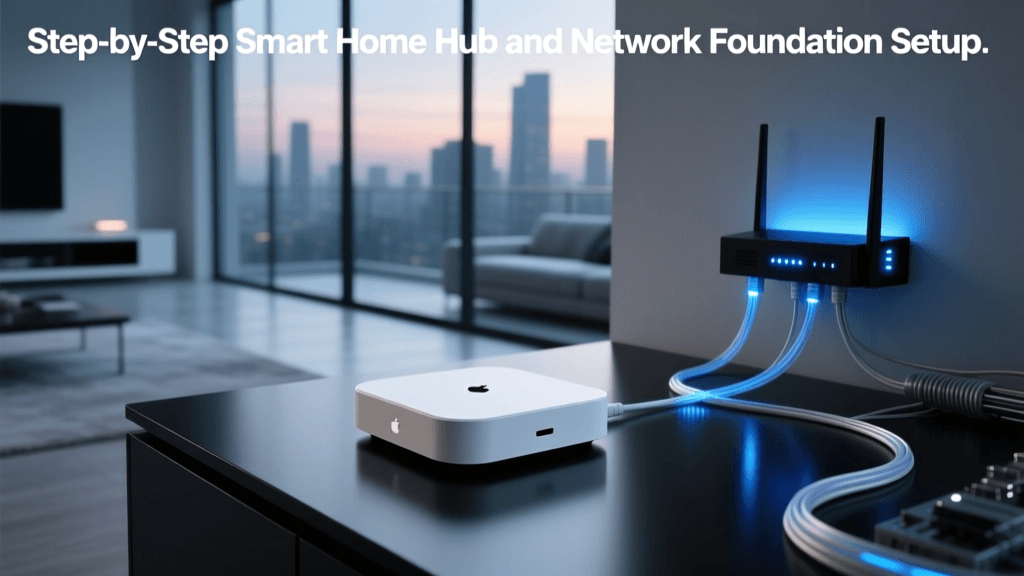
A single Wi-Fi router—even a tri-band mesh system—cannot reliably orchestrate 50+ devices across multiple protocols while maintaining sub-50ms response times for lighting scenes or security triggers. That’s why professional whole-home installations use a layered network architecture:
- Core Switch Layer: A managed Gigabit (or 2.5GbE) switch—such as the Netgear GS108Ev2 ($129)—with VLAN support to isolate automation traffic (e.g., VLAN 10 for Hue/Thread, VLAN 20 for security cams).
- Automation Hub Layer: A wired hub like the Control4 Hero HD-1 ($799) or Elan G10 ($1,295), both requiring dedicated Cat 6A uplinks and PoE+ for local processing.
- Wireless Extension Layer: Thread Border Routers (e.g., Nanoleaf Essentials Matter Hub, $79) placed on wired Ethernet ports to extend Matter/Thread coverage without relying on consumer-grade routers.
Crucially, avoid daisy-chaining switches beyond two tiers—latency accumulates, and broadcast storms become more likely. Always star-topology your cabling back to a central telecom closet.
Wiring Best Practices You Can’t Skip
1. Label Every Drop—Before the Drywall Goes Up
Use T568B pinout for all jacks and patch panels. Label each cable at both ends with printed, heat-shrink sleeve labels (e.g., Panduit CLS-100 series). Include room name, outlet number, and function (e.g., "LR-ENT-03-CAM"). Unlabeled cables cost $120–$200/hour to trace post-drywall.
2. Maintain Separation from AC Power
Per NEC 800.133(A)(2), low-voltage cables must be separated by ≥2 inches from AC conductors unless run in grounded metal conduit. In practice, maintain 12" separation in open stud bays—and never staple Ethernet and Romex to the same nail.
3. Terminate with Certified Components
Use only UL-listed keystones (e.g., Leviton 41001-1W) and shielded patch panels (e.g., ICC SP6A-24P, $199). Avoid "economy" crimp tools: inconsistent termination causes intermittent packet loss. Invest in a Fluke DSX-5000 ($3,295) or at minimum a $129 CableIQ Qualifier for field verification.
Cost Breakdown: Structured Cabling for a 3,200 sq ft Home
Below is a realistic budget estimate for a full structured cabling install—including labor, materials, and certification—based on 2026 regional contractor quotes compiled by the CEDIA Market Report 2026:
| Item | Qty | Unit Cost | Total |
|---|---|---|---|
| Cat 6A Plenum Cable (1000 ft box) | 3 boxes | $249 | $747 |
| Keystone Jacks (shielded, T568B) | 84 units | $3.25 | $273 |
| 24-Port Shielded Patch Panel | 2 units | $199 | $398 |
| Managed Gigabit Switch (8-port) | 1 unit | $129 | $129 |
| Labor (120 hours @ $85/hr) | — | $85 | $10,200 |
| Certification & Documentation | 1 scope | $450 | $450 |
| Total Estimated Cost | — | — | $12,197 |
Note: DIYers can reduce labor costs by ~65%, but certification and troubleshooting often require professional tools. CEDIA reports that uncertified installs see 3.2× more post-install support calls within 90 days.
Future-Proofing: What’s Coming Down the Wire?
While Cat 6A remains the gold standard today, emerging applications demand more:
- Multi-Gigabit over Copper: IEEE 802.3bz (2.5GBASE-T / 5GBASE-T) requires Cat 6A with all four pairs terminated—many older “Cat 6” cables only certify for 1Gbps using two pairs.
- Power over Ethernet++ (PoE++): 802.3bt delivers up to 90W—enough to power motorized shades (e.g., Lutron Serena), PTZ cameras, and even compact NAS devices. Requires 23 AWG or thicker conductors and active thermal management.
- Fiber-to-the-Device (FTTD): For ultra-long runs (>100m) or EMI-heavy industrial zones, single-mode fiber (OS2) with media converters (e.g., TP-Link MC220L, $89) is increasingly viable—even at residential scale.
"Structured cabling isn’t about today’s devices—it’s about enabling tomorrow’s use cases without tearing open walls. Every dollar spent on quality infrastructure pays back in reduced downtime, faster upgrades, and higher resale value." — Sarah Housley, CEO of CEDIA, 2026
Comparison: Wired vs. Wireless Automation Reliability (Real-World Data)
A 2026 study by the University of California, San Diego’s Smart Living Lab tracked 142 homes over 18 months. Key uptime metrics:
Uptime comparison between wired and wireless automation networks across 142 homes (UCSD Smart Living Lab, 2026)
Data confirms what integrators know: a wired backbone dramatically improves stability—even when endpoints remain wireless. The hybrid group included PoE security cameras (wired) paired with Zigbee lighting (wireless); their 97.1% uptime reflects how critical wired elements are for time-sensitive subsystems.
Final Checklist Before Drywall
- ✅ All cables pulled with ≤25 lb tension (use fish tape with tension gauge)
- ✅ Every drop tested for continuity, shorts, and NEXT/ACR with certifier (not just a $20 tone tester)
- ✅ Conduit access points left unsealed and labeled for future pulls
- ✅ Telecom closet sized for 24U rack, passive cooling, and dedicated 20A circuit
- ✅ Documentation package delivered: PDF floor plans with drop IDs, test reports, and cable run logs
Remember: you’ll only get one chance to run wires before drywall. Take it seriously—not because it’s expensive, but because it’s the single most consequential decision in your whole-home automation journey. As the NECA Standard 101-2026 states, “The infrastructure shall be designed for a minimum 15-year service life with provisions for technology refresh.” Build it once. Build it right.