The Invisible Backbone: Why Whole-Home Smart Wiring Matters
Building or renovating a home is a massive undertaking, and in the excitement of choosing countertops and fixtures, the invisible infrastructure often gets overlooked. However, the true magic of a seamless, reliable smart home does not come from the devices themselves, but from the structured wiring hidden behind the drywall. While wireless protocols like Zigbee, Z-Wave, Thread, and Wi-Fi have advanced tremendously, a hardwired backbone remains the gold standard for whole-home automation. It eliminates dead zones, reduces wireless interference, and provides the power requirements that modern smart devices demand.
Pre-wiring a home for smart automation requires a strategic approach that blends traditional electrical work with low-voltage networking and specialized control cabling. Whether you are acting as your own general contractor or working with a custom integrator, understanding the requirements for network drops, neutral wires, and centralized hubs will save you thousands of dollars in future retrofitting costs.
The Network Backbone: Structured Cabling and Topology
The foundation of any modern smart home is a robust, hardwired local area network (LAN). Relying entirely on a mesh Wi-Fi network for dozens of smart switches, security cameras, and streaming devices is a recipe for dropped connections and latency.
Choosing the Right Cable: Cat6 vs. Cat6a
For residential smart home installations, Cat6 (Category 6) unshielded twisted pair (UTP) solid copper cable is the undisputed sweet spot. It supports up to 10 Gbps speeds at shorter distances and 1 Gbps at the full 100-meter limit, which is more than enough for current and foreseeable residential needs. While Cat6a offers better shielding and longer 10 Gbps runs, it is thicker, harder to terminate, and requires deeper junction boxes. Avoid Copper Clad Aluminum (CCA) cables at all costs; they are brittle, pose a fire hazard, and fail to deliver reliable Power over Ethernet (PoE).
The Star Topology
All network cables should be run in a star topology. This means every single Ethernet drop—from wall plates to ceiling-mounted Wireless Access Points (WAPs)—runs directly back to a central structured wiring panel. Never daisy-chain Ethernet cables. For smart homes, plan for a minimum of two drops per living space, one drop per television location, and dedicated drops for ceiling-mounted WAPs to ensure seamless roaming as you walk through the house.
The Magic of Conduit: Future-Proofing Your Walls
Technology evolves faster than building materials. The cable you run today might be obsolete in fifteen years. To protect your investment, install Electrical Nonmetallic Tubing (ENT), commonly known as 'smurf tube' due to its bright blue color, alongside your primary cable runs.
- Pull Strings: Always leave a high-quality, braided pull string inside the conduit. When it is time to upgrade to fiber optics or Cat8, you can use the string to pull the new cable without tearing open your drywall.
- Sweeping Bends: Use wide, sweeping bends rather than sharp 90-degree elbows to prevent cable snagging and maintain the physical integrity of the twisted pairs inside.
- Extra Capacity: Use 1-inch or 1.25-inch conduit rather than the standard 0.5-inch. The marginal cost increase in materials is negligible compared to the labor saved during future upgrades.
Electrical Wiring: The Neutral Wire Dilemma
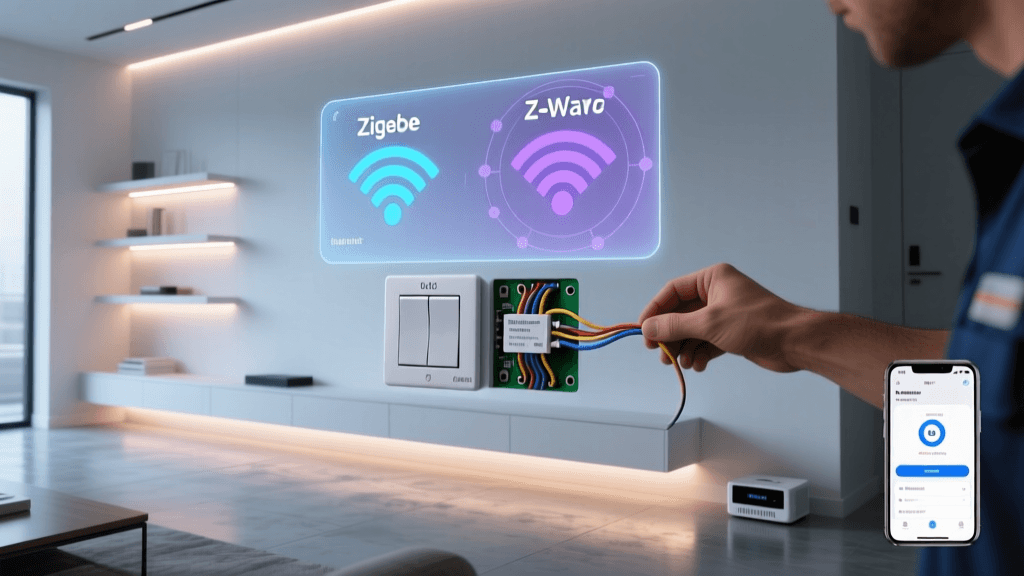
If there is one absolute rule in smart home electrical wiring, it is this: run a neutral wire to every single switch box. Traditional mechanical switches only break the 'hot' leg of the circuit. Smart switches, however, are essentially small computers with Wi-Fi or Z-Wave radios that require constant standby power to listen for voice commands or app triggers. Without a neutral wire, smart switches must leak a small amount of current through the light bulb itself, leading to flickering LEDs, ghosting, and incompatible fixtures.
Deep Junction Boxes for Smart Relays
Many homeowners and integrators prefer to use 'dumb' switches combined with hidden smart relays (like the Shelly Plus 1, Aeotec Nano Switch, or Sonoff ZBMINI) installed inside the wall box. These modules require physical space. Standard 18-cubic-inch junction boxes are often too shallow to accommodate the wires, wire nuts, and the relay module itself. Upgrade to 22-cubic-inch or 2.5-inch deep mud rings for all switch locations to ensure safe, code-compliant installations that do not crush the wires or overheat.
Lighting Control: Relays vs. Centralized Panels
For high-end whole-home automation, the industry standard is moving away from individual smart switches and toward centralized lighting panels. Systems like Lutron RadioRA 3, Control4, or Savant utilize DIN-rail mounted relays and dimmers hidden in a basement or utility closet. From the wall, you only run low-voltage keypad wiring (like a single Cat6 or specialized Lutron link cable) to elegant, multi-button smart keypads.
Centralized lighting reduces wall clutter, eliminates the 'wall acne' of multiple gang boxes, and keeps the heat-generating dimming electronics out of your living spaces and inside a ventilated rack.
Power Over Ethernet (PoE) and Low-Voltage Devices
PoE has revolutionized smart home installations by delivering both data and power over a single Cat6 cable. This eliminates the need to hire an electrician to run 110V lines to difficult locations.
Essential PoE Applications
- Security Cameras: Hardwired PoE cameras (like those from Ubiquiti UniFi or Axis) are vastly superior to battery-powered Wi-Fi cameras. They offer 24/7 continuous recording, higher bitrates, and zero battery maintenance.
- Wireless Access Points (WAPs): Ceiling-mounted PoE WAPs provide the best coverage, avoiding the signal degradation caused by walls and furniture.
- Smart Intercoms: Devices like the Doorbird or 2N Helios IP intercoms use PoE for reliable, high-definition video and two-way audio at the front gate or door.
Ensure your network switch supports the correct PoE standard. Standard cameras require 802.3af (15W), while pan-tilt-zoom (PTZ) cameras and smart intercoms often require 802.3at (PoE+, 30W) or even 802.3bt (PoE++, 60W+).
Motorized Shades and HVAC Integration
Automated window treatments are a hallmark of luxury smart homes, but they require specific wiring. While battery-operated shades exist, hardwired shades are mandatory for a true whole-home setup. Brands like Lutron (Sivoia QS), Hunter Douglas, and Somfy offer motors that require either a dedicated 110V line-voltage drop or a low-voltage run (often utilizing a 4-conductor or 6-conductor wire for power and digital communication). Always pre-wire the top corners of large windows and skylights with both 110V and low-voltage conduit to keep your options open.
For HVAC, smart thermostats like the Ecobee SmartThermostat or Nest Learning Thermostat require a C-Wire (Common Wire) to provide continuous 24V AC power. According to the U.S. Department of Energy, properly programmed smart thermostats can save homeowners up to 10% a year on heating and cooling costs, but they cannot function reliably without that dedicated C-Wire. Ensure your HVAC technician runs a minimum 5-conductor (18/5) thermostat wire from the furnace to the thermostat location.
The Nerve Center: Designing the Equipment Rack
All of your structured cabling, network switches, smart home hubs, and AV distribution equipment will terminate in a central location. Do not rely on a flimsy, wall-mounted plywood board. Invest in a proper 19-inch server rack (typically 12U to 24U for residential applications) with a minimum depth of 36 inches to accommodate deeper AV receivers and UPS systems.
- Patch Panels: Terminate all in-wall Cat6 cables to a shielded patch panel. Never plug in-wall solid copper cables directly into a network switch; the solid core will break over time from movement.
- Power Management: Install a rack-mount Uninterruptible Power Supply (UPS) with automatic voltage regulation (AVR). Smart homes should fail gracefully. If the power blips, your network and smart home controllers should stay online long enough to execute shutdown scripts or simply bridge the gap until the generator kicks in.
- Ventilation: Racks generate significant heat. Install top-mounted exhaust fans and ensure the closet or room housing the rack has dedicated HVAC or passive louvered doors.
Cost Analysis: Pre-Wiring vs. Retrofitting
One of the most common questions homeowners ask is whether the upfront cost of structured wiring is justified. The table below illustrates the estimated cost differences between pre-wiring during new construction versus retrofitting an existing, finished home.
| System Category | Pre-Wiring (New Build) | Retrofitting (Existing Home) | Primary Retrofit Challenge |
|---|---|---|---|
| Network Cabling (Cat6) | $1,200 - $1,800 | $3,500 - $6,000 | Drywall repair, fishing walls |
| Smart Switches / Relays | $800 - $1,200 | $1,200 - $2,000 | Adding neutral wires |
| PoE Security Cameras | $600 - $900 | $1,800 - $3,000 | Running cables to exterior soffits |
| Motorized Shades | $1,500 - $2,500 | $4,500 - $8,000 | Hiding power supplies, cutting molding |
| Hardwired Sensors | $400 - $600 | $1,200 - $2,500 | Drilling through top plates |
As the data demonstrates, the cost of retrofitting is often three to four times higher than pre-wiring, largely due to the labor involved in drywall repair, patching, and painting.
Compliance, Codes, and Security
When executing whole-home wiring, adherence to local building codes is non-negotiable. The National Fire Protection Association (NFPA 70), also known as the National Electrical Code (NEC), dictates strict rules regarding the separation of line-voltage (110V/240V) and low-voltage cabling. Never run Cat6 and 110V Romex in the same hole or conduit without a physical barrier, as this poses a severe shock and fire hazard and will fail inspection.
Furthermore, as your home becomes more connected, cybersecurity becomes a physical safety issue. The Federal Trade Commission (FTC) emphasizes the importance of securing IoT devices. A hardwired network allows you to implement Virtual Local Area Networks (VLANs). By placing your smart switches, cameras, and thermostats on a dedicated IoT VLAN, you isolate them from your personal computers and phones, preventing a compromised smart bulb from becoming a gateway for hackers to access your personal data.
Conclusion
Whole-home automation wiring is an exercise in foresight. By prioritizing a robust Cat6 network, ensuring neutral wires and deep boxes are present at every switch, utilizing PoE for edge devices, and centralizing your equipment in a proper rack, you create a foundation that will support decades of technological advancement. The drywall will eventually be painted over, and the fixtures will be forgotten, but a properly executed structured wiring system will remain the silent, reliable engine powering your smart home for years to come.