The Evolution of Smart Home Automation
Setting up a smart home is no longer just about replacing manual wall switches with app-controlled equivalents. The true power of a connected home lies in its ability to anticipate your needs, react to environmental changes, and execute complex sequences without manual intervention. For DIY installers and homeowners, mastering scene routines and schedule creation is the bridge between a house full of disconnected gadgets and a cohesive, intelligent living space.
While basic scheduling (e.g., turning on the porch light at sunset) is a great starting point, advanced routines leverage conditional logic, multi-device synchronization, and local processing to create seamless experiences. Whether you are integrating Matter-compatible devices, configuring Zigbee sensor networks, or setting up geofencing triggers, understanding the underlying architecture of smart home automation is critical. In this guide, we will break down the anatomy of advanced routines, compare top hub ecosystems, and walk through step-by-step configurations for the ultimate morning and evening scenes.
The Anatomy of a Smart Routine: Triggers, Conditions, and Actions
Every robust smart home automation relies on a fundamental logic flow known as the TCA framework: Triggers, Conditions, and Actions. Understanding how these three elements interact is essential for building scenes that don't just run on a timer, but actually respond to the context of your home.
1. Triggers (The 'When')
A trigger is the event that initiates the routine. Advanced setups move beyond simple time-based schedules to incorporate dynamic triggers:
- Temporal Triggers: Specific times, sunrise/sunset offsets, or recurring calendar events.
- Sensor Triggers: Motion detection (e.g., Aqara P2 mmWave sensor), door/window contact sensors, or environmental shifts like humidity spikes.
- State Triggers: A device changing state, such as a smart lock being manually turned or a TV being powered on via an IR blaster.
- Geofence Triggers: Location-based events utilizing your smartphone's GPS to detect when you enter or leave a virtual perimeter around your home.
2. Conditions (The 'If')
Conditions act as the gatekeepers. Even if a trigger is activated, the routine will only proceed if all conditions are met. This prevents false activations and saves energy. For example, a motion-triggered hallway light should only turn on if the ambient lux sensor reads below 50 lux, and the time is between 6:00 AM and 11:00 PM.
3. Actions (The 'What')
Actions are the physical or digital responses executed by your devices. In advanced scenes, actions are rarely simultaneous. They involve:
- Delays and Waits: Pausing execution for a set duration or waiting for a secondary condition (e.g., wait until the smart lock confirms it is secured before arming the alarm).
- Scene Activation: Calling a pre-configured lighting scene (like Philips Hue 'Energize') rather than manually setting individual bulb brightness and color temperatures.
- Notifications and Webhooks: Sending push alerts to your phone or triggering external services via IFTTT or Home Assistant webhooks.
Choosing the Right Hub for Advanced Logic
Not all smart home ecosystems are created equal when it comes to routine complexity. Cloud-dependent systems often suffer from latency and fail during internet outages, whereas local hubs process logic instantly. Below is a comparison of the leading platforms for advanced scene creation.
| Hub Ecosystem | Local Processing | Routine Complexity | Matter Support | Estimated Cost |
|---|---|---|---|---|
| Home Assistant (Green/Yellow) | Yes (Full) | Extreme (YAML/Visual Editor) | Native | $99 - $199 |
| Apple HomePod (2nd Gen) | Yes (Partial) | High (HomeKit App) | Native | $299 |
| Samsung SmartThings Station | Hybrid | Medium-High | Native | $79 |
| Amazon Echo (4th Gen) | Hybrid (Zigbee) | Medium (Alexa App) | Native (via update) | $99 |
For DIY installers seeking granular control, Home Assistant remains the gold standard, allowing for complex boolean logic, local network integrations, and complete data privacy. However, for users heavily invested in the Apple ecosystem, the HomePod's Matter support and local processing capabilities offer a highly reliable, albeit slightly more restricted, alternative.
Step-by-Step: Building the Ultimate 'Good Morning' Routine
A well-crafted morning routine should gently transition you from sleep to wakefulness while preparing the home's climate and appliances. Here is how to configure a premium morning scene using a mix of Matter, Zigbee, and Wi-Fi devices.
Device Requirements
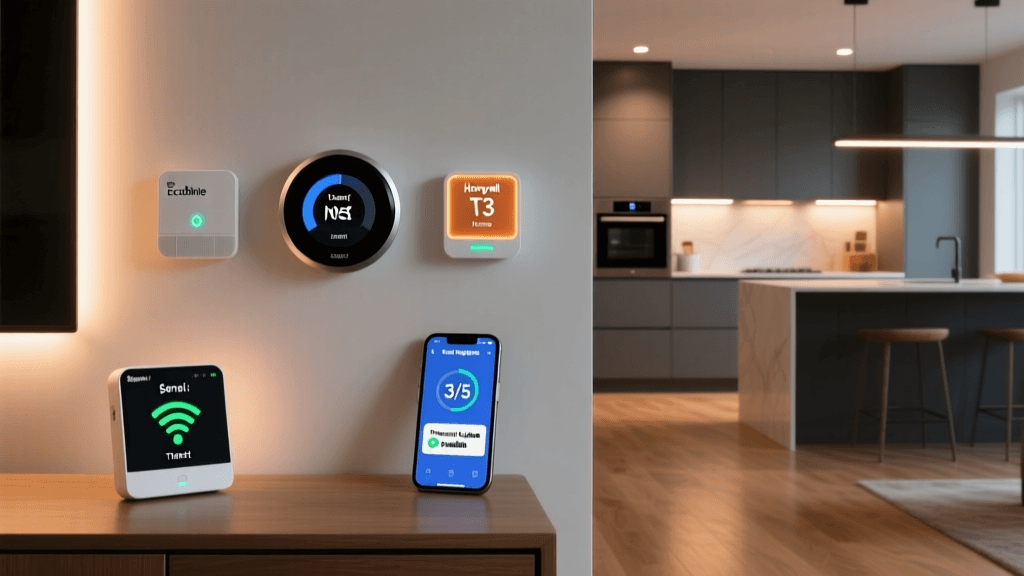
- Thermostat: Ecobee Premium (Wi-Fi/Matter)
- Lighting: Philips Hue Gradient Lightstrip (Zigbee via Hue Bridge)
- Sensor: Aqara FP2 Presence Sensor (mmWave)
- Appliance Control: TP-Link Kasa Smart Plug (Wi-Fi)
The Logic Flow
- Trigger: Time is 6:30 AM OR Aqara FP2 detects presence in the bedroom zone.
- Condition: Day of week is Monday-Friday AND Ecobee sensor reports 'Home' mode.
- Action 1 (Climate): Set Ecobee to 71°F. (According to the U.S. Department of Energy, smart thermostats that adjust automatically based on occupancy schedules can save homeowners up to 10-15% on heating and cooling costs annually).
- Action 2 (Lighting Delay): Wait 5 minutes. Then, activate Hue 'Sunrise' scene, fading from 0% to 60% brightness at 2700K (warm white) over 10 minutes.
- Action 3 (Appliance): Turn on Kasa Smart Plug (connected to espresso machine) for 2 minutes to allow pre-heating, then turn off to save standby power.
- Action 4 (Audio): Send command to Sonos speaker to play 'Morning News' playlist at 15% volume.
Installer Tip: When wiring smart switches for morning scenes, always ensure you have a neutral wire in the wall box. While some brands like Lutron Caseta offer no-neutral solutions, having a neutral wire allows for higher-wattage LED drivers and prevents 'ghosting' (where bulbs faintly glow when off), which can ruin a carefully timed fade-in scene.
Step-by-Step: The 'Secure & Sleep' Evening Scene
Evening routines are heavily focused on security, energy conservation, and preparing the home for sleep. This scene utilizes geofencing and state-tracking to ensure the house is secure, even if you forget to manually arm the system.
The Logic Flow
- Trigger: Geofence detects all registered users have left the home perimeter OR Time is 11:00 PM.
- Condition: Time is after 8:00 PM (prevents accidental triggering if you just step out to grab the mail).
- Action 1 (Security): Send lock command to Schlage Encode deadbolt. Wait for state confirmation: 'Locked'.
- Action 2 (Lighting): Turn off all interior Lutron Caseta switches. Set exterior Hue floodlights to 'Motion Security' mode (100% brightness, 5000K daylight upon motion trigger).
- Action 3 (Climate): Set Ecobee to 'Sleep' preset (68°F).
- Action 4 (Monitoring): Arm Ring Alarm system to 'Home' mode. If geofence triggered the routine, send a push notification: 'Home secured automatically due to departure.'
By chaining actions with state confirmations (waiting for the lock to report it is physically secured before arming the alarm), you prevent false alarms and ensure your home's physical security matches its digital state.
Visualizing Energy Savings Through Automation
One of the most compelling reasons to invest time in advanced schedule creation is the measurable impact on utility bills. By automating HVAC setbacks, lighting shutoffs, and phantom load elimination, homeowners can see significant returns on investment. The chart below illustrates the estimated monthly energy savings distributed across different routine types.
Energy Savings by Smart Home Routine Type
As the data suggests, 'Away Mode' and 'Vacation' routines yield the highest savings. These routines aggressively manage HVAC setbacks, disable unnecessary water heating, and randomize lighting schedules to simulate occupancy while minimizing actual power draw.
Troubleshooting Common Routine Failures
Even the most meticulously planned automations can fail if the underlying network or device configuration is flawed. Here are the most common issues DIY installers face and how to resolve them.
1. Zigbee and Wi-Fi Channel Interference
If your motion-triggered scenes have a 2-3 second delay or fail to trigger entirely, you likely have channel interference. Wi-Fi routers operating on the 2.4GHz band often overlap with Zigbee networks. The Fix: Set your Wi-Fi router to channel 1, 6, or 11, and manually set your Zigbee hub (like SmartThings or Hue) to channel 15, 20, or 25. This creates physical separation in the radio frequency spectrum.
2. The 'Cloud Latency' Bottleneck
Routines that rely on cloud servers (e.g., IFTTT applets or Wi-Fi-only devices pinging an external server) will fail or lag during internet outages. The Fix: Prioritize local protocols. The Matter standard, developed by the Connectivity Standards Alliance, is specifically designed to facilitate local IP-based communication between devices, ensuring your 'Good Morning' scene runs even if your ISP is down.
3. Sensor Timeout and Debounce Issues
When using contact sensors for triggers (e.g., turning on the pantry light when the door opens), a door that rattles might trigger the sensor multiple times in a second, confusing the hub. The Fix: Implement a 'debounce' delay in your routine logic, instructing the hub to wait 500 milliseconds after the initial trigger to confirm the state before executing the action.
Best Practices for Naming and Organization
As your smart home grows past 50 devices and 20 routines, organization becomes critical. Adopt a strict naming convention to keep your dashboard manageable:
- Rooms: Use standardized prefixes (e.g., [BR] Bedroom, [KT] Kitchen, [EXT] Exterior).
- Devices: Include the device type and brand (e.g., KT_Hue_Pendant, BR_Ecobee_Sensor).
- Routines: Use action-oriented names with time-of-day tags (e.g., 'ROUTINE: Morning Wake - Weekday', 'ROUTINE: Secure Home - Night').
Additionally, always create a 'Fallback' or 'Panic' scene. This is a single-tap manual override that resets all lighting to 100% daylight white, sets the thermostat to a comfortable 72°F, and unlocks all interior doors. This is invaluable when a complex automation loop gets stuck or when you have guests who are confused by the automated environment.
Conclusion
Mastering smart home routines and schedules transforms a collection of hardware into a proactive, energy-efficient, and secure living environment. By understanding the TCA framework, investing in local processing hubs, and carefully planning your triggers and conditions, you can create scenes that feel like magic to your family while operating with cold, hard efficiency behind the scenes. Start small with a robust morning routine, test your network latency, and gradually expand your automation footprint as you become more comfortable with conditional logic.