Introduction to Proactive Smart Home Automation
Transitioning from manual device control to proactive, automated home management is the hallmark of a truly intelligent living space. While turning on a smart bulb via a smartphone app offers basic convenience, the real power of smart home technology lies in the seamless orchestration of scenes, routines, and schedules. When configured correctly, these automation layers work silently in the background, anticipating your needs, enhancing home security, and significantly reducing energy consumption. According to the U.S. Department of Energy, properly scheduled smart thermostats and automated climate routines can save homeowners up to 10% a year on heating and cooling costs simply by optimizing temperature setpoints based on occupancy and time of day.
In this comprehensive setup guide, we will dissect the architectural differences between scenes, routines, and schedules. We will explore the best hub ecosystems for advanced logic, walk through the creation of a complex multi-condition morning routine, and provide actionable troubleshooting steps to ensure your automations execute flawlessly, whether you are relying on cloud servers or local network processing.
Understanding the Core Concepts: Scenes, Routines, and Schedules
Before diving into hub configuration, it is critical to understand the semantic and functional differences between the three pillars of smart home automation. Many users use these terms interchangeably, but in advanced setups, they serve distinctly different purposes.
- Scenes: A scene is a static snapshot of device states. When triggered, it forces a specific group of devices into predefined settings simultaneously. For example, a 'Movie Night' scene might dim the living room Philips Hue bulbs to 20%, close the SwitchBot motorized blinds, and turn on the AV receiver.
- Routines: A routine is a dynamic sequence of actions triggered by specific events or conditions. Unlike scenes, routines can incorporate logic, delays, and conditional branching. A 'Leaving Home' routine might check if all doors are locked, turn off all interior lights, and arm the security system, but only if the home alarm is currently in a 'disarmed' state.
- Schedules: Schedules are time-based or astronomical triggers that initiate scenes or routines. They operate on cron jobs, fixed daily timers, or solar elevation data (e.g., turning on exterior pathway lights exactly 30 minutes before sunset, regardless of the time of year).
| Automation Type | Definition | Primary Trigger | Best Use Case | Example Product Integration |
|---|---|---|---|---|
| Scene | Static snapshot of multiple device states | Manual, Voice, NFC Tag | Setting room ambiance instantly | Philips Hue, Lutron Caseta |
| Routine | Sequential actions with conditional logic | Geofence, Motion, Sensor | Arrival/Departure workflows | SmartThings, Home Assistant |
| Schedule | Time, calendar, or solar-based loop | Cron, Solar Elevation | HVAC management, exterior lighting | Ecobee, Rachio Sprinkler |
Choosing the Right Hub for Advanced Logic
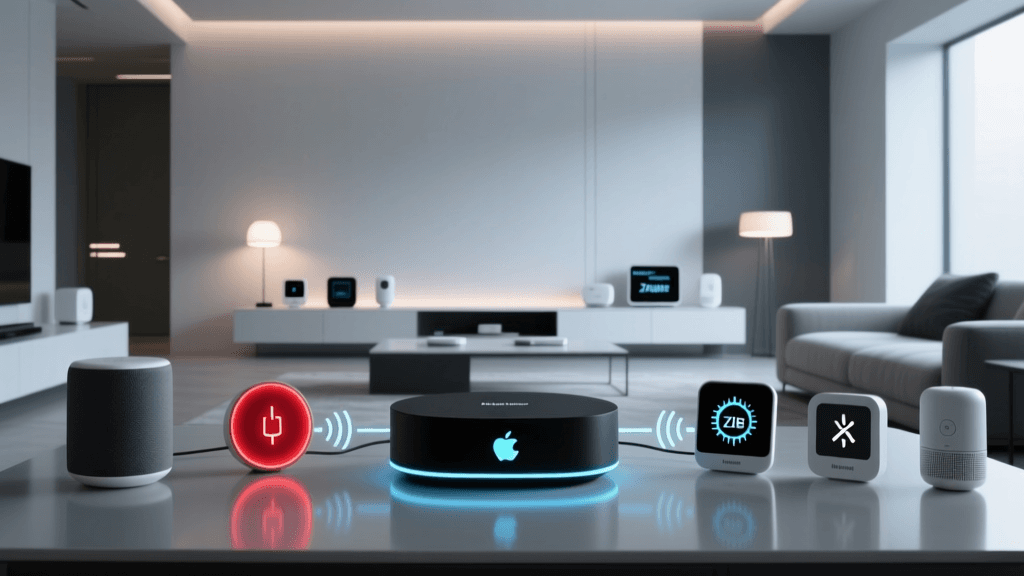
The complexity of your routines is entirely dependent on the hub or ecosystem you choose to orchestrate them. While basic apps like the native Wyze or Kasa apps allow for simple scheduling, advanced multi-brand routines require a centralized hub that supports cross-platform communication, ideally via the new Matter standard championed by the Connectivity Standards Alliance.
Samsung SmartThings Station (Approx. $69)
SmartThings remains a powerhouse for consumer-friendly routines. Its 'SmartThings Edge' platform allows for local execution of many Zigbee and Z-Wave routines, reducing cloud latency. It excels in geofencing routines (triggering actions based on your smartphone's GPS location) and integrates natively with Samsung appliances. However, complex conditional logic (e.g., 'IF motion is detected AND lux is below 50 AND TV is off') often requires third-party web apps like SharpTools.
Apple HomeKit via Apple TV 4K (Approx. $129)
For users deeply embedded in the Apple ecosystem, HomeKit offers unparalleled local processing speed and privacy. The Apple TV 4K acts as a border router for Thread devices and a hub for HomeKit Secure Video. HomeKit's 'Adaptive Lighting' feature automatically adjusts color temperature throughout the day, reducing the need for complex manual lighting schedules. The limitation is a stricter, more expensive hardware compatibility list compared to Android-friendly ecosystems.
Home Assistant Green (Approx. $99)
For the ultimate DIY installer, Home Assistant is the undisputed king of automation. As detailed in the Home Assistant Automation Documentation, the platform allows for YAML-based or visual blueprint automations that can query local APIs, scrape web data, and execute complex 'while' loops. It runs entirely locally, meaning your routines will fire even if your internet connection goes down.
Step-by-Step Guide: Building the Ultimate 'Good Morning' Routine
Let us architect a sophisticated 'Good Morning' routine using a hub-agnostic approach. This routine avoids jarring alarms, utilizing biometric data and gradual environmental shifts to wake you naturally.
Step 1: The Biometric Trigger
Instead of a fixed 6:30 AM schedule, we use a sleep tracker like the Withings Sleep Analyzer ($99) placed under the mattress. We configure the hub to monitor the sleep cycle API. The trigger condition is set to: When sleep state changes from 'Deep Sleep' to 'Light Sleep' OR 'Awake', AND the current time is between 6:00 AM and 7:00 AM. This ensures you are woken during the lightest phase of your sleep cycle, reducing grogginess.
Step 2: Gradual Lighting and Climate Shift
Once triggered, the routine initiates a 15-minute lighting fade. Philips Hue bulbs are commanded to transition from 0% brightness (2000K warm amber) to 60% brightness (4500K daylight) over 900 seconds. Simultaneously, the Ecobee SmartThermostat Premium ($249) receives a command to raise the ambient temperature by 3 degrees, signaling to your body that it is time to wake up.
Step 3: Information and Appliance Activation
At the 15-minute mark, a smart speaker (e.g., Sonos Era 100) begins playing a low-volume morning news podcast. In the kitchen, a SwitchBot Smart Plug ($15) connected to your espresso machine is toggled on, ensuring the machine is pre-heated by the time you walk into the room. Finally, a conditional check runs: IF outdoor weather API reports precipitation, THEN send a push notification to smartwatch reminding user to grab an umbrella.
Optimizing Schedules for Energy Efficiency
Creating routines for convenience is excellent, but deploying schedules for energy efficiency yields measurable financial returns. Heating, cooling, and phantom power loads represent the largest controllable energy sinks in a modern home.
HVAC and Solar Elevation Scheduling
Fixed-time schedules for exterior lighting and HVAC are inherently flawed because they ignore seasonal shifts in daylight. By configuring your hub to use 'Solar Elevation' triggers, you can automate exterior lights to turn on only when the sun drops below -4 degrees (civil twilight). For HVAC, utilize occupancy sensors in low-traffic rooms (like guest bedrooms or home offices) to create a schedule that closes smart vents or adjusts zone thermostats if a room has been unoccupied for more than four hours.
Phantom Load Elimination
Devices in standby mode consume significant phantom power. Create a 'Deep Night' schedule that triggers at 2:00 AM, cutting power via smart plugs to entertainment centers, desktop monitors, and coffee makers, then restoring power at 5:30 AM. Below is a visualization of the estimated annual energy savings based on automation type.
Advanced Logic: Webhooks, APIs, and Local Execution
To push your routines beyond the capabilities of native apps, you must integrate webhooks and REST APIs. A webhook is essentially an HTTP callback that allows disparate systems to communicate. For instance, you can configure your smart home hub to listen for a webhook from your car's GPS API. When your vehicle crosses a 2-mile geofence radius, the car sends a POST request to your hub, triggering the 'Arriving Home' routine to open the garage door and turn on the foyer lights before you even pull into the driveway.
However, relying heavily on cloud-to-cloud API integrations introduces points of failure. If your ISP experiences an outage, cloud-dependent routines will fail to execute. This is why prioritizing local execution protocols like Zigbee, Z-Wave, and the newer Thread/Matter standards is vital. When configuring your hub, always check the automation settings to ensure the execution mode is set to 'Local' rather than 'Cloud'. Local execution guarantees sub-100-millisecond latency and 100% reliability during internet outages.
Troubleshooting Common Routine Failures
Even the most meticulously planned schedules can fail. Here is how to troubleshoot the most common issues encountered during advanced setup configurations:
1. Mesh Network Congestion
Symptom: Routines involving multiple Zigbee lights execute with a noticeable 'popcorn' effect (lights turning on one by one instead of simultaneously). Solution: Zigbee networks suffer from bandwidth bottlenecks if too many messages are broadcast at once. Ensure you have enough mains-powered Zigbee repeaters (like smart plugs) distributed throughout the home to strengthen the mesh routing. Alternatively, group lights at the hub level so the hub sends a single group-cast command rather than individual unicast commands to each bulb.
2. Geofence Inaccuracy
Symptom: 'Leaving Home' routines trigger while you are still sitting on the couch, or 'Arrival' routines fail to trigger until you are already inside. Solution: Smartphone GPS radios often enter low-power sleep modes, delaying location updates. To fix this, supplement GPS geofencing with a secondary local trigger, such as your smartphone connecting to your home Wi-Fi network, or using a Bluetooth Low Energy (BLE) beacon placed near the front door that triggers the hub when your phone is within 10 feet.
3. API Rate Limiting
Symptom: Routines querying external weather services or stock market APIs suddenly stop working after a few days. Solution: Many free APIs enforce strict rate limits (e.g., 50 calls per day). If your routine polls an API every 5 minutes, you will hit the limit rapidly. Adjust your schedule to poll the API only when necessary, or cache the API response locally on your hub and set a condition to only fetch new data if the cached data is older than one hour.
Conclusion
Mastering scenes, routines, and schedules transforms a collection of disparate smart gadgets into a cohesive, intelligent ecosystem. By understanding the distinct roles of each automation type, selecting a hub capable of advanced conditional logic, and prioritizing local execution and energy-efficient scheduling, you can create a home environment that is not only deeply convenient but also economically and environmentally responsible. Start small, test your conditional logic rigorously, and gradually expand your automation footprint as your confidence in the system grows.