Why Your Smart Home Needs a Dedicated Hub and Network
As the average smart home expands beyond a few Wi-Fi bulbs into a comprehensive ecosystem of dozens—or even hundreds—of sensors, locks, and automated blinds, the limitations of standard consumer mesh routers become glaringly apparent. Relying solely on your primary Wi-Fi network for Internet of Things (IoT) devices introduces two critical bottlenecks: severe wireless spectrum congestion and significant cybersecurity vulnerabilities. To achieve a truly robust, responsive, and secure whole-home automation system, DIY installers and advanced homeowners must pivot toward a dedicated hub bridge architecture paired with network isolation techniques.
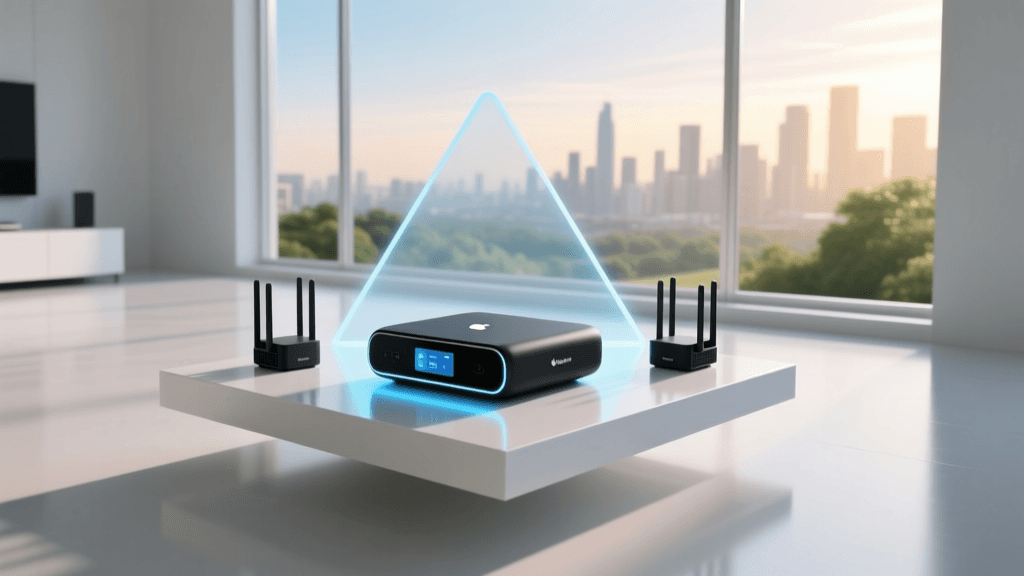
A hub bridge serves as the central translator for your smart home. While Wi-Fi is excellent for high-bandwidth devices like cameras and laptops, it is incredibly power-hungry and inefficient for small sensor payloads. Protocols like Zigbee 3.0, Z-Wave 800, and the emerging Thread/Matter standard utilize mesh networking to route low-power signals across your home. However, these protocols cannot natively communicate with your IP-based network or the internet. A hub bridge captures these mesh signals, translates them into IP packets, and exposes them to your automation server (such as Home Assistant, Hubitat, or OpenHAB).
Yet, simply plugging in a hub is only half the battle. The firmware on many budget-friendly smart home devices is rarely updated and often riddled with unpatched vulnerabilities. If a compromised smart plug shares the same local subnet as your personal laptop or home NAS drive, a malicious actor could pivot laterally across your network. This is where Virtual Local Area Networks (VLANs) become an absolute necessity for modern smart home installations.
The Security Imperative: IoT Network Isolation
Network segmentation is no longer just an enterprise IT concept; it is a fundamental requirement for residential smart home security. According to foundational guidelines published by the National Institute of Standards and Technology (NIST), IoT devices possess unique attack surfaces that require strict network segregation to protect primary data assets. In their comprehensive guide to IoT cybersecurity, NIST SP 800-213 emphasizes that devices lacking robust native security features must be isolated into separate network segments with strictly enforced firewall rules to prevent unauthorized lateral movement.
By creating a dedicated IoT VLAN, you establish a digital quarantine zone. Your smart bulbs, thermostats, and motion sensors can communicate with the internet to fetch weather data or receive firmware updates, and they can report back to your central hub, but they are explicitly blocked from initiating connections to your main LAN where your phones, computers, and personal data reside.
Choosing the Right Hub Bridge for Multi-Protocol Setup
Selecting the correct hardware bridge depends heavily on your preferred automation platform, the protocols your devices use, and your budget. Below is a comparison of the most reliable hub bridges currently available for DIY smart home integrators.
| Hub / Bridge | Protocols | Processing | Price Range | Best For |
|---|---|---|---|---|
| Home Assistant Connect ZBT-1 | Zigbee 3.0, Thread/Matter | Relies on HA Server | ~$35 | Open-source enthusiasts |
| Hubitat Elevation C-8 | Zigbee 3.0, Z-Wave 800 | Local ARM Processor | ~$150 | Advanced local automation |
| Samsung SmartThings Station | Thread, Matter, Zigbee | Cloud/Local Hybrid | ~$60 | Matter ecosystem adopters |
| Sonoff Zigbee 3.0 USB Dongle | Zigbee 3.0 | Relies on HA/Z2M | ~$25 | Budget multi-protocol setups |
For those building a local-first automation server using Home Assistant, the Home Assistant Connect ZBT-1 (formerly known as SkyConnect) or the Sonoff Zigbee 3.0 USB Dongle Plus (P-Version) are the gold standards. They act purely as radio bridges, offloading the mesh coordination and logic processing to your server via Zigbee2MQTT or ZHA. If you prefer a standalone, appliance-like hub that processes logic locally without requiring a dedicated Linux server, the Hubitat Elevation C-8 remains unmatched, offering dual-chip architecture for simultaneous Zigbee and Z-Wave mesh management.
Step-by-Step VLAN Configuration for IoT Isolation
To properly isolate your smart home devices, you will need a router or firewall that supports 802.1Q VLAN tagging and robust firewall rules. Consumer mesh systems (like standard Eero or basic Netgear Orbi) often lack granular VLAN controls. Prosumer solutions like Ubiquiti UniFi, TP-Link Omada, or pfSense/OPNsense are highly recommended. For a deep dive into enterprise-grade network segregation adapted for advanced home use, the Ubiquiti UniFi VLAN Segregation Guide provides an excellent foundational framework for creating isolated network corridors.
Step 1: Create the IoT VLAN and Subnet
Log into your network controller and create a new VLAN. Assign it a specific ID (e.g., VLAN 20) and configure a dedicated subnet, such as 192.168.20.1/24. Ensure that IGMP Snooping is enabled on this VLAN to prevent multicast traffic from flooding your network switches, which can severely degrade the performance of smart home discovery protocols.
Step 2: Configure the Firewall Rules
The order of operations in your firewall rule list is critical. Apply the following rules to the VLAN 20 interface:
- Allow DNS & DHCP: Permit traffic from the IoT subnet to your router's local IP on ports 53 (DNS) and 67 (DHCP). Without this, devices cannot obtain IP addresses or resolve domain names.
- Allow IoT to WAN: Permit outbound internet access so devices can reach their respective manufacturer clouds for initial provisioning and OTA firmware updates.
- Block IoT to Local Networks: Create a rule that drops all traffic destined for your private RFC1918 address spaces (192.168.0.0/16, 10.0.0.0/8, 172.16.0.0/12). This is the kill-switch that prevents lateral movement.
- Allow Main LAN to IoT: Permit your primary management subnet (e.g., VLAN 1) to initiate connections to the IoT subnet so you can access device web interfaces and your automation hub can poll local IP devices.
Step 3: Provision a Dedicated IoT SSID
Create a new Wi-Fi SSID (e.g., SmartHome-IoT) and bind it exclusively to VLAN 20. Configure this SSID to use only the 2.4GHz band, as the vast majority of budget IoT Wi-Fi chips lack 5GHz radios. Disable features like 'Client Isolation' if your devices need to communicate with each other locally, but keep 'WPA2-AES' enforced.
Bridging Protocols: Mesh Networks and Capacity
Once your network is secured, the hub bridge takes over the management of non-IP mesh protocols. Understanding the capacity and limitations of these protocols is vital for large-scale deployments. Zigbee and Z-Wave rely on 'router nodes'—devices connected to mains power like smart plugs and wall switches—to repeat signals and expand the mesh footprint. Battery-powered end-devices (like door sensors) will sleep to conserve energy and rely on the nearest router node to cache and forward their messages.
Smart Home Protocol Device Capacity Comparison
As illustrated in the data above, mesh protocols drastically outperform standard Wi-Fi in terms of sheer device capacity per hub. However, Thread and Matter over Thread represent the future of smart home bridging. Thread utilizes IPv6 natively, meaning Thread devices actually receive an IP address and can be routed directly through a Thread Border Router (like an Apple HomePod Mini or Nest Hub) without needing a traditional centralized hub bridge. This blurs the line between mesh networking and IP networking, further emphasizing the need for a well-structured VLAN setup to manage the influx of IPv6 endpoints.
Crossing the Divide: mDNS and Device Discovery
The most common hurdle DIY installers face after setting up an IoT VLAN is the sudden 'disappearance' of devices from voice assistants and mobile apps. This is caused by the segmentation of Multicast DNS (mDNS). Protocols like Apple AirPlay, Google Chromecast, and local device discovery (used by HomeKit and local APIs) rely on mDNS broadcasts on port 5353. By design, routers do not forward multicast traffic across VLAN boundaries.
To resolve this, you must implement an mDNS reflector or repeater. If you are using a UniFi Dream Machine, navigate to the routing settings and enable the 'mDNS Reflection' toggle between your Main LAN and IoT VLAN. For those running Home Assistant on a Linux server or Raspberry Pi, installing the avahi-daemon package and configuring it to reflect across interfaces will bridge the discovery gap. The Home Assistant Network Documentation provides critical insights into how the platform handles multiple network interfaces and the necessity of properly defining your trusted networks and mDNS boundaries to ensure seamless local polling and control.
Advanced Troubleshooting: USB 3.0 Interference and Mesh Routing
Even with a perfect network topology, physical layer interference can cripple a smart home setup. The most notorious culprit is USB 3.0 interference. The data transfer frequencies of USB 3.0 ports and cables generate broadband electromagnetic noise that directly overlaps the 2.4GHz spectrum used by Wi-Fi, Zigbee, and Thread. If you plug a Zigbee USB dongle directly into the back of a Raspberry Pi 4 or an Intel NUC, the noise floor will rise so high that the hub bridge will fail to see devices more than a few feet away.
Pro-Tip: Always use a high-quality, shielded USB 2.0 or active USB 3.0 extension cable (at least 1.5 to 2 meters long) to position your Zigbee/Thread dongle away from the host machine's motherboard and into an elevated, central location in your home.
Another frequent issue is 'mesh routing exhaustion.' If you add 40 battery-powered Zigbee sensors to a network that only has two mains-powered smart plugs, the mesh will collapse under the weight of orphaned devices trying to route through a single bottleneck. The rule of thumb for a stable Zigbee or Thread mesh is to maintain a ratio of at least one mains-powered router node for every five to seven battery-powered end-devices. Strategically placing smart switches and plugs throughout the center of your home ensures that the hub bridge receives strong, multi-path routed signals, resulting in sub-100ms automation latency and eliminating the dreaded 'device unavailable' errors in your dashboard.
Conclusion
Transitioning from a chaotic, Wi-Fi-dependent smart home to a structured, hub-bridged, and VLAN-isolated architecture requires an upfront investment in time and prosumer networking gear. However, the dividends paid in the form of lightning-fast local automation, impenetrable IoT security, and total system reliability are immeasurable. By carefully selecting the right multi-protocol bridge, enforcing strict firewall rules, and respecting the physical realities of RF interference and mesh routing, you lay the foundation for a smart home that is as resilient as it is intelligent.