The Smart Home App Graveyard: Why Unification Matters
For years, DIY smart home enthusiasts and homeowners alike have suffered from a common affliction: app fatigue. The modern connected home is often a fragmented mess of proprietary ecosystems. You might use the Philips Hue app for lighting, the Ecobee app for climate control, the Lutron app for shades, and a separate hub for smart locks. This fragmentation not only clutters your smartphone but creates severe interoperability issues, preventing devices from communicating locally and reliably.
The introduction of the Matter standard, developed by the Connectivity Standards Alliance (CSA), was designed specifically to solve this problem. Matter provides a universal, IP-based language that allows smart home devices to communicate across different ecosystems—such as Apple Home, Google Home, Amazon Alexa, and Samsung SmartThings—without relying on cloud-based middlemen. However, simply buying a Matter-compatible device is not enough. To truly unify your home, you must properly configure your central controller, optimize your local network, and understand the underlying protocols like Thread and Wi-Fi. This guide will walk you through the exact steps to configure a Matter hub, unify your disparate apps, and achieve low-latency, local control over your entire smart home.
Choosing the Right Matter-Compatible Hub
Before you can unify your apps, you need a central brain to act as your Matter Controller and Thread Border Router. A Thread Border Router bridges the low-power, mesh-networking capabilities of Thread devices to your home's Wi-Fi network. Below is a comparison of the most popular Matter-compatible hubs available today.
| Hub Model | Protocols Supported | Local Processing | Ecosystem | Approx. Cost |
|---|---|---|---|---|
| Apple HomePod (2nd Gen) | Wi-Fi, Thread, Matter | Yes (HomeKit/Matter) | Apple Home | $299 |
| Samsung SmartThings Station | Zigbee, Thread, Matter | Partial (Cloud hybrid) | SmartThings | $79 |
| Home Assistant Connect ZBT-1 | Zigbee, Thread, Matter | Yes (100% Local) | Home Assistant | $35 |
| Amazon Echo (4th Gen) | Zigbee, Thread, Matter | Yes (Local routines) | Alexa | $99 |
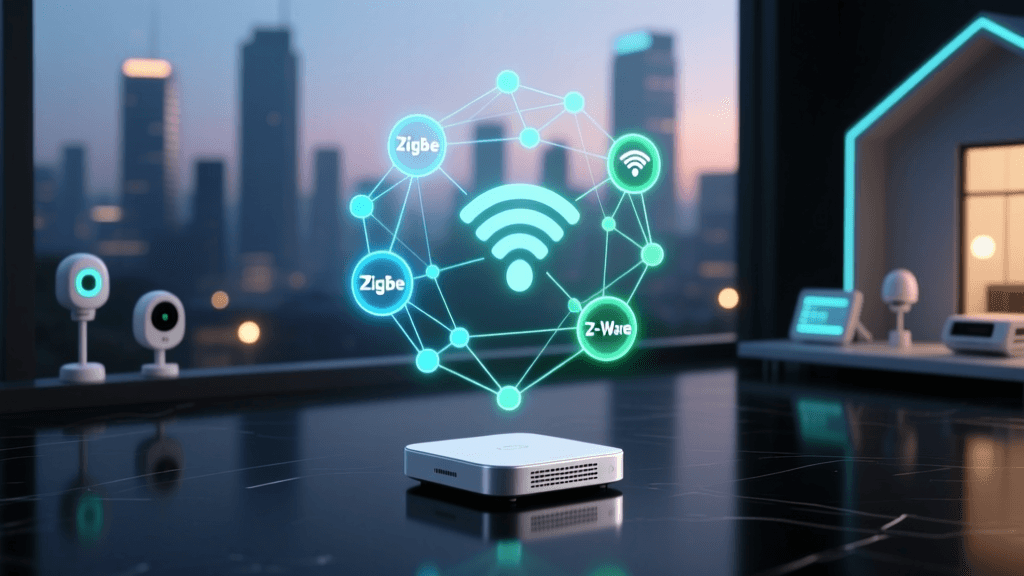
For users deeply embedded in the Apple ecosystem, the HomePod (2nd Gen) or Apple TV 4K serve as exceptional Thread Border Routers and Matter controllers. For power users who demand absolute data privacy and local execution, pairing a Raspberry Pi running Home Assistant with the Connect ZBT-1 dongle is the gold standard. According to the Thread Group, ensuring your hub supports Thread is critical, as it prevents Wi-Fi network congestion by keeping low-bandwidth sensors and smart bulbs on their own dedicated mesh network.
Network Prerequisites: Preparing Your Router for Matter
Matter relies heavily on mDNS (multicast DNS) for local device discovery. If you have a basic, single-router home network, Matter devices will usually discover each other automatically. However, if you use a prosumer network setup with VLANs (Virtual Local Area Networks) to isolate your IoT devices from your personal computers and phones, you will run into severe configuration roadblocks.
Configuring mDNS Across VLANs
Because mDNS broadcasts do not cross VLAN boundaries by default, your phone on the 'Main' VLAN will not be able to see the Matter hub on the 'IoT' VLAN. To fix this, you must enable an mDNS reflector or repeater on your router or firewall. If you use a UniFi Dream Machine, you can enable the 'Multicast DNS' service in the network application settings. For pfSense or OPNsense users, installing the Avahi daemon package and configuring it to reflect mDNS traffic between your specific interfaces is mandatory for the Matter commissioning process to succeed.
2.4GHz vs. 5GHz Band Steering
Many Matter-over-Wi-Fi devices, such as smart plugs and lighting switches, only support the 2.4GHz spectrum. If your router uses a unified SSID with aggressive band steering, the commissioning process may fail when the hub attempts to pass the Wi-Fi credentials to the new device. Temporarily splitting your 2.4GHz and 5GHz networks into distinct SSIDs during the initial setup phase can save hours of troubleshooting.
Step-by-Step Matter Commissioning Process
Commissioning is the highly secure process of adding a device to your Matter fabric. Unlike older smart home protocols that passed Wi-Fi passwords in plain text, Matter uses a robust cryptographic handshake. Here is how the configuration workflow operates in practice:
- Scan the QR Code: Open your primary controller app (e.g., Apple Home) and scan the Matter QR code on the device. This code contains the setup discriminator and PIN.
- PASE (Passcode-Authenticated Session Establishment): The hub and device establish a secure, temporary local connection using the PIN.
- Network Provisioning: The hub securely passes your Wi-Fi or Thread network credentials to the device.
- CASE (Certificate-Authenticated Session Establishment): The device connects to the network and verifies its Device Attestation Certificate (DAC) against the CSA root certificate authority, proving it is a genuine, certified Matter device.
- Fabric Assignment: The device is assigned a unique Node ID on your local Matter fabric and becomes available in your unified app.
Pro Tip: Never discard the physical QR code sticker that comes with a Matter device. If the device loses power or experiences a network reset, you will need that specific QR code and PIN to re-commission it back into your hub's fabric.
Visualizing Command Latency: Cloud vs. Local Matter
One of the primary reasons to unify your home under a local Matter controller is the drastic reduction in command latency. When you use fragmented, cloud-dependent apps, a simple command to turn on a light must travel from your phone to the manufacturer's cloud server, and then back down to your home hub. Matter over Thread or local Wi-Fi eliminates this round-trip, executing commands instantly on your local network.
Smart Home Command Latency Comparison
As visualized above, migrating from a cloud-dependent Zigbee bridge to a local Matter-over-Thread mesh can reduce latency by over 90%. This ensures that automated workflows, such as motion-triggered lighting or security alarms, fire instantaneously without the dreaded 'cloud lag'.
Configuring Multi-Admin Ecosystems
A groundbreaking feature of the Matter standard is Multi-Admin capability. This allows a single smart device to be controlled by multiple, competing ecosystems simultaneously without relying on cloud-syncing APIs. For example, you can configure a Matter-enabled smart lock to appear in Apple HomeKit for Siri voice commands, while simultaneously appearing in Google Home for Android widget control.
How to Enable Multi-Admin
After commissioning the device into your primary hub (e.g., Apple Home), open your secondary app (e.g., Google Home). Navigate to 'Add Device' and scan the exact same Matter QR code. The secondary app will recognize that the device is already on the local network and will request permission to join the existing Matter fabric. Once approved, the secondary controller acts as an additional administrator. This completely eliminates the need for IFTTT applets or third-party cloud bridges to sync device states between iOS and Android users in the same household.
Advanced Controller Setup: Home Assistant Integration
For DIY installers and advanced users, Home Assistant's Matter integration provides unparalleled flexibility. Unlike commercial hubs that restrict automation logic to basic 'if-this-then-that' routines, Home Assistant allows you to build complex, state-driven automations using local YAML configurations or the visual Node-RED add-on.
To configure Home Assistant as your primary Matter controller, you must install the 'Matter Server' add-on from the Home Assistant Add-on Store. This server handles the Python-Chip cryptography and manages the local Matter fabric. Once running, you can use the Home Assistant Connect ZBT-1 dongle to commission Thread devices directly. The beauty of this setup is that Home Assistant can bridge non-Matter devices (like older Z-Wave sensors or local RTSP security cameras) into the Matter fabric, exposing them to Apple Home or Google Home as if they were native Matter devices.
Troubleshooting Common Pairing and Network Failures
Despite the promise of universal compatibility, early adopters of Matter often encounter configuration hurdles. Here are the most common issues and their solutions:
- mDNS Blocking: If your app cannot find the hub during setup, check your router's firewall rules. Ensure that UDP port 5353 is open and that mDNS reflection is active across your IoT and mobile device VLANs.
- Thread Mesh Drops: If Thread devices show as 'No Response' in your app, your mesh may lack sufficient routing nodes. Thread requires mains-powered devices (like smart plugs or wired switches) to act as Thread Routers. Battery-powered sensors are 'Sleepy End Devices' and cannot route traffic. Add more mains-powered Thread devices to stabilize the mesh.
- Commissioning Timeouts: If the setup process stalls at step 3 (Network Provisioning), the device may be failing to connect to your Wi-Fi. Verify that you are not using WPA3-Enterprise, as many IoT chips currently only support WPA2-Personal or WPA3-SAE.
- DAC Verification Failures: If the app warns that the device certificate is invalid, the manufacturer's Device Attestation Certificate may have expired or been revoked. Ensure your hub has unrestricted internet access during the initial commissioning phase to verify the certificate against the CSA cloud registry.
Conclusion
Transitioning from a fragmented, cloud-reliant smart home to a unified, local Matter ecosystem requires an upfront investment in the right hub and careful network configuration. By selecting a robust Matter controller, optimizing your router for mDNS, and leveraging the Thread protocol, you can eliminate app fatigue and achieve instant, reliable automation. Whether you choose the polished experience of Apple Home or the granular control of Home Assistant, the Matter standard finally provides the foundation for a truly unified, whole-home automation experience.