Introduction to Multi-Condition Workflows
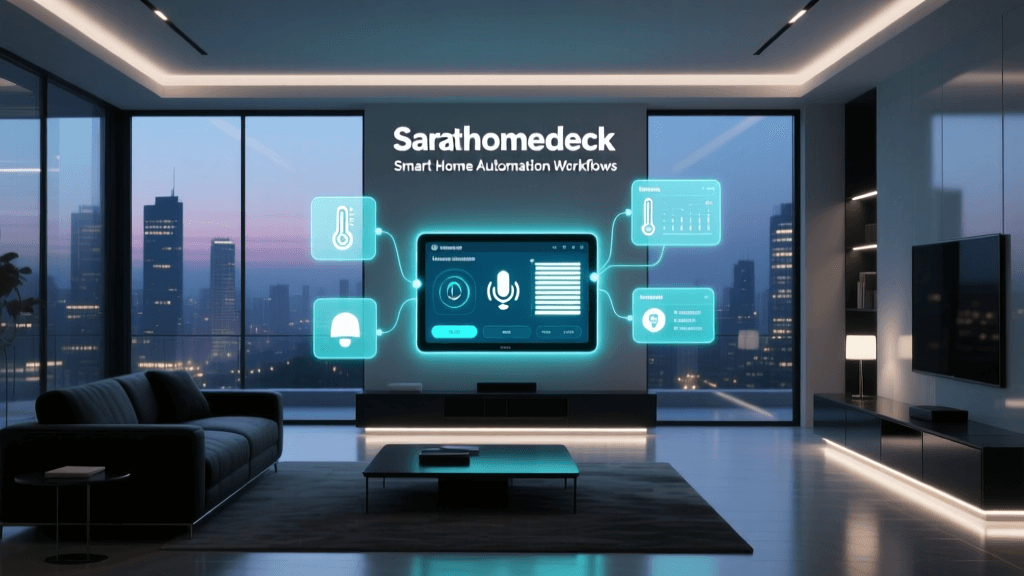
Setting up a smart home goes far beyond simple voice commands or single-trigger automations. While turning on a light when a door opens is a great first step, true home intelligence lies in multi-condition automation workflows. These workflows evaluate several data points—such as ambient light, occupancy, time of day, and even HVAC status—before executing an action. This prevents the frustrating experience of lights turning on at 2 PM when the sun is already blazing through the window, or the AC kicking on when a window is left open.
In this comprehensive guide, we will dive deep into the architecture of multi-condition workflows, exploring how to configure them using local processing hubs like Home Assistant and Hubitat. We will cover hardware selection, logic gate implementation, and advanced troubleshooting techniques to ensure your smart home operates seamlessly and efficiently.
Core Components: Hubs, Sensors, and Actuators
Before configuring complex logic, you need a robust hardware foundation. Multi-condition workflows require low-latency sensors and a hub capable of processing local logic without relying on cloud servers. Cloud-dependent hubs often suffer from latency and API rate limits, which can cause complex automations to fail or stall.
Choosing the Right Hub
For advanced workflow configuration, local hubs are mandatory. The Home Assistant Green (approx. $99) and the Hubitat Elevation (approx. $150) are industry standards for DIY installers. Both support Zigbee, Z-Wave, and the emerging Matter standard, allowing you to mix and match sensors from different ecosystems.
Sensor Selection and Placement
Multi-condition logic relies heavily on accurate environmental data. Here are the top sensor categories and specific product recommendations:
- Millimeter Wave (mmWave) Presence Sensors: Unlike traditional PIR motion sensors that require movement, mmWave sensors detect micro-movements like breathing. The Aqara FP2 ($65) offers multi-zone detection, allowing you to create workflows based on exactly where a person is sitting in a room.
- Multi-Sensors: The Aeotec MultiSensor 7 ($60) combines PIR motion, lux (light level), temperature, humidity, and UV index into a single Z-Wave device. This is perfect for HVAC and lighting workflows.
- Door/Window Contact Sensors: Essential for safety and energy-saving conditions. The Philips Hue Secure Contact Sensor ($30) provides rapid Zigbee reporting, crucial for preventing HVAC short-cycling.
Step-by-Step Workflow Configuration
Let us build a practical multi-condition workflow: Adaptive Evening Lighting. The goal is to turn on the living room lights to 50% warm white only if motion is detected, the ambient light is below 40 lux, and the time is between 6:00 PM and 11:30 PM.
Defining Triggers vs. Conditions
A common mistake for beginners is confusing triggers with conditions. A trigger is the event that starts the evaluation of your workflow (e.g., motion detected). A condition is a state that must be true at the exact moment the trigger fires for the action to execute.
According to the official Home Assistant automation documentation, triggers are event-based, while conditions are state-based. If you set 'Time is after 6 PM' as a trigger, the automation will only evaluate exactly at 6:00 PM. Instead, motion should be the trigger, and time should be a condition.
YAML Configuration Example
For users configuring Home Assistant via YAML, the structure looks like this:
automation:
  - alias: 'Adaptive Evening Lighting'
    trigger:
      - platform: state
        entity_id: binary_sensor.living_room_motion
        to: 'on'
    condition:
      - condition: numeric_state
        entity_id: sensor.living_room_lux
        below: 40
      - condition: time
        after: '18:00:00'
        before: '23:30:00'
    action:
      - service: light.turn_on
        target:
          entity_id: light.living_room_main
        data:
          brightness_pct: 50
          color_temp: 350
Visual Builders vs. Code-Based Configuration
While YAML offers granular control, visual builders like Hubitat's Rule Machine or Home Assistant's visual automation editor are excellent for mapping out complex AND/OR logic gates without syntax errors. In Rule Machine, you can nest conditions within actions, creating loops and wait-for-event triggers that are difficult to express in standard YAML. For example, you can set a workflow to turn on the hallway light, wait for the bathroom door to close, and then start a 10-minute countdown before dimming the lights. This sequential logic is the backbone of advanced routines like 'Goodnight' or 'Leaving Home' modes.
Sensor Compatibility and Latency Matrix
When chaining multiple conditions, the reporting interval of your sensors becomes critical. If a sensor only reports its state every 5 minutes, your multi-condition workflow will fail to react in real-time. Below is a comparison matrix of popular smart home protocols and their typical sensor reporting latencies.
| Protocol | Sensor Type | Avg. Latency | Mesh Routing | Best Use Case |
|---|---|---|---|---|
| Zigbee 3.0 | Motion / Contact | 50 - 150ms | Yes (End devices sleep) | Fast-trigger lighting workflows |
| Z-Wave Plus V2 | Multi-Sensor | 100 - 250ms | Yes (Mains powered route) | Complex environmental logic |
| Wi-Fi (ESP32) | Custom DIY | 20 - 80ms | No (Star topology) | High-bandwidth, local ESPHome |
| Matter over Thread | Presence / Light | 100 - 300ms | Yes (Border routers) | Cross-ecosystem interoperability |
Energy Savings: Single vs. Multi-Condition Automations
One of the primary drivers for upgrading to multi-condition workflows is energy efficiency. Single-condition automations (e.g., turning on lights purely based on motion) often result in significant energy waste during daylight hours or when a room is already sufficiently lit by natural sunlight.
By integrating lux (illuminance) sensors and time-based logic, homeowners can drastically reduce unnecessary actuator engagement. The chart below illustrates the estimated lighting energy consumption (in kWh) over a six-month period in a typical 2,500 sq. ft. home, comparing a basic motion-triggered setup against a multi-condition setup.
As demonstrated, the multi-condition approach yields up to a 50% reduction in lighting energy usage during the summer months when daylight hours are longer. The U.S. Department of Energy highlights that smart home automation, particularly when applied to HVAC and lighting via advanced scheduling and sensor integration, can yield annual energy savings of 10% to 15% on climate control alone.
Advanced Logic: Hysteresis and State Machines
When configuring workflows for climate control or exhaust fans, you will quickly encounter the problem of 'short-cycling.' This occurs when a sensor hovers right on the edge of your threshold (e.g., a bathroom humidity sensor reading 59% and 60% repeatedly), causing the exhaust fan to turn on and off rapidly. This damages the fan motor and creates an annoying user experience.
Implementing Hysteresis
Hysteresis introduces a buffer zone between your turn-on and turn-off thresholds. Instead of a single condition, you create two separate workflows or a state machine with dual thresholds.
- Turn ON Condition: Humidity > 65%
- Turn OFF Condition: Humidity < 50%
This 15% gap ensures the fan runs long enough to properly clear the moisture and prevents rapid toggling. Advanced hubs like Hubitat allow you to configure hysteresis natively within their Rule Machine interface, while Home Assistant users can utilize the generic_thermostat integration or template sensors to achieve the same result.
Integrating Voice Assistants as Fallback Overrides
No matter how perfectly you configure your multi-condition workflows, there will be times when human intervention is required. Edge cases—such as sitting perfectly still while reading a book, causing the mmWave sensor to lose your micro-movements—can lead to the lights turning off unexpectedly. Integrating voice assistants like Amazon Alexa or Apple HomeKit as manual override layers is a critical step in workflow configuration.
When configuring your hub, you should create a 'virtual switch' or 'boolean helper' that acts as an automation bypass. For example, if you say, 'Alexa, turn on reading mode,' the hub flips the virtual switch to ON. Your multi-condition lighting workflow must include a condition that checks if this virtual switch is OFF before executing the motion-based lights-off sequence. This ensures that manual overrides always supersede automated logic, preserving the user experience without requiring you to dig into an app to disable automations temporarily.
'The true measure of a smart home is not how often it acts on its own, but how gracefully it yields to human intent when the automated logic falls short of context.'
— Smart Home UX Design Principles
Troubleshooting Common Workflow Errors
Even with perfect logic on paper, real-world smart home deployments face physical and network-layer challenges. Here is how to troubleshoot the most common multi-condition workflow failures.
1. Race Conditions and Polling Delays
If your workflow requires a door to be open AND a motion sensor to trigger, but the door sensor takes 3 seconds to report its state to the hub, the motion trigger might fire before the hub registers the door as open. The action will fail. Solution: Introduce a 1-to-2 second delay in your workflow action sequence, or use a hub that supports 'wait for trigger' logic to pause execution until all conditions are met.
2. Zigbee Mesh Routing Failures
Battery-powered Zigbee sensors do not route signals; they rely on mains-powered devices (like smart plugs or hardwired switches) to pass messages to the hub. If a smart plug loses power or is switched off, your distant motion sensor may drop off the network, causing your automation to silently fail. Solution: Map your Zigbee mesh using tools like ZHA Toolkit or Zigbee2MQTT network maps, and ensure you have redundant routing paths.
3. Cloud API Rate Limits
If you are using cloud-based devices (like certain Wi-Fi cameras or cloud-linked smart plugs) as conditions or actions, you may hit API rate limits. If your motion sensor triggers 10 times in a minute, the cloud provider might block your hub's IP address temporarily. Solution: Keep logic local. The Connectivity Standards Alliance (CSA) continues to push the Matter protocol specifically to solve these interoperability and local-control issues, ensuring devices communicate over your local LAN without cloud bottlenecks.
4. Thread Border Router Bottlenecks
With the adoption of Matter over Thread, many DIY installers are utilizing Thread Border Routers (like the Apple TV 4K or Nest Hub Pro) to manage mesh networks. However, if your workflow relies on a Thread sensor communicating with a Zigbee hub, the translation must occur via a Matter controller. Latency can spike if the border router is overwhelmed or placed in a poor physical location. Solution: Ensure your Thread Border Routers are centrally located and hardwired via Ethernet where possible to reduce wireless backhaul congestion.
Conclusion
Mastering multi-condition automation workflows transforms a collection of smart gadgets into a truly intelligent, proactive living environment. By carefully selecting low-latency sensors, understanding the critical difference between triggers and conditions, and implementing advanced logic like hysteresis, you can create a home that adapts to your lifestyle while maximizing energy efficiency. Whether you are wiring hardwired mmWave sensors or writing complex YAML scripts in Home Assistant, the investment in robust workflow configuration pays dividends in comfort, security, and long-term cost savings.
As the smart home industry matures, the line between manual control and automated intelligence will continue to blur. By mastering the fundamentals of sensor latency, logic gates, and network topology, you position your home to take full advantage of emerging standards. The time invested in properly configuring these multi-condition workflows today will result in a more resilient, responsive, and energy-efficient home for years to come.