The Evolution of Smart Home Automation
When most homeowners begin their smart home journey, they rely on simple, single-trigger automations. A classic example is turning on a smart bulb when a motion sensor detects movement. While this provides a taste of convenience, it quickly falls short in real-world scenarios. What happens when the sun is already shining? What if the house is empty? What if you are watching a movie and the sudden illumination ruins the ambiance? This is where single-trigger logic fails, and multi-trigger smart home automation workflows become essential.
Configuring advanced workflows requires a shift in mindset from reactive commands to proactive, context-aware environments. According to the Home Assistant Automation Documentation, robust smart home setups rely on evaluating multiple data points simultaneously before executing an action. By leveraging local hubs, mesh networks, and advanced logic gates, DIY installers can create highly reliable, latency-free environments that rival professional, high-end control systems.
Core Architecture: Triggers, Conditions, and Actions
To master workflow configuration, you must deeply understand the TCA (Triggers, Conditions, Actions) framework. This is the foundational logic model used by industry-leading local hubs like Home Assistant, Hubitat, and Node-RED.
- Triggers: The events that start the evaluation process. In a multi-trigger workflow, you might use an
orlogic gate to listen for a door opening, a motion sensor tripping, or a specific time of day. - Conditions: The strict filters that must be met for the automation to proceed. This is where context is applied. For example, checking if the local weather API reports clear skies, if the living room TV is currently powered off, or if the indoor temperature is above 72°F.
- Actions: The physical or digital tasks executed only when triggers fire AND conditions are met. Actions can include device calls, delays, script executions, and notification dispatches.
"The hallmark of a mature smart home is not how many devices it contains, but how invisibly those devices coordinate through multi-variable logic to serve the occupant's needs without manual intervention."
Selecting the Right Protocols for Local Execution
Multi-trigger workflows require rapid, reliable data ingestion. If your sensors rely on cloud processing, a simple workflow evaluating three different sensors could suffer from 500ms to 2-second delays per data point, resulting in a sluggish, frustrating user experience. Local execution via mesh protocols is mandatory.
The Connectivity Standards Alliance (CSA) has pushed the industry toward Matter and Thread for IP-based local networking, while Zigbee remains a dominant force for low-power sensor networks. Below is a comparison of the primary protocols used in workflow configuration.
| Protocol | Average Local Latency | Network Topology | Typical Sensor Cost | Best Use Case in Workflows |
|---|---|---|---|---|
| Zigbee 3.0 | 30 - 50 ms | Mesh | $12 - $25 | High-density sensor arrays (doors, windows, temp) |
| Matter (Thread) | 40 - 70 ms | IP Mesh | $25 - $50 | Cross-brand interoperability and border routing |
| Z-Wave (800 Series) | 40 - 60 ms | Mesh | $30 - $60 | Security workflows and heavy interference environments |
| Wi-Fi (802.11) | 100 - 250 ms | Star | $15 - $40 | High-bandwidth devices (cameras, smart displays) |
For the most reliable multi-trigger configurations, utilizing a dedicated Zigbee or Thread mesh network is recommended. The Zigbee2MQTT Getting Started Guide highlights how decoupling your sensor network from your primary Wi-Fi router drastically reduces packet loss and ensures that state changes are reported to your hub instantly.
Step-by-Step: Building an Adaptive Climate and Lighting Workflow
Let us configure a complex, real-world workflow: an adaptive living room environment that manages both lighting and climate based on occupancy, lux levels, and time of day. We will use Home Assistant and a Zigbee network.
Hardware Requirements
- Hub/Dongle: Sonoff Zigbee 3.0 USB Dongle Plus (ZBDongle-P, approx. $25) flashed with router or coordinator firmware.
- Occupancy: Aqara FP2 Presence Sensor (approx. $65) for precise zone-based mmWave detection.
- Lux & Temp: Aqara Temperature, Humidity, and Illuminance Sensor (Model WSDCGQ11LM, approx. $18).
- Actuators: Philips Hue White Ambiance Bulbs and a smart thermostat (e.g., Ecobee SmartThermostat).
Workflow Logic Design
Instead of creating five separate automations, we consolidate the logic into a single, multi-trigger workflow using the choose action sequence. This prevents race conditions where two automations fight for control of the same light bulb.
alias: Living Room Adaptive Environment
description: Multi-variable climate and lighting control
trigger:
  - platform: state
    entity_id: binary_sensor.living_room_presence_occupancy
  - platform: numeric_state
    entity_id: sensor.living_room_illuminance
    above: 150
  - platform: numeric_state
    entity_id: sensor.living_room_illuminance
    below: 150
  - platform: state
    entity_id: sun.sun
condition:
  - condition: state
    entity_id: media_player.living_room_tv
    state: 'off'
action:
  - choose:
      - conditions:
          - condition: state
            entity_id: binary_sensor.living_room_presence_occupancy
            state: 'on'
          - condition: numeric_state
            entity_id: sensor.living_room_illuminance
            below: 150
        sequence:
          - service: light.turn_on
            target:
              entity_id: light.living_room_main
            data:
              brightness_pct: 80
              color_temp_kelvin: 3500
      - conditions:
          - condition: state
            entity_id: binary_sensor.living_room_presence_occupancy
            state: 'off'
        sequence:
          - service: light.turn_off
            target:
              entity_id: light.living_room_main
          - service: climate.set_preset_mode
            target:
              entity_id: climate.main_thermostat
            data:
              preset_mode: away
Visualizing Protocol Performance in Workflows
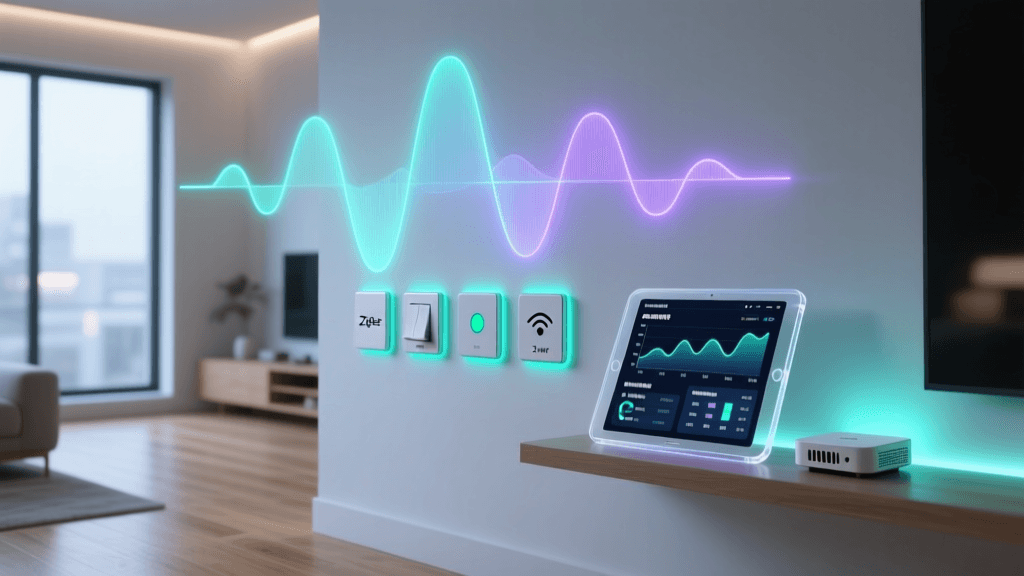
When designing workflows that rely on multiple sensors, the cumulative latency of your network protocol can make or break the user experience. A workflow that requires polling three Wi-Fi sensors might take over a second to evaluate, whereas a Zigbee mesh network evaluates the same logic almost instantaneously. The chart below illustrates the average local latency and reliability scores of common smart home protocols when subjected to multi-device polling.
As the data indicates, Thread and Zigbee offer the optimal balance of low latency and high reliability required for complex, multi-trigger logic gates.
Advanced Workflow Configuration: Helpers and State Machines
As your smart home grows, relying solely on device states can lead to fragile automations. Advanced installers utilize Helpers (virtual entities) and Timers to create robust state machines.
Using Input Booleans for Mode Tracking
Suppose you want your multi-trigger lighting workflow to behave differently when you are hosting a dinner party. Instead of adding complex conditions to every automation, create an input_boolean helper named guest_mode. Your primary automations can now include a simple condition checking if guest_mode is off, instantly preventing all adaptive lighting and climate overrides while entertaining.
Implementing Timers for Debouncing
Motion and presence sensors often suffer from 'bouncing'—rapidly switching between on and off states due to micro-movements or sensor blind spots. In a multi-trigger workflow, this can cause lights to flicker or HVAC systems to short-cycle. By introducing a timer helper, you can configure a delay-off sequence. When the sensor triggers, the timer restarts. The actual 'room empty' action only fires when the timer finishes its countdown, ensuring a smooth, debounce-protected workflow.
Troubleshooting Common Multi-Trigger Pitfalls
Even meticulously planned workflows can encounter issues. Here is how to troubleshoot the most common configuration errors:
- Race Conditions: Occurs when two automations trigger simultaneously and send conflicting commands to the same device (e.g., one turns a light on, the other turns it off). Solution: Consolidate logic into a single automation using
chooseorif-then-elseactions, or utilize Home Assistant'swait_templateto enforce execution order. - State Evaluation Failures: If a condition checks for a specific numeric state (e.g., temperature above 70), but the sensor temporarily reports 'unavailable' due to a mesh network drop, the automation will fail silently. Solution: Always include a condition to verify the sensor's state is not 'unavailable' or 'unknown' before evaluating numeric thresholds.
- Mesh Network Routing Loops: In large Zigbee networks with multiple routers, a multi-trigger workflow evaluating five different sensors might experience delayed state updates if the mesh routing table is unstable. Solution: Use a network mapping tool (like the Zigbee2MQTT network map) to identify weak links and strategically place mains-powered smart plugs to reinforce mesh pathways.
Conclusion
Transitioning from basic, single-trigger commands to multi-trigger smart home automation workflows is the defining step between a gadget-filled house and a truly intelligent home. By mastering the TCA framework, selecting low-latency local protocols like Zigbee and Thread, and utilizing advanced logic gates and helpers, you can build an environment that anticipates needs rather than merely reacting to them. Whether you are configuring adaptive lighting based on lux and occupancy, or managing whole-home climate based on weather forecasts and window states, the principles of robust workflow configuration remain the same: prioritize local execution, consolidate your logic, and always account for edge cases.