The Fragmented Smart Home: Why Multi-Ecosystem Integration Matters
The modern smart home is rarely a monolith. In most households, you will find a mix of iOS and Android devices, Amazon Echo displays in the kitchen, Apple HomePods in the living room, and Google Nest thermostats on the wall. Historically, this fragmentation forced DIY installers and homeowners into 'walled gardens,' where devices purchased for one ecosystem were entirely incompatible with another. Fortunately, the landscape has shifted dramatically with the introduction of Matter and advanced local hubs, making multi-ecosystem integration not just possible, but highly reliable.
Setting up a unified smart home that responds to Siri, Alexa, and Google Assistant simultaneously requires a strategic approach to network configuration, hub selection, and protocol management. This guide will walk you through the exact steps to bridge Apple HomeKit, Google Home, and Amazon Alexa using a central hub architecture, ensuring local control, low latency, and seamless automation workflows across all platforms.
Core Protocols Powering Cross-Platform Hubs
Before diving into the physical setup, it is critical to understand the communication protocols that make multi-ecosystem integration possible. Relying solely on Wi-Fi will congest your router and lead to latency issues. Instead, a robust setup leverages a combination of mesh and IP-based protocols.
Matter: The Universal Application Layer
Matter is the industry-standard application layer developed by the Connectivity Standards Alliance (CSA). It operates over IP networks (Wi-Fi, Ethernet, and Thread) and allows devices to be commissioned into multiple 'fabrics' simultaneously. This means a single Matter-enabled smart plug can be natively controlled by Apple HomeKit, Google Home, and Home Assistant at the exact same time without cloud bridges.
Thread: The Low-Power Mesh Network
While Matter defines the language devices speak, Thread defines how low-power devices communicate. Operating on the 2.4 GHz IEEE 802.15.4 radio frequency, Thread creates a self-healing mesh network. According to the Thread Group, Thread networks utilize Border Routers to bridge the mesh to your home IP network. Devices like the Apple TV 4K, Nest Hub, and Amazon Echo 4th Gen all contain Thread Border Routers, which can be unified under a single Matter fabric.
Zigbee and Z-Wave: The Legacy Workhorses
Not every device supports Matter yet. Zigbee (2.4 GHz) and Z-Wave (908.42 MHz in the US) remain the backbone for thousands of sensors, locks, and relays. To integrate these into a multi-ecosystem setup, your central hub must possess the physical radios required to translate these legacy signals into IP-based commands that can be exposed to voice assistants.
Choosing Your Central Hub for Cross-Platform Control
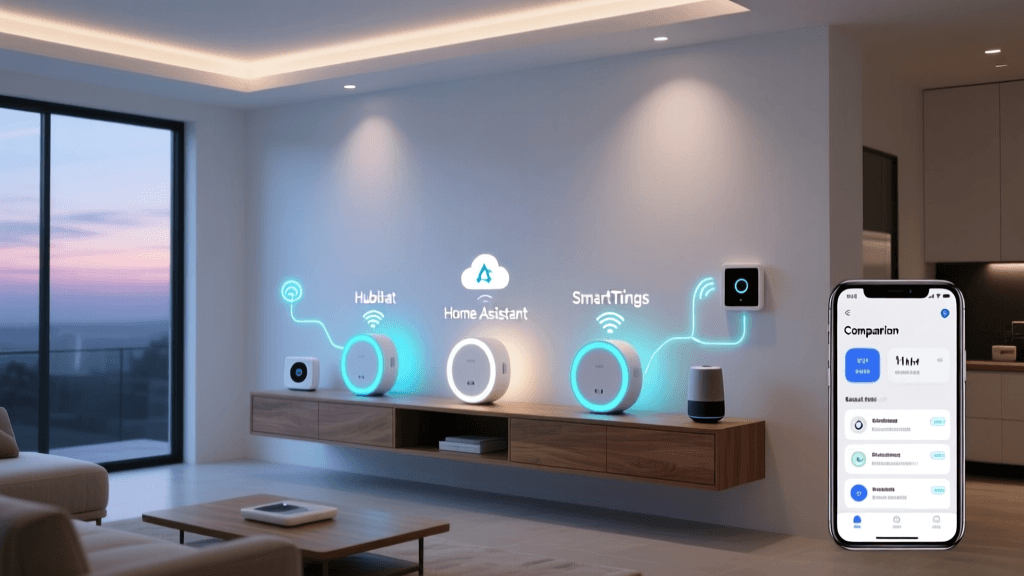
To bridge ecosystems, you need a central brain that supports local processing and multi-platform exposure. Below is a comparison of the top hubs for DIY multi-ecosystem integration.
| Hub Model | Approx. Cost | Matter Support | Zigbee / Z-Wave | Local Control | Best For |
|---|---|---|---|---|---|
| Home Assistant Green | $99 | Native (Controller & Bridge) | Via USB Dongles | 100% Local | Advanced DIY & Tinkerers |
| Hubitat Elevation C-8 | $149 | Beta / Limited | Built-in Radios | 100% Local | Legacy Device Integration |
| Samsung SmartThings Station | $69 | Native (Controller) | Via Hub or Dongle | Cloud-Assisted | Beginner Matter Setup |
| Apple TV 4K (3rd Gen) | $149 | Native (Controller) | Thread / HomeKit Only | Local (HomeKit) | Apple-Centric Homes |
For the ultimate multi-ecosystem setup, Home Assistant is the undisputed champion. It acts as a universal translator, ingesting Zigbee, Z-Wave, Thread, and Matter devices, and then exposing them back out to Apple HomeKit, Google Home, and Alexa simultaneously. The Home Assistant Matter Integration documentation provides extensive guides on how to act as both a Matter Controller (adding devices) and a Matter Bridge (exposing legacy devices to Matter-compatible ecosystems).
Step-by-Step Multi-Ecosystem Setup Guide
Follow this phased approach to build a resilient, multi-platform smart home.
Phase 1: Network Preparation and Segmentation
Multi-ecosystem setups rely heavily on multicast DNS (mDNS) for device discovery. If your network is not configured correctly, Apple devices will not see Google devices, and Matter commissioning will fail.
- Create an IoT VLAN: Isolate your smart home devices on a dedicated VLAN (e.g., VLAN 20) to improve security and reduce broadcast traffic on your main network.
- Enable mDNS Reflectors: If your hub (like Home Assistant) is on a different VLAN than your mobile devices, you must enable an mDNS reflector (like Avahi or the mDNS repeater in pfSense/UniFi) so discovery packets can cross VLAN boundaries.
- Disable AP Isolation: Ensure wireless clients on your IoT SSID can communicate with each other and with the wired hub.
Phase 2: Hub Deployment and Radio Configuration
If using Home Assistant Green, connect it via Ethernet to your primary switch. For Zigbee and Z-Wave integration, purchase a dedicated USB coordinator (such as the Home Assistant SkyConnect or Sonoff ZBDongle-P). Use a USB 2.0 extension cable to move the dongle away from the hub's chassis, which reduces 2.4 GHz interference from the internal processor and improves mesh range by up to 40%.
Phase 3: Matter Commissioning and Fabric Sharing
When adding a new Matter device (e.g., an Eve Energy plug or Aqara FP2 presence sensor), you will use a QR code. The beauty of Matter is 'Multi-Admin' support.
- Open your primary hub app (e.g., Home Assistant) and scan the Matter QR code to commission the device into your primary fabric.
- Once added, locate the device settings and select 'Share Device' or 'Add to Another Fabric'.
- Open the Apple Home app, scan the same QR code (or use the generated setup code), and link it. The device now exists natively in both ecosystems without requiring a cloud bridge.
Phase 4: Voice Assistant Bridging
To expose your entire hub to voice assistants, use official bridge integrations. For Home Assistant, a Nabu Casa subscription ($7.99/month) provides the most secure, zero-configuration bridge to Google Assistant and Amazon Alexa. For Apple HomeKit, use the native 'HomeKit Bridge' integration within Home Assistant to expose non-Matter Zigbee and Z-Wave entities directly to Siri.
Visualizing Protocol Support in Modern Hubs
Understanding how different hubs handle various protocols is crucial when designing your hardware stack. The chart below illustrates the relative support levels (on a scale of 0 to 5) for major protocols across the most popular smart home hubs.
As visualized, Home Assistant offers the most comprehensive coverage across all protocols, making it the ideal central node for a multi-ecosystem home. Apple TV 4K excels in Thread and Matter but lacks native support for legacy Zigbee and Z-Wave radios, requiring a bridge to handle older devices.
Advanced Workflows: Bridging Apple, Google, and Amazon
Once your hub is configured, you can create cross-platform automations that leverage the unique hardware of different ecosystems. Consider a scenario involving a hardwired Zigbee motion sensor in the hallway, a Matter-enabled smart bulb in the bedroom, and a Google Nest Hub.
Cross-Platform Automation Example:
When the Zigbee motion sensor (managed locally by Home Assistant) detects movement after 11:00 PM, the hub triggers the Matter smart bulb to turn on at 10% warm white. Because the bulb is commissioned into Apple HomeKit via Matter, an iPhone user can manually override the light using Siri or the Control Center. Simultaneously, because the hub exposes the bulb's state to Google Home, the Nest Hub can announce 'Motion detected in the hallway' using Google Assistant routines.
This workflow demonstrates the power of a centralized hub. The physical trigger relies on a low-latency, local Zigbee mesh, while the end-user interfaces are distributed across Apple, Google, and Amazon ecosystems based on user preference and room location.
Troubleshooting Common Integration Roadblocks
Multi-ecosystem setups introduce complexity. Here is how to resolve the most common issues DIY installers face.
Thread Border Router Conflicts
If you have an Apple TV 4K, a Nest Hub, and an Eero router, you have three Thread Border Routers. Sometimes, these routers form separate, partitioned Thread networks instead of merging into one cohesive mesh. This causes Matter devices to drop offline when moved between rooms.
The Fix: Ensure all Border Routers are on the exact same Wi-Fi network and VLAN. Matter is designed to share Thread network credentials across fabrics automatically, but this requires mDNS to function flawlessly. If partitioning persists, temporarily power down the secondary Border Routers, commission the Thread device to the primary router, and then power the others back on to force credential synchronization.
Matter Pairing Timeouts
Matter commissioning requires a handshake between your mobile device, the Wi-Fi router, and the smart device. If your phone is on a 5 GHz network and the IoT device is attempting to join a 2.4 GHz network without proper band-steering configuration, the handshake will time out.
The Fix: Temporarily disable 5 GHz on your router or use a dedicated 2.4 GHz-only SSID for the initial Matter setup. Once the device receives its IP address and Thread/Matter credentials, you can re-enable 5 GHz.
Cloud vs. Local Latency Discrepancies
When exposing devices to Alexa or Google Home via cloud bridges, you may notice a 500ms to 1-second delay compared to Apple HomeKit, which often routes locally via the HomeKit Bridge integration.
The Fix: For critical, low-latency automations (like bathroom lights or security sirens), rely on the central hub's native automation engine (e.g., Home Assistant Automations) rather than creating the routine inside the Alexa or Google Home apps. Use the voice assistants strictly for voice commands and status queries, keeping the heavy automation logic local to the hub.
Conclusion
Integrating Apple HomeKit, Google Home, and Amazon Alexa is no longer a compromise; it is a highly optimized strategy for modern households. By investing in a robust central hub like Home Assistant or Hubitat, properly segmenting your network, and leveraging the Matter and Thread protocols, you can build a smart home that respects user preferences while maintaining local speed and reliability. Take the time to plan your VLANs, position your Thread Border Routers strategically, and embrace the open standards that are finally unifying the smart home industry.