Introduction: Moving From Remote Control to True Automation
Installing smart bulbs, thermostats, and locks is only the first step in building a modern connected home. While controlling devices via a smartphone app is convenient, the true power of smart home technology lies in automation. By mastering scene creation, routine configuration, and schedule stacking, you can transform a collection of disparate gadgets into a cohesive, proactive ecosystem that anticipates your needs. This guide dives deep into the architecture of smart home automations, providing actionable setups, hub comparisons, and troubleshooting steps for DIY installers and homeowners.
Core Concepts: Scenes vs. Routines vs. Schedules
Before configuring your hub, it is critical to understand the distinction between the three foundational pillars of smart home automation. Mixing these up often leads to conflicting commands and unreliable device behavior.
- Scenes: A scene is a static snapshot of device states. For example, a 'Movie Night' scene sets the living room Philips Hue bulbs to 20% brightness, lowers the Lutron Caseta shades, and turns on the soundbar. Scenes do not have triggers; they are executed manually via voice, app, or physical smart switch.
- Routines (Automations): A routine is a dynamic sequence of actions triggered by a specific event or condition. This could be a motion sensor detecting movement, a door opening, or a geofence boundary being crossed. Routines can include conditional logic (e.g., 'Turn on lights ONLY IF it is after sunset AND the lux sensor reads below 50').
- Schedules: Schedules are time-based routines. They execute at specific times of day, on specific days of the week, or based on astronomical events like sunrise and sunset. Schedules are the backbone of HVAC management and circadian lighting.
Choosing the Right Hub for Advanced Automations
The hub you select dictates the complexity of the routines you can build. While cloud-based ecosystems like Amazon Alexa and Google Home are user-friendly, they often struggle with complex conditional logic and suffer from latency. For robust, multi-room automations, local processing hubs are vastly superior.
| Hub Ecosystem | Processing Type | Max Routine Complexity | Average Hub Cost | Best For |
|---|---|---|---|---|
| Apple HomeKit (HomePod) | Local / Hybrid | Medium (Limited logic gates) | $99 - $299 | Privacy-focused, Apple-heavy homes |
| Samsung SmartThings | Cloud / Edge | High (Good UI, some edge limits) | $100 - $150 | Mainstream users, wide device support |
| Hubitat Elevation | Strictly Local | Very High (Rule Machine) | $150 - $200 | Advanced DIY, low latency, offline reliability |
| Home Assistant (ODROID/Pi) | Strictly Local | Extreme (Node-RED, YAML) | $75 - $150 (DIY) | Power users, coders, ultimate customization |
According to the Connectivity Standards Alliance, the rollout of the Matter standard is beginning to bridge the gap between these ecosystems, allowing devices to be controlled locally across different platforms simultaneously. However, the automation engine (the logic that decides when to trigger the Matter device) still relies on your primary hub.
Step-by-Step: Building a Bulletproof 'Leaving Home' Routine
The 'Leaving Home' routine is notoriously difficult to perfect because it relies on geofencing, which can be disrupted by poor cellular signals or GPS drift. Here is how to configure a reliable departure routine using a hybrid approach.
1. The Trigger: Dual-Factor Geofencing
Do not rely on a single smartphone's GPS. Configure your hub to require all registered users to leave a 150-meter geofence radius before triggering the departure routine. For added reliability, use a secondary physical trigger: a Z-Wave door sensor (e.g., Aeotec Recessed Door Sensor, ~$40) on the main entry point combined with a 'Goodbye' keypad button.
2. The Actions: Categorized Execution
Group your actions to prevent network congestion on your Zigbee or Z-Wave mesh. If you command 30 smart bulbs to turn off simultaneously, you may experience 'popcorning' (lights turning off sequentially over several seconds) or dropped packets.
- Group 1 (Security - Instant): Lock the Yale Assure Lock 2, arm the Ring Alarm base station to 'Away', and close the Lutron Caseta garage door.
- Group 2 (HVAC - Delayed 2 mins): Set the Ecobee SmartThermostat to 'Away' mode. According to the Department of Energy, properly scheduling your HVAC system to reduce output when the home is unoccupied can save up to 10% a year on heating and cooling.
- Group 3 (Lighting - Delayed 5 mins): Turn off all interior lights. The delay ensures that if the GPS falsely triggered the routine while you were still pulling out of the driveway, you aren't left in the dark, and it gives you time to re-enter the geofence to cancel the action.
Advanced Schedules: Circadian Lighting and Sun Tracking
Time-based schedules should rarely be static. As the seasons change, a static 6:00 PM lighting schedule will result in lights turning on while the sun is still blazing in the summer, and turning on far too late in the winter.
Astronomical Scheduling
Configure your lighting schedules using solar offset triggers. For example, set your exterior Philips Hue Call bollard lights to turn on exactly 30 minutes before sunset. Most advanced hubs calculate this daily based on your precise GPS coordinates.
Circadian Rhythm Automation
Human biology responds to color temperature. You can schedule your smart bulbs to mimic natural sunlight, promoting alertness during the day and melatonin production at night.
- 07:00 AM: 4000K (Cool White), 100% brightness to simulate morning wakefulness.
- 12:00 PM: 5000K (Daylight), 80% brightness for peak focus.
- 06:00 PM: 2700K (Warm White), 60% brightness to signal evening relaxation.
- 09:00 PM: 2200K (Amber/Candlelight), 20% brightness to prepare for sleep.
Note: Ensure your bulbs support both color temperature (tunable white) and dimming. Standard color-only bulbs often struggle with low-end dimming on amber settings without flickering.
Visualizing Hub Performance: The Latency Factor
When designing routines, especially those involving motion sensors for security or stairway lighting, execution latency is critical. A 2-second delay in a cloud-based routine means walking down a dark staircase before the lights activate. Local hubs eliminate the round-trip to external servers.
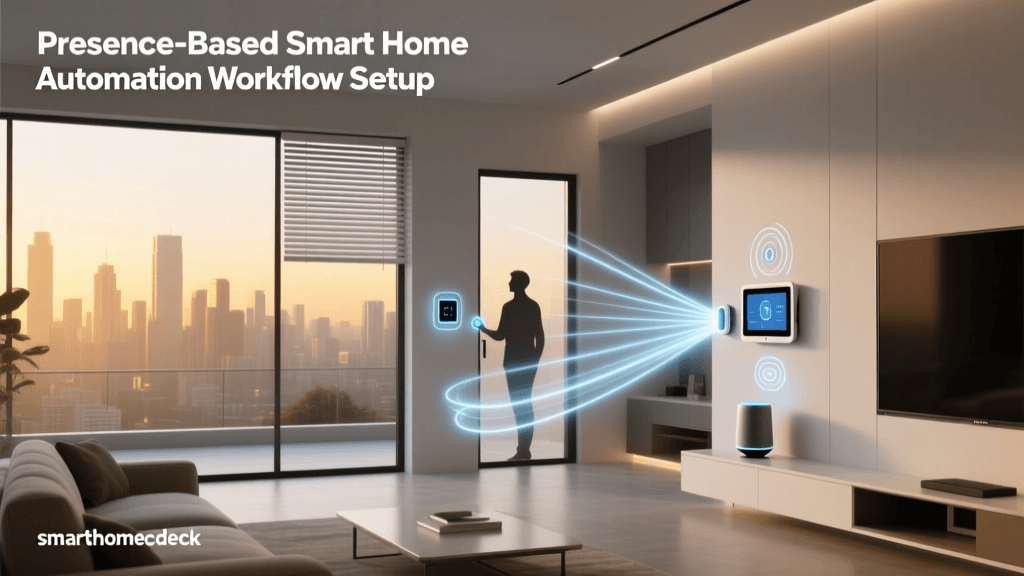
As the data illustrates, strictly local hubs process automations in near real-time (under 30ms). This is essential for 'presence-based' automations, such as turning on the hallway lights the exact millisecond a Z-Wave motion sensor detects movement.
Conditional Logic: Using AND / OR Gates
Basic automations follow an 'If This, Then That' (IFTTT) linear path. Advanced setups require conditional logic to prevent false triggers.
The 'AND' Condition (Restrictors)
Use AND conditions to restrict when a routine can fire. For instance, you want the bathroom exhaust fan to turn on when the shower door opens, AND the humidity sensor reads above 65%, AND the time is between 5:00 AM and 11:00 PM. This prevents the fan from turning on if someone simply reaches into the shower to grab a bottle at 2:00 AM.
The 'OR' Condition (Expansions)
Use OR conditions to expand triggers. You want the porch light to turn on if the front door unlocks via the keypad, OR if the doorbell camera detects a person, OR if the garage door opens after sunset. This ensures comprehensive coverage for arriving home.
Troubleshooting Common Routine Failures
Even the most meticulously planned routines can fail. Here is how to diagnose and fix the most common automation breakdowns.
1. The 'Zombie Device' Phenomenon
In Zigbee and Z-Wave mesh networks, devices occasionally drop off the mesh and fail to report their state back to the hub. The hub attempts to trigger a routine, but the device doesn't respond. Fix: Install dedicated mesh repeaters (e.g., Aeotec Range Extender 7, ~$35) every 20-30 feet to ensure robust signal routing. Avoid relying solely on battery-powered sensors to route mesh traffic.
2. Geofence Ghosting
Smartphones aggressively manage background GPS polling to save battery life, often resulting in delayed geofence triggers. Fix: Disable 'Low Power Mode' on your phone, ensure 'Always Allow' location permissions are granted to your smart home app, and use a secondary presence sensor (like a Bluetooth beacon or an NFC tag scanned at the door) to confirm departure.
3. Cloud API Rate Limits
If you have a routine that adjusts 15 individual smart bulbs one by one via a cloud API (like older Wi-Fi based TP-Link Kasa bulbs), the router or the manufacturer's server will block the requests due to rate limiting. Fix: Always group devices within the manufacturer's native app first, then call the group in your hub routine. This sends a single command packet instead of 15 separate requests.
Network Prerequisites for Reliable Automations
Your routines are only as stable as the network they travel on. Whole-home automations require dedicated VLANs (Virtual Local Area Networks) or at least a dedicated 2.4GHz IoT SSID. Overloading your primary Wi-Fi network with 50 smart plugs and switches will cause router NAT table exhaustion, leading to dropped routine executions. Invest in a robust mesh Wi-Fi system (like Eero Pro 6 or Ubiquiti UniFi) and isolate your IoT devices to prevent broadcast storms from interfering with your routine triggers.
Conclusion
Creating advanced smart home routines and schedules requires a shift in thinking from manual control to environmental awareness. By selecting a hub capable of local processing, utilizing conditional logic, and respecting the limitations of mesh networks and geofencing, you can build a home that operates seamlessly in the background. Start with simple schedules, test your geofence boundaries rigorously, and gradually layer in complex conditional logic to achieve the ultimate automated living experience.