Smart Home Installation in Coimbatore: Complete Step-by-Step Setup Guide
Coimbatore, known as the Manchester of South India, is rapidly embracing smart home technology. From the bustling neighborhoods of RS Puram & Gandhipuram to the growing residential hubs of Saravanampatti & Vadavalli, homeowners across the city are transforming their living spaces into intelligent, connected environments. Whether you live in an independent bungalow near Race Course or an apartment in Peelamedu, this comprehensive guide will walk you through every step of setting up a smart home in Coimbatore.
Smart home installation might seem daunting at first, but with the right approach, tools, and guidance, you can have a fully functional connected home in just a weekend. This guide covers everything from planning your ecosystem to troubleshooting common issues, all tailored specifically for Coimbatore residents dealing with local power conditions, internet infrastructure, and climate considerations.
Quick Overview
Difficulty Level: Intermediate (Beginner-friendly with this guide)
Estimated Time: 8–16 hours (spread across a weekend)
Cost Range: ₹15,000 – ₹1,50,000+ depending on scope
Skills Required: Basic Wi-Fi setup, smartphone usage, minor electrical awareness
Step 1: Plan Your Smart Home Ecosystem & Assess Your Coimbatore Home
Before purchasing any devices, the most critical step is planning. Every home in Coimbatore is different — from older independent houses in Town Hall area with thick masonry walls to modern apartments in Avinashi Road with concrete RCC construction. Your home's structure, size, and layout directly impact which devices you need and how they communicate.
Assess Your Home's Infrastructure
Start by evaluating these key aspects of your home:
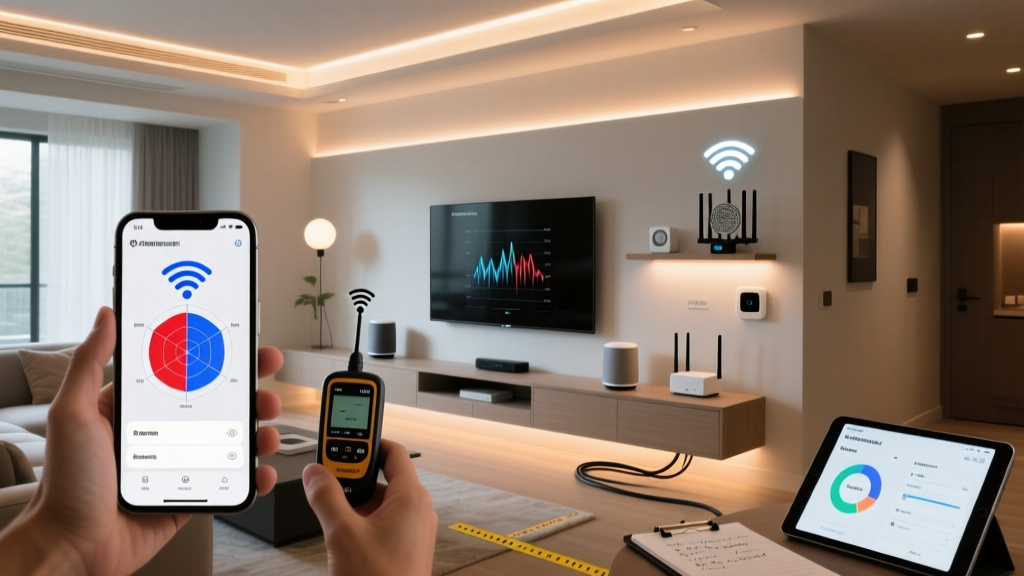
- Wi-Fi Coverage: Walk through every room with your smartphone & check signal strength. Coimbatore homes with multiple floors or thick walls often have dead zones that need mesh Wi-Fi systems. Most smart devices require a stable 2.4 GHz Wi-Fi connection.
- Electrical Wiring: Check if your switchboards have neutral wires. Many older homes in areas like Ramanathapuram & Selvapuram were built without neutral wires at switch locations, which limits your smart switch options. If you're unsure, consult a licensed electrician familiar with local wiring standards.
- Power Supply Stability: Coimbatore experiences occasional power fluctuations, especially during monsoon season. Plan for UPS or surge protection for your smart home hub & critical devices like smart locks & security cameras.
- Internet Connection: Fiber broadband is widely available in Coimbatore through providers like ACT Fibernet, Hathway, Jio Fiber, & Airtel Xstream. Ensure you have at least a 100 Mbps plan for a smooth smart home experience, especially if you're installing multiple cameras.
Choose Your Smart Home Platform
Selecting the right ecosystem is crucial because it determines device compatibility & how everything works together. The three major platforms available in India are:
- Google Home: Excellent for Indian users due to superior voice recognition in English & Tamil. Works with the widest range of affordable devices available in Coimbatore's electronics markets.
- Amazon Alexa: Great ecosystem with strong device support. Alexa-enabled devices are widely available on Amazon India & local retailers across Cross Cut Road & Oppanakara Street.
- Apple HomeKit: Premium option with excellent privacy & security. Best for households already using iPhones, iPads, & Macs. Device selection is more limited but growing.
For most Coimbatore homeowners, we recommend starting with Google Home or Amazon Alexa due to broader device compatibility, lower cost of entry, and better support for Indian languages. You can explore our complete smart home installation guides for platform-specific instructions.
Create a Room-by-Room Plan
Map out your home & decide which rooms need smart devices. A typical starter plan for a 2BHK apartment in Coimbatore might look like this:
| Room | Recommended Devices | Priority |
|---|---|---|
| Living Room | Smart speaker, smart bulbs, smart TV, smart plug for AC | High |
| Bedroom | Smart bulbs, smart plug for fan/AC, smart speaker | High |
| Kitchen | Smart plug for mixer/chimney, smoke detector | Medium |
| Main Entrance | Smart lock, video doorbell, security camera | High |
| Parking/Garage | Motion sensor, security camera | Medium |
Step 2: Set Up Your Network Foundation & Smart Hub
A robust network is the backbone of every smart home. In Coimbatore, where homes range from compact apartments to sprawling villas, getting your network right is essential before connecting any smart devices.
Install a Mesh Wi-Fi System
Most smart home devices connect via Wi-Fi, & a single router rarely covers an entire Coimbatore home effectively — especially with concrete walls & multiple floors. Here's how to set up a mesh Wi-Fi system:
- Unbox & position the primary node: Place your main mesh router near your fiber ONT (optical network terminal) — usually located near your home's entrance or in the living room. Connect it via Ethernet cable.
- Download the companion app: Whether you're using TP-Link Deco, Google Nest Wifi, or Netgear Orbi, download the respective app from Google Play Store or Apple App Store.
- Configure the primary node: Follow the in-app setup wizard. Create a unique SSID (network name) & a strong WPA3 password. Avoid using your personal name or address in the SSID for security reasons.
- Place satellite nodes strategically: For a typical 3BHK home in Coimbatore, you'll need 2–3 nodes. Place them in central locations, avoiding corners & areas near microwaves or cordless phones that cause interference. In multi-story homes, place one node per floor near the staircase for optimal coverage.
- Create a separate IoT network: Most mesh systems support guest networks or VLANs. Create a dedicated 2.4 GHz network specifically for your smart devices. This isolates them from your personal devices (laptops, phones) for better security & performance.
- Test coverage: Walk through every room & verify signal strength. Use apps like Wi-Fi Analyzer to check signal levels. Aim for at least -65 dBm in every corner of your home.
Set Up Your Smart Hub or Voice Assistant
Your smart hub acts as the brain of your connected home. Here's the setup process:
- Unbox & power on: Place your Google Nest Hub, Amazon Echo, or Apple HomePod in a central location — ideally the living room or hallway where the microphone can pick up voice commands from multiple rooms.
- Connect to Wi-Fi: Use the companion app (Google Home, Amazon Alexa, or Apple Home) to connect the device to your newly configured network.
- Set your location: Enter your Coimbatore address for location-based automations like sunset/sunrise lighting schedules & weather updates. Coimbatore's coordinates are approximately 11.0168° N, 76.9558° E.
- Configure voice match: Train the voice assistant to recognize different family members' voices. This enables personalized responses & prevents unauthorized access to sensitive functions like smart lock control.
- Set language preferences: Both Google Assistant & Alexa support English & Hindi in India. While Tamil support is limited on smart speakers, you can set Tamil as a secondary language on Google Assistant for certain commands.
For a deeper dive into choosing the right hub, check out our smart home buying guides for detailed comparisons.
Step 3: Install Smart Lighting, Switches & Devices
With your network foundation in place, it's time to install the actual smart devices. Lighting is typically the best starting point because it offers immediate impact & is relatively easy to install.
Install Smart Bulbs
Smart bulbs are the simplest entry point into home automation. Here's how to install them:
- Turn off the power: Always switch off the main circuit breaker before handling any electrical fittings. This is non-negotiable for your safety.
- Remove existing bulbs: Carefully unscrew your current bulbs from holders. Note the bulb type (B22 bayonet mount is most common in India, but E27 screw-type is also used in some modern fixtures).
- Install smart bulbs: Screw or push in the smart bulbs (Philips Hue, Wipro, Syska, or TP-Link Kasa are popular choices in Coimbatore). Ensure they're seated firmly.
- Restore power & pair: Turn the circuit breaker back on. The smart bulb will typically blink to indicate pairing mode. Open the respective app & follow the pairing instructions — usually involving connecting to the bulb's temporary Wi-Fi network or using Bluetooth for initial setup.
- Assign to rooms & groups: In your smart home app, assign each bulb to its corresponding room. Create groups like "All Living Room Lights" for simultaneous control.
Install Smart Switches (Wall-Mounted)
Smart switches replace your existing wall switches & give you control over all connected fixtures. This is more involved than smart bulbs but provides a cleaner, more integrated experience.
- Verify neutral wire availability: Open your existing switchboard & check for a neutral wire (typically black or white in Indian wiring). If no neutral wire is present, you'll need "no-neutral" smart switches like those from Anchor Roma or Schneider Electric, which are widely available in Coimbatore's electrical shops.
- Turn off main power: Switch off the MCB for the specific circuit you're working on. Use a voltage tester to confirm no current is flowing.
- Remove old switches: Unscrew the faceplate & carefully disconnect wires. Take a photo of the existing wiring before disconnecting anything — this will be your reference.
- Connect the smart switch: Follow the manufacturer's wiring diagram. Typically, you'll connect the live wire (red), load wire (going to the fixture), & neutral wire (if required). Secure all connections with wire nuts or terminal blocks.
- Mount & test: Secure the smart switch in the wall box, attach the faceplate, restore power, & test manual operation before pairing with your smart home app.
- Pair with your hub: Most Indian smart switches use Zigbee, Z-Wave, or Wi-Fi. Follow the manufacturer's pairing process through your hub's app. Brands like Oakter, Crabtree, & Schneider Wiser have dedicated apps that integrate with Google Home & Alexa.
⚡ Safety Note for Coimbatore Homes: Many older homes in Coimbatore have aluminum wiring or outdated fuse boxes instead of modern MCB/RCCB panels. If your home has not been rewired in the last 15–20 years, consult a licensed electrician before installing smart switches. Upgrading to a modern distribution board with proper earthing is essential for smart device safety & longevity.
Install Smart Plugs
Smart plugs are the easiest way to make any appliance smart — from your geyser to your table fan. Simply plug the smart plug into the wall socket, then plug your appliance into the smart plug.
- Plug the smart plug into a wall socket (ensure it's rated for your appliance's wattage — most Indian smart plugs handle up to 2,200W).
- Open the companion app & add the device by following the on-screen instructions.
- Name the plug descriptively (e.g., "Bedroom AC" or "Kitchen Chimney").
- Test on/off control from the app & via voice commands.
- Set up schedules & automations — for example, schedule your geyser to turn on 15 minutes before your morning bath.
Step 4: Set Up Smart Security — Cameras, Locks & Sensors
Security is a top priority for Coimbatore homeowners, whether you live in a gated community in Singanallur or an independent house in Saibaba Colony. Smart security devices give you peace of mind with real-time monitoring & alerts.
Install Smart Security Cameras
- Choose camera locations: Common spots include the main entrance, parking area, backyard, & common areas. For Coimbatore's climate (hot summers & heavy monsoons), ensure outdoor cameras are IP65 or IP66 rated for dust & water resistance.
- Mount the camera: Use the included mounting template to drill holes. For concrete walls (common in Coimbatore construction), use a masonry drill bit & wall anchors. Mount at a height of 7–9 feet for optimal coverage.
- Connect power: For wired cameras, route the power cable through conduit pipes for a clean installation. For battery-powered cameras (like certain Ring or Arlo models), simply mount & sync.
- Configure in the app: Connect the camera to your 2.4 GHz Wi-Fi network. Set up motion detection zones to avoid false alerts from passing vehicles or street animals — a common occurrence in Coimbatore's residential streets.
- Set up cloud or local storage: Choose between cloud storage subscriptions (₹200–500/month) or local SD card storage. For homes with frequent power cuts, cloud storage ensures footage isn't lost if the camera loses power.
- Enable notifications: Configure push notifications for motion detection, person detection, & unusual activity alerts.
Install a Smart Lock
Smart locks are gaining popularity in Coimbatore's apartments & villas. Here's how to install one:
- Check door compatibility: Most smart locks work with standard Indian doors (35–50mm thickness). Measure your door thickness & backset (distance from edge to center of the bore hole) before purchasing.
- Remove existing lock: Unscrew & remove your current deadbolt or mortise lock. Keep the hardware in case you need to revert.
- Install the smart lock: Follow the manufacturer's template to position & mount the lock. Popular brands available in India include Godrej NX Pro, Yale, Samsung, & Ultraloq.
- Configure access methods: Set up fingerprints, PIN codes, RFID cards, & app-based unlocking. Create unique codes for family members & temporary codes for domestic help or delivery personnel.
- Connect to your smart home: Pair the lock with your hub for voice control & integration with automations (e.g., lights turning on when the door is unlocked).
- Test thoroughly: Test all access methods multiple times. Ensure the auto-lock feature works correctly. Set up battery-low notifications — most smart locks use AA batteries that last 6–12 months.
Install Door/Window Sensors & Motion Detectors
- Identify entry points: Map all doors & accessible windows in your Coimbatore home. Ground-floor windows & balcony doors are priority locations.
- Mount sensors: Peel off the adhesive backing & stick the sensor on the door/window frame & the magnet on the moving part. Ensure the gap between sensor & magnet is within the manufacturer's specified range (usually less than 15mm).
- Place motion detectors: Mount motion sensors at 6–8 feet height in corners for wide coverage. Avoid pointing them toward windows (sunlight causes false triggers) or AC vents (temperature changes trigger PIR sensors).
- Pair & configure: Add each sensor to your hub & name them descriptively ("Front Door," "Kitchen Window"). Set up alerts for when doors/windows open during specific hours.
Learn more about building a complete smart security system in our detailed security guide.
Step 5: Create Automations, Routines & Integrate Everything
The true magic of a smart home isn't individual devices — it's how they work together. Automations & routines make your home respond intelligently to your lifestyle, saving time, energy, & effort.
Create Time-Based Automations
Coimbatore's sunrise & sunset times shift throughout the year (roughly 6:00 AM–6:45 AM for sunrise & 6:00 PM–6:45 PM for sunset). Use these natural cues for lighting automations:
- Morning Routine (6:00 AM): Bedroom lights gradually brighten, geyser turns on, coffee machine starts (via smart plug), & your smart speaker reads the day's weather forecast for Coimbatore.
- Leaving Home Routine: When you say "I'm leaving" or your phone leaves the geofence, all lights turn off, AC switches off, security cameras activate, & the smart lock engages.
- Evening Routine (6:30 PM): Living room lights turn on at warm white, garden lights activate, & your preferred playlist starts playing.
- Night Routine (10:30 PM): All lights dim to 20% brightness, main door locks automatically, security system arms, & bedroom fan speed adjusts via smart IR controller.
Create Sensor-Based Automations
- Motion-triggered lighting: When the bathroom motion sensor detects movement at night, the bathroom light turns on at 10% brightness (enough to navigate without fully waking up).
- Door open alerts: If the main door opens between 11 PM & 5 AM, all indoor lights turn on & a notification is sent to your phone.
- Temperature-based AC control: When a smart temperature sensor reads above 32°C (common during Coimbatore's March–May summer), the AC turns on automatically via a smart IR blaster.
- Water leak detection: Place a water leak sensor near your washing machine or under the kitchen sink. If a leak is detected, receive an instant alert & automatically shut off a smart water valve if installed.
Set Up Voice Routines
Voice commands make controlling your smart home effortless. Set up custom routines in your Google Home or Alexa app:
- "Good Morning" — Turns on lights, starts the geyser, reads weather & news for Coimbatore, & opens smart curtains.
- "Movie Time" — Dims living room lights to 10%, turns on the TV via smart IR blaster, & closes curtains.
- "Cooking Mode" — Turns on kitchen lights to 100% brightness, starts the chimney via smart plug, & plays your cooking playlist.
- "Guest Mode" — Adjusts living room temperature, turns on accent lighting, & disables indoor security cameras for privacy.
Integrate with IFTTT & Advanced Platforms
For advanced users, platforms like IFTTT (If This Then That) enable cross-platform automations that aren't possible within a single ecosystem. Examples include:
- Log sleep data from your fitness tracker & adjust next morning's alarm & routine accordingly.
- Receive a WhatsApp notification when your smart lock is accessed with a specific code (useful for knowing when domestic help arrives).
- Automatically order replacement air filters when your smart air purifier reports low filter life.
Tools & Products Needed for Smart Home Installation in Coimbatore
Essential Tools
| Tool | Purpose | Estimated Cost (₹) |
|---|---|---|
| Phillips screwdriver set | Removing switch plates & mounting devices | 200–500 |
| Voltage tester / multimeter | Verifying power is off before electrical work | 150–800 |
| Power drill with masonry bits | Drilling into concrete walls for camera mounts | 2,000–5,000 |
| Wire stripper & crimping tool | Preparing wires for smart switch connections | 300–700 |
| Electrical tape & wire nuts | Insulating wire connections | 50–200 |
| Ladder (step ladder) | Reaching ceiling fixtures & high-mounted cameras | 1,500–3,000 |
| Smartphone with apps installed | Device pairing, configuration & testing | — |
Recommended Smart Devices Available in Coimbatore
| Category | Recommended Products | Price Range (₹) |
|---|---|---|
| Smart Speaker/Hub | Amazon Echo Dot, Google Nest Mini, Echo Show 5 | 3,000–8,000 |
| Smart Bulbs | Philips Hue, Wipro Next, Syska Smart Bulb | 500–2,500 each |
| Smart Switches | Oakter, Schneider Wiser, Anchor Roma Smart | 1,500–4,000 each |
| Smart Plugs | TP-Link Tapo, Wipro Smart Plug, Oakter Plug | 800–1,800 each |
| Security Cameras | CP Plus, Hikvision, TP-Link Tapo, Qubo | 2,000–8,000 each |
| Smart Locks | Godrej NX Pro, Yale YDM, Samsung SHP | 10,000–30,000 |
| Mesh Wi-Fi | TP-Link Deco, Google Nest Wifi, Netgear Orbi | 8,000–25,000 |
| Smart IR Blaster | Oakter IR, Oakter Mini, Tuya IR Blaster | 1,500–3,000 |
| Sensors | Motion, door/window, water leak, temperature | 800–3,000 each |
Where to Buy in Coimbatore
You can find smart home devices at several locations across Coimbatore:
- Online: Amazon India, Flipkart, & brand-specific websites offer the widest selection & best prices with delivery to all Coimbatore pincodes.
- Electronics Markets: Oppanakara Street & Cross Cut Road have numerous electronics retailers stocking smart devices from brands like Wipro, Syska, & CP Plus.
- Brand Showrooms: Schneider Electric, Havells, & Godrej have authorized dealers in Coimbatore where you can see products in person before purchasing.
- Home Improvement Stores: Larger home improvement retailers on Avinashi Road & Trichy Road carry smart home products alongside traditional electrical supplies.
Troubleshooting Common Smart Home Issues in Coimbatore
Even with careful installation, you may encounter issues. Here are solutions to the most common problems Coimbatore homeowners face:
Device Won't Connect to Wi-Fi
- Ensure you're using 2.4 GHz: Most smart home devices only support 2.4 GHz Wi-Fi. If your mesh system uses a combined SSID for both 2.4 GHz & 5 GHz, temporarily separate them during setup, or move farther from the router (devices typically fall back to 2.4 GHz at lower signal strengths).
- Check Wi-Fi password: Ensure you're entering the correct password. Special characters sometimes cause issues — try a password with only letters & numbers for initial setup.
- Reduce distance: During pairing, bring the device within 3–5 feet of your router. Once paired, you can move it to its intended location.
- Restart your router: Power cycle your mesh system. Unplug for 30 seconds, then plug back in & wait for full boot before retrying.
Smart Switch Not Responding
- Check power supply: Verify the MCB hasn't tripped. Coimbatore's power fluctuations can cause MCBs to trip unexpectedly.
- Verify wiring: Turn off power & check that all wire connections are tight & correctly placed. Loose connections are the most common cause of failure.
- Reset the switch: Most smart switches have a reset procedure (usually holding the button for 10–15 seconds). Consult the manual for your specific model.
- Check neutral wire: If you installed a switch that requires a neutral wire but your switchboard doesn't have one, the switch won't function. You'll need to either pull a neutral wire or switch to a no-neutral model.
Security Camera Going Offline Frequently
- Power backup: Coimbatore's power cuts can cause cameras to disconnect. Connect cameras to a UPS or choose models with built-in battery backup.
- Wi-Fi signal strength: Outdoor cameras are often far from the router. Install a mesh node near the camera's location or use a Wi-Fi extender.
- Bandwidth issues: Multiple cameras streaming simultaneously can saturate your internet connection. Lower the recording resolution from 2K to 1080p, or enable "record on motion only" mode.
- Firmware updates: Check for firmware updates in the camera's app. Outdated firmware can cause connectivity issues.
Voice Commands Not Working
- Check microphone mute: Ensure the microphone isn't physically muted on your smart speaker (most have a mute button or switch).
- Reduce background noise: Ceiling fans, TVs, & air conditioners can interfere with voice recognition. Try giving commands when ambient noise is lower.
- Re-train voice match: Delete & re-record your voice profile in the app for better recognition accuracy.
- Check device names: Ensure device names are simple & distinct. "Bedroom Light" works better than "Bedroom Ceiling LED Panel Light Number Two."
Automations Not Triggering
- Verify sensor connectivity: Check that the triggering sensor (motion, door, etc.) is online & reporting correctly in the app.
- Check time zone: Ensure your hub's time zone is set to IST (UTC+5:30). Incorrect time zone settings will break time-based automations.
- Review conditions: If your automation has multiple conditions (e.g., "turn on lights when motion detected AND it's after sunset"), verify all conditions can be met simultaneously.
- Recreate the automation: Sometimes deleting & recreating an automation resolves glitches. This is especially true after app updates.
Frequently Asked Questions
How much does a complete smart home installation cost in Coimbatore?
The cost varies significantly based on your home size, device quality, & scope of automation. A basic setup for a 2BHK apartment with smart bulbs, a smart speaker, 2–3 smart plugs, & one security camera typically costs between ₹15,000 & ₹30,000. A comprehensive setup for a 3BHK independent house with smart switches throughout, multiple cameras, a smart lock, mesh Wi-Fi, & full automation can range from ₹75,000 to ₹1,50,000 or more. Premium installations with high-end brands like Lutron, Control4, or Crestron can exceed ₹5,00,000. Start small with high-impact devices & expand gradually to manage costs effectively.
Do smart home devices work during power cuts in Coimbatore?
Most smart devices will stop functioning during a power cut unless they have battery backup. Smart locks with battery power will continue to work, & battery-powered cameras will keep recording locally. However, Wi-Fi-dependent devices will go offline if your router loses power. The best solution for Coimbatore's occasional power cuts is to connect your router, mesh Wi-Fi system, & smart hub to a UPS or inverter. A basic 600VA UPS (costing ₹3,000–5,000) can keep your network running for 2–4 hours during outages, ensuring your smart home stays connected.
Can I install smart home devices myself, or do I need a professional in Coimbatore?
Many smart home devices are designed for DIY installation — smart bulbs, smart plugs, battery-powered cameras, & sensors can all be installed without professional help. However, certain installations benefit from professional assistance: smart switches (especially in older homes with complex wiring), smart locks (if door modification is needed), wired security camera systems (requiring cable routing through walls), & whole-home automation systems. Coimbatore has several professional smart home installers & electricians experienced with smart devices. If you're not comfortable with electrical work, hiring a professional for switch & lock installation is strongly recommended for safety.
Which smart home platform is best for Coimbatore homes — Google, Alexa, or Apple?
For most Coimbatore households, Google Home or Amazon Alexa are the best choices due to their extensive device compatibility, affordable hardware, and strong presence in the Indian market. Google Home has a slight edge for bilingual households because of its superior multilingual capabilities. Apple HomeKit is ideal if your entire family uses Apple devices & you prioritize privacy, but expect higher costs & fewer compatible devices. You can also mix platforms using bridges — for example, using Homebridge to expose non-HomeKit devices to Apple Home. The key is to pick one primary platform & ensure all your devices are compatible with it before purchasing.
Are smart homes secure from hacking, & how can I protect my Coimbatore home?
Smart homes can be secure if you follow best practices. Key security measures include: changing default passwords on all devices & your router, enabling two-factor authentication (2FA) on your smart home accounts, keeping device firmware updated, using a separate Wi-Fi network for IoT devices, disabling remote access features you don't use, & purchasing devices from reputable brands with active security support. Avoid cheap, unbranded smart devices from unknown manufacturers, as they often lack security updates & may contain vulnerabilities. For smart locks & cameras, choose brands that offer end-to-end encryption. Regularly review connected devices in your router settings & remove any you don't recognize.
Ready to start your smart home journey? Browse our comprehensive smart home guides for more tips, product reviews, & installation tutorials tailored for Indian homes. Whether you're automating a cozy apartment in Gandhipuram or a spacious villa in Saravanampatti, smart home technology makes everyday living more convenient, secure, & energy-efficient.