Smart Home Wiring Troubleshooting: Knowing Your Limits
Upgrading your home with smart lighting, automated climate control, and intelligent security systems is one of the most rewarding DIY projects you can undertake. Swapping out a traditional toggle switch for a Wi-Fi-enabled smart switch or installing a learning thermostat can instantly modernize your living space. However, the moment you unscrew the wall plate and peer into the electrical box, the project can quickly shift from a simple weekend upgrade to a potentially hazardous electrical puzzle.
While many smart home installations are straightforward, older homes, non-standard wiring configurations, and high-voltage appliances present unique challenges. According to the National Fire Protection Association (NFPA), electrical distribution and lighting equipment are among the leading causes of home structure fires. Pushing forward with a DIY installation when you are unsure of the wiring topology is not just a recipe for a blown breaker; it is a severe safety risk.
This comprehensive troubleshooting guide will help you diagnose common smart home wiring roadblocks, understand the technical requirements of popular devices, and definitively answer the most critical question in home automation: When is it time to put down the screwdriver and call a licensed electrician?
Essential Tools for Safe DIY Troubleshooting
Before you attempt to diagnose any wiring issue, you must have the proper safety equipment. Never rely on guesswork or visual inspection alone when dealing with mains electricity.
- Non-Contact Voltage Tester (NCVT): A tool like the Klein Tools NCVT-3 is mandatory. It allows you to detect the presence of alternating current (AC) voltage without touching bare wire. Always test a known live circuit first to verify the tool is working before testing your target switch.
- Digital Multimeter: For advanced troubleshooting, a multimeter (such as the Fluke 117) is required to measure exact voltage, test for continuity, and identify specific wires like the neutral or ground.
- Insulated Screwdrivers and Wire Strippers: Ensure your hand tools are rated for electrical work (typically rated for 1000V) to protect against accidental shocks.
- Flashlight or Headlamp: Electrical boxes are notoriously dark. Adequate lighting is crucial for identifying wire colors and reading manufacturer labels.
The Missing Neutral Wire Dilemma
The single most common roadblock for DIY smart switch installers is the absence of a neutral wire. To understand why this happens, you need to understand the physics of a traditional switch versus a smart switch.
A standard mechanical switch simply acts as a bridge. It connects the 'line' (power from the breaker) to the 'load' (power going to the lightbulb). When the switch is off, the circuit is broken, and no electricity flows. However, a smart switch—whether it uses Wi-Fi, Zigbee, Z-Wave, or Lutron's Clear Connect—is an active electronic device. It contains a radio receiver that must remain powered on at all times so it can listen for commands from your smartphone or voice assistant, even when the light itself is turned off.
To keep the internal radio powered without turning on the lightbulb, the smart switch requires a complete, low-resistance circuit back to the electrical panel. This is provided by the neutral wire (typically white in North America). If your home was built before the mid-1980s, or if the switch is located at the very end of a circuit run (a 'switch loop'), you may only have a line, a load, and a ground wire in the box.
Troubleshooting the Neutral Wire
Open the wall box and look past the existing switch. Do you see a bundle of two or more white wires capped together with a wire nut, pushed into the back of the box? If so, you likely have a neutral wire available. You can verify this using a multimeter by measuring the voltage between the black (line) wire and the white bundle; it should read approximately 120V.
If there is no neutral wire, you have two choices:
- Purchase a No-Neutral Smart Switch: Products like the Lutron Caseta Wireless Dimmer (PD-6WCL) or the GE Cync Reveal HD+ Smart Switch (No Neutral version) are engineered to trickle a tiny amount of current through the lightbulb itself to power the radio. Note that this can sometimes cause LED bulbs to flicker or glow faintly when turned off, which may require installing a Lutron LUT-MLC bypass capacitor at the light fixture.
- Call an Electrician to Run a Neutral: If you prefer the robust performance and broader compatibility of neutral-requiring switches like the Kasa Smart HS200 or Leviton Decora Smart Wi-Fi series, an electrician will need to pull new Romex cable from the nearest accessible junction box or light fixture to your switch box. This typically costs between $150 and $300 per switch, depending on wall accessibility.
Line, Load, and the Traveler Wire Confusion
If you are replacing a standard single-pole switch, the wiring is usually straightforward: one black wire brings power in (Line), and one black wire takes power to the light (Load). However, if you are dealing with a 3-way switch setup (where a single light is controlled by two different wall switches), the complexity increases exponentially.
Traditional 3-way switches use 'traveler' wires to pass the electrical current between the two switch locations. Smart switches handle 3-way configurations very differently. Most modern smart switches, such as the Enbrighten Z-Wave Plus Smart Toggle, require you to completely rewire the circuit. You must cap off the traveler wires and use one of them as a dedicated signal wire to communicate with the 'add-on' auxiliary switch.
When to call a pro: If you open a 3-way or 4-way switch box and see four or more wires of varying colors (black, red, white, and sometimes blue or yellow), and the existing switch lacks clear terminal labels, stop immediately. Miswiring a multi-way circuit can result in a dead short, instantly tripping the breaker and potentially damaging the smart switch's internal relay or causing an arc flash.
Smart Thermostats: C-Wire and Voltage Mismatches
Thermostat wiring operates on low voltage (typically 24V AC), which is generally safer to handle than 120V mains wiring. However, the troubleshooting challenges here revolve around compatibility rather than severe shock hazards.
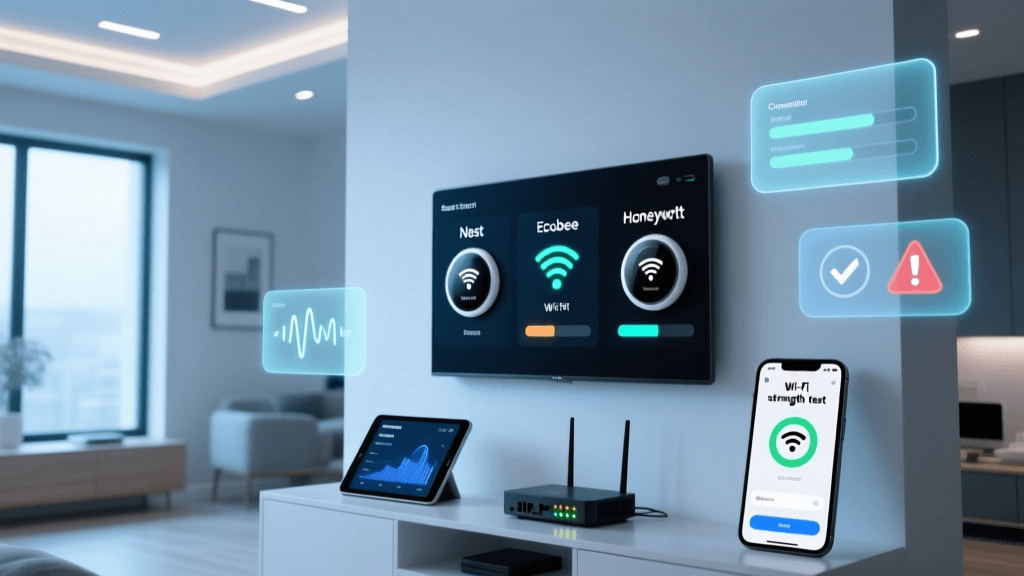
Premium smart thermostats like the Ecobee SmartThermostat Premium and the Google Nest Learning Thermostat require a continuous 24V power source to run their vibrant touchscreens and Wi-Fi radios. This is known as the 'C-wire' (Common wire). While some thermostats claim to 'steal' power from the heating and cooling control wires (like the W and Y wires), this power-stealing method frequently causes issues with modern, high-efficiency HVAC control boards, leading to short-cycling or blown transformer fuses.
Furthermore, homeowners with older electric baseboard heaters or wall heaters often make a critical mistake: attempting to wire a low-voltage smart thermostat to a line-voltage (120V or 240V) system. Doing so will instantly destroy the thermostat and create a severe fire hazard. Line-voltage systems require specialized smart thermostats, such as the Cadet Smart Thermostat or the Mysa Smart Thermostat for Baseboard.
When to call a pro: If your HVAC system lacks a C-wire, and you are uncomfortable installing a 24V C-wire transformer adapter or fishing new 18/5 thermostat wire through your walls, hire an HVAC technician or electrician. Additionally, if you have a complex multi-stage heat pump system with auxiliary heat strips and dual fuel capabilities, professional configuration is highly recommended to ensure you do not damage your expensive HVAC equipment.
Understanding Wire Gauges and Breaker Sizes
Another hidden trap in smart home installation is mismatched wire gauges and breaker sizes. In North America, standard lighting circuits are typically wired with 14 AWG (American Wire Gauge) copper wire and protected by a 15-amp breaker. However, some homes use 12 AWG wire on 20-amp breakers for lighting and receptacle circuits.
When installing smart outlets or heavy-duty smart switches, you must ensure the device's amperage rating matches or exceeds the circuit's capacity. For example, installing a smart switch rated for 15 amps on a circuit protected by a 20-amp breaker is a code violation and a fire hazard, as the wire and switch could overheat before the breaker ever trips.
Safety Warning: The U.S. Consumer Product Safety Commission (CPSC) warns that improper wire gauge matching and overloaded circuits are primary contributors to residential electrical fires. Always verify your breaker size in the main panel and measure the wire gauge before installing high-draw smart devices like smart plugs connected to space heaters or window AC units.
Cost and Risk Comparison: DIY vs. Professional
Deciding whether to push through a wiring issue or hire a professional often comes down to budget and risk tolerance. The table below outlines common smart home electrical scenarios, the associated risks of DIY, and the typical cost of hiring a licensed professional.
| Scenario | DIY Risk Level | Primary Hazard | Avg. Pro Cost (USD) |
|---|---|---|---|
| Single-Pole Smart Switch (Neutral Present) | Low | Minor shock if breaker not isolated | $100 - $150 |
| 3-Way Smart Switch Rewiring | Medium | Short circuit, damaged smart hub | $200 - $350 |
| Running New Neutral Wire | High | Wall damage, improper junction splices | $250 - $500 |
| Smart Thermostat C-Wire Install | Low-Medium | Blown HVAC transformer fuse | $150 - $250 |
| 240V Smart EV Charger / Water Heater | Extreme | Lethal shock, structural fire | $800 - $2,500+ |
5 Critical Red Flags: When You Must Call a Licensed Electrician
The Electrical Safety Foundation International (ESFI) strongly recommends that any electrical work beyond a simple like-for-like replacement be handled by a qualified professional. If you encounter any of the following five red flags during your smart home installation, stop work immediately, cap the wires safely, and call an electrician.
1. Aluminum Wiring or Knob-and-Tube
If the wires in your wall box are silver-colored instead of copper, you have aluminum wiring, which was common in the 1960s and 1970s. Aluminum expands and contracts differently than copper, leading to loose connections and severe fire hazards over time. Most modern smart switches are rated for copper only (CU). Connecting a copper-only smart switch to aluminum wire without specialized CO/ALR connectors and anti-oxidant paste is incredibly dangerous. Similarly, if you discover brittle, cloth-wrapped knob-and-tube wiring, do not touch it. It lacks a ground wire and is entirely incompatible with modern smart home technology.
2. Scorch Marks, Melted Plastic, or a Burning Smell
When you remove the old switch plate, inspect the drywall, the electrical box, and the wire insulation. If you see brown or black scorch marks, melted wire nuts, or brittle, crumbling insulation, the circuit has been overheating. This indicates a loose connection, an overloaded circuit, or a failing breaker. An electrician must diagnose the root cause and potentially replace the damaged wiring and breaker before any smart device can be safely installed.
3. The Breaker Trips Immediately After Installation
You wire the smart switch, double-check your connections, turn the breaker back on, and it instantly trips with a loud snap. Do not attempt to turn it back on. This indicates a dead short—likely the line wire is touching the ground wire, or the load and line are crossed in a way that bypasses the device's internal resistance. Repeatedly resetting a tripped breaker can cause an arc flash at the panel or start a fire inside the wall.
4. No Ground Wire Available
While many smart switches will function without a ground wire (as the ground is for safety, not operation), installing a metal-faced smart switch or a high-draw smart outlet without a ground is a code violation and a shock hazard. If your home lacks grounding, an electrician can install GFCI (Ground Fault Circuit Interrupter) protection at the breaker or the first outlet in the circuit to provide a layer of safety, though running a new ground wire is the only true fix.
5. High-Voltage (240V) Smart Appliances
Installing smart controls for heavy appliances like electric vehicle (EV) chargers, smart water heaters, or whole-home backup generators involves 240V split-phase power. This voltage is lethal. Furthermore, these installations often require upgrading your main electrical panel, calculating continuous load derating, and pulling thick 6 AWG or 4 AWG wire. This is strictly the domain of licensed, insured professionals and requires municipal permitting and inspection.
Conclusion: Prioritizing Safety Over Savings
Smart home technology is designed to make your life easier, safer, and more energy-efficient. However, the foundation of that technology relies entirely on the physical copper wiring hidden behind your drywall. While DIY installation of a simple smart bulb or a single-pole switch in a modern, well-wired home is a great way to save money, the risks associated with complex wiring topologies, missing neutrals, and aging infrastructure are simply not worth the potential cost.
When in doubt, consult a professional. Look for electricians who advertise 'smart home integration' or 'low voltage certification,' as they will be more familiar with the specific requirements of Wi-Fi, Zigbee, and Z-Wave devices. By recognizing your limits and respecting the power of mains electricity, you can ensure your smart home remains a safe sanctuary for years to come.