The Allure and Danger of DIY Smart Wiring
Setting up a smart home is one of the most rewarding DIY projects a homeowner can undertake. From installing a Nest Learning Thermostat to mounting a Ring Video Doorbell, the barrier to entry for basic smart home automation has never been lower. However, the moment your project moves beyond battery-operated sensors and plug-and-play smart bulbs, you inevitably collide with your home's hardwired electrical system. Hardwired smart switches, in-wall relays, motorized smart blinds, and smart ceiling fans require direct interaction with 120-volt or 240-volt alternating current (AC) power.
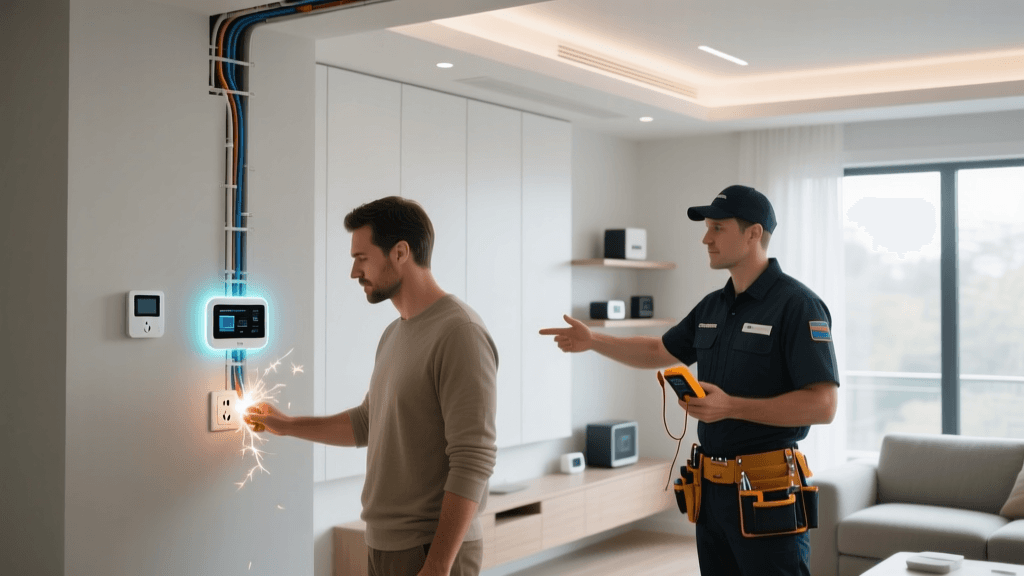
While swapping a standard toggle switch for a Leviton Decora Smart Wi-Fi switch might seem as simple as unscrewing a faceplate and matching wire colors, the reality of residential electrical systems is fraught with hidden variables, outdated code violations, and severe safety risks. According to the National Fire Protection Association (NFPA), electrical distribution and lighting equipment are consistently among the leading causes of residential home fires. Pushing the boundaries of your electrical knowledge to save a few dollars on an electrician is a gamble where the stakes are your home and your safety.
This comprehensive guide will help you identify the exact electrical red flags that signal it is time to put down the wire strippers, step away from the breaker box, and call a licensed professional.
Understanding Your Home's Electrical Anatomy
Before diagnosing a problem, you must understand the basic anatomy of a standard North American 120V switch box. A modern, code-compliant switch box typically contains three types of wires:
- Line (Hot): Usually black or red, this wire brings power from the main electrical panel to the switch.
- Load: Usually black or red, this wire carries power from the switch to the light fixture or appliance.
- Neutral: Usually white, this wire completes the circuit by returning current to the panel. In many older switch boxes, the neutral wire bypasses the switch and goes directly to the light fixture, meaning it is not present inside the wall box.
- Ground: Bare copper or green, this is a safety wire that provides a path for stray electricity to safely dissipate into the earth in the event of a fault.
Smart switches require a constant trickle of electricity to power their internal Wi-Fi, Zigbee, or Z-Wave radios so they can remain connected to your smart home hub even when the physical light is turned off. To maintain this standby power, the smart switch must be connected to both the Line (Hot) and the Neutral wire. If your home lacks a neutral wire in the switch box, standard smart switches simply will not work, and attempting to wire them incorrectly can result in catastrophic failure or fire.
5 Electrical Red Flags That Require a Professional
1. Missing Neutral Wires in Older Homes
If you open your switch box and only see two black wires and a bare copper ground, you likely have a 'switch loop' without a neutral wire. This is incredibly common in homes built before the 1980s. While you can purchase specialized no-neutral smart switches (such as the Lutron Caseta Wireless line), attempting to rewire the wall yourself to pull a new neutral wire from the ceiling fixture or an adjacent outlet is a major undertaking. Fishing a new 14 AWG or 12 AWG neutral wire through finished drywall, navigating fire blocks, and ensuring proper junction box fill capacities requires professional tools and expertise. If you want to install high-load smart switches or smart relays that mandate a neutral, call an electrician to upgrade your switch loops.
2. Knob-and-Tube or Aluminum Wiring
If your home was built before 1950, you may have knob-and-tube wiring, which lacks a ground wire entirely and uses aging cloth insulation that becomes brittle over time. Homes built between the mid-1960s and early 1970s may have aluminum wiring, which was used as a cheaper alternative to copper during a metal shortage. Aluminum expands and contracts more than copper when heated, which can cause connections to loosen over time, leading to arcing and fires. The Electrical Safety Foundation International (ESFI) strongly warns against DIY modifications to these outdated systems. Smart switches generate ambient heat; installing them on degraded aluminum or ungrounded knob-and-tube circuits is a massive fire hazard. A licensed electrician must evaluate these systems and likely perform a partial or full rewire before any smart home integration can occur safely.
3. Overloaded Circuits and Frequent Breaker Trips
Smart home enthusiasts often load up a single room with multiple high-draw devices: smart window AC controllers, motorized smart blinds, space heaters controlled by smart plugs, and high-wattage LED grow lights. A standard 15-amp bedroom circuit (wired with 14 AWG wire) can safely handle a maximum continuous load of about 1,440 watts (80% of the 1,800-watt theoretical maximum). If your smart devices cause the breaker to trip, the worst thing you can do is swap the 15-amp breaker for a 20-amp breaker. This will overload the 14 AWG wires inside your walls, melting the insulation and starting a fire. An electrician must run a new, dedicated 20-amp circuit using thicker 12 AWG wire to handle your smart home's increased power demands.
4. Flickering Lights and Dimmer Incompatibility
You have installed a smart dimmer switch and paired it with dimmable LED bulbs, but the lights flicker, buzz, or fail to turn off completely. While this can sometimes be solved by adjusting the dimmer's calibration settings, it often points to a deeper electrical issue. Older homes may have voltage drops, loose neutral connections at the panel, or incompatible LED drivers that cannot handle the capacitive load of a smart dimmer's trailing-edge or leading-edge phase-cut circuitry. If swapping bulbs and recalibrating fails, an electrician needs to test the voltage at the fixture and inspect the panel for loose bus bar connections.
5. Upgrading the Main Electrical Panel
Whole-home automation often goes hand-in-hand with other modern upgrades, such as Level 2 EV chargers, smart electrical panels (like the Span Smart Panel), and heat pump HVAC systems. If your home has an older 100-amp electrical service, adding these high-draw smart devices will exceed your panel's capacity. Upgrading to a 200-amp or 400-amp service involves working directly with the utility company's main service drop, replacing the meter base, and swapping the main breaker panel. This is strictly the domain of licensed, insured electrical contractors. The U.S. Consumer Product Safety Commission (CPSC) emphasizes that main panel work carries the highest risk of fatal electrocution and must never be attempted by a DIYer.
Cost Breakdown: DIY vs. Professional Electrical Work
Understanding the financial investment required for professional electrical work can help you budget your smart home renovation accurately. Electricians typically charge between $50 and $130 per hour, plus materials. Below is a comparison of common smart home electrical upgrades.
| Wiring Issue / Upgrade | DIY Risk Level | Estimated Pro Cost | Recommended Action |
|---|---|---|---|
| Adding a Neutral Wire to Switch Box | High | $150 - $350 | Hire pro to fish wire through drywall |
| Replacing Undersized Junction Box | Medium | $125 - $250 | Pro required for drywall cut/patch |
| Running Dedicated 20A Smart Circuit | High | $400 - $800 | Required for heavy smart loads/EVs |
| Upgrading to 200A Smart Panel | Extreme | $1,500 - $3,500+ | Strictly licensed electricians only |
Safe DIY Alternatives When Wiring Fails
If an electrician's quote exceeds your budget, or if you are renting and cannot modify the physical wiring, you do not have to abandon your smart home dreams. The industry has developed several ingenious workarounds that bypass the need for complex in-wall wiring while still delivering premium automation experiences.
- Smart Bulbs: Instead of replacing the wall switch, replace the bulb. The Philips Hue White and Color Ambiance line or the LIFX smart bulbs screw directly into existing fixtures. You simply leave the dumb wall switch in the 'on' position and control the bulb via voice, app, or wireless smart buttons.
- No-Neutral Smart Switches: The Lutron Caseta Wireless Smart Lighting Dimmer is the gold standard for older homes. It does not require a neutral wire and uses a proprietary, highly reliable Clear Connect RF protocol. You will need to purchase the Lutron Smart Bridge to integrate it with Alexa, Google Home, or Apple HomeKit.
- No-Neutral Relays: For advanced users, the Shelly 1L or Shelly Dimmer 2 can be installed directly behind an existing dumb switch or at the light fixture canopy. These devices are designed to operate without a neutral wire by allowing a tiny trickle of current to pass through the bulb, though they may require a bypass capacitor for low-wattage LEDs.
- Smart Plugs and Modules: For lamps, fans, and small appliances, smart plugs like the TP-Link Kasa Smart Plug Mini or the Eve Energy (which includes energy monitoring) offer instant smart control without touching a single wire.
Conclusion: Prioritizing Safety Over Hubris
The smart home revolution is built on the promise of convenience, efficiency, and security. However, none of those benefits are worth compromising the physical safety of your home and your family. Electrical systems are unforgiving; a loose wire nut, an overloaded 14 AWG circuit, or a misidentified switch loop can lead to devastating consequences. By recognizing the red flags of missing neutrals, outdated wiring, and panel limitations, you can make informed decisions about where your DIY skills end and a professional's expertise begins. When in doubt, always consult a licensed electrician to ensure your smart home is not only intelligent but fundamentally safe.