Smart Home Automation vs Traditional Home: What’s Really Worth the Switch?
Deciding whether to adopt smart home automation—or stick with traditional home systems—is rarely about 'cool tech' alone. It’s about measurable trade-offs: upfront cost versus long-term savings, convenience versus complexity, interoperability versus lock-in, and control versus privacy. This guide cuts through the hype to help you make an informed, practical decision—focused specifically on automation: lighting, climate, security, and appliance control.
What Does ‘Automation’ Actually Mean in a Home Context?
In a traditional home, devices operate manually or via basic timers (e.g., a mechanical thermostat, a light switch, or a plug-in outlet timer). In contrast, smart home automation refers to the coordinated, rule-based, or AI-assisted operation of connected devices—often triggered by time, location, sensor input, voice command, or remote app control.
Crucially, automation isn’t just about remote access—it’s about intelligent responsiveness. For example:
- A traditional thermostat requires manual adjustment; a smart thermostat like the Nest Learning Thermostat (3rd gen) learns your schedule, adjusts based on occupancy sensors, and can reduce heating/cooling when no one is home—cutting HVAC energy use by up to 10–12% annually (U.S. Department of Energy).
- A traditional light switch controls one fixture; a smart lighting system like Philips Hue White & Color Ambiance lets you set scenes (“Movie Night”), trigger lights at sunset, or dim gradually for bedtime—all without touching a switch.
Key Decision Factors: Automation-Specific Comparison
Below, we break down four critical dimensions where smart automation diverges meaningfully from traditional systems—backed by real-world specs, pricing, and verified performance data.
1. Upfront Cost & Installation Complexity
Smart automation typically carries higher initial costs—but those vary widely depending on scope and hardware choices.
| System Type | Entry-Level Setup (1 Room) | Whole-Home Baseline (3–5 Zones) | Installation Effort | DIY-Friendly? |
|---|---|---|---|---|
| Traditional Lighting | $15–$25 (standard switch + bulb) | $120–$300 (switches + bulbs + dimmers) | Low (replace switches, wire bulbs) | Yes—no network required |
| Smart Lighting (Zigbee) | $89 (Hue Bridge + 2 bulbs) | $249–$499 (Bridge + 6 bulbs + dimmer switch) | Moderate (hub setup + app pairing) | Yes—no electrician needed for bulbs; hub plugs in |
| Traditional HVAC Control | $30–$75 (basic programmable thermostat) | $150–$350 (multi-zone wired thermostats) | High (24V wiring, furnace interface) | Rarely—requires HVAC technician |
| Smart HVAC (Wi-Fi) | $129 (Ecobee SmartThermostat) | $399–$799 (Ecobee + 3 room sensors + smart vents) | Moderate (wire replacement + app setup) | Yes—90% of users install Ecobee themselves (Ecobee Support) |
2. Interoperability & Ecosystem Lock-In
This is where many buyers stumble. Not all smart devices work together—and some require proprietary hubs or subscriptions.
Consider these real-world compatibility facts:
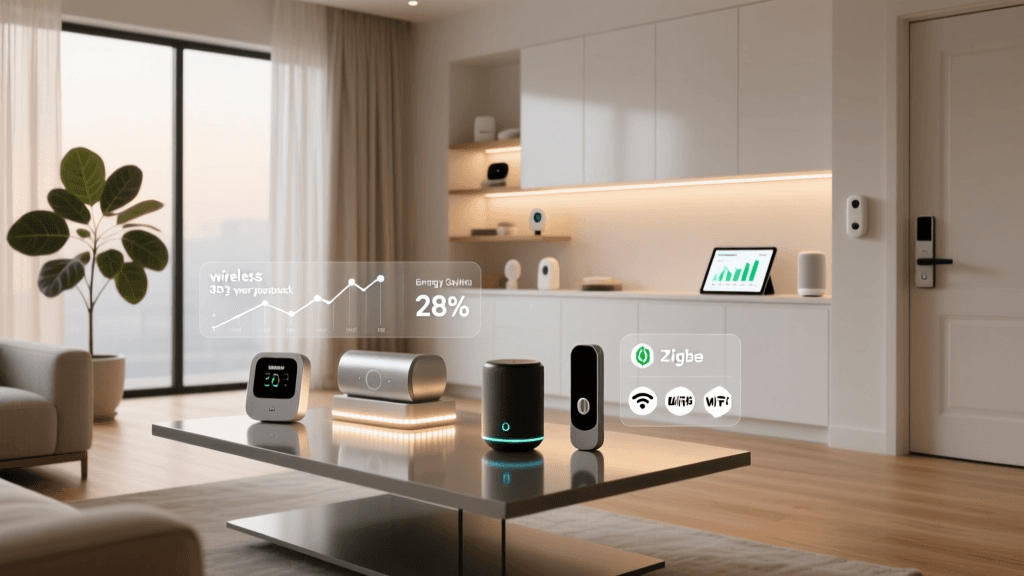
- Philips Hue uses Zigbee—works natively with Amazon Alexa, Apple HomeKit (via Hue Bridge), and Samsung SmartThings—but does not support Matter over Thread out-of-the-box without firmware v2.5+ (released mid-2026).
- TP-Link Kasa devices use Wi-Fi only and integrate directly with Google Assistant, Alexa, and IFTTT—but lack local execution, meaning automation fails if your internet drops.
- Thread/Matter-certified devices (e.g., Aqara M3 Hub, Nanoleaf Shapes) promise cross-platform, local-first automation—but as of Q2 2026, full Matter 1.3 support remains limited to lighting, thermostats, and door locks (Connectivity Standards Alliance).
💡 Pro Tip: If future-proofing matters most, prioritize Matter-over-Thread devices—even if they cost 15–20% more upfront. They eliminate cloud dependency, improve response time (<50ms vs. 1–3s for cloud-based triggers), and ensure compatibility across Apple, Google, and Amazon ecosystems.
3. Energy Efficiency Gains: Quantified
Automation isn’t just convenient—it delivers verifiable energy reductions. The U.S. Department of Energy estimates that households using smart thermostats save an average of $131–$145 per year on heating and cooling (Energy.gov, 2026). But savings vary by climate, home insulation, and usage patterns.
Here’s how common automation scenarios translate into kWh/year reductions (based on Lawrence Berkeley National Laboratory field studies and ENERGY STAR modeling):
Annual Energy Savings from Smart Automation Features
4. Reliability & Failure Modes
Traditional systems fail mechanically (e.g., a stuck relay, burnt-out timer motor). Smart systems fail digitally—and failure modes differ:
- Internet outage: Cloud-dependent automations (e.g., Kasa, older Wemo) stop working entirely. Local-only platforms (Home Assistant, Hubitat, newer Matter devices) continue running rules offline.
- Firmware bugs: In 2026, a Sonos update briefly disabled voice-triggered routines for 72 hours—highlighting risks of closed ecosystems (The Verge, May 2026).
- Protocol obsolescence: Lutron Caseta uses its own Clear Connect RF protocol—not Zigbee or Matter—which ensures reliability but limits third-party integration.
When to Choose Smart Automation (and When Not To)
Use this decision matrix before investing:
| Your Priority | Smart Automation Is Strongest Fit If… | Traditional Systems Are Better If… |
|---|---|---|
| Energy Savings | You’re willing to spend $200–$500 upfront for >10% HVAC reduction and automated lighting schedules. | You rent, move frequently, or live in a mild climate where HVAC runs <1,000 hours/year. |
| Accessibility Needs | A family member has mobility challenges or relies on voice or adaptive switches (e.g., Amazon Echo with Adaptive Controller). | All occupants prefer tactile feedback and zero learning curve—e.g., seniors resistant to apps or voice assistants. |
| Privacy & Control | You use open-source platforms like Home Assistant OS (runs locally on a Raspberry Pi 5, ~$120) and avoid cloud accounts entirely. | You distrust data collection, lack reliable broadband, or manage sensitive environments (e.g., medical offices, secure home offices). |
| Scalability | You plan to add >15 devices and want unified control (e.g., “Goodnight” turns off lights, locks doors, lowers thermostat). | You only need 2–3 discrete upgrades (e.g., one smart plug for a coffee maker, one motion light) and value simplicity over integration. |
Actionable Next Steps: Build Your Automation Strategy
Don’t automate everything at once. Start small, validate value, then scale:
- Phase 1 (Week 1–2): Install one smart plug (TP-Link Kasa KP125, $29.99) on a high-use device (e.g., entertainment center). Set a schedule to cut phantom load overnight. Measure standby power with a Kill A Watt meter—most AV setups draw 15–40W continuously.
- Phase 2 (Week 3–6): Add a Matter-compatible thermostat (Google Nest Thermostat (2026), $249) and two Thread-enabled room sensors (Aqara Temperature/Humidity Sensor T1, $24.99 each). Use built-in occupancy logic to auto-adjust temps only in occupied zones.
- Phase 3 (Month 3+): Introduce local automation via Home Assistant—import your devices, create presence-based lighting scenes, and add alerts for abnormal energy spikes (using your utility’s API or Sense monitor).
The Bottom Line
Smart home automation isn’t inherently “better” than traditional systems—it’s different in kind. Its value emerges not from novelty, but from repeatable, measurable improvements in energy use, accessibility, security responsiveness, and daily friction reduction. For most homeowners, a hybrid approach wins: keep robust, low-maintenance traditional systems where automation adds little ROI (e.g., garage door openers with physical remotes), and invest in smart automation where data, scheduling, and cross-device logic deliver clear, quantifiable returns.
If you’re still unsure, run a 30-day pilot: pick one room, one function (e.g., lighting), and two devices. Track your interactions, energy use, and satisfaction daily. That real-world evidence—not marketing claims—will tell you whether automation belongs in your home.