The Challenge of Fragmented Smart Homes
Stepping into the smart home space often begins with a single, simple purchase: a smart bulb, a Wi-Fi camera, or a voice assistant. However, as your collection grows, you quickly encounter the most frustrating bottleneck in modern home automation: ecosystem fragmentation. You find yourself juggling five different apps to control five different devices, and the dream of a cohesive, automated home feels out of reach. A Philips Hue light bulb might refuse to talk to a Ring security sensor, and an Ecobee thermostat might not trigger your Lutron shades.
The secret to making disparate devices work together seamlessly lies in understanding smart home protocols, choosing the right central hub, and leveraging local processing. This guide will walk you through the technical foundations of smart home integration, compare the best cross-ecosystem hubs on the market, and provide actionable blueprints for building unified automations that actually work.
Decoding Smart Home Protocols: The Language of Devices
Before you can integrate your devices, you need to understand how they communicate. Smart home devices rely on various wireless protocols to send data. If two devices speak different 'languages' or operate on different frequencies, they cannot communicate without a translator (a hub).
Zigbee and Z-Wave: The Legacy Mesh Networks
Zigbee operates on the 2.4 GHz radio frequency. It is a low-power, mesh-networking protocol widely used in sensors, smart locks, and lighting systems (like Philips Hue and IKEA DIRIGERA). Because it creates a mesh, every plugged-in Zigbee device acts as a repeater, extending the network's range. However, its 2.4 GHz frequency makes it susceptible to interference from Wi-Fi routers and microwaves.
Z-Wave operates on a sub-1 GHz frequency (908.42 MHz in North America). This lower frequency allows it to penetrate walls and floors much more effectively than Zigbee. It is highly reliable for whole-home sensor networks and smart locks (like Schlage and Yale), but it requires a dedicated Z-Wave hub to function.
Thread: The Modern Mesh Standard
Developed with IPv6 at its core, Thread is a low-power, mesh-networking protocol designed specifically for the IoT era. Unlike Zigbee, Thread has no single point of failure; if one border router goes down, the network dynamically reroutes. The Thread Group designed it to be IP-addressable, meaning Thread devices can communicate directly with your local network without needing a proprietary cloud bridge. Apple, Google, and Amazon all now support Thread border routing in their flagship hardware.
Wi-Fi: The High-Bandwidth Heavyweight
Most entry-level smart home devices (like TP-Link Kasa plugs or Wyze cameras) use standard Wi-Fi. While Wi-Fi offers the high bandwidth necessary for video streaming, it is power-hungry and poorly suited for battery-operated sensors. Furthermore, flooding your router with dozens of IoT devices can cause network congestion and dropouts.
Protocol Latency Comparison
Matter: The Universal Translator
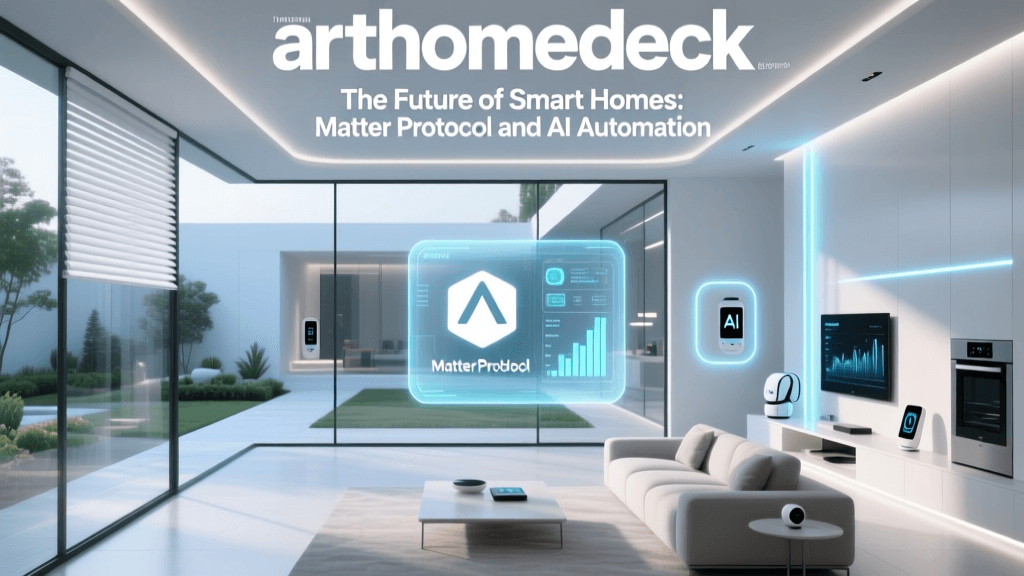
If protocols are the physical roads, Matter is the universal traffic law. Launched by the Connectivity Standards Alliance (CSA-IoT), Matter is an open-source, royalty-free application layer that runs over Thread, Wi-Fi, and Ethernet. It does not replace Zigbee or Z-Wave; rather, it allows devices from Apple, Amazon, Google, and Samsung to understand each other natively.
When you buy a Matter-certified device, you can pair it simultaneously to Apple HomeKit, Amazon Alexa, and Samsung SmartThings using a multi-admin feature. This is the single biggest leap forward in cross-ecosystem integration, effectively ending the era of 'walled gardens' for new device releases.
Choosing the Right Hub for Cross-Ecosystem Control
To unify devices that predate Matter, or to bridge cloud-only devices into local automations, you need a robust central hub. Here is how the top contenders compare for serious smart home integrators.
| Hub Model | Est. Price | Built-in Radios | Local Processing | Best For |
|---|---|---|---|---|
| Home Assistant Green | $99 | Ethernet (Requires USB dongle for Zigbee/Thread) | Yes (100%) | Privacy advocates & advanced tinkerers |
| Hubitat Elevation | $149 | Zigbee, Z-Wave | Yes (100%) | Legacy Z-Wave/Zigbee network unification |
| Samsung SmartThings Station | $70 | Thread, Zigbee, Wi-Fi | Partial (Matter/Thread) | Samsung ecosystem users & Matter adoption |
| Apple TV 4K (3rd Gen) | $149 | Thread, Wi-Fi, Bluetooth | Yes (HomeKit Secure) | Apple users needing a Thread Border Router |
Deep Dive: Home Assistant Green
For those who want total control, the Home Assistant Green is the gold standard. Priced at $99, this plug-and-play box runs the open-source Home Assistant operating system. It pulls in integrations from over 2,500 brands via local LAN APIs, bypassing the cloud entirely. When paired with a $30 SkyConnect USB dongle, it becomes a Zigbee and Thread powerhouse. The learning curve is steeper than commercial alternatives, but the automation capabilities are unmatched.
Deep Dive: Hubitat Elevation
If your home is already wired with dozens of Z-Wave and Zigbee sensors, the Hubitat Elevation ($149) is your best bridge. It features both radios built directly into the chassis. Its rule machine allows for complex, local 'If This, Then That' logic that executes in milliseconds, ensuring your motion-triggered lights turn on instantly, even if your internet connection is down.
Building Your First Cross-Brand Automation Routine
Let's look at a practical, cross-ecosystem automation that solves a real-world problem: The Ultimate Goodnight Security Routine.
The Goal: When the last person leaves the geofence or a virtual 'Sleep' button is pressed, secure the house, adjust the climate, and turn off the lights.
- Trigger: Virtual 'Goodnight' switch toggled ON (via smartphone widget or Home Assistant dashboard).
- Action 1 (Security): Send LAN command to Schlage Encode Plus (Wi-Fi/Matter) to engage the deadbolt.
- Action 2 (Climate): Send local API command to Ecobee Smart Thermostat Premium to drop the temperature to 65°F and enable 'Sleep' occupancy sensors.
- Action 3 (Lighting): Send Zigbee group command to Philips Hue Bridge to fade all main floor lights to 0% over 5 seconds.
- Action 4 (Monitoring): Arm Ring Alarm base station via cloud API integration (requires internet, but serves as a secondary fail-safe).
By utilizing a hub like Home Assistant or Hubitat, these commands are dispatched simultaneously across different protocols (Zigbee, Wi-Fi, Matter) and execution environments (Local LAN, Cloud API), creating a seamless experience from the user's perspective.
The Critical Importance of Local Control vs. Cloud Reliance
When building automations, you must prioritize local control. Cloud-dependent automations require your command to travel from your phone, to the manufacturer's server, back to your router, and finally to your device. This introduces latency (often 500ms to 2 seconds) and a critical point of failure: your internet connection.
If your ISP goes down, a cloud-reliant smart home becomes a 'dumb' home. Motion sensors won't trigger lights, and leak sensors won't shut off smart water valves. The National Institute of Standards and Technology (NIST) consistently highlights the cybersecurity and reliability vulnerabilities inherent in cloud-dependent IoT architectures. By keeping processing local via hubs like Home Assistant or Hubitat, your automations execute in under 50 milliseconds and remain fully operational during internet outages.
Troubleshooting Common Integration Bottlenecks
Even with the best hubs, cross-ecosystem integration can hit snags. Here is how to troubleshoot the most common issues:
1. Mesh Network Congestion
If your Zigbee or Z-Wave devices are dropping off the network, you likely have a mesh routing issue. Battery-powered devices do not repeat signals. You must strategically place mains-powered devices (like smart plugs or hardwired light switches) throughout your home to act as repeaters, creating a robust web of signal paths back to the hub.
2. IP Address Conflicts and DHCP Leases
Wi-Fi smart home devices rely on your router's DHCP server to assign IP addresses. If your router reassigns an IP to a new device that was previously held by your smart coffee maker, your local automations will break. The Fix: Access your router's admin panel and assign Static IP addresses (or DHCP reservations) to every smart home device on your network.
3. Cloud API Rate Limits
Some manufacturers limit how often third-party hubs can poll their cloud servers (e.g., TP-Link Kasa or older Lifx APIs). If your automation relies on polling a cloud state, you might hit a rate limit, causing delays. The Fix: Whenever possible, use hubs that support local LAN control for Wi-Fi devices, bypassing the cloud entirely.
Step-by-Step Guide to Unifying Your Network
- Audit Your Inventory: List every smart device you own, noting its protocol (Wi-Fi, Zigbee, Z-Wave, Thread) and whether it supports local LAN control or requires a cloud API.
- Select Your Primary Brain: Choose a hub based on your technical comfort level. Choose Home Assistant for maximum local control and privacy, or SmartThings/Apple Home for a more polished, user-friendly interface.
- Deploy Border Routers: If you are adopting Thread or Matter, ensure you have at least two Thread Border Routers (like Apple TV 4K or Nest Hub 2nd Gen) placed centrally to provide mesh redundancy.
- Migrate to Matter: As you replace aging devices, prioritize Matter-over-Thread for sensors and locks, and Matter-over-Wi-Fi for high-bandwidth appliances.
- Isolate IoT Traffic: For advanced users, set up a dedicated VLAN (Virtual Local Area Network) on your router specifically for IoT devices. This prevents a compromised smart bulb from accessing your personal computers or NAS drives, vastly improving your network security posture.
Conclusion
A truly smart home is not defined by the number of devices you own, but by how invisibly and reliably they work together. By understanding the underlying protocols, investing in a hub that prioritizes local processing, and strategically adopting the Matter standard, you can break free from ecosystem lock-in. The result is a resilient, lightning-fast, and deeply integrated home that adapts to your life, rather than forcing you to adapt to your apps.