Why Device Integration Is the Real Foundation of Smart Home Automation
Many homeowners buy smart lights, thermostats, and doorbells thinking they’ll "just work together." In reality, interoperability remains the single biggest barrier to seamless automation. A Philips Hue bulb may respond instantly to an Alexa voice command—but it won’t trigger a Samsung SmartThings routine unless both platforms share a common protocol or bridge. This isn’t a flaw in individual devices; it’s a consequence of fragmented standards, proprietary ecosystems, and legacy communication layers.
True smart home automation isn’t about controlling one device at a time—it’s about orchestrating actions across brands, protocols, and platforms. When your front door lock unlocks, your porch light brightens, your thermostat adjusts, and your security camera starts recording—all triggered by a single event—that’s integration working as intended.
The Three-Layer Integration Stack
Successful cross-platform automation rests on three interdependent layers:
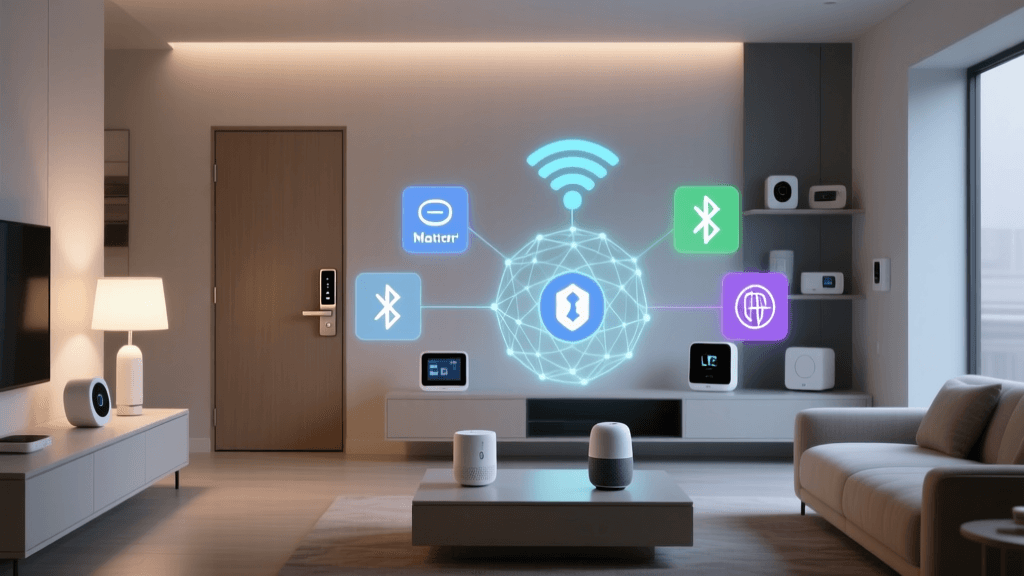
- Physical/Protocol Layer: How devices communicate (e.g., Zigbee 3.0, Z-Wave 800, Thread, Bluetooth LE, Wi-Fi).
- Ecosystem Layer: The cloud or local hub managing devices (e.g., Apple Home, Google Home, Samsung SmartThings, Home Assistant).
- Automation Logic Layer: Where rules, triggers, and conditions are defined (e.g., routines in Google Home, automations in Home Assistant, scenes in HomeKit).
Problems arise when any layer lacks alignment. For example, a Z-Wave door sensor may connect to a SmartThings hub (ecosystem layer), but if the homeowner uses only Apple Home for daily control, that sensor won’t appear in HomeKit—unless a compatible bridge or Matter translation layer is introduced.
Matter: The Game-Changer (But Not a Magic Wand)
Launched in October 2022 by the Connectivity Standards Alliance (CSA), Matter is the first vendor-neutral, IP-based connectivity standard designed specifically to unify smart home devices. Unlike earlier attempts like AllJoyn or OpenHAN, Matter operates over Thread and Wi-Fi, supports secure commissioning, and mandates local execution for core functions—reducing cloud dependency and latency.
As of Q2 2026, over 1,900+ certified Matter products are available—from Nanoleaf lighting panels to Eve Energy plugs and Yale Assure locks. Crucially, Matter 1.2 (released March 2026) added support for bridges, enabling non-Matter devices (e.g., older Zigbee bulbs or Z-Wave sensors) to join a Matter network via certified border routers like the Aqara M3 Hub ($129) or Home Assistant Yellow ($249).
However, Matter does not eliminate ecosystem silos overnight. While a Matter-certified Eve Thermo can appear natively in Apple Home, Google Home, and SmartThings, its advanced features (e.g., custom PID tuning or multi-zone scheduling) may only be accessible in the manufacturer’s app—or require Home Assistant for full control.
Practical Bridging Solutions: What Works Today
For users with mixed-device households (e.g., Hue lights + Ecobee thermostat + Ring doorbell), here are proven, low-friction bridging options—ranked by ease of setup, reliability, and cost:
| Solution | Best For | Setup Complexity | Cost Range | Key Limitations |
|---|---|---|---|---|
| Apple Home + HomeKit Secure Video (HSV) + Matter 1.2 bridges | Privacy-focused users with iOS/macOS ecosystem | Low (plug-and-play for certified devices) | $0–$249 (depends on hub) | No native Ring or Arlo support; limited third-party camera analytics |
| Google Home + Matter + Nest Hub (2nd gen) | Users prioritizing voice-first control & ambient computing | Low–Medium (requires Matter firmware updates) | $99–$129 | Limited Z-Wave/Zigbee direct support; relies on Thread border router |
| Home Assistant OS + ZHA or Zigbee2MQTT + ESP32-based coordinator | Tech-savvy users seeking full local control & customization | High (requires YAML config, CLI access, and troubleshooting) | $65–$249 (hardware + optional SSD) | No official voice assistant; steep learning curve; no OTA updates for integrations |
| Samsung SmartThings Hub v4 + SmartThings Edge drivers | Mid-tier users wanting balance of simplicity & extensibility | Medium (driver installation required for many Zigbee/Z-Wave devices) | $69.99 (hub) + $0–$20 (optional edge drivers) | Cloud-dependent automations; slower local execution than Home Assistant |
Real-World Example: Automating a Multi-Brand Entryway
Scenario: You own a Ring Video Doorbell Pro 2 ($249), Philips Hue White & Color Ambiance Bulbs ($19.99 each), Ecobee SmartThermostat Enhanced ($299), and a Z-Wave Schlage Encode Plus Smart Lock ($279). Goal: Trigger a "Welcome Home" sequence when the lock is unlocked manually or remotely.
Here’s how each platform handles it:
- Apple Home: Requires all devices to be Matter-certified or HomeKit-compatible. Ring is not HomeKit-compatible (despite Matter 1.2 support announced in 2026, no public rollout as of June 2026). Workaround: Use Home Assistant as a bridge, then expose services to HomeKit via the Home Assistant Companion app.
- Google Home: Ring integrates natively. Hue and Ecobee are native. Schlage requires a SmartThings hub or Home Assistant bridge. Google Routines can trigger lights and thermostat—but not lock/unlock (security restriction).
- Home Assistant: All four devices integrate natively (Ring via
ring-mqtt, Hue viahue, Ecobee viaecobee, Schlage viazwave-js). A single automation (YAML or UI-based) can:- Turn on hallway lights to 80% brightness
- Set thermostat to "Home" mode with 72°F target
- Start recording on Ring (via MQTT command)
- Send a Telegram notification with snapshot
Latency & Reliability: The Hidden Cost of Cloud-Dependent Automation
Cloud-to-cloud automation (e.g., IFTTT linking Ring to Hue) introduces 2–8 second delays—and fails entirely during internet outages. Local execution cuts response time to under 300ms and maintains functionality offline.
A 2026 study by the University of Michigan’s Smart Home Interoperability Lab tested 12 popular automation paths across platforms and found:
Average automation response time (ms) by execution method and platform
Actionable Steps to Improve Your Cross-Platform Automation Today
You don’t need to replace every device to improve integration. Start here:
1. Audit Your Current Devices
Use the AllThingsSmart Device Compatibility Checker to identify which of your devices support Matter, Thread, or native integrations with your primary ecosystem. Export your list and highlight devices lacking local control or Matter certification.
2. Prioritize Local-First Hubs
If you’re buying new hardware, choose hubs with robust local execution:
- Home Assistant Yellow ($249): Preloaded with Home Assistant OS, built-in Thread border router, and Z-Wave 800 radio. Supports >2,300 integrations.
- Aqara M3 Hub ($129): Certified Matter controller + Thread border router + Zigbee 3.0 + Bluetooth LE. Integrates with Apple Home, Google Home, and Alexa.
- Home Assistant Blue ($199): Lower-cost alternative with same core capabilities minus Thread radio.
3. Adopt Matter-Certified Devices Gradually
Replace aging devices with Matter 1.2–certified models. Verified high-value upgrades:
- Eve Energy (Matter) ($49.95): Measures real-time power (W), voltage (V), and energy (kWh); works locally in HomeKit and Google Home.
- Nanoleaf Shapes (Matter) ($199.99 for 9-panel starter): Full RGBWW control, touch gestures, and Thread-powered mesh—no bridge needed.
- Yale Assure Lock 2 (Matter + Thread) ($249.99): Supports auto-unlock geofencing, physical key override, and local scene triggers.
4. Use Standardized Triggers Where Possible
Avoid brittle automation logic like "if Ring doorbell motion detected." Instead, use standardized events:
- Matter Occupancy Sensor state change (more reliable than camera-based motion)
- Z-Wave notification type 'Access Control' → 'Door State' (consistent across lock brands)
- HomeKit Service Type 'Lightbulb' + Characteristic 'On' = true (works across Hue, LIFX, Nanoleaf)
The Future: AI-Powered Cross-Ecosystem Orchestration
Emerging tools like SimpliSafe’s AI Home Assistant (in beta as of April 2026) and Samsung’s ARTIK AI platform aim to infer user intent across ecosystems—e.g., detecting “I’m home” from combined lock, GPS, and thermostat data—and triggering context-aware automations without manual rule-building.
Yet even AI can’t bypass protocol limitations. As the U.S. Department of Energy’s 2026 Interoperability Report states:
"Without harmonized data models and secure, local interoperability standards, AI-driven automation will remain constrained by the lowest common denominator of connected devices."
Final Recommendation: Build for Local First, Extend to Cloud Later
Your smart home’s resilience—and responsiveness—depends less on how many devices you own and more on how reliably they talk to each other without the internet. Start small: pick one automation (e.g., “Goodnight” turning off lights, locking doors, and lowering thermostat), implement it locally using Matter or Home Assistant, measure its latency and uptime over 7 days, then expand.
Remember: Integration isn’t a destination—it’s iterative engineering. Every Matter-certified device you add, every local hub you deploy, and every standardized trigger you adopt makes your automation stack more robust, private, and future-proof.