What is Geofencing in Smart Home Automation?
In the rapidly evolving landscape of smart home technology, automation is the bridge between manual control and true ambient intelligence. Among the most powerful, yet frequently misunderstood, automation triggers is geofencing. Geofencing uses GPS, RFID, Wi-Fi, or cellular data to create a virtual geographic boundary, known as a geofence. When a mobile device enters or exits this predefined perimeter, it triggers a pre-programmed action within your smart home ecosystem.
Unlike time-based automations, which blindly turn on your porch lights at 6:00 PM regardless of whether you are home or on vacation, geofencing is context-aware. It ensures your home reacts to your actual physical presence. This location-based service transforms your smartphone into a digital beacon, communicating with your smart home hub to adjust thermostats, secure doors, and manage lighting exactly when you need it, ultimately saving energy and enhancing security.
The Core Mechanics: How Location Triggers Actions
To understand how to optimize geofencing, you must first understand how your smartphone communicates with your smart home hub. When you draw a virtual circle on a map within your smart home app—typically ranging from 100 meters to 500 meters around your property—you are establishing a geofence.
As you drive or walk toward your home, your smartphone's operating system (iOS or Android) monitors your location using a combination of GPS satellites and local Wi-Fi network scanning. When you cross the boundary threshold, the phone sends a signal to the cloud server of your smart home ecosystem (such as Apple, Amazon, or Google). That cloud server then relays the command to your home hub, which executes the automation via protocols like Zigbee, Z-Wave, Thread, or Wi-Fi.
For advanced users, local processing hubs like the Hubitat Elevation C-8 (priced around $100) offer a distinct advantage. While the initial location trigger still relies on your phone's cloud connection to detect the boundary crossing, the subsequent automation logic executes locally on the hub. This drastically reduces latency, ensuring your garage door begins opening the exact second you pull into the neighborhood, rather than waiting for a cloud server to ping a Zigbee relay.
Top Geofencing Ecosystems and Hardware Compatibility
Not all smart home platforms handle location data with the same level of precision or privacy. Below is a detailed comparison of the major ecosystems and their geofencing capabilities.
| Ecosystem | Hub Requirement | Geofence Radius Customization | Multi-User Logic Support | Estimated Starter Cost |
|---|---|---|---|---|
| Apple HomeKit | HomePod / Apple TV | Fixed (approx. 100m) | Native (Arrive/Leave based on ALL users) | $150 - $250 |
| Amazon Alexa | Echo Hub / SmartThings | Adjustable (150m - 500m) | Complex (Requires routines per user) | $50 - $150 |
| Google Home | Nest Hub / Google TV | Adjustable (100m - 400m) | Native (Home/Away assist) | $50 - $130 |
| Hubitat / Home Assistant | Local Hub Required | Highly Customizable (Polygon/Radius) | Advanced (Custom Logic Gates) | $100 - $200 |
Apple HomeKit is widely considered the gold standard for privacy-conscious users. Because Apple processes much of the HomeKit Secure Video and location routing through encrypted iCloud channels, your exact coordinates are not sold to third-party advertisers. Furthermore, HomeKit natively understands the 'multi-user' concept, meaning it will not trigger the 'Away' routine until the last registered family member leaves the geofence.
Visualizing Energy Savings Through Location Automation
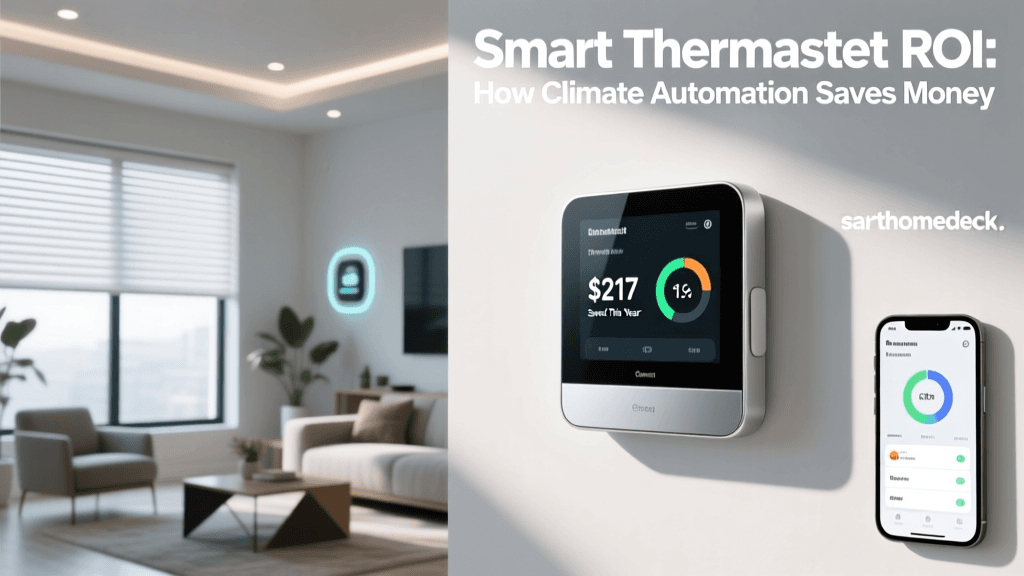
One of the most compelling reasons to implement geofencing is the potential for significant energy reduction. By ensuring high-draw appliances and climate control systems are only active when occupants are present, households can drastically reduce their utility bills. According to the ENERGY STAR certified smart thermostats program, smart thermostats can save homeowners up to 8% on heating and 10% on cooling bills annually. When paired with strict geofencing, these savings are maximized because the system never forgets to enter 'Eco Mode' when the house is empty.
The U.S. Department of Energy thermostat guidelines further corroborate that adjusting your thermostat by 7°-10°F for 8 hours a day from its normal setting can save as much as 10% a year on heating and cooling. Geofencing automates this exact behavior without requiring you to remember to adjust the dial every time you leave for work.
Practical Automation Recipes for Everyday Life
To build a truly seamless smart home, you must combine geofencing with specific, reliable hardware. Here are two foundational automation recipes that balance convenience, security, and cost.
1. The 'Leaving Home' Security & Eco Routine
- Trigger: Last registered smartphone exits the 150-meter geofence.
- Action 1 (Climate): Set ecobee SmartThermostat Premium ($249) to 'Away' mode, raising the cooling setpoint by 6 degrees.
- Action 2 (Security): Engage the deadbolt on the Schlage Encode Plus ($299) and arm the Ring Alarm base station to 'Away' mode.
- Action 3 (Power): Cut power to Kasa Smart Plug Slim ($15) connected to the coffee maker and office monitors to eliminate phantom vampire power draw.
2. The 'Arriving Home' Comfort Routine
- Trigger: First registered smartphone enters the 300-meter geofence.
- Action 1 (Lighting): Turn on exterior porch lights and set interior Philips Hue bulbs to a warm 2700K 'Welcome' scene.
- Action 2 (Access): If the time is between 6:00 PM and 11:00 PM, automatically unlock the front door and open the garage door via a Chamberlain MyQ smart hub integration.
- Action 3 (Comfort): Resume the standard HVAC schedule to ensure the home is at 72°F by the time you walk through the door.
Solving the Multi-User and 'Roommate' Problem
The most common point of failure in location-based automation is the 'Roommate Problem.' This occurs when User A leaves the house to run an errand, triggering the 'Away' routine, which shuts off the HVAC and locks the doors, while User B is still sitting comfortably on the couch. Suddenly, User B is left in the dark and the heat turns off.
To solve this, you must utilize logic gates, specifically the 'AND' condition. In platforms like Google Home, this is handled natively via 'Home/Away Assist,' which tracks the presence of all assigned home members. The 'Away' routine will only execute if all assigned phones have exited the geofence. Conversely, the 'Arrive' routine uses an 'OR' condition, triggering the welcome sequence the moment any assigned phone crosses the boundary.
For advanced users utilizing Home Assistant or Hubitat, you can create virtual presence sensors. You can program a rule that states: IF Phone A = Away AND Phone B = Away AND Living Room Motion Sensor = Clear for 15 minutes THEN Trigger Away Mode. Adding a physical motion sensor as a failsafe prevents the house from arming itself if a family member forgets their phone or if the GPS signal experiences drift.
Optimizing Battery Life and GPS Accuracy
A major concern for new smart home enthusiasts is the impact of geofencing on smartphone battery life. Continuous, high-precision GPS polling will drain a phone battery in a matter of hours. Fortunately, modern mobile operating systems do not use continuous GPS polling for geofencing.
Instead, iOS and Android utilize 'Significant Location Change' APIs and Wi-Fi SSID scanning. Your phone passively listens for known Wi-Fi networks (like your neighbor's router or a local coffee shop) and uses cell tower triangulation to estimate your position. Only when you approach the general vicinity of your home does the phone activate the high-precision GPS chip to confirm the exact boundary crossing.
Pro Tip for Radius Sizing: Do not set your geofence radius too small (e.g., under 100 meters). A tiny radius forces the phone's GPS to work harder to confirm the exact boundary line, increasing battery drain and resulting in 'ghost triggers' caused by GPS drift. A radius between 150 meters and 250 meters is the sweet spot. It allows the OS to batch location updates efficiently, preserving battery life while ensuring your garage door still opens before you reach the driveway.
Privacy and Security Considerations
Handing over your real-time location data to tech conglomerates is a valid privacy concern. When configuring your smart home, it is vital to understand how your ecosystem handles this data. Cloud-reliant systems (like basic Wi-Fi smart plugs and entry-level cameras) often transmit location metadata to external servers to process routines.
To mitigate privacy risks, the CISA IoT security best practices recommend segmenting your IoT devices on a separate VLAN or guest Wi-Fi network. Furthermore, prioritizing ecosystems that offer local processing (like Apple HomeKit or Hubitat) ensures that while the initial trigger may require a cloud ping, the mapping of your home's layout, device states, and routine logic remains encrypted and localized. Always enable two-factor authentication (2FA) on your smart home hub accounts to ensure that even if your location data is intercepted, malicious actors cannot use it to remotely disarm your security system.
Summary and Next Steps
Geofencing is the ultimate expression of smart home automation because it removes the need for manual input. By leveraging the GPS capabilities of your smartphone, you can create a home that intuitively manages its own energy consumption, secures its own perimeters, and adjusts its climate based entirely on your physical presence. Start small by automating your smart thermostat and exterior lighting. Once you have dialed in the optimal geofence radius and solved the multi-user logic gates, you can expand into security arming and appliance control, transforming your house into a truly responsive, intelligent environment.