The End of Smart Home Walled Gardens
For over a decade, the smart home industry has been defined by fragmentation. Consumers were forced to choose a side: Apple HomeKit, Google Home, or Amazon Alexa. If you bought a smart lock that worked exclusively with Apple, you couldn't easily integrate it with a Google Nest thermostat. This era of 'walled gardens' created massive friction for homeowners trying to build cohesive, automated environments. Devices couldn't communicate, routines were limited to single-brand ecosystems, and the promise of a truly intelligent, unified home remained out of reach.
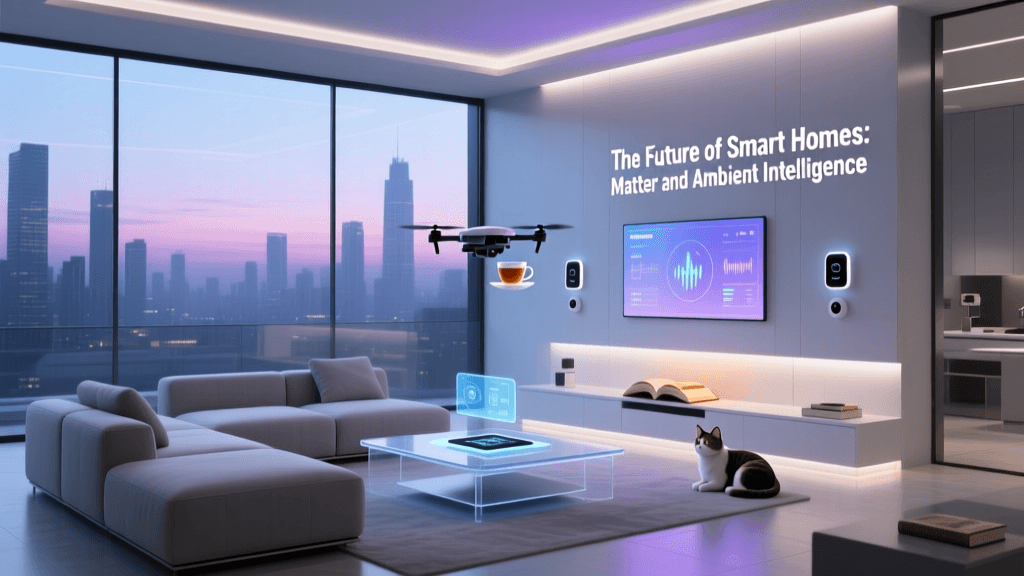
Enter Matter. Developed by the Connectivity Standards Alliance (CSA), Matter is an open-source, royalty-free connectivity protocol designed to serve as a universal language for smart home devices. By operating at the application layer of the internet protocol (IP) suite, Matter allows devices from different manufacturers and ecosystems to communicate seamlessly over your local network. Whether you are using an iPhone, an Android tablet, or a voice assistant in the kitchen, Matter ensures that your smart lights, locks, sensors, and thermostats work together in perfect harmony.
Understanding Matter: The Universal Language
At its core, Matter shifts the smart home paradigm from cloud-dependent silos to local, IP-based networking. According to the Connectivity Standards Alliance (CSA), Matter is built on Internet Protocol (IP), meaning it uses the same foundational technology that powers your web browser and smartphone communications. This architecture brings three massive benefits to smart home automation:
- Local Control and Low Latency: Matter devices communicate directly over your local network. When a motion sensor triggers a smart bulb, the command doesn't travel to a remote server and back. It happens locally, resulting in sub-100 millisecond latency and ensuring your automations work even if your internet connection goes down.
- Multi-Admin Capability: This is Matter's killer feature. A single Matter device can be simultaneously paired to multiple ecosystems. You can pair a smart plug to Apple HomeKit for Siri control, while simultaneously adding it to Google Home for family members who prefer Android. Both platforms have equal, simultaneous control without complex workarounds.
- Enhanced Security: Matter mandates strict security protocols, including blockchain-based distributed ledger technology for device attestation and end-to-end encryption for all local communications.
The Hardware: Hubs, Controllers, and Border Routers
To build a unified Matter automation setup, you need the right hardware. Matter supports three primary transport layers: Wi-Fi (for high-bandwidth devices like cameras and displays), Ethernet (for stationary hubs), and Thread (a low-power, mesh-networking protocol ideal for sensors and smart bulbs). Because Thread devices cannot connect directly to a standard Wi-Fi router, you need a Thread Border Router. This device bridges the Thread mesh network to your Wi-Fi/Ethernet network.
Here is a comparison of the best multi-ecosystem hubs and border routers currently on the market:
| Device | Ecosystem Support | Thread Border Router | Matter Controller | Approx. Cost |
|---|---|---|---|---|
| Apple TV 4K (3rd Gen, Wi-Fi + Ethernet) | Apple HomeKit, Matter | Yes | Yes | $150 |
| Amazon Echo Show 8 (3rd Gen) | Alexa, Matter | Yes | Yes | $150 |
| Google Nest Hub (2nd Gen) | Google Home, Matter | Yes | Yes | $100 |
| Samsung SmartThings Station | SmartThings, Matter | Yes | Yes | $60 |
Pro Tip: For the most robust Thread mesh network, deploy at least two Thread Border Routers from different brands (e.g., one Apple TV and one Nest Hub). The Thread Group specifies that multiple border routers will automatically collaborate to extend mesh range and provide seamless failover if one hub loses power.
Comparing Wireless Protocols for Automation
While Matter is the application layer, it relies on underlying transport protocols. Understanding how Matter compares to legacy protocols is crucial for planning your device purchases.
| Protocol | Bandwidth | Power Consumption | Topology | Best Use Case |
|---|---|---|---|---|
| Matter over Thread | Low (250 kbps) | Ultra-Low (Battery) | Mesh | Sensors, Smart Locks, Switches |
| Matter over Wi-Fi | High (Mbps) | High (Mains Power) | Star | Smart Plugs, Displays, Cameras |
| Zigbee | Low | Low | Mesh | Legacy Lighting (Hue, IKEA) |
| Z-Wave | Low | Low | Mesh | Security Sensors, Garage Doors |
Step-by-Step: Integrating Your First Matter Device
Setting up a Matter device is remarkably straightforward, thanks to standardized QR codes. Here is how to integrate a Matter-over-Thread smart plug into a multi-admin environment:
- Prepare Your Network: Ensure your primary Wi-Fi network is broadcasting a 2.4GHz signal (required for initial device provisioning) and that your Thread Border Router is online and updated.
- Scan the Code: Open your primary smart home app (e.g., Apple Home). Tap 'Add Accessory' and scan the Matter QR code located on the device or its packaging.
- Provisioning: The app will securely transfer your Wi-Fi and Thread network credentials to the device via Bluetooth Low Energy (BLE). The device will then join your local network.
- Enable Multi-Admin: Once added to your primary ecosystem, open the device settings within the app. Look for 'Turn on Multi-Admin' or 'Share with other apps'. Scan the same QR code using your secondary ecosystem app (e.g., Google Home) to claim local control rights.
Designing Cross-Ecosystem Automation Routines
The true power of Matter integration is realized when you build automations that leverage devices from varying brands. Because Matter standardizes the data models (how a device describes its capabilities), you can mix and match hardware without relying on third-party cloud services like IFTTT.
Example Routine: The Ultimate Energy-Saving Climate Control
Imagine you want to optimize your home's energy usage based on real-time data. You have an Eve Energy Smart Plug (Matter over Thread) monitoring your space heater, a Google Nest Thermostat (Matter over Wi-Fi), and Philips Hue bulbs (Zigbee, bridged via a Hue Bridge that supports Matter).
- Trigger: The Eve Energy plug detects that the space heater has been drawing over 1,500 watts for more than two hours.
- Condition: The Nest Thermostat reports that the ambient room temperature has reached 72°F (22°C).
- Action 1: The automation cuts power to the Eve Energy smart plug, turning off the heater.
- Action 2: The Hue bulbs in the room briefly pulse a warm amber color to visually notify the occupants that the heater was turned off for energy savings.
Before Matter, achieving this routine would require complex cloud-based webhooks and a high risk of latency or server downtime. With Matter, the local network handles the logic instantly, securely, and reliably.
Network Requirements and Troubleshooting
While Matter simplifies the user experience, it places specific demands on your home network infrastructure. If you are experiencing device dropouts or pairing failures, consider the following technical hurdles:
1. IPv6 and mDNS Requirements
Matter relies heavily on IPv6 and multicast DNS (mDNS) for local device discovery. Many enterprise-grade or advanced consumer routers (like Ubiquiti or MikroTik) block mDNS traffic across different VLANs by default. If you isolate your IoT devices on a separate VLAN, you must configure an mDNS reflector or repeater so your smartphone can 'see' the Matter devices during setup.
2. Thread Mesh Stability
Thread networks can occasionally experience routing loops or leader elections if too many border routers are placed in close proximity. Ensure your Thread Border Routers are spaced at least 15 to 20 feet apart to create a wide, stable mesh rather than a congested cluster of overlapping signals.
3. 2.4GHz Wi-Fi Congestion
Matter over Wi-Fi devices typically operate on the 2.4GHz band. In dense apartment complexes, channel interference can cause smart plugs and switches to report as 'offline'. Use a Wi-Fi analyzer app to find the least congested channel (usually 1, 6, or 11) and manually assign your IoT SSID to that channel.
'The transition to IP-based smart home networking is not just about convenience; it is a fundamental shift toward local processing, enhanced privacy, and true hardware interoperability.' — SmartHomeDeck Editorial Team
Conclusion: Future-Proofing Your Smart Home
Integrating Matter into your smart home automation strategy is no longer an experimental endeavor; it is the industry standard. By investing in multi-ecosystem hubs, prioritizing Thread-enabled devices for low-power applications, and ensuring your local network is optimized for IPv6 and mDNS, you can break free from the limitations of proprietary ecosystems. Matter ensures that the devices you buy today will remain functional, secure, and compatible with whatever innovations the smart home industry introduces tomorrow. Start small with a Matter smart plug or sensor, experience the speed of local automation, and gradually build a truly unified, intelligent home.