The Evolution of Smart Home Integration
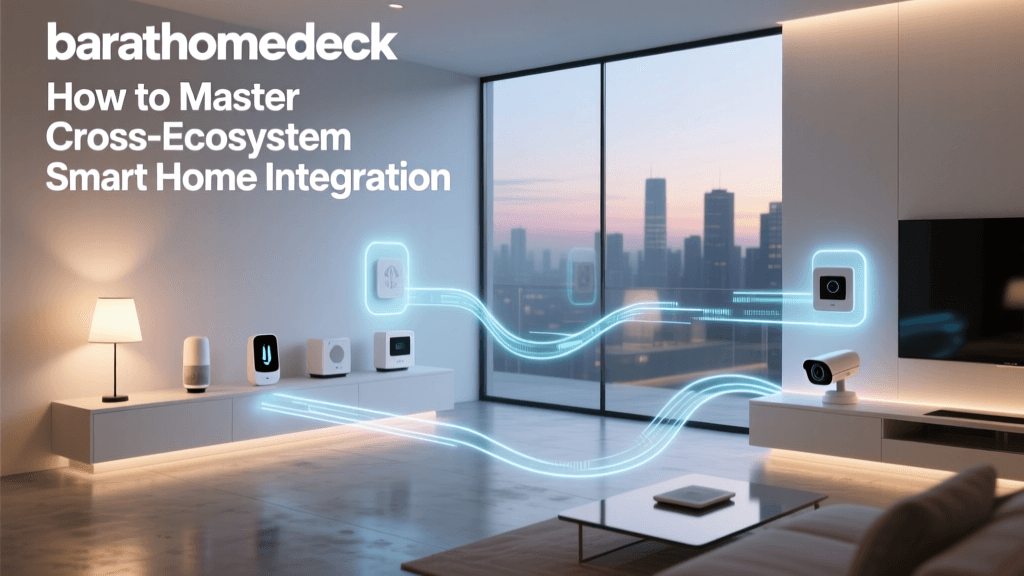
For the better part of a decade, the smart home industry was defined by fragmentation. Consumers were forced into 'walled gardens,' where purchasing a smart thermostat from one brand meant committing to a specific voice assistant, while smart locks from another brand required an entirely different app and hub. This fragmentation led to severe app fatigue, unreliable cloud-dependent automations, and a steep learning curve for beginners. Today, the landscape has fundamentally shifted. The introduction of universal smart home hubs and the groundbreaking Matter protocol has transformed how devices communicate, making true, seamless integration a reality.
Understanding how to make your devices work together is no longer about hacking together workarounds using third-party cloud services. It is about building a cohesive, local, and resilient automation ecosystem. In this comprehensive guide, we will explore the hardware and software architectures that unify your smart home, compare the leading integration hubs, and provide actionable blueprints for creating cross-platform automations.
The Walled Garden Problem and the Need for Hubs
Before diving into solutions, it is crucial to understand why early smart homes failed to deliver on the promise of effortless automation. Most entry-level smart devices rely on Wi-Fi and cloud servers. When you trigger a smart plug via an app, the signal travels from your phone to the manufacturer's cloud server, and then back down to your router and the plug. This introduces latency, creates privacy vulnerabilities, and renders your devices useless during an internet outage.
Furthermore, different manufacturers used proprietary radio frequencies and communication languages. A Zigbee motion sensor from one brand could not natively trigger a Z-Wave smart switch from another without a central translator. This is where the Smart Home Hub comes in. A hub acts as the brain and universal translator of your home, housing multiple radios (Zigbee, Z-Wave, Thread, Bluetooth) and processing automation logic locally on your network.
Comparing the Top Smart Home Integration Hubs
Selecting the right hub is the most critical decision in your integration journey. Below is a detailed comparison of the most prominent hubs on the market, categorized by their processing architecture and target user base.
| Hub Model | Protocol Support | Local Processing | Ecosystem Compatibility | Target Audience | Avg. Cost |
|---|---|---|---|---|---|
| Home Assistant Green | Zigbee, Thread, Matter, Wi-Fi | 100% Local | Universal (via integrations) | Advanced Users, Tinkerers | $99 |
| Hubitat Elevation | Zigbee, Z-Wave, LAN | 100% Local | Alexa, Google, HomeKit (via bridge) | Intermediate to Advanced | $149 |
| Samsung SmartThings V3 | Zigbee, Z-Wave, Thread, Matter | Hybrid (Cloud/Edge) | Alexa, Google, SmartThings App | Beginners to Intermediate | $129 |
| Apple HomePod Mini | Thread, Matter, Wi-Fi, Bluetooth | Local (HomeKit) | Apple HomeKit, Siri | Apple Ecosystem Users | $99 |
Note: Prices are approximate and subject to market fluctuations. Advanced users often pair a Home Assistant Green with a Sonoff Zigbee 3.0 USB Dongle Plus for maximum device compatibility.
The Game Changer: Matter Protocol and Thread
The single most important development in smart home integration is the Matter protocol, developed by the Connectivity Standards Alliance (CSA). Matter is an open-source, royalty-free connectivity standard that allows devices from Apple, Amazon, Google, and Samsung to communicate seamlessly on the same local network. If a device is Matter-certified, you can pair it with an Apple HomePod for daily use, while simultaneously granting access to a Samsung SmartThings hub for advanced automation routines, all without complex cloud linking.
Matter relies heavily on Thread, a low-power, mesh-networking protocol designed specifically for IoT devices. Unlike Wi-Fi, which can congest your home network when dozens of smart bulbs are connected, Thread devices create a self-healing mesh network. Every Thread-enabled device (like a smart plug or motion sensor) acts as a repeater, strengthening the network signal and ensuring that a command sent to a device in the far corner of your house arrives instantly.
Local vs. Cloud Automation: Why Latency and Privacy Matter
When building an integrated smart home, the distinction between local and cloud processing is paramount. Cloud-based automations require an active internet connection. If your ISP experiences an outage, your motion-sensor-triggered hallway lights will fail to turn on. Furthermore, cloud processing introduces latency; a command can take anywhere from 500 milliseconds to 2 seconds to execute, which feels incredibly sluggish when you are waiting for a light to turn on as you enter a room.
Local automation, championed by platforms like Home Assistant and Hubitat, processes all logic on a physical hub inside your home. Commands are executed in under 50 milliseconds, and your home continues to function perfectly even if the internet goes down. From a privacy standpoint, local processing ensures that data regarding your daily routines, occupancy, and security remains strictly on your local network, rather than being harvested by remote servers for targeted advertising.
Building a Cohesive Automation Ecosystem
To create a truly integrated home, you must select devices that support open standards and local processing. Here is a practical blueprint for building a cross-platform ecosystem:
- Lighting: Use Philips Hue for premium color tuning and reliability. The Hue Bridge acts as a local Zigbee-to-IP translator, exposing local APIs to hubs like Home Assistant and Hubitat without relying on the cloud.
- Switches and Dimmers: Install Lutron Caseta smart switches. Lutron uses its own proprietary Clear Connect RF protocol, which is incredibly reliable and integrates locally via the Lutron Smart Bridge Pro.
- Sensors: Opt for Aqara or Third Reality Zigbee/Thread sensors for doors, windows, and motion. These are inexpensive, battery-efficient, and mesh beautifully with universal hubs.
- Climate Control: The Ecobee SmartThermostat Premium offers robust local API support and acts as a built-in smart speaker and Thread border router.
Designing Advanced Cross-Platform Automations
Once your devices are integrated into a central hub, you can move beyond simple 'if this, then that' commands and build contextual, multi-condition automations. Let us examine a practical example of a 'Cinema Mode' routine that integrates lighting, climate, and entertainment systems.
Automation Blueprint: Cinema Mode
Trigger: Apple TV 4K state changes to 'Playing' (detected via local network ping or HomeKit integration).
Conditions (All must be true):
- Time is between 6:00 PM and 11:30 PM.
- Lux sensor in the living room reads below 50 lux (ensuring the routine doesn't trigger during a bright afternoon movie).
- Living room occupancy sensor has detected motion in the last 10 minutes.
Actions (Executed locally in parallel):
- Lutron Caseta: Dim main overhead lights to 0% (off). Fade LED accent strips behind the TV to 20% warm white (2200K) to reduce eye strain.
- Ecobee: Adjust living room smart thermostat to 71°F and set fan to 'Auto' to minimize HVAC noise during quiet movie scenes.
- Smart Blinds (e.g., SwitchBot or Serena): Close living room blinds to eliminate screen glare.
- Sonos Soundbar: Automatically switch audio input to TV optical/HDMI ARC and enable 'Night Sound' to compress loud explosions and boost dialogue.
This level of integration is only possible when devices are unified under a single local hub that can read the state of an Apple TV, query a Zigbee lux sensor, and send commands to a Lutron bridge simultaneously.
Glossary of Integration Terms
To navigate the smart home space effectively, familiarize yourself with these foundational networking and integration terms:
- Mesh Network: A network topology where each node (device) relays data for the network. If one node fails, the data is automatically rerouted, ensuring high reliability.
- Border Router: A device that bridges a Thread or Zigbee mesh network to your home's Wi-Fi/Ethernet network, allowing IP-based devices to communicate with mesh devices.
- API (Application Programming Interface): The software intermediary that allows two different applications or hubs to communicate. A 'Local API' allows this communication without leaving your home network.
- Edge Computing: Processing data at the edge of the network (on the hub or the device itself) rather than sending it to a centralized cloud server, reducing latency and bandwidth usage.
Future-Proofing Your Smart Home
As the smart home industry matures, the line between ecosystems will continue to blur. The ongoing rollout of Matter over Thread means that future device purchases will be inherently cross-compatible. To future-proof your home, prioritize devices that explicitly advertise local API support, Thread compatibility, or Matter certification. Avoid proprietary Wi-Fi-only devices that lock you into a single manufacturer's cloud app.
Investing in a robust local hub today—whether it is a Home Assistant Green for ultimate control or an Apple HomePod Mini for a streamlined experience—ensures that your home remains intelligent, private, and responsive for years to come. By focusing on open standards and local processing, you transition from merely owning a collection of smart gadgets to living in a truly integrated, automated home.