The Crossroads of Home Control: Manual vs. Automated
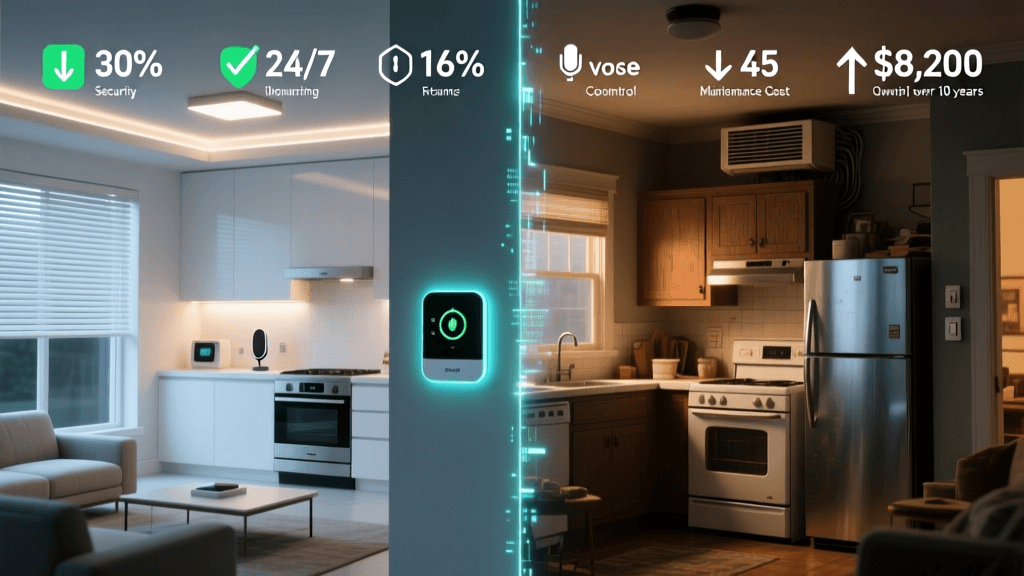
When standing at the threshold of a home renovation or a simple weekend upgrade, homeowners are increasingly faced with a defining question: should I stick to traditional, reliable manual controls, or take the leap into smart home automation? The decision is rarely as simple as flipping a switch. It involves weighing upfront costs against long-term energy savings, evaluating the technical literacy of your household, and considering the physical infrastructure of your home's wiring.
Traditional home systems rely on localized, mechanical, or basic electronic controls. A standard toggle switch, a programmable thermostat, and a keyed deadbolt represent the baseline of home management. They are tactile, universally understood, and completely independent of internet connectivity. Smart home automation, on the other hand, leverages the Internet of Things (IoT), wireless communication protocols, and centralized ecosystems to offer remote access, scheduling, and predictive behaviors.
This comprehensive decision guide breaks down the three major pillars of home control—lighting, climate, and security—comparing traditional setups against their smart counterparts. By examining specific product categories, installation requirements, and return on investment (ROI), you will be equipped to make the right choice for your lifestyle and property.
Lighting: Standard Switches vs. Smart Ecosystems
Lighting is often the entry point for home automation, but the divergence between traditional and smart lighting is vast. In a traditional setup, you are limited to manual toggles or basic dimmer switches. A highly rated traditional option like the Lutron Maestro LED+ Dimmer costs around $30 to $40. It requires a standard line and load wire, and in many older homes, it does not require a neutral wire, making it an easy swap for aging infrastructure.
Smart lighting introduces two distinct paths: smart bulbs and smart switches. Smart bulbs, such as the Philips Hue White and Color Ambiance line (approx. $50 per bulb), offer millions of colors and tunable whites but require the physical wall switch to remain "on" at all times to maintain power to the bulb's internal radio. Smart switches, like the Lutron Caseta Smart Dimmer (approx. $100 plus a required $50 Smart Bridge), replace the wall switch itself, allowing you to use standard, inexpensive LED bulbs while gaining app control, scheduling, and voice assistant integration.
The primary hurdle for smart switches is the neutral wire requirement. Most smart switches (like those from GE Cync or Leviton Decora Smart) require a neutral wire to power their internal Wi-Fi or Zigbee radios when the light is turned off. Homes built before the 1980s often lack neutral wires in the switch boxes. Traditional dimmers rarely have this issue, making them the default choice for older homes unless the homeowner opts for a hub-based system like Lutron Caseta, which is specifically engineered to work without a neutral wire.
Lighting Comparison Matrix
| Feature | Traditional Dimmer (e.g., Lutron Maestro) | Smart Bulb (e.g., Philips Hue) | Smart Switch (e.g., Lutron Caseta) |
|---|---|---|---|
| Hardware Cost (Per Fixture) | $25 - $40 | $15 - $55 | $60 - $110 (+ Hub) |
| Neutral Wire Required? | No | No (Uses fixture power) | Depends on brand (Caseta = No) |
| Color Tuning / Scenes | No (Dimming only) | Yes | No (Unless paired with smart bulbs) |
| Behavior During Power Outage | Remains off until toggled | Often turns on at 100% (unless configured) | Remains off / Retains memory |
| Resale Value Impact | Neutral / Expected | Low (Often removed by sellers) | High (Hardwired, permanent upgrade) |
Climate Control: Programmable vs. Learning Thermostats
Heating and cooling account for nearly half of the average home's utility bills. The traditional approach to managing this is the standard programmable thermostat, such as the Honeywell Home RTH9585WF (approx. $150). These devices allow you to set rigid schedules (e.g., 68°F at 6:00 AM, 60°F at 8:00 AM). However, studies have consistently shown that users find traditional programming interfaces cumbersome, often leading to manual overrides that defeat the purpose of the schedule.
Smart thermostats, like the Ecobee SmartThermostat Premium ($249) or the Google Nest Learning Thermostat ($249), fundamentally change the paradigm. They utilize geofencing (tracking your smartphone's location to adjust temperatures when you leave or approach) and passive infrared (PIR) sensors to detect room occupancy. The Nest famously "learns" your manual adjustments over a week to build a custom, automated schedule.
According to the U.S. Department of Energy, you can save as much as 10% a year on heating and cooling by simply turning your thermostat back 7°-10°F for 8 hours a day from its normal setting. Smart thermostats automate this process flawlessly. Furthermore, the EPA Energy Star program certifies specific smart thermostats that have been proven to deliver consistent energy savings based on actual field data, not just laboratory estimates.
Cumulative HVAC Energy Costs Over 5 Years
As visualized above, while the smart thermostat carries a higher upfront premium (roughly $100 more than a traditional Wi-Fi programmable model), the cumulative energy savings typically result in a break-even point within 18 to 24 months. After that, the smart device actively pays for itself, making it one of the most financially sound automation upgrades available.
Security and Access: Mechanical Deadbolts vs. Smart Locks
The front door is the most critical access point in any home. Traditional mechanical deadbolts, such as the Schlage B60N (approx. $35), are masterpieces of physical security. They are impervious to hacking, require no batteries, and can last for decades with minimal maintenance. The primary drawback is physical key management: losing a key requires re-keying the cylinder, and granting access to a dog walker or contractor requires hiding a key or being present.
Smart locks bridge the gap between physical security and digital convenience. Devices like the Yale Assure Lock 2 ($239) or the August Wi-Fi Smart Lock ($229) offer keypad entry, Bluetooth auto-unlock, and remote provisioning of temporary digital keys. The August lock is particularly notable for its "retrofit" design, which replaces only the interior thumb-turn of your existing deadbolt, allowing you to keep your original exterior keys and hardware.
However, smart locks introduce new maintenance vectors. They require battery replacements (typically CR123 or CR2 lithium batteries) every 3 to 6 months. If the battery dies, you are either locked out or forced to use a physical backup key (if the model supports one). Furthermore, while the physical bump-resistance of a smart lock is generally equivalent to a traditional Grade 1 or Grade 2 deadbolt, the digital attack surface requires users to maintain strong network passwords and enable two-factor authentication (2FA) on their hub accounts.
The Infrastructure Reality: Wiring, Hubs, and Protocols
The most significant differentiator between traditional and smart homes is the underlying infrastructure. Traditional homes operate on a simple closed-circuit electrical system. Smart homes operate on a mesh of wireless protocols. When deciding to automate, you must understand the language your devices will speak.
- Wi-Fi: Used by many entry-level smart plugs and bulbs. It requires no hub but can congest your home router if you exceed 20-30 devices.
- Zigbee & Z-Wave: Low-power mesh networks that require a dedicated hub (like the Samsung SmartThings Hub or Amazon Echo Show). They keep traffic off your Wi-Fi network and offer excellent range through mesh repeaters.
- Thread & Matter: The future of smart home interoperability. Matter is an application-layer protocol backed by Apple, Google, Amazon, and Samsung. According to the Connectivity Standards Alliance, Matter ensures that devices from different brands can communicate locally without relying on cloud servers. If you are investing in smart automation today, prioritizing "Matter-compatible" or "Thread-enabled" devices ensures your system will not become obsolete in the next five years.
Traditional homes have no equivalent to "network congestion" or "cloud server outages." If your internet goes down, a traditional light switch still works. In a poorly designed smart home reliant on cloud-based Wi-Fi devices, an internet outage can render your home's controls useless. This is why hardwired smart switches using local protocols (like Lutron's Clear Connect RF or Zigbee) are highly recommended over Wi-Fi bulbs for primary home lighting.
Decision Matrix: Which Path is Right for You?
To finalize your decision, align your housing situation and technical comfort level with the profiles below.
1. The Renter or Short-Term Resident
Recommendation: Traditional hardware with non-permanent smart overlays.
If you are renting or plan to move within three years, do not invest in hardwired smart switches or smart thermostats (which require a C-wire and complex installation). Stick to traditional lighting and use smart plugs (like the TP-Link Kasa) for lamps, and smart bulbs for color ambiance. For security, the August Smart Lock is ideal because it installs over the existing deadbolt and can be removed without leaving a trace when your lease ends.
2. The House Flipper or Budget-Conscious Renovator
Recommendation: High-quality traditional controls.
If you are renovating to sell, buyers appreciate high-quality traditional hardware (like Lutron dimmers and heavy-duty Schlage deadbolts) because they represent reliability without the learning curve of app setup. Smart home tech can sometimes alienate older or less tech-savvy buyers who fear hidden subscription fees or broken Wi-Fi networks. If you must include smart tech, install a single, universally recognized device like a Nest Thermostat, which has broad market recognition and proven ROI.
3. The Long-Term Homeowner & Tech Enthusiast
Recommendation: Hardwired smart ecosystems with Matter/Thread support.
If this is your forever home, invest in the infrastructure. Upgrade your electrical panels to include neutral wires where possible. Install hub-based smart switches (Lutron Caseta or Leviton Decora) to ensure physical tactile control alongside app automation. Invest in an Energy Star certified smart thermostat and wire your home with Thread-border routers (like the Apple TV 4K or Nest Hub Max) to future-proof your ecosystem for the Matter standard.
Conclusion
The choice between smart home automation and traditional controls is not a binary one; it is a spectrum. Traditional systems offer unmatched reliability, zero latency, and freedom from software updates. Smart systems offer unparalleled convenience, energy optimization, and accessibility features that can profoundly improve the quality of life for aging-in-place residents or busy families.
By evaluating the specific requirements of your lighting circuits, the C-wire availability for your HVAC system, and your tolerance for battery maintenance, you can curate a hybrid approach. The most successful smart homes are those that use automation to remove friction from daily life, while retaining the physical, traditional fallbacks that ensure the home remains functional, secure, and comfortable—even when the Wi-Fi goes down.