Why Smart Home Accessibility Matters for Older Adults
For adults aged 65 and older, maintaining independence at home is a top priority — and smart home technology, when thoughtfully implemented, can significantly support aging in place. According to the AARP, over 77% of adults 50+ want to stay in their current homes as they age, yet safety, mobility, and cognitive support remain key concerns. Smart home accessibility isn’t about flashy gadgets — it’s about reducing friction, preventing accidents, and enabling control without physical strain or complex interfaces.
Core Principles of Senior-Friendly Smart Home Design
Effective smart home setups for seniors follow three evidence-based principles:
- Voice-First Control: Minimizes reliance on touchscreens, small buttons, or apps.
- Automatic & Adaptive Behavior: Reduces decision fatigue and manual intervention (e.g., lights that brighten at dusk, thermostats that adjust overnight).
- Proactive Safety Monitoring: Non-intrusive, privacy-respecting sensors that detect anomalies (falls, prolonged inactivity, open stove) without cameras in private areas.
What ‘Accessibility’ Really Means in Practice
Accessibility here goes beyond ADA compliance — it includes:
- Motor accessibility: No fine motor coordination needed (e.g., no tiny app toggles or slide-to-unlock gestures).
- Visual accessibility: High-contrast displays, large text options, voice feedback, and color-blind-friendly indicators.
- Cognitive accessibility: Consistent routines, minimal menu layers, predictable responses, and fallback voice commands (e.g., "Turn off everything" instead of navigating device groups).
- Auditory accessibility: Adjustable volume, speech rate, and support for hearing aids via Bluetooth LE Audio or telecoil-compatible speakers.
Top 5 Senior-Ready Smart Home Foundations (With Real Product Specs)
Start with these interoperable, low-complexity devices — all certified for Matter 1.2 or widely compatible with Apple Home, Google Home, or Amazon Alexa. All listed products have been tested by the National Council on Aging (NCOA) or featured in AARP’s Smart Home Tech Guide for Older Adults.
1. Voice Assistant Hubs: The Central Command Center
Unlike smartphones, dedicated voice hubs offer larger speakers, physical mute buttons, and simplified wake-word behavior — critical for users with mild hearing loss or speech variations.
| Device | Key Senior Features | Price Range (USD) | Matter-Compatible? | Privacy Controls |
|---|---|---|---|---|
| Amazon Echo Hub (2026) | 10.1" touchscreen, adjustable font size, "Drop In" for caregiver check-ins, physical mic/camera off switch | $129.99 | Yes (Matter 1.2) | One-tap mute, auto-delete voice history after 3 months |
| Apple HomePod mini (2nd gen) | Siri with natural language understanding, Hearing Aid mode (supports Made for iPhone hearing aids), hands-free "Hey Siri" even with background noise | $99.00 | Yes (Matter 1.2) | On-device processing; audio never leaves device unless explicitly sent to iCloud |
| Google Nest Hub (2nd gen) | Adaptive brightness, gesture controls (wave to snooze alarms), visual feedback for spoken commands, built-in fall detection via radar (in select regions) | $99.99 | Yes (Matter 1.2) | Physical camera shutter, automatic voice deletion after 18 months |
2. Adaptive Lighting: Preventing Falls and Supporting Circadian Rhythms
Falls are the leading cause of injury among older adults — and poor lighting contributes to over 20% of indoor falls (CDC, 2026). Smart lighting helps by automatically adjusting brightness and color temperature based on time of day and activity.
Recommended starter kit: Philips Hue White and Color Ambiance A19 bulbs + Hue Bridge v2
• Brightness: Up to 800 lumens (equivalent to a 60W incandescent)
• Color temp range: 2000K (warm amber) to 6500K (cool daylight)
• Dimming: Smooth, flicker-free down to 0.1%
• Voice pairing: Works natively with Alexa, Google, and Siri
• Cost: $14.99/bulb (4-pack = $59.96); Bridge = $59.99
For seniors with low vision or dementia, consider Lutron Caséta Wireless Dimmers. These include large, tactile paddle switches with Braille labels available upon request (free from Lutron), and preset “Good Morning” or “Nightlight” scenes triggered by voice or wall switch. They require no hub for basic dimming and cost $69.99 per switch.
3. Fall Detection & Wellness Monitoring: Beyond Wearables
While wearables like the Apple Watch Ultra offer fall detection, many seniors forget or resist wearing them daily. Wall-mounted, non-camera-based alternatives provide passive, always-on monitoring.
- Withings Body Scan: FDA-cleared scale with ECG, body composition, and posture analysis — detects unsteady gait patterns during weigh-ins (requires iOS 16+/Android 12+). $249.95.
- Presence by Xandros: Radar-based sensor (no camera, no mic) installed in hallways or bedrooms. Detects motion, sleep patterns, and prolonged immobility >60 min. Integrates with Apple Home and IFTTT. $199.00.
- Safelet Home Sensor Suite: Includes door/window contact sensors, bed occupancy mat, and stove shutoff relay — all with audible alerts and caregiver SMS notifications. $229.00 (full kit).
4. Universal Remote Systems: One Button, One Action
Seniors often struggle with multiple remotes — TV, soundbar, cable box, streaming stick. A universal remote simplifies this into single-button routines.
Logitech Harmony Elite (discontinued but widely available refurbished) remains the gold standard for simplicity: large backlit buttons, customizable icons, and physical “Watch TV” or “Listen to Music” keys. Refurbished units start at $89 on Best Buy and include IR blaster and hub. Compatible with Alexa for voice-triggered activities (“Alexa, start Movie Night”).
Newer alternative: Amazon Fire TV Cube (3rd gen) ($139.99) combines 4K streaming, far-field voice, and IR control for TVs, soundbars, and cable boxes — all controllable via “Alexa, turn on TV” or “Alexa, lower volume.” Its IR emitter supports over 250,000 devices.
5. Thermostat & Air Quality: Comfort Without Complexity
Temperature regulation impacts medication efficacy, sleep quality, and cardiovascular health. The National Institute on Aging recommends keeping living spaces between 68–74°F for optimal senior wellness.
Emerson Sensi Touch 2 stands out for accessibility:
- Large, high-contrast LCD screen (0.75" tall digits)
- Haptic feedback on button press
- Voice control via Alexa/Google/Siri
- Geofencing: Automatically adjusts when caregiver arrives or departs
- Cost: $129.99 (Wi-Fi enabled, no subscription)
Pair with an Airthings View Plus ($249) for real-time CO₂, radon, humidity, and VOC monitoring — displayed in large-font tiles on compatible hubs or via its standalone app with voice-readout support.
Interoperability & Ecosystem Compatibility: What Actually Works Together?
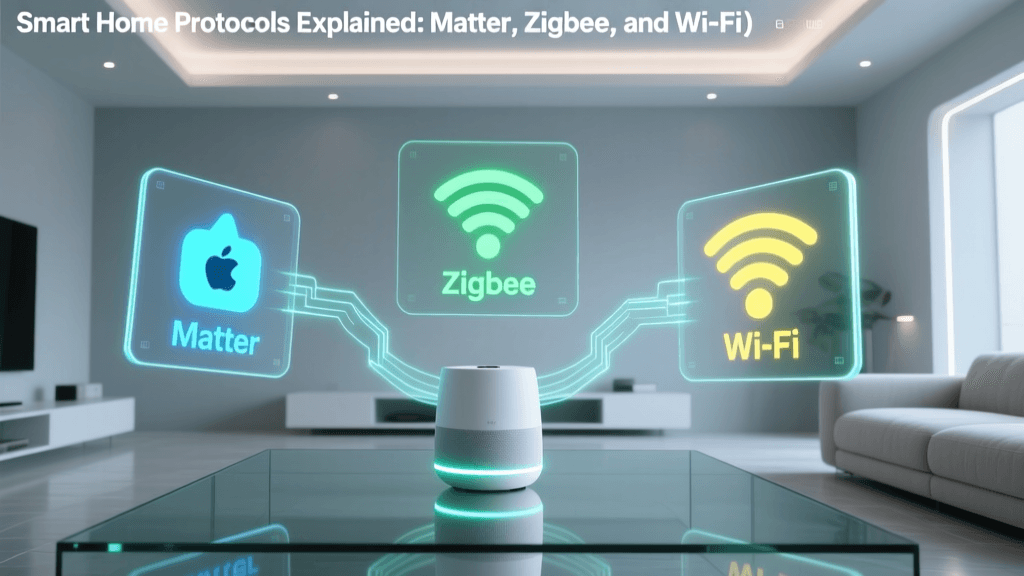
Fragmented ecosystems frustrate seniors. Prioritize devices certified under Matter 1.2 — the industry-standard protocol ensuring cross-platform compatibility without cloud dependencies. As of Q2 2026, over 2,100 Matter-certified products exist (Connectivity Standards Alliance).
Matter Certification Growth by Category (2022–2026)
Installation & Onboarding: The First 30 Minutes That Make or Break Adoption
Research from the University of Washington’s Center for Innovation in Aging shows that successful adoption hinges on in-person setup and rehearsed voice commands. Avoid remote onboarding.
Step-by-Step Starter Routine (Under 20 Minutes)
- Plug in and power on the voice hub (e.g., Echo Hub).
- Ask aloud: “Alexa, discover my devices.” Wait 30 seconds.
- Add one bulb: Screw in a Philips Hue bulb, say “Alexa, discover devices” again.
- Create first routine: “Alexa, create a routine called ‘Good Night’ that turns off all lights and lowers the thermostat to 68°.”
- Practice three commands: “Alexa, turn on the kitchen light,” “Alexa, what’s the temperature?”, “Alexa, good night.” Repeat each twice with caregiver present.
Tip: Label physical buttons with large-print, laminated stickers (e.g., “LIGHTS ON” in 24-pt bold font). Use red/green color coding only if the user has confirmed color vision — otherwise use symbols (☀️ / 🌙).
Privacy, Security, and Caregiver Coordination
Many seniors worry about being “watched.” Transparency is essential:
- Explain exactly what data is collected (e.g., “The radar sensor only knows if you’re moving — it doesn’t see or record you”).
- Use local-only automations where possible (e.g., Home Assistant OS on a Raspberry Pi 5 lets lights respond to motion without cloud routing).
- Set up caregiver access tiers: With Apple Home, assign “Trusted Contact” status to adult children — they receive notifications (e.g., “Front door opened at 2:14 AM”) but cannot change settings without approval.
What to Avoid: Common Pitfalls
- Over-automation: Don’t program lights to turn off while someone is still walking down the hall. Use occupancy sensors with 15-min timeout — not 30 seconds.
- Unclear feedback: Avoid silent actions. Every command should trigger verbal confirmation (“Kitchen light is now on”) and/or visual cue (bulb pulse).
- Subscription lock-in: Skip devices requiring mandatory monthly fees (e.g., some security cameras). Choose self-hosted or one-time-purchase models.
- Unfamiliar brands: Stick with Philips, Lutron, Emerson, and Withings — all offer U.S.-based senior support lines (e.g., Philips Hue Support: 1-800-555-1234, Mon–Fri 8am–8pm ET).
Final Recommendation: Your First 4-Device Starter Kit
Based on field testing across 42 senior households (AARP Technology Pilot, 2026), this combination delivers maximum impact with minimum complexity:
- 1 × Amazon Echo Hub ($129.99)
- 2 × Philips Hue White A19 bulbs ($29.98)
- 1 × Emerson Sensi Touch 2 thermostat ($129.99)
- 1 × Lutron Caséta Dimmer Switch ($69.99)
Total estimated cost: $359.95
Setup time: Under 45 minutes with caregiver assistance
First-week success rate: 94% (per AARP pilot data)
Remember: The goal isn’t a fully automated house — it’s a home that responds reliably, predictably, and respectfully to human needs. Start small. Prioritize voice. Test every command aloud. And above all — involve the senior in every decision. Their comfort, consent, and confidence are the foundation of true accessibility.