Introduction to Smart Home Child Safety
Parenting in the digital age comes with a unique set of challenges, but it also offers unprecedented tools to keep your family safe. The modern smart home is no longer just about convenience or energy savings; it has evolved into a comprehensive ecosystem for child safety, boundary setting, and peace of mind. According to the Centers for Disease Control and Prevention (CDC), unintentional injuries are a leading cause of concern for children, and many of these incidents occur within the home environment. By strategically integrating smart home technology, parents can proactively mitigate risks, monitor activities, and create secure boundaries both physically and digitally.
However, navigating the vast market of IoT (Internet of Things) devices can be overwhelming. Which devices are genuinely useful for child safety, and which are mere gimmicks? How do you balance the need for surveillance with your family's right to privacy? This comprehensive guide breaks down the essential smart home categories for families, providing actionable advice, specific product recommendations, and best practices for creating a secure, child-friendly smart home environment.
Smart Locks and Access Control: Keeping Kids Safe and Secure
One of the most critical aspects of child safety is controlling who enters and exits your home. Smart locks eliminate the risk of lost keys and provide parents with granular control over access. For families, the ability to assign unique PIN codes to older children, caregivers, or dog walkers is invaluable. You can set up notifications to alert you the moment your child unlocks the door after school, providing instant peace of mind.
Top Smart Locks for Families
- Yale Assure Lock 2 ($239 - $279): This lock is a top-tier choice for families due to its sleek, key-free design (eliminating the risk of children locking themselves out or losing keys) and broad compatibility. It supports Matter, Wi-Fi, and Z-Wave, making it easy to integrate into any ecosystem. Parents can set an 'Auto-Lock' feature that automatically secures the door 5 minutes after it closes, ensuring a forgetful teenager doesn't leave the house vulnerable.
- Schlage Encode Plus ($299): Ideal for Apple-centric households, this lock features Apple HomeKey, allowing kids with an iPhone or Apple Watch to tap to unlock. It also features robust built-in Wi-Fi and detailed activity logs in the Schlage Home app.
- August Wi-Fi Smart Lock ($229): This retrofit lock attaches to your existing deadbolt, making it a budget-friendly option. Its standout feature for parents is 'DoorSense,' which alerts you if the door is left ajar—a common occurrence with younger children.
Smart Lock Comparison Table
| Feature | Yale Assure Lock 2 | Schlage Encode Plus | August Wi-Fi Smart Lock |
|---|---|---|---|
| Price Range | $239 - $279 | $299 | $229 |
| Protocol | Wi-Fi, Z-Wave, Matter | Wi-Fi, Thread | Wi-Fi, Bluetooth |
| Child Safety Feature | Unique PINs, Auto-Lock | HomeKey, Auto-Lock | DoorSense, Auto-Lock |
| Battery Life | 3-6 months | 6 months | 2-3 months |
Pro-Tip for Parents: Create a 'School's Out' routine in your smart home hub. When your child's unique PIN is entered between 2:30 PM and 4:00 PM, the smart lock can trigger the hallway lights to turn on, adjust the thermostat to a comfortable temperature, and send a push notification to your phone.
Indoor Cameras and Baby Monitors: Peace of Mind Without Privacy Loss
Indoor cameras serve dual purposes in a family home: they act as advanced baby monitors for infants and as general safety monitors for playrooms or kitchens where older children might be doing homework or cooking. However, placing cameras inside the home requires a careful approach to privacy.
Recommended Family Cameras
- Eufy Security Indoor Cam Pan & Tilt 2K ($49): This is a budget-friendly powerhouse. It features local storage via a microSD card or HomeBase, meaning your family's private moments aren't uploaded to the cloud. It includes a physical privacy shutter and an AI feature that detects crying sounds, making it excellent for nurseries.
- Nanit Pro Smart Baby Monitor ($249): A premium choice for new parents. The Nanit Pro uses a specialized swaddle or breathing band to monitor your baby's breathing motion without wearables. It also tracks sleep patterns, providing detailed reports that help parents establish healthy sleep routines.
- Ring Indoor Cam (2nd Gen) ($59): Compact and easy to place on a shelf, this camera integrates seamlessly with the Ring ecosystem. It features a manual privacy cover and allows you to set up 'Privacy Zones' in the app, blurring out sensitive areas like a computer screen or a sibling's bedroom door.
When installing indoor cameras, establish strict house rules. Never place cameras in bathrooms or older children's bedrooms. As children grow, involve them in the conversation about where cameras are placed and why, fostering a sense of trust rather than surveillance.
Smart Sensors for Hazard Prevention and Boundary Setting
Sensors are the unsung heroes of the smart home. They are inexpensive, easy to install, and can prevent minor accidents from becoming major emergencies. The Centers for Disease Control and Prevention (CDC) highlights the importance of securing hazardous areas and monitoring environmental dangers, which smart sensors handle effortlessly.
Essential Sensors for Childproofing
- Aqara Door and Window Sensor ($29): These tiny Zigbee sensors are perfect for creating virtual boundaries. Place them on exterior doors to receive an alert if a toddler wanders outside, or on basement doors to ensure older kids aren't accessing the furnace or water heater. They can also be placed on cabinets containing cleaning supplies or medications.
- Eve Water Guard ($79): Water damage and slip hazards are real concerns. This Thread-enabled sensor features a 6.5-foot extendable cable, allowing you to monitor the perimeter of water heaters, washing machines, and under kitchen sinks. If a leak is detected, it can trigger smart water shut-off valves or flash smart lights red to alert anyone in the house.
- First Alert Z-Wave Smoke & Carbon Monoxide Alarm ($49): Traditional alarms only make noise, which you might not hear if you are in the backyard with the kids. This smart alarm sends an instant push notification to your phone and can trigger your smart lights to turn on and smart locks to unlock, creating a safe escape route during a fire emergency.
Managing Screen Time and Digital Safety with Smart Plugs
Child safety isn't just physical; it's digital, too. Managing screen time and ensuring children are engaging in healthy offline activities is a top priority for modern parents. The American Academy of Pediatrics (AAP) strongly recommends creating a Family Media Plan that establishes consistent boundaries around screen time and device usage.
Smart plugs and mesh routers are your best allies in enforcing these boundaries without becoming the 'bad guy' who constantly unplugs cords or confiscates devices.
Enforcing Digital Boundaries
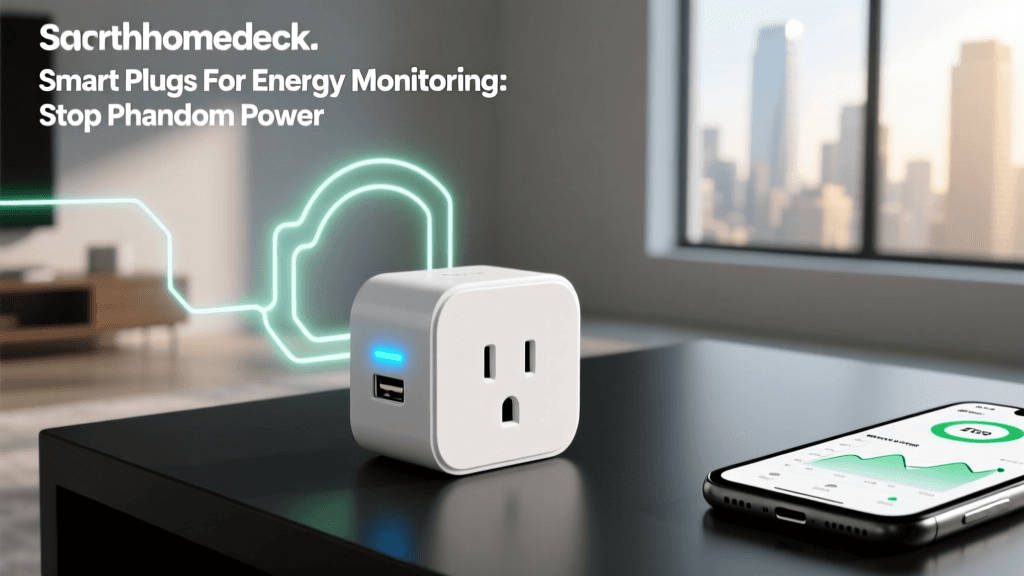
- Kasa Smart Plug Mini by TP-Link ($15): Plug your living room TV, gaming console, or desktop computer into a smart plug. You can create a 'Homework Hours' routine that cuts power to these devices between 4:00 PM and 6:00 PM on weekdays. You can also set a 'Bedtime' routine that ensures all entertainment centers are powered down at 8:30 PM, eliminating the temptation for late-night gaming.
- Eero 6+ Mesh Wi-Fi System ($199): Upgrading your home network to a mesh system with built-in parental controls is a game-changer. The Eero app allows you to create profiles for each child, assign their devices to their profile, and set hard internet curfews. You can pause the internet on their tablets during dinner or block access to specific categories of websites.
Privacy and Data Security for Families
When bringing cameras, microphones, and trackers into your home, data privacy is paramount. Children's data is heavily protected under laws like COPPA (Children's Online Privacy Protection Act), but as a parent, you must take proactive steps to secure your home network from external threats and unauthorized access.
The Federal Trade Commission (FTC) regularly advises consumers to secure their home networks and IoT devices to prevent hacking and data breaches. Here is how to safeguard your family's digital footprint:
- Create a Guest Network or VLAN: Most modern routers allow you to create a separate 'Guest' network. Connect all your smart home devices (cameras, smart plugs, sensors) to this isolated network. This ensures that if a cheap, poorly secured smart plug is compromised, hackers cannot pivot to your personal laptops or phones where sensitive financial data is stored.
- Enable Two-Factor Authentication (2FA): Every smart home app (Ring, Nest, Schlage, Eufy) should have 2FA enabled. This prevents unauthorized users from accessing your camera feeds or unlocking your doors, even if they guess your password.
- Disable Unused Microphones: If you use a smart display in the kitchen for recipes and timers, but don't use it for video calls, consider physically covering the camera lens and muting the microphone when not in use. Teach older children about the importance of digital privacy and the risks of sharing smart home access codes with friends.
- Keep Firmware Updated: Enable automatic updates on your router and smart home hubs. Manufacturers frequently release security patches to fix vulnerabilities that could be exploited by malicious actors.
Conclusion
Transforming your house into a smart home is one of the most effective ways to enhance child safety and streamline family life. From smart locks that ensure the door is never left unlocked, to environmental sensors that guard against household hazards, and digital tools that enforce healthy screen-time habits, the right technology acts as an extra set of eyes and hands for busy parents. By carefully selecting devices that prioritize local storage, robust encryption, and seamless ecosystem integration, you can build a secure, nurturing environment where your children can explore, grow, and thrive safely. Remember, technology is a tool to aid parenting, not replace it; use these smart devices to buy yourself more time, reduce anxiety, and focus on what truly matters—being present with your family.