The Renter's Dilemma: Smart Tech vs. Lease Agreements
The modern smart home offers unparalleled convenience, energy savings, and security. However, for the millions of people living in rental properties, the barrier to entry often isn't the cost of the technology—it is the lease agreement. Most standard rental contracts strictly prohibit permanent alterations, which includes drilling holes for security cameras, hardwiring smart switches, or replacing existing HVAC thermostats without permission. Fortunately, the smart home industry has evolved significantly. Today, a robust ecosystem of no-drill, no-wire, and battery-operated devices allows renters to build a fully automated, intelligent living space that travels with them when the lease ends.
This comprehensive guide explores how to transform a rental apartment or house into a smart home without risking your security deposit. We will cover renter-friendly hardware, non-destructive installation methods, portable ecosystems, and the essential teardown process for moving day.
The Golden Rules of Renter-Friendly Smart Homes
Before purchasing any device, renters must adhere to three foundational rules to ensure their setup remains compliant with standard lease agreements:
- Reversibility: Every modification must be 100% reversible. If you remove a device, the door, wall, or fixture must look exactly as it did on move-in day.
- Portability: Invest in devices that can easily be packed into a moving box. Avoid hardwired in-wall switches or complex multi-zone HVAC systems that require professional electrical integration.
- Non-Destructive Mounting: Rely on tension rods, magnetic mounts, existing fixtures, and removable adhesive strips (like 3M Command strips) rather than drywall anchors and screws.
Smart Entry and Security Without the Screws
Security is usually the primary driver for smart home adoption, but exterior modifications are heavily restricted in rentals. Here is how to secure your space without drilling into the front door or exterior siding.
Retrofit Smart Locks
Replacing an entire deadbolt assembly is often a lease violation. Instead, look for retrofit smart locks. The August Wi-Fi Smart Lock is the gold standard for renters. It replaces only the interior thumbturn of your existing deadbolt while leaving the exterior keyhole and lock cylinder completely untouched. This means your landlord's master key still works, and you maintain your original hardware. Before purchasing, measure your deadbolt's backset (the distance from the edge of the door to the center of the bore hole). Standard US doors use either a 2-3/8-inch or 2-3/4-inch backset. Ensure the smart lock you choose supports your specific measurement.
No-Drill Security Cameras
Exterior cameras usually require drilling into siding or stucco. Renters can bypass this by utilizing the Ring Peephole Cam, which replaces the standard optical peephole on an apartment door. It requires no wiring and leaves no permanent damage. For interior or balcony monitoring, plug-in cameras like the Blink Mini or Wyze Cam Pan v3 sit on shelves or attach via magnetic bases. If you need an elevated vantage point on a porch or balcony, use an outdoor-rated tension rod between the floor and ceiling to mount a standard camera bracket without drilling a single hole.
Renter-Friendly Smart Lighting
Hardwired smart light switches require dealing with line voltage, neutral wires, and landlord disapproval. The renter-friendly alternative focuses on the bulbs and the outlets.
Smart Bulbs and Plug-In Switches
Smart bulbs, such as the Philips Hue or budget-friendly WiZ LEDs, screw directly into existing fixtures. They connect via Wi-Fi, Bluetooth, or a portable hub. For lamps and overhead fixtures controlled by a standard wall switch, use a smart plug (like the Kasa Smart Plug Mini). By plugging the lamp into the smart plug, you gain app and voice control without touching the wall wiring. Keep in mind that smart bulbs require the physical wall switch to remain in the 'on' position to receive power.
Adhesive Light Strips
LED light strips are fantastic for under-cabinet lighting or adding ambient bias lighting behind a TV. However, the factory adhesive on most light strips is aggressively permanent and will peel paint or damage laminate cabinets upon removal. Pro Tip: Apply removable 3M Command strips or damage-free mounting channels to the surface first, and then attach the light strip to the Command strip. This guarantees a clean removal when your lease is up.
Climate Control and Energy Management
Heating and cooling account for the largest portion of a home's energy usage. According to the U.S. Department of Energy, smart thermostats can significantly reduce energy waste by learning your schedule and adjusting temperatures automatically. However, swapping a wall thermostat requires dealing with low-voltage HVAC wiring and the elusive 'C-wire' (common wire).
The Window AC and Mini-Split Solution
Many apartments rely on window air conditioning units or ductless mini-splits rather than central HVAC. For these units, an infrared (IR) smart AC controller like the Sensibo Sky or Mysa Smart AC Controller is the perfect solution. These devices sit on a table or mount to the wall with removable adhesive. They act as a smart remote control, blasting IR signals to your AC unit to adjust the temperature, set schedules, and monitor humidity via your smartphone. Because they plug into a standard wall outlet and require zero wiring, they are 100% renter-friendly.
Swapping Central Thermostats Safely
If you do have central air and your landlord permits it, you can install an Ecobee or Nest thermostat. The golden rule here is documentation and preservation. Take a photo of the existing wiring before disconnecting anything. Label every wire with the included stickers. Place the original landlord-provided thermostat in a sealed plastic bag and store it in a designated 'move-out' box. When your lease ends, simply reverse the process and reinstall the original unit.
Hubs, Ecosystems, and the Matter Standard
A smart home needs a brain. For homeowners, this might be a hardwired control panel. For renters, it must be a portable smart speaker or hub. Devices like the Apple HomePod Mini, Amazon Echo Dot, or Google Nest Hub plug into standard outlets and serve as the central command for voice control and automation routines.
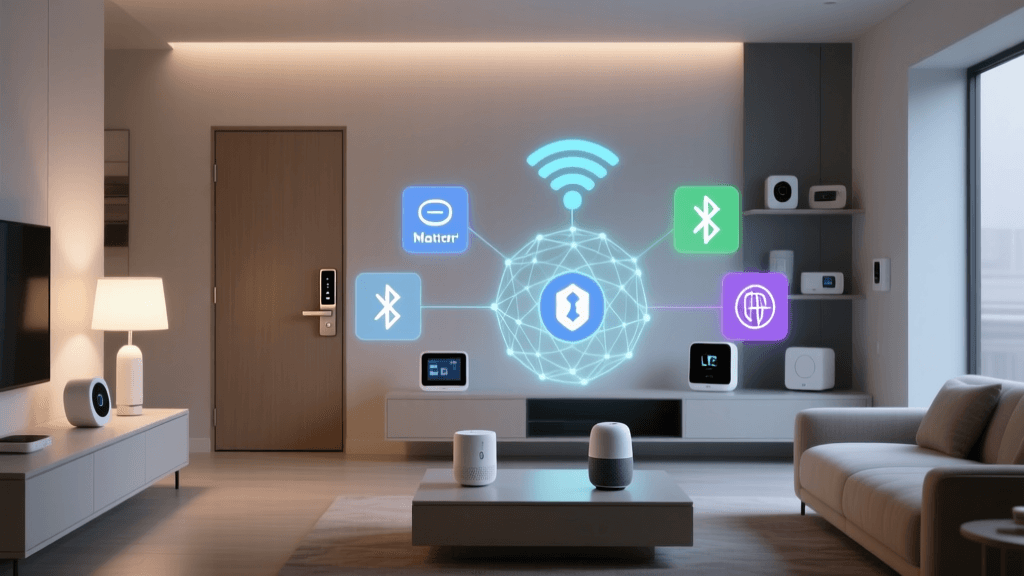
When building a portable ecosystem, prioritize devices that support the Matter protocol. As outlined by the Connectivity Standards Alliance, Matter is a universal smart home standard that allows devices to communicate seamlessly across different ecosystems (Apple, Amazon, Google, and Samsung). For a renter, Matter is a game-changer. If you use Apple HomeKit in your current apartment but decide to switch to Amazon Alexa when you move to a new house, your Matter-compatible smart plugs, bulbs, and locks will seamlessly transition with you without requiring you to replace your entire hardware stack.
Cost vs. Value: Renter vs. Homeowner Setups
One of the greatest advantages of a renter-friendly smart home is the lower initial capital requirement. By avoiding hardwired devices, professional installation fees, and permanent structural modifications, renters can achieve 90% of the smart home experience for a fraction of the cost.
| Device Category | Top Renter-Friendly Pick | Installation Type | Estimated Cost |
|---|---|---|---|
| Smart Lock | August Wi-Fi Smart Lock | Retrofit (Interior Thumbturn) | $200 - $230 |
| Security Camera | Ring Peephole Cam / Blink Mini | Door Peephole / Plug-in Shelf | $50 - $100 |
| Lighting | WiZ Smart Bulbs & Kasa Plugs | Screw-in / Plug-in | $15 - $25 per unit |
| Climate (AC) | Sensibo Sky IR Controller | Plug-in IR Blaster | $120 - $150 |
| Smart Hub | Amazon Echo Dot (5th Gen) | Plug-in | $40 - $50 |
To visualize the difference in initial investment, consider the average setup costs for a basic 1-bedroom apartment versus a hardwired homeowner setup:
The Teardown: Moving Out and Protecting Your Deposit
The true test of a renter-friendly smart home is the teardown process. When moving day arrives, follow these steps to ensure you get your full security deposit back:
- Factory Reset Everything: Before packing your devices, perform a hard factory reset on all hubs, cameras, and locks. This removes your personal Wi-Fi credentials and cloud data, ensuring the next tenant cannot access your network or accounts.
- The Heat Method for Adhesives: If you used heavy-duty mounting tape for sensors or camera bases, do not simply rip them off the wall. Use a hairdryer on a medium heat setting to warm the adhesive for 30-60 seconds. This softens the glue, allowing you to slide a piece of dental floss behind the mount and cut through the adhesive cleanly.
- Reinstall Original Hardware: Put the original deadbolt thumbturn, the original optical peephole, and the original HVAC thermostat back into their rightful places. Test them to ensure they function correctly before handing over the keys.
- Network Cleanup: Log into your router and delete the MAC addresses or assigned IP reservations for the smart home devices you are taking with you, ensuring a clean slate for your new residence.
Conclusion
Living in a rental property no longer means sacrificing the convenience, security, and energy efficiency of a smart home. By focusing on retrofit locks, plug-in lighting, IR climate controllers, and portable hubs, renters can build a sophisticated automation ecosystem that respects the boundaries of their lease. Furthermore, with the rise of energy-efficient devices recognized by programs like EPA Energy Star, these portable setups not only make life more convenient but can also help lower monthly utility bills. When it is time to move, your smart home simply packs into a box and moves right along with you.