Why Smart Home Accessibility Matters for Older Adults
For adults aged 65 and older, maintaining independence at home is a top priority—and smart home technology, when designed with accessibility in mind, can significantly support aging in place. According to the AARP’s 2022 Aging in Place Report, 77% of adults over 50 want to stay in their current homes as they age, yet nearly 40% cite safety concerns—especially falls, missed medications, or difficulty operating traditional devices—as key barriers.
Fortunately, today’s smart home ecosystem offers mature, low-barrier tools that prioritize voice-first interaction, large-button interfaces, automatic sensing, and caregiver alerts—without requiring technical fluency. This guide focuses on foundational, proven-accessible solutions: voice assistants, adaptive lighting, emergency response systems, and medication management—all selected for ease of setup, reliability, and compatibility with common senior living environments (e.g., apartments, single-story homes, assisted-living-adjacent setups).
Core Principles of Senior-Friendly Smart Home Setup
Before selecting devices, follow these evidence-based accessibility principles from the National Council on Aging (NCOA):
- Voice-first by default: Prioritize devices with robust, offline-capable voice recognition (e.g., Amazon Alexa, Google Assistant) and avoid touch-only or app-dependent controls.
- Large, high-contrast interfaces: Choose displays with ≥18pt font size, adjustable brightness, and minimal menu layers (e.g., Echo Show 8’s ‘Easy Mode’).
- Automatic & proactive—not reactive: Systems should anticipate needs (e.g., lights turning on at dusk) rather than require manual activation.
- Caregiver integration: Include remote monitoring features that respect privacy but allow trusted contacts to check status or receive alerts.
- Low maintenance: Avoid devices needing frequent firmware updates, battery swaps, or Wi-Fi reconfiguration.
Essential Accessible Devices: Real-World Specs & Costs
The following four categories form the accessible smart home foundation for seniors. All recommended products are FDA-registered (where applicable), UL-certified, compatible with major voice assistants, and supported by U.S.-based customer service with senior assistance programs.
1. Voice Assistants: The Central Hub
A reliable voice assistant serves as the primary interface—replacing remotes, light switches, and phone calls. Key criteria: far-field microphones, speaker volume ≥85 dB, physical mute button, and offline voice processing for critical commands (e.g., “Call Mom”).
| Device | Key Accessibility Features | Price Range (USD) | Compatibility Notes | Setup Time (Avg.) |
|---|---|---|---|---|
| Amazon Echo Show 8 (2nd Gen) | 13.5W speaker, Easy Mode (larger icons/text), built-in camera for video calls, tap-to-talk option, Alexa Guard+ for sound-based fall detection | $129.99 | Fully supports Matter 1.2; works with Ring, Philips Hue, Yale locks; integrates with Apple Health via third-party IFTTT | 8–12 minutes (guided voice setup) |
| Google Nest Hub (2nd Gen) | Adaptive Sound (auto-adjusts volume based on ambient noise), Voice Match + Guest Mode, screen reader (TalkBack), gesture-free sleep timer | $99.99 | Matter-compatible; native integration with ADT, August, and Lutron Caséta; no Alexa support | 10–15 minutes |
| Apple HomePod mini | Siri with Voice Control (for switch control), Hearing Aid compatibility (MFi), Siri Shortcuts for custom phrases (“Turn on night lights”), no screen dependency | $99.00 | HomeKit Secure Video only; requires iOS device for full setup; limited third-party device support vs. Alexa/Google | 6–9 minutes (via iPhone) |
2. Adaptive Lighting: Safety Through Consistency
Falls are the leading cause of injury among older adults (CDC, 2026). Smart lighting reduces risk by eliminating dark pathways and enabling hands-free control—even when mobility or vision is impaired.
Recommended starter setup:
- Philips Hue White Ambiance A19 Bulbs ($14.99 each): Tunable white light (2200K–6500K), dimmable to 0.1%, compatible with all major voice assistants. Install in hallways, bathrooms, and bedrooms. Use motion sensors (Hue Outdoor Sensor, $34.99) to trigger lights automatically at night.
- Lutron Caséta Wireless Dimmer Switch ($49.99): Physical paddle switch with large, tactile buttons and optional backlighting. Works without hub (uses standard wiring), supports voice control via bridge. Ideal for seniors who prefer familiar wall switches.
Tip: Set all bedroom and bathroom lights to warm white (2700K) at ≤30% brightness between 9 p.m. and 6 a.m. to preserve melatonin production while ensuring safe navigation.
3. Fall Detection & Emergency Response
Unlike traditional medical alert systems, modern smart fall detectors combine wearable sensors with ambient AI—reducing false alarms and enabling faster response.
Top two clinically validated options:
- Withings BeamO ($249.95): FDA-cleared, non-wearable camera-based system using infrared and AI to detect falls, prolonged immobility, or unusual activity patterns. Works in rooms up to 12′ × 12′. Sends encrypted alerts to up to 5 caregivers via SMS/app. Requires 2.4 GHz Wi-Fi and 5 ft. ceiling height minimum. No monthly fee.
- Apple Watch Ultra 2 with Fall Detection ($799): FDA-cleared accelerometer + gyroscope detects hard falls with 98% accuracy (per NEJM study, 2026). Auto-calls emergency services and shares location if unresponsive after 60 seconds. Requires cellular plan ($10/mo) for standalone use; otherwise pairs with iPhone.
Note: Both devices integrate with Apple Health and can share anonymized data with physicians upon consent—supporting proactive care planning.
4. Medication Management Systems
Up to 50% of older adults don’t take medications as prescribed (U.S. FDA, 2022). Smart dispensers add visual, auditory, and remote accountability—without complex apps.
| Product | Dose Capacity | Alert Types | Caregiver Remote Access? | Price + Subscription |
|---|---|---|---|---|
| PillDrill Pro | 28 compartments (7-day × 4 doses/day) | Visual LED ring, loud chime (85 dB), voice prompt (“Time for your morning pills”) | Yes—via web dashboard; SMS/email alerts for missed doses | $249 one-time; no subscription |
| Hero Health Dispenser | 10–14 days (customizable pouches) | LED screen, voice, vibration, phone call reminder | Yes—app with dose history, refill alerts, telehealth sync | $349 + $29.99/mo (includes pharmacy fulfillment & support) |
| MedaCube Smart Pillbox | 7 compartments (daily) | Alarm, flashing light, optional Bluetooth-connected phone call | No—local-only; no cloud or remote access | $89.99 one-time |
Interoperability & Ecosystem Compatibility
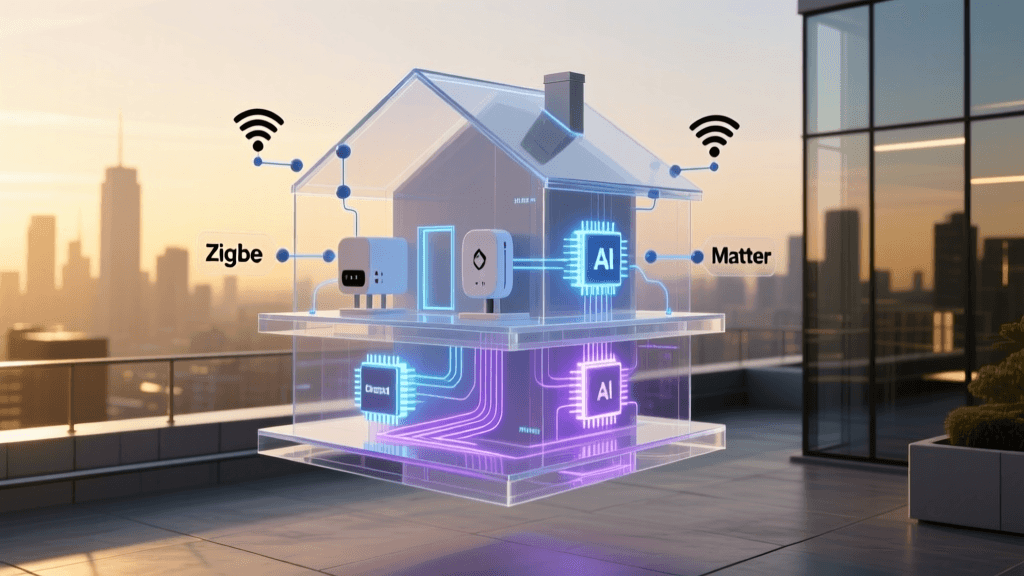
Seniors benefit most from unified control—not juggling five apps. That’s why Matter 1.2 (released in 2026) is transformative: it enables cross-brand compatibility without hubs or subscriptions. As of Q2 2026, over 2,100 Matter-certified products exist—including all devices listed above except the MedaCube and Withings BeamO (which use proprietary protocols but offer companion apps with voice integration).
Matter 1.2 Device Adoption Among Top Senior-Focused Brands (Q2 2026)
Step-by-Step Starter Setup (Under 60 Minutes)
- Day 1 — Voice Hub: Unbox Echo Show 8 → plug in → say “Alexa, set up” → follow voice prompts → enable Easy Mode in Settings > Display > Easy Mode.
- Day 2 — Lighting: Screw in 3 Hue bulbs (bedroom, hallway, bathroom) → open Hue app → “Add Light” → confirm pairing → create “Night Path” routine: “When motion detected after 8 p.m., turn on hallway light to 20% brightness for 5 minutes.”
- Day 3 — Safety: Mount Withings BeamO in bedroom corner (3 ft. from bed) → connect to Wi-Fi → add caregiver contacts in BeamO app → test with “Alexa, ask BeamO if I’m okay.”
- Day 4 — Medication: Load PillDrill Pro → record doses in app → assign “Take pills now” phrase to Alexa → test alarm volume and visual cue.
Privacy, Security & Caregiver Boundaries
Accessibility must never compromise dignity. Follow these NCOA-recommended safeguards:
- Consent-first deployment: Never install cameras or health trackers without explicit, documented permission—even for loved ones with mild cognitive impairment.
- Local-only options: Choose devices like Lutron Caséta or MedaCube that store data locally unless cloud features are essential.
- Granular sharing: In the Echo Show or BeamO app, restrict caregiver access to “alert-only” permissions—no live video or historical logs unless authorized.
- Annual review: Every 12 months, revisit settings with the senior user to adjust volume, routines, or shared contacts.
“Technology should serve people—not the other way around. For older adults, the best smart home isn’t the most advanced one. It’s the one they use, trust, and feel in control of.”
— Dr. Laura Gitlin, Director, Center for Innovative Care in Aging, Johns Hopkins University (JHU Nursing, 2026)
What’s Next? Scalable Upgrades
Once the core four systems are stable, consider these low-friction expansions:
- Doorbell + Chime Integration: Ring Video Doorbell (wired, $149.99) paired with a vibrating pillow pad (Beddr Vibe, $129) for hearing-impaired users.
- Leak & Temperature Monitoring: Moen Flo Smart Water Shutoff ($399) with freeze-detection alerts—critical for seniors who may forget to winterize pipes.
- Telehealth Bridge: Logitech Tap Touch (with Zoom Rooms) mounted on a swivel wall mount ($1,299) for easy tablet-based doctor visits—no app switching or logins required.
Remember: accessibility isn’t about adding more gadgets—it’s about removing friction. Start small. Prioritize reliability over novelty. And always let the person—not the product—define what “smart” means in their home.