Introduction to Smart Home Architecture
When most consumers think of a smart home, they picture standalone gadgets: a Wi-Fi-connected light bulb, a Bluetooth-enabled speaker, or a cloud-reliant security camera. However, a truly resilient, intelligent, and automated home is not merely a collection of isolated devices. It is a complex, integrated network topology governed by specific communication protocols, centralized or decentralized hubs, and increasingly, edge-based artificial intelligence. Understanding the underlying architecture of a smart home is the critical first step in transitioning from a beginner experimenting with smart plugs to an advanced user building a seamless, privacy-focused ecosystem.
The foundational architecture of any smart home relies on a triad of components: the end devices (sensors, actuators, and appliances), the communication layer (wireless protocols and mesh networks), and the processing layer (hubs, edge servers, and cloud infrastructure). In this deep explainer, we will dissect these layers, compare the dominant wireless protocols, explore the revolutionary Matter standard, and provide actionable blueprints for building a robust, local-first smart home network.
The Core Triad: Devices, Hubs, and the Cloud
Every smart home ecosystem operates on a variation of three core pillars. Understanding how data flows between these pillars is essential for optimizing both performance and privacy.
1. End Devices (Sensors and Actuators)
End devices are the physical hardware interacting with your environment. They are broadly categorized into sensors (which gather data, such as Aqara mmWave presence sensors or Ecobee SmartSensors) and actuators (which perform actions, such as Lutron Caseta dimmers or August Wi-Fi Smart Locks). The primary constraint for end devices is power consumption. Battery-operated sensors must utilize low-power protocols to survive for years without maintenance, whereas hardwired actuators can afford higher bandwidth and power draw.
2. The Hub (The Coordinator)
The hub acts as the brain and the translator of your smart home. Because end devices speak different languages (Zigbee, Z-Wave, Thread), a hub is required to bridge these protocols to your home's IP network (Ethernet/Wi-Fi). Modern hubs, such as the Home Assistant Green or the Aeotec Smart Home Hub, do more than just translate; they execute automation logic locally, ensuring your lights still turn on when the internet goes down.
3. The Cloud and Edge Processing
Historically, smart homes relied heavily on the cloud. A voice command sent to a smart speaker was routed to an Amazon or Google server, processed, and sent back to the device. This introduced latency and severe privacy vulnerabilities. Today, the architecture is shifting toward Edge Computing—processing data locally on a hub or router. Edge AI allows for complex automations, such as local facial recognition on a security camera or local voice processing, without your data ever leaving your home network.
Decoding Smart Home Protocols
The most critical decision in smart home architecture is selecting the right communication protocol. Relying solely on Wi-Fi for every device will quickly congest your router, leading to dropped connections and high latency. Instead, a hybrid approach utilizing mesh networking protocols is the industry standard.
| Protocol | Frequency Band | Typical Range | Power Draw | Best Use Case |
|---|---|---|---|---|
| Wi-Fi 6 / 6E | 2.4 / 5 / 6 GHz | 150 ft (Indoor) | High | High-bandwidth devices (Cameras, Displays, Hubs) |
| Zigbee 3.0 | 2.4 GHz | 30-60 ft (Mesh) | Very Low | Battery sensors, smart bulbs (Philips Hue, IKEA) |
| Z-Wave Plus V2 | 908.42 MHz (US) | 100+ ft (Mesh) | Very Low | Door locks, garage doors, structural sensors |
| Thread 1.3 | 2.4 GHz | 50+ ft (Mesh) | Ultra Low | Matter-compatible sensors, fast-response lighting |
| Bluetooth LE | 2.4 GHz | 30 ft | Low | Proximity sensors, smart locks, initial device pairing |
Why Z-Wave Penetrates Walls Better
Notice that Z-Wave operates on a sub-1 GHz frequency (908.42 MHz in the US). In physics, lower frequency waves have longer wavelengths, which allows them to penetrate solid obstacles like drywall, brick, and concrete far more effectively than the 2.4 GHz waves used by Wi-Fi, Zigbee, and Thread. This makes Z-Wave the superior choice for critical security devices like smart locks and garage door controllers located at the periphery of your home.
The Zigbee Mesh Advantage
Zigbee operates on the crowded 2.4 GHz spectrum, making it susceptible to interference from Wi-Fi routers and microwaves. However, its mesh topology is highly resilient. In a Zigbee network, every hardwired device (like a smart plug or a light bulb) acts as a "router," repeating the signal to extend the network's reach. A well-designed Zigbee network with 15+ hardwired devices will blanket a large home in a reliable, low-power mesh.
The Matter Standard and Thread Networking
For years, the smart home industry was fractured by walled gardens. An Apple HomeKit user could not easily integrate a Tuya-based Zigbee sensor without a complex third-party bridge. The introduction of the Matter standard has fundamentally altered this landscape.
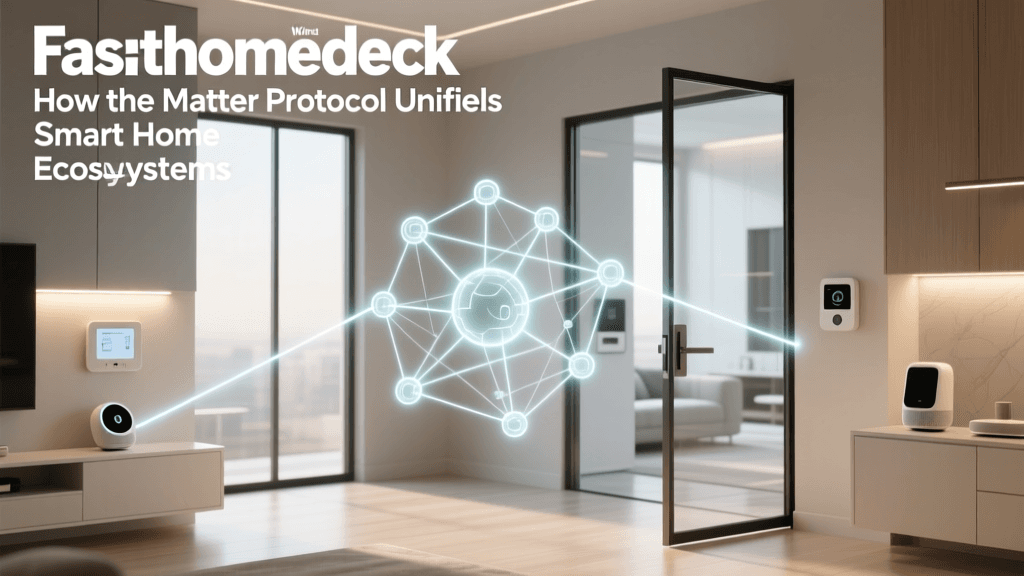
According to the Connectivity Standards Alliance, Matter is not a wireless protocol; it is an application layer. Matter sits on top of existing transport protocols—specifically Wi-Fi, Ethernet, and Thread—to provide a unified language for device discovery, pairing, and control. This means a Matter-certified smart plug can be simultaneously controlled by Apple Home, Amazon Alexa, Google Home, and Home Assistant, completely eliminating ecosystem lock-in.
Thread: The Backbone of Matter
While Matter handles the application logic, Thread handles the low-power mesh networking. The Thread Group defines Thread as an IP-based, low-power mesh protocol. Unlike Zigbee, which requires a proprietary hub to translate its signals to your home network, Thread devices speak native IPv6. This means a Thread sensor can communicate directly with a Thread Border Router (built into modern devices like the Apple TV 4K, Nest Hub, or Amazon Echo) and seamlessly route data to your network without a dedicated proprietary bridge. Thread networks are also self-healing; if a router node goes offline, the mesh automatically recalculates the most efficient path for the data.
Edge Computing vs. Cloud Processing
As smart homes incorporate more devices, the sheer volume of data generated becomes unmanageable for cloud servers. Furthermore, relying on the cloud introduces unacceptable latency for critical automations and poses severe privacy risks. Edge computing solves this by moving data processing from remote servers to local hardware within your home.
Consider a basic automation: "Turn on the hallway lights when motion is detected." In a cloud-dependent architecture (like older Tuya or Ring setups), the motion sensor sends a signal to the cloud, the cloud verifies the rule, and sends a command back to the smart bulb. This round-trip can take 800 to 1500 milliseconds. In an edge-computed architecture (using a local hub like Home Assistant), the hub processes the rule locally in under 50 milliseconds.
Cloud vs Edge Processing Latency in Smart Home Automations
Moreover, Edge AI is enabling advanced local processing. Devices equipped with local Neural Processing Units (NPUs), such as the Aqara Camera Hub G3 or the Ubiquiti UniFi Protect AI cameras, can perform facial recognition, pet detection, and package identification entirely offline. This ensures that intimate video feeds of your home are never transmitted to third-party servers, aligning with best practices recommended by the National Institute of Standards and Technology (NIST) regarding IoT data privacy and local processing.
Practical Guide: Building a Resilient Local Network
To build a smart home that is fast, reliable, and secure, you must separate your IoT traffic from your primary computing traffic. Here is a practical, tiered approach to architecting your network and selecting hardware.
Step 1: Network Isolation (VLANs)
Never put your smart home devices on the same network segment as your personal computers and smartphones. Cheap IoT devices often lack robust security updates and can be exploited as entry points into your home network. Utilize a router that supports Virtual Local Area Networks (VLANs) and IoT-specific SSIDs. Routers like the Asus RT-AX86U Pro (approx. $250) or the TP-Link Deco XE75 Pro offer built-in IoT network isolation features that prevent smart bulbs from communicating with your home PC or NAS drive.
Step 2: Selecting the Right Hub
Your hub dictates the ceiling of your home's intelligence. Here are three architectural paths based on user expertise:
- The Consumer Path (Apple/Google Ecosystem): Utilize an Apple TV 4K (Ethernet model, $149) or a Nest Hub Max ($229). These act as Thread Border Routers and Matter Controllers, offering seamless local processing for supported devices, though automation logic remains relatively basic.
- The Prosumer Path (Aeotec / Hubitat): The Hubitat Elevation ($150) or Aeotec Smart Home Hub ($150) are local-first powerhouses. They support Zigbee and Z-Wave natively via USB dongles and offer complex, rule-based automation engines that execute entirely offline.
- The Enthusiast Path (Home Assistant): The Home Assistant Green ($99) paired with a Sonoff Zigbee 3.0 USB Dongle Plus ($25) is the gold standard for local control. It supports virtually every protocol via integrations and allows for YAML-based automations, local AI voice processing via Whisper, and complete data sovereignty.
Step 3: Strategic Device Placement
When deploying a Zigbee or Thread mesh, placement is everything. Do not cluster all your smart plugs in one room. Distribute hardwired "router" devices (like smart switches and plugs) evenly throughout the home to create a strong backbone. Place battery-powered end devices (like window sensors) within one hop of a router device to maximize battery life, as the device won't have to amplify its signal to reach the main hub.
Security and Future-Proofing Your Architecture
As smart homes evolve, they are becoming targets for cyber threats. Future-proofing your architecture requires a proactive approach to security and energy management.
Disabling UPnP and Remote Access
Universal Plug and Play (UPnP) allows devices to automatically open ports on your router to communicate with the internet. This is a massive security risk in a smart home. Always disable UPnP in your router settings. If you require remote access to your home network, avoid using third-party cloud tunnels provided by device manufacturers. Instead, use secure, encrypted remote access solutions like Tailscale or Cloudflare Tunnels integrated directly into your local hub.
Energy Management and the Smart Grid
The next frontier of smart home architecture is bidirectional communication with the power grid. Advanced setups now integrate local solar inverters, battery walls (like the Tesla Powerwall), and smart electrical panels (like the Span panel). By utilizing protocols like Matter's upcoming Energy Management specifications, your home hub will be able to dynamically throttle the power draw of your EV charger or HVAC system based on real-time electricity pricing and solar generation, turning your smart home into an active participant in grid stabilization.
Conclusion
Building a smart home is an exercise in network engineering as much as it is in interior design. By understanding the distinct roles of Zigbee, Z-Wave, Thread, and Wi-Fi, and by prioritizing edge computing over cloud dependency, you can create a living space that is not only automated but fundamentally secure and resilient. Whether you are starting with a single Matter-over-Thread sensor or deploying a comprehensive Home Assistant server with isolated VLANs, the principles of robust smart home architecture remain the same: prioritize local control, respect network boundaries, and choose protocols that align with the physical realities of your home's environment.