Introduction to Smart Home Architecture
When most people think of a 'smart home,' they picture voice assistants, automated lighting, and robotic vacuums. However, the true magic of a smart home lies beneath the surface in its Internet of Things (IoT) architecture. A smart home is not merely a collection of Wi-Fi-connected gadgets; it is a complex, interconnected ecosystem of sensors, actuators, gateways, and communication protocols working in harmony. Understanding this underlying architecture is the difference between a frustrating, disconnected house and a seamless, automated sanctuary.
In this deep explainer, we will dissect the core layers of smart home IoT systems, decode the wireless protocols that allow devices to speak to one another, and provide actionable advice on how to build a robust, multi-protocol ecosystem tailored to your specific needs and budget.
The Four Core Layers of IoT Smart Home Systems
To understand how a command travels from your smartphone to your living room lights, we must look at the standard IoT architecture, which is divided into four distinct layers:
1. The Perception (Device) Layer
This is the physical hardware layer. It consists of sensors (motion detectors, temperature sensors, door contacts) that gather data from the environment, and actuators (smart bulbs, motorized blinds, smart locks) that perform physical actions based on received commands.
2. The Network (Connectivity) Layer
This layer acts as the central nervous system. It transmits data from the perception layer to the processing layer using various wireless protocols like Wi-Fi, Zigbee, Z-Wave, or Thread. This layer includes your home router, mesh network nodes, and dedicated smart home hubs.
3. The Middleware (Processing/Cloud) Layer
Once data reaches the network gateway, it must be processed. In cloud-dependent systems, this data is sent to remote servers (like Amazon AWS or Google Cloud) where automation logic is executed. In local-processing systems, this logic is handled by an on-premise hub, drastically reducing latency and improving privacy.
4. The Application Layer
This is the user interface. It includes the mobile apps, voice assistants (Alexa, Siri, Google Assistant), and dashboards that allow you to interact with the system, set up routines, and monitor your home's status.
Decoding Smart Home Communication Protocols
The most critical aspect of smart home architecture is the communication protocol. Unlike standard computers that rely almost exclusively on Wi-Fi and Ethernet, smart home devices utilize a variety of specialized radio frequencies designed for specific use cases, balancing bandwidth, power consumption, and range.
Wi-Fi (High Bandwidth, High Power)
Wi-Fi is ubiquitous and offers massive bandwidth, making it ideal for data-heavy devices like security cameras (e.g., Ring, Nest) and smart displays. However, Wi-Fi is power-hungry. You will rarely find a battery-operated Wi-Fi sensor because the protocol would drain the battery in weeks. Furthermore, connecting 50+ Wi-Fi devices to a standard consumer router can cause network congestion and IP conflicts.
Zigbee (Low Power, Mesh Networking)
Operating on the 2.4 GHz frequency, Zigbee is a low-power, mesh-networking protocol. In a mesh network, every mains-powered Zigbee device (like a smart plug or hardwired light switch) acts as a 'repeater,' extending the network's range. It is highly reliable for sensors and lighting, famously utilized by the Philips Hue ecosystem and Amazon's Echo smart speakers (which have built-in Zigbee hubs).
Z-Wave (Sub-GHz, Superior Penetration)
Z-Wave operates on sub-GHz frequencies (typically 908.42 MHz in the US). Because lower frequencies pass through solid objects more easily than 2.4 GHz signals, Z-Wave boasts superior wall penetration and less interference from Wi-Fi networks and microwaves. It is the gold standard for critical security devices like smart locks (e.g., Schlage Encode, Yale Assure) and garage door controllers.
Thread and Bluetooth LE (The Modern Contenders)
Bluetooth Low Energy (BLE) is primarily used for proximity-based setups and direct phone-to-device pairing. Thread, however, is the future of smart homes. Like Zigbee, Thread is a low-power mesh network, but it is built on IPv6. This means Thread devices have native IP addresses, allowing them to communicate directly with your network without needing a proprietary translation bridge.
Protocol Comparison Matrix
Choosing the right protocol depends on your device's power source and data requirements. Below is a structured comparison to guide your hardware purchases.
| Protocol | Frequency | Power Draw | Topology | Best Use Case | Avg. Device Cost |
|---|---|---|---|---|---|
| Wi-Fi | 2.4 / 5 GHz | High | Star (Hub & Spoke) | Cameras, Displays, Plugs | $25 - $150 |
| Zigbee | 2.4 GHz | Very Low | Mesh | Lighting, Motion Sensors | $20 - $60 |
| Z-Wave | ~900 MHz | Very Low | Mesh | Smart Locks, Leak Sensors | $40 - $250 |
| Thread | 2.4 GHz | Very Low | Mesh (IPv6) | Matter Devices, Smart Blinds | $40 - $100 |
| BLE | 2.4 GHz | Ultra Low | Point-to-Point/Mesh | Proximity Sensors, Setup | $15 - $50 |
The Game Changer: What is Matter?
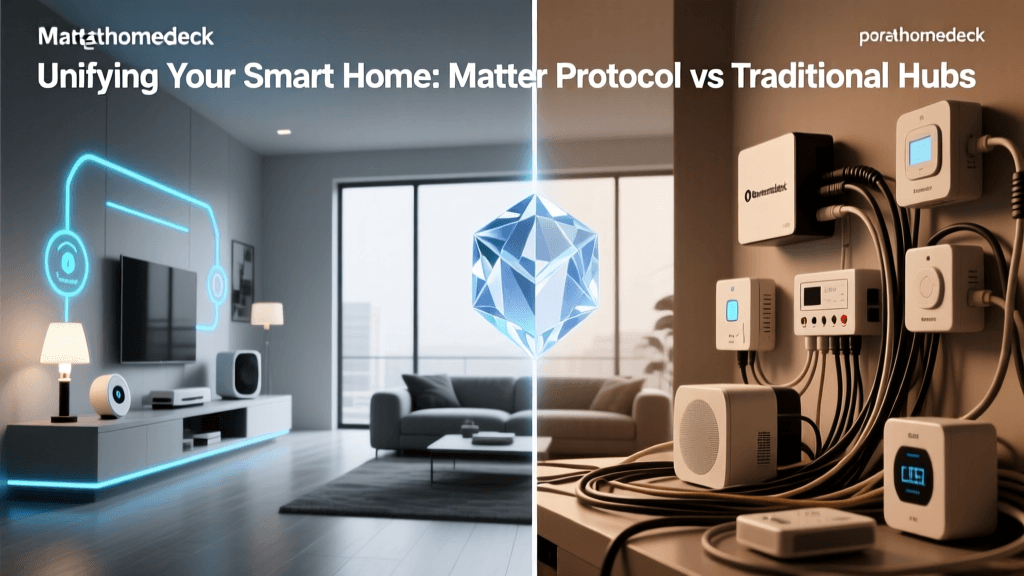
For years, the smart home industry suffered from extreme fragmentation. A Zigbee sensor from one brand could not talk to a Z-Wave hub from another without a complex cloud-based workaround. Enter Matter.
The Connectivity Standards Alliance (CSA) developed Matter to serve as a universal application layer. Matter does not replace Wi-Fi, Thread, or Ethernet; rather, it sits on top of them. It provides a common language that ensures a Matter-certified smart plug will work natively with Apple HomeKit, Amazon Alexa, Google Home, and Samsung SmartThings simultaneously, right out of the box.
As detailed in The Verge's comprehensive guide to Matter, the standard relies heavily on Thread and Wi-Fi for transport, promising local control, enhanced security, and an end to the 'walled garden' ecosystem lock-in that previously plagued consumers.
Hubs, Bridges, and Border Routers: The Translators
Because your smartphone and your router primarily speak Wi-Fi and Bluetooth, you need hardware translators to communicate with mesh networks like Zigbee, Z-Wave, and Thread. These translators take many forms:
- Proprietary Bridges: Devices like the Philips Hue Bridge ($70) or the Lutron Caseta Smart Bridge ($80). They translate a specific brand's Zigbee or proprietary RF signals into Wi-Fi/Ethernet for your router.
- Universal Hubs: Devices like the Hubitat Elevation ($150) or Samsung SmartThings Station ($60). These contain multiple internal radios (Zigbee, Z-Wave, Thread) and act as a central brain for dozens of different brands.
- Border Routers: Essential for Thread and Matter. Devices like the Apple HomePod Mini ($99), Apple TV 4K ($129), or Nest Hub Pro ($229) contain Thread radios that bridge the Thread mesh network directly to your home's Wi-Fi network.
Building Your First Multi-Protocol Ecosystem
If you are entering the smart home space, avoiding protocol lock-in is crucial. Here are three actionable, budget-tiered blueprints for building a robust ecosystem.
Blueprint 1: The Cloud-Dependent Wi-Fi Route (Budget: $100 - $200)
Best for: Renters and beginners who want simple automation without buying hubs.
Hardware: TP-Link Kasa Smart Plugs ($25 for 4-pack), Wyze Cam v3 ($35), Govee Wi-Fi LED Strips ($40).
Architecture: All devices connect directly to your 2.4GHz Wi-Fi router. Automation is handled via IFTTT or the manufacturers' cloud servers.
Drawback: High router strain, reliance on internet connectivity, and potential privacy concerns regarding cloud data storage.
Blueprint 2: The Local Mesh Route (Budget: $250 - $400)
Best for: Enthusiasts prioritizing speed, reliability, and privacy.
Hardware: Hubitat Elevation Hub ($150), Aeotec Z-Wave MultiSensor 7 ($60), Philips Hue Starter Kit ($130).
Architecture: The Hubitat hub processes all logic locally on your LAN. If your internet goes down, your motion-triggered lights and security alarms still function perfectly. Z-Wave handles security; Zigbee handles lighting.
Drawback: Steeper learning curve for writing custom automation rules.
Blueprint 3: The Modern Matter/Thread Route (Budget: $200 - $350)
Best for: Apple users and those future-proofing their homes with the latest standards.
Hardware: Apple HomePod Mini ($99 - acts as Thread Border Router), Eve Energy Smart Plugs ($40 each), Nanoleaf Essentials A19 Bulbs ($25 each).
Architecture: Devices communicate via Thread mesh directly to the HomePod Mini, which bridges to Apple HomeKit. Everything runs locally with zero cloud latency.
Drawback: Thread device selection is still growing compared to the massive legacy libraries of Zigbee and Z-Wave.
Security and Privacy in IoT Architecture
With dozens of devices listening, watching, and tracking movement in your home, security is paramount. According to the National Institute of Standards and Technology (NIST), IoT devices historically lack built-in security features, making them vulnerable entry points for network breaches.
To protect your smart home architecture, follow these critical guidelines:
- Segment Your Network: Create a dedicated 'Guest' or 'IoT' VLAN on your router specifically for smart home devices. This prevents a compromised smart bulb from granting a hacker access to your personal laptop or NAS drive.
- Prioritize Local Control: Devices that process data locally (like Home Assistant, Hubitat, or Apple HomeKit) do not send your daily routines to external servers. This drastically reduces your privacy footprint.
- Disable UPnP: Universal Plug and Play (UPnP) on your router allows devices to automatically open ports to the outside internet. Disable this feature in your router settings to prevent unauthorized external access to your IoT cameras and hubs.
Conclusion
A truly 'smart' home is defined not by the individual gadgets you purchase, but by the underlying architecture that connects them. By understanding the distinct roles of Wi-Fi, Zigbee, Z-Wave, and Thread, and by leveraging unifying standards like Matter, you can design an ecosystem that is resilient, secure, and highly responsive. Whether you opt for a simple cloud-based Wi-Fi setup or a robust, locally processed mesh network, the key to success lies in intentional planning and protocol compatibility. Start small, invest in a quality hub or border router, and let the IoT architecture do the heavy lifting.