Introduction to Smart Home Energy Dashboards
The modern smart home control panel is no longer just a digital switchboard for turning lights on and off. It has evolved into a sophisticated command center capable of monitoring, analyzing, and optimizing your home's entire energy footprint. As utility rates fluctuate and Time-of-Use (TOU) pricing becomes the standard across many municipalities, understanding exactly when and how your home consumes electricity is critical. According to the U.S. Energy Information Administration (EIA), the average American household spends thousands annually on electricity, with a significant portion wasted on inefficiencies, peak-hour surcharges, and standby power.
An energy dashboard aggregates data from hardware sensors, smart plugs, and utility APIs into a single, visual interface. Whether you are using a proprietary app or a local hub like Home Assistant, a well-configured dashboard shifts your smart home from a reactive system to a proactive financial tool. This guide will walk you through the essential metrics, hardware comparisons, software configurations, and advanced automations required to master your smart home energy dashboard.
Key Metrics to Track on Your Control Panel
Before diving into hardware, it is vital to understand the specific data points your dashboard must visualize to be truly actionable. A generic "monthly bill" metric is insufficient for real-time smart home control.
- Real-Time Wattage (kW): This measures the exact amount of power your home is drawing at this very second. Spikes in kW usage indicate heavy appliances (like HVAC compressors or electric ovens) kicking on. Monitoring this helps you identify simultaneous loads that might trip breakers or push you into higher utility billing tiers.
- Historical Consumption (kWh): Kilowatt-hours measure energy consumed over time. This is the metric your utility company uses to bill you. Your dashboard should break this down hourly, daily, and monthly to identify long-term trends and seasonal shifts.
- Solar Production vs. Grid Import: If you have solar panels, your dashboard must differentiate between the energy you are generating, the energy you are consuming instantly, and the excess you are exporting to the grid. Net metering policies vary, and maximizing self-consumption during peak daylight hours is often more lucrative than exporting.
- Time-of-Use (TOU) Cost Tracking: Advanced dashboards allow you to input your utility's rate schedule. By assigning a dollar value to your kWh based on the time of day, your control panel can display real-time cost accrual rather than just raw energy data.
Top Energy Monitoring Hardware for Dashboard Integration
To feed your dashboard accurate data, you need reliable hardware installed at your main electrical panel. These devices typically use Current Transformer (CT) clamps that wrap around your main service wires and individual breaker circuits to measure magnetic fields and calculate power draw.
| Device | Est. Cost | Circuit Monitoring | Local API / Hub Support | Best For |
|---|---|---|---|---|
| Emporia Vue Gen 2 | $150 - $200 | 16 individual + mains | High (Home Assistant Integration) | Granular circuit-level tracking on a budget |
| Sense Energy Monitor | $299 - $350 | Mains + AI Disaggregation | Low (Cloud-dependent, limited local) | Users wanting AI device detection without sub-clamps |
| Shelly EM | $110 - $130 | 2 channels (via CT clamps) | Excellent (MQTT, Wi-Fi, Local API) | Monitoring specific high-draw appliances (e.g., EV, HVAC) |
| Schneider Wiser | $400+ | Modular / Expandable | Moderate (Zigbee, HA compatible) | Premium, integrated smart breaker ecosystems |
For the ultimate smart home control panel setup, the Emporia Vue Gen 2 combined with a local Home Assistant server is widely considered the gold standard. It provides the granular, circuit-level data necessary to see exactly how much energy your refrigerator, water heater, and home office are using independently.
Building Your Energy Dashboard: Software Options
Once your hardware is installed, the software layer determines how effectively you can act on the data. While proprietary apps (like the Sense app) offer polished, user-friendly interfaces, they often lock you out of deep, cross-ecosystem automations. For true control panel mastery, local hubs are superior.
The Home Assistant Energy Dashboard
Home Assistant (HA) features a dedicated, built-in Energy Management dashboard that rivals premium commercial solutions. As detailed in the Home Assistant Energy Management documentation, the system allows you to configure grid consumption, solar return to grid, gas usage, and water usage in one unified view. Because HA operates locally on your network, it processes data instantly without relying on external cloud servers, ensuring your dashboard remains accessible even during internet outages.
Hubitat Elevation
Hubitat is another formidable local hub. While its native energy dashboards are slightly less visually refined than Home Assistant's out-of-the-box energy tab, Hubitat's rule machine is exceptionally fast. It excels at executing complex load-shedding automations based on real-time wattage thresholds without any cloud latency.
Visualizing Your Data: Weekly Source Breakdown
A core component of any energy control panel is the ability to visualize grid reliance versus renewable generation. Below is a representation of a stacked bar chart commonly configured in dashboard UIs to track weekly energy sourcing.
Weekly Energy Source Breakdown
By analyzing charts like this on your main dashboard, you can quickly identify anomalies. For instance, a spike in grid consumption on a sunny Saturday might indicate that your pool pump ran during peak evening hours instead of being scheduled for mid-day when solar production was peaking.
Actionable Automations Based on Dashboard Insights
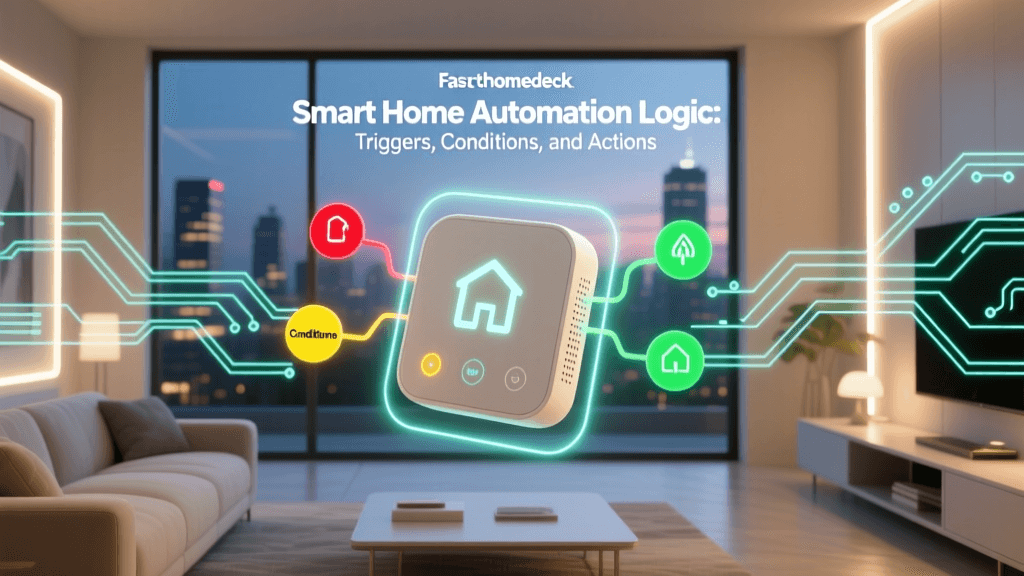
Data without action is merely trivia. The true power of a smart home energy dashboard lies in triggering automations that respond to real-time grid conditions, pricing, and solar surplus.
1. Peak Hour Load Shedding
If your utility charges premium rates between 4:00 PM and 9:00 PM, your dashboard can monitor the clock and the grid price API. When peak hours begin, the control panel can automatically adjust smart thermostats up by 2 degrees, pause the EV charger, and dim non-essential lighting. Once off-peak hours resume, the system reverts to normal settings.
2. Solar Surplus EV Charging
If your dashboard detects that your solar panels are producing 3 kW more than your home is currently consuming, it can trigger a smart EV charger (like the Wallbox Pulsar Plus or ChargePoint Home Flex) to begin charging your vehicle using only "free" excess solar energy. When a cloud passes over and solar production drops, the automation pauses the charger to prevent pulling from the grid.
3. Vampire Load Elimination
Standby power is a silent budget killer. The Lawrence Berkeley National Laboratory notes that standby power can account for up to 10% of residential energy use. By using your dashboard to identify circuits that never drop below a certain baseline (e.g., a home entertainment center drawing 40W 24/7), you can route those devices through a high-capacity smart relay. Your dashboard can then cut power to that relay entirely when the room's motion sensor reports no activity for over two hours.
Installation Safety and Privacy Considerations
Installing whole-home energy monitors requires opening your main electrical breaker panel. Warning: The main lugs in your panel remain live and carry lethal current even when the main breaker is turned off. Unless you are a licensed electrician or highly experienced with electrical safety protocols, hire a professional to install the CT clamps and wire the monitor's power supply.
From a privacy perspective, energy data is surprisingly intimate. High-resolution energy monitoring can reveal when you wake up, when you leave for work, and what appliances you use daily. Opting for a local dashboard solution like Home Assistant or Hubitat ensures that this granular behavioral data remains on your local network, shielded from third-party data brokers and cloud breaches.
Conclusion
Building a comprehensive smart home energy dashboard is one of the highest-ROI projects you can undertake in the smart home space. By combining granular hardware like the Emporia Vue with a local control panel like Home Assistant, you transition from a passive consumer of electricity to an active manager of your home's microgrid. Track your real-time wattage, visualize your solar offsets, and deploy intelligent load-shedding automations to ensure your smart home is not just convenient, but fundamentally efficient and cost-effective.