Introduction to Smart Home Automation Logic
Many beginners entering the smart home space confuse remote control with automation. Opening an app on your smartphone to turn off the living room lights is remote control. The lights automatically turning off when the last person leaves the house, provided it is after 8:00 PM and the security system is armed—that is true automation. Understanding the underlying logic of smart home routines is the critical bridge between buying connected gadgets and building a truly intelligent, responsive living environment.
At the core of every smart home ecosystem—whether you are using Apple HomeKit, Amazon Alexa, Google Home, or an advanced local hub like Home Assistant—lies a fundamental programming triad: Triggers, Conditions, and Actions. Mastering these three concepts will allow you to transform disparate devices into a cohesive, automated ecosystem that saves energy, enhances security, and elevates your daily comfort.
Decoding the Core Triad
To build reliable automations, you must think like a programmer. Every routine you create is essentially an "IF/THEN" statement with built-in filters. Let us break down the anatomy of a smart home routine.
1. Triggers: The "When"
A trigger is the specific event that initiates an automation sequence. Without a trigger, your smart home remains passive. Triggers generally fall into four categories:
- Device State Changes: A sensor detects a change in the environment. For example, an Aqara P2 Presence Sensor ($70) detects that a human has entered the bathroom, or a Samsung SmartThings Multipurpose Sensor ($20) registers that the front door has been opened.
- Time and Schedule: Automations based on the clock. This can be a fixed time (e.g., 7:00 AM), a dynamic solar event (e.g., 30 minutes before sunset), or a recurring schedule (e.g., every weekday).
- Geofencing (Location):strong> Using the GPS on your smartphone to create a virtual perimeter around your home. Crossing this boundary triggers an event, such as turning on the HVAC system when you are 2 miles away from home.
- Stateless Events: Physical interactions like pressing a smart button (e.g., Flic 2 Smart Button) or scanning an NFC tag on your nightstand.
2. Conditions: The "If"
Conditions are the logical filters that prevent a trigger from executing an action inappropriately. They are the difference between a smart home and an annoying one. If your motion sensor triggers the hallway lights, you do not want them turning on at 2:00 PM when the room is already flooded with sunlight. Conditions restrict the automation based on secondary variables:
- Temporal Conditions: "Only run this if the current time is between 10:00 PM and 6:00 AM."
- Environmental Conditions: "Only turn on the smart plug connected to the humidifier if the Eve Room sensor reads humidity levels below 35%."
- Device State Conditions: "Only trigger the security siren if the motion sensor is tripped AND the Ecobee SmartThermostat is set to 'Away' mode."
3. Actions: The "Then"
Actions are the physical or digital results that occur once a trigger is pulled and all conditions are met. Actions can range from simple single-device commands to complex, multi-step scenes with built-in delays.
- Single Device Control: Turning on a Philips Hue bulb to 50% brightness and 2700K (warm white) color temperature.
- Scene Activation: Triggering a "Movie Night" scene that simultaneously dims the lights, lowers the SwitchBot Smart Blinds, and turns on the television via an IR blaster.
- Notifications and Alerts: Sending a push notification to your phone or triggering an audible announcement on your Sonos or Amazon Echo speakers when a water leak sensor detects moisture under the sink.
- Delays and Waits: Advanced actions allow you to insert a "Wait" command. For example, if a door opens, wait 5 minutes; if the door is still open, send a reminder notification to close it to prevent HVAC energy loss.
Visualizing Automation Adoption and Complexity
While basic automations are widely adopted, the complexity of routines drops off significantly as users encounter the limitations of cloud-based ecosystems and the steep learning curve of multi-condition logic. The chart below illustrates how user adoption correlates with automation complexity.
Smart Home Automation Complexity vs. User Adoption
As the data suggests, the vast majority of users stop at simple time-based or single-trigger routines. Unlocking the true potential of your home requires pushing into multi-condition logic and, eventually, local processing.
Choosing Your Automation Ecosystem
The platform you choose dictates the complexity of the conditions you can create and the reliability of your actions. Here is a comparison of the major players in the smart home automation space.
| Ecosystem | Hub Required? | Local Processing | Condition Complexity | Best For | Est. Starter Cost |
|---|---|---|---|---|---|
| Apple HomeKit | Yes (HomePod/Apple TV) | Yes (Partial) | Medium (Supports AND/OR) | Privacy-focused users, Apple device owners | $150 - $300 |
| Amazon Alexa | Optional (Echo Hub) | Yes (Matter/Zigbee) | Low-Medium (Routines app) | Voice control enthusiasts, budget builders | $50 - $150 |
| Google Home | Optional (Nest Hub) | Yes (Matter/Thread) | Low (Starter/Advanced scripts) | Android users, Google Nest device integrators | $50 - $200 |
| SmartThings | Yes (Station/Hub) | Partial (Cloud-heavy) | High (Advanced Rules API) | Samsung users, broad legacy device support | $100 - $200 |
| Home Assistant | Yes (Green/NUC/Pi) | Yes (100% Local) | Extreme (YAML/Visual Editor) | Tinkerers, privacy absolutists, complex logic | $100 - $250 |
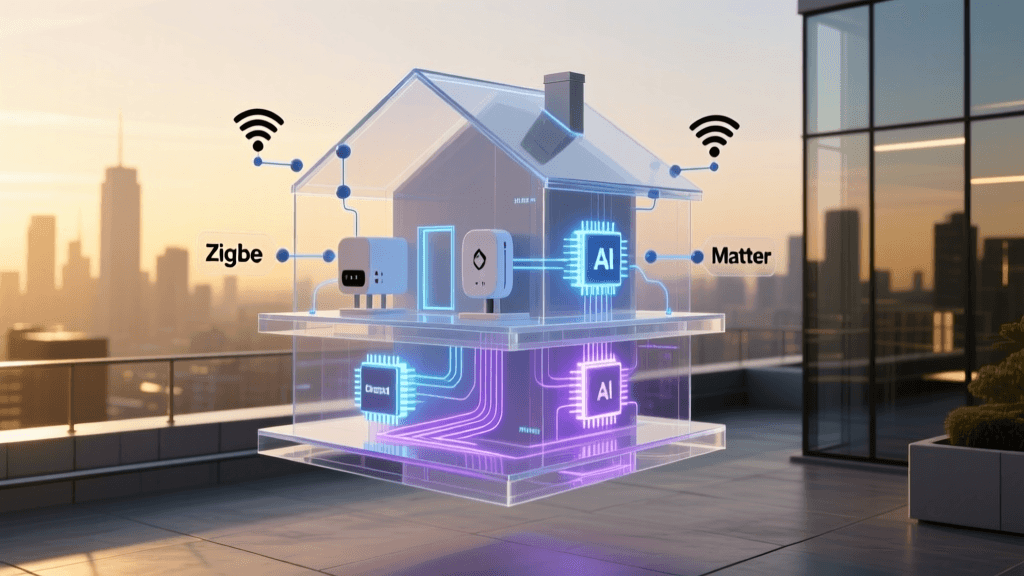
The recent introduction of the Matter standard, championed by the Connectivity Standards Alliance (CSA), is attempting to bridge the gap between these ecosystems. Matter allows devices to communicate locally over Thread or Wi-Fi, meaning a Matter-certified motion sensor can trigger a Matter-certified smart bulb directly through your chosen hub, regardless of the brand, drastically reducing cloud latency and improving reliability.
Practical Examples: Building Advanced Routines
To solidify your understanding of the Trigger-Condition-Action triad, let us look at two practical, high-value automations you can build today.
Example 1: The Energy-Saving Climate & Security Routine
Heating and cooling account for nearly half of a typical home's energy usage. According to the U.S. Department of Energy, properly utilizing smart thermostats and automated setbacks can save homeowners 10% to 15% on heating and cooling costs annually. Here is how to build a robust "Away" routine:
- Trigger: Geofencing detects that all registered smartphones have left the home perimeter (radius: 150 meters).
- Condition 1: The current time is between 8:00 AM and 5:00 PM (prevents triggering when you leave for a late-night dinner).
- Condition 2: The Ecobee SmartThermostat is NOT already in "Away" mode.
- Action 1: Set Ecobee SmartThermostat to Eco mode (Heating: 62°F, Cooling: 82°F).
- Action 2: Turn off all smart plugs connected to phantom-load devices (coffee makers, space heaters, gaming consoles).
- Action 3: Arm the Ring Alarm system to "Away" mode and enable motion-triggered recording on indoor cameras.
Example 2: The Circadian Lighting Wake-Up
Waking up to a blaring alarm and pitch-black room disrupts your circadian rhythm. You can use lighting to simulate a natural sunrise.
- Trigger: Time is 6:30 AM on a Weekday.
- Condition: Your smartphone is connected to the home Wi-Fi network (proving you are actually home and not on vacation).
- Action 1: Turn on Philips Hue bedside lamps to 1% brightness, color: 2000K (deep amber).
- Action 2 (Wait): Delay for 15 minutes.
- Action 3: Transition bedside lamps to 50% brightness, color: 4000K (cool daylight).
- Action 4: Trigger SwitchBot Smart Blinds to open to 50%.
Troubleshooting Common Automation Pitfalls
As you build more complex routines, you will inevitably encounter errors. Here are the most common pitfalls and how to solve them:
- The Infinite Loop: This happens when an Action inadvertently triggers the original Trigger. For example: Trigger: Living room light turns ON. Action: Turn OFF living room light. This creates a rapid loop that can crash your hub or get your API banned by the manufacturer. Solution: Always ensure your conditions explicitly prevent the action from reversing the trigger state without a secondary variable.
- Geofencing Ghost Triggers: GPS on smartphones can "drift," causing your phone to briefly register as leaving and re-entering the home zone while you are sleeping, triggering your "Away" and "Arrive" routines in the middle of the night. Solution: Combine geofencing with a secondary condition, such as "Only trigger if home Wi-Fi does not detect my phone's MAC address" or use a time-based condition to disable geofencing between 11:00 PM and 5:00 AM.
- Cloud Latency and Outages: If your automation relies on cloud servers (e.g., IFTTT or standard Alexa routines), an internet outage renders your home "dumb." Solution: Invest in local hubs (like Home Assistant or Hubitat) and prioritize Zigbee, Z-Wave, or Thread/Matter devices that process logic locally on your LAN.
Security and Privacy Considerations
With great automation comes great responsibility regarding data privacy and network security. Every sensor, camera, and smart plug you add is an Internet of Things (IoT) endpoint that could potentially be exploited. The Cybersecurity and Infrastructure Security Agency (CISA) strongly recommends segmenting your IoT devices from your primary computing network.
If you are using advanced routers (like Ubiquiti UniFi or TP-Link Omada), create a dedicated VLAN (Virtual Local Area Network) specifically for your smart home devices. This ensures that if a cheap, insecure smart plug is compromised, the attacker cannot laterally move to your personal laptop or NAS drive. Furthermore, always enable Two-Factor Authentication (2FA) on your smart home ecosystem accounts and disable remote cloud access for devices that do not strictly require it.
Conclusion
Transitioning from a remote-controlled home to an automated smart home requires a shift in mindset. By mastering the interplay of triggers, conditions, and actions, you unlock the ability to create a living space that anticipates your needs, conserves energy, and protects your property. Start small with single-trigger routines, map out your logic on paper before programming, and gradually introduce multi-condition filters to ensure your home reacts intelligently to the real world. Whether you choose the user-friendly walled gardens of Apple and Amazon or the limitless local processing of Home Assistant, the underlying logic remains the same: tell your home exactly when to act, when to wait, and what to do.