The Rising Cost of Power and the Smart Home Solution
As global energy prices fluctuate and utility companies introduce complex rate structures, homeowners are increasingly searching for ways to regain control over their monthly expenses. According to the U.S. Energy Information Administration (EIA), the average American household consumes approximately 899 kilowatt-hours (kWh) per month. However, this average masks a critical reality: most homeowners have absolutely no idea which specific devices, appliances, or habits are driving their bill upward.
Entering the smart home space with a focus on energy monitoring is one of the highest-ROI investments you can make. Unlike smart speakers or automated blinds, which offer convenience, smart energy monitors provide hard, actionable data. By tracking electricity usage in real-time, identifying phantom loads, and optimizing usage based on Time-of-Use (TOU) rates, you can significantly slash your utility bills. This comprehensive guide explores the technology behind smart energy monitoring, compares top devices, and provides actionable strategies to reduce your home's carbon footprint and monthly expenses.
The Hidden Drain: Understanding Phantom Loads and Inefficiencies
Before diving into hardware, it is essential to understand where home energy is wasted. The U.S. Department of Energy (DOE) highlights that a significant portion of residential energy use comes from appliances and electronics that are turned off but still plugged in. This phenomenon, known as "phantom load," "vampire power," or "standby power," can account for 5% to 10% of your total annual electricity consumption.
Common culprits of vampire power include:
- Entertainment Centers: Game consoles, smart TVs, and cable boxes that remain in standby mode to receive updates or remote signals.
- Home Office Equipment: Desktop computers, monitors, and printers that never truly power down.
- Kitchen Appliances: Microwaves with digital clocks and coffee makers with built-in timers.
- Chargers: Phone and laptop chargers left plugged into the wall without a device attached.
Without a smart energy monitor, these silent drainers blend into your overall bill. Smart technology allows you to isolate these loads, measure their exact cost, and automate their shutdown when not in use.
Whole-Home Monitors vs. Smart Plugs: Which Do You Need?
When building an energy monitoring ecosystem, you generally have two categories of hardware at your disposal: whole-home panel monitors and individual smart plugs. A comprehensive strategy often involves a combination of both.
Whole-Home Energy Monitors
Whole-home monitors connect directly to your electrical breaker panel using Current Transformer (CT) clamps. These clamps wrap around your main service wires and individual branch circuits to measure the magnetic field generated by the electrical current, translating it into real-time wattage data.
How they work: Devices like the Sense Energy Monitor use high-frequency sampling and AI-driven machine learning to "listen" to the electrical signatures of your home's wiring. Over time, Sense's AI disaggregates the data, identifying when your refrigerator compressor kicks on versus when your hair dryer is used. Alternatively, the Emporia Vue 2 uses up to 16 individual CT clamps to physically monitor specific circuits (e.g., HVAC, kitchen outlets, water heater), providing granular, immediate data without relying on AI guessing.
Best for: Tracking 240V heavy appliances (HVAC, electric vehicle chargers, electric ovens), monitoring solar panel production, and getting a macro-level view of your home's total consumption.
Energy-Monitoring Smart Plugs
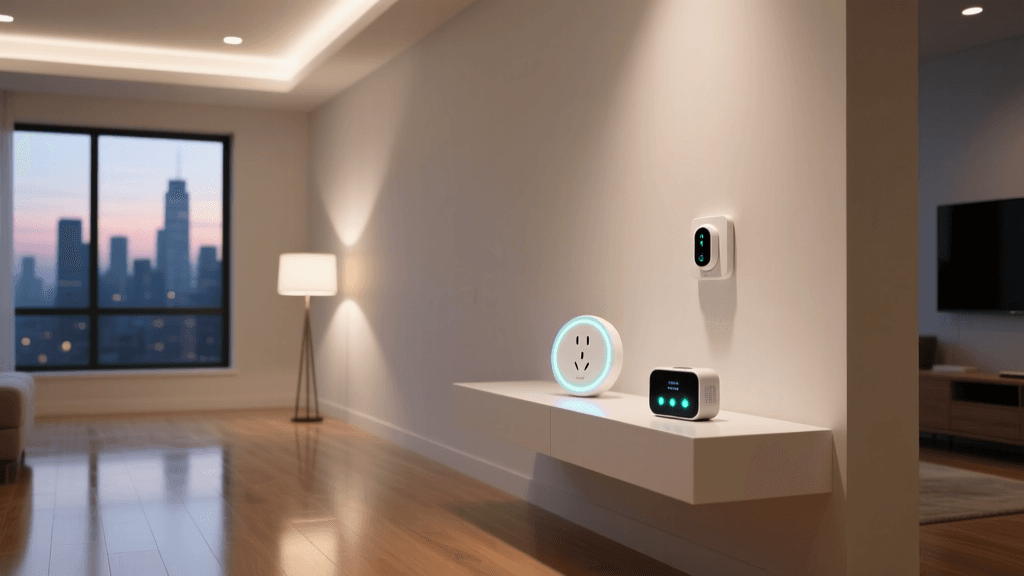
Smart plugs with energy monitoring capabilities plug directly into standard 120V wall outlets. They measure the voltage and current passing through them, reporting the data to your smartphone app via Wi-Fi or smart home hubs like Zigbee or Matter.
How they work: Devices like the Kasa EP25 or Wyze Plug Outdoor track the exact kWh consumed by whatever is plugged into them. They are highly accurate for the specific device but cannot see anything else in the house.
Best for: Isolating entertainment centers, home office setups, window AC units, and dehumidifiers. They also serve as automated switches to kill vampire power via scheduling or geofencing.
Top Smart Energy Monitoring Devices Compared
Choosing the right hardware depends on your technical comfort level, budget, and specific monitoring goals. Below is a comparison of the leading energy monitoring solutions on the market.
| Device | Type | Installation | Key Features | Est. Price Range |
|---|---|---|---|---|
| Emporia Vue 2 | Whole-Home (Circuit Level) | Breaker Panel (CT Clamps) | Monitors up to 16 individual circuits, solar integration, Home Assistant local API support. | $150 - $200 |
| Sense Energy Monitor | Whole-Home (AI Disaggregation) | Breaker Panel (2 CT Clamps) | AI device detection, excellent mobile app, solar tracking, no individual circuit clamps needed. | $250 - $300 |
| Kasa EP25 Smart Plug | Device Level | Standard 120V Outlet | Wi-Fi connectivity, energy dashboards, scheduling, matter-ready firmware updates. | $15 - $20 |
| Eve Energy (Matter) | Device Level | Standard 120V Outlet | Thread/Matter support, Apple HomeKit native, local processing, high privacy. | $35 - $45 |
Visualizing Your Home's Energy Consumption
To effectively reduce your utility bill, you must first understand your baseline. The following chart illustrates a typical breakdown of monthly energy consumption in an average U.S. home, highlighting where smart monitoring can have the most significant impact.
Typical US Home Monthly Energy Breakdown by Category
As the data visualization demonstrates, HVAC and water heating represent the lion's share of your bill. While you cannot easily eliminate these needs, smart thermostats (like the Ecobee SmartThermostat) paired with whole-home monitors can optimize their run times. Meanwhile, the "Standby / Phantom" category represents pure waste, which is entirely eliminable through smart plug automation.
Actionable Strategies to Slash Your Utility Bill
Hardware alone does not save money; changing behavior based on data does. Here are four advanced strategies to leverage your smart energy monitors for maximum financial return.
1. Master Time-of-Use (TOU) Rate Optimization
Many utility companies have shifted to Time-of-Use (TOU) billing, where electricity costs significantly more during "peak" hours (typically 4:00 PM to 9:00 PM) when grid demand is highest, and less during "off-peak" or "super off-peak" hours (overnight).
The Strategy: Use your whole-home monitor to identify high-draw, deferrable tasks. Connect your EV charger, pool pump, and dishwasher to smart switches or use their native smart scheduling features to run exclusively during super off-peak hours. If your utility charges $0.30/kWh during peak and $0.08/kWh off-peak, shifting 300 kWh a month saves you roughly $66 monthly—paying for an Emporia Vue in less than three months.
2. Automate Vampire Power Slaying
Use energy-monitoring smart plugs to create "kill switches" for your home office and entertainment center.
The Strategy: Plug your home office power strip into a heavy-duty smart plug like the Wyze Plug Outdoor (rated for higher amperage). Set a routine in your smart home hub (Amazon Alexa, Apple Home, or Home Assistant) that automatically cuts power to the plug when your phone leaves the home's geofence, or at a specific time (e.g., 10:00 PM). This ensures monitors, printers, and speakers draw zero watts overnight.
3. Detect Failing Appliances Early
Appliances often consume more energy as their components begin to fail, long before they break down completely. A refrigerator with a failing door seal or a dirty condenser coil will run its compressor 30% to 50% longer to maintain temperature. An HVAC system with a clogged filter or low refrigerant will draw more amperage to achieve the setpoint.
The Strategy: Use the historical data graphs in your monitoring app to establish a baseline for your major appliances. If you notice your refrigerator's daily kWh usage creeping up from 1.5 kWh to 2.5 kWh over a month, it is a clear signal to clean the coils, check the seals, or schedule maintenance before the compressor burns out entirely.
4. Right-Size Your HVAC and Insulation
Whole-home monitors with individual circuit tracking allow you to see exactly how much energy your HVAC system uses in response to outdoor weather changes.
The Strategy: Correlate your smart monitor's HVAC data with local weather APIs. If your heat pump draws massive amounts of power during mild 50°F (10°C) days, your home likely suffers from severe heat loss due to poor insulation or drafty windows. This data provides the financial justification needed to invest in weatherstripping, attic insulation, or smart zoning dampers.
Privacy, Security, and Network Considerations
When bringing energy monitors into your smart home, network security and data privacy are paramount. Whole-home monitors generate massive amounts of data (sampling thousands of times per second), which is typically uploaded to the manufacturer's cloud for processing.
For privacy-conscious users, or those with unreliable internet connections, local processing is highly recommended. The Emporia Vue 2, for example, can be flashed with open-source firmware (ESPHome) to read data directly into Home Assistant via your local network, completely bypassing the cloud. Similarly, smart plugs utilizing the Matter over Thread protocol (like the Eve Energy) communicate locally with your hub, ensuring your daily habits and occupancy patterns remain private and secure within your home's walls.
Calculating Your Return on Investment (ROI)
Smart energy monitoring is not just an environmental choice; it is a financial one. Let's look at a realistic ROI scenario for a mid-sized home implementing a combined monitoring strategy:
- Hardware Cost: Emporia Vue 2 ($150) + Four Kasa EP25 Smart Plugs ($60) = $210 Total Investment.
- Monthly Bill Baseline: $250 / month.
- Identified Savings: Eliminating phantom loads via smart plugs ($15/mo) + Shifting EV charging and laundry to TOU off-peak hours ($35/mo) + Identifying and repairing a failing chest freezer in the garage ($10/mo) = $60 / month saved.
- ROI Timeline: $210 / $60 = 3.5 Months.
After the initial payback period, the system generates pure savings, effectively paying you to monitor your home's electrical health.
Conclusion
The transition to a smart home should be driven by tangible benefits, and few benefits are as universally impactful as reducing your monthly utility bills. By combining the macro-level visibility of whole-home CT clamp monitors with the micro-level control of energy-monitoring smart plugs, you transform your electrical panel from a blind utility box into an interactive dashboard of efficiency. Whether you are looking to eliminate vampire power, optimize for Time-of-Use rates, or catch a failing appliance before it causes a secondary disaster, smart energy monitoring provides the data you need to take control of your home's consumption, lower your carbon footprint, and keep more money in your pocket.