How Do Smart Home Devices Work? A Complete Guide to Connected Living
You ask your speaker to dim the lights, and the room softens. Your thermostat adjusts itself before you even walk through the door. A camera sends you a video clip of a package arriving at your front step while you are miles away. Smart home technology has become so seamless that it is easy to forget the remarkable chain of engineering that makes every interaction possible.
But behind every voice command, automated routine, and remote adjustment lies a sophisticated ecosystem of hardware, software, wireless protocols, and cloud infrastructure working in concert. Understanding how smart home devices work is not just an academic exercise — it helps you make better purchasing decisions, troubleshoot problems, and build a more reliable and secure connected home.
In this comprehensive guide, we will break down every layer of smart home technology, from the sensors that detect changes in your environment to the wireless protocols that carry your commands and the cloud servers that process them. Whether you are setting up your first smart bulb or planning a whole-home automation system, this article will give you the foundational knowledge you need.
The Core Components of Every Smart Home Device
Despite the enormous variety of smart home products on the market — from plugs and bulbs to locks, cameras, thermostats, and robot vacuums — nearly every device shares a common architecture built around four essential components.
Sensors: The Eyes and Ears of Your Smart Home
Sensors are what make a device "smart" in the first place. They allow the device to perceive its environment and gather data that can trigger actions or inform decisions. Different smart home devices use different types of sensors depending on their purpose:
- Motion sensors (passive infrared or PIR) detect body heat and movement, commonly used in security cameras, smart lights, and alarm systems.
- Temperature and humidity sensors measure ambient conditions and are the backbone of smart thermostats and climate control systems.
- Contact sensors use magnets to detect whether a door or window is open or closed.
- Light sensors (ambient light sensors or photodiodes) measure the brightness of a room and can trigger automatic lighting adjustments.
- Microphones enable voice control and sound detection, found in smart speakers, doorbells, and security devices.
- Cameras and image sensors capture visual data for security monitoring, video doorbells, and robot vacuums that map your home.
- Accelerometers and gyroscopes detect orientation and movement, used in devices like smart blinds and robot vacuums.
Many advanced devices combine multiple sensor types in a process called sensor fusion. For example, a smart thermostat might use temperature sensors, humidity sensors, occupancy sensors, and even ambient light sensors together to build a comprehensive picture of your home environment and optimize heating and cooling accordingly.
Processors: The Brain Inside the Device
Every smart device contains a microprocessor or microcontroller — a small computer chip that processes sensor data, runs firmware, and executes commands. The processing power varies enormously depending on the device's complexity. A smart plug might use a simple, low-power microcontroller that handles basic on/off switching and Wi-Fi communication. A smart speaker, on the other hand, contains a far more powerful processor capable of running voice recognition algorithms, streaming audio, and managing multi-device routines simultaneously.
Increasingly, smart home devices include dedicated AI accelerators or neural processing units (NPUs) that handle machine learning tasks locally on the device. This trend toward edge computing means that some data processing happens right on the device rather than being sent to the cloud, resulting in faster response times, reduced bandwidth usage, and improved privacy.
Connectivity Modules: How Devices Communicate
The connectivity module is the radio transceiver that allows a smart device to send and receive data. This is arguably the most critical component because without communication, a smart device is just a regular device. We will explore the various wireless protocols in detail in the next section, but it is worth noting that some devices include multiple radios to support different protocols or to serve as bridges between different networks.
Actuators: Turning Commands Into Physical Actions
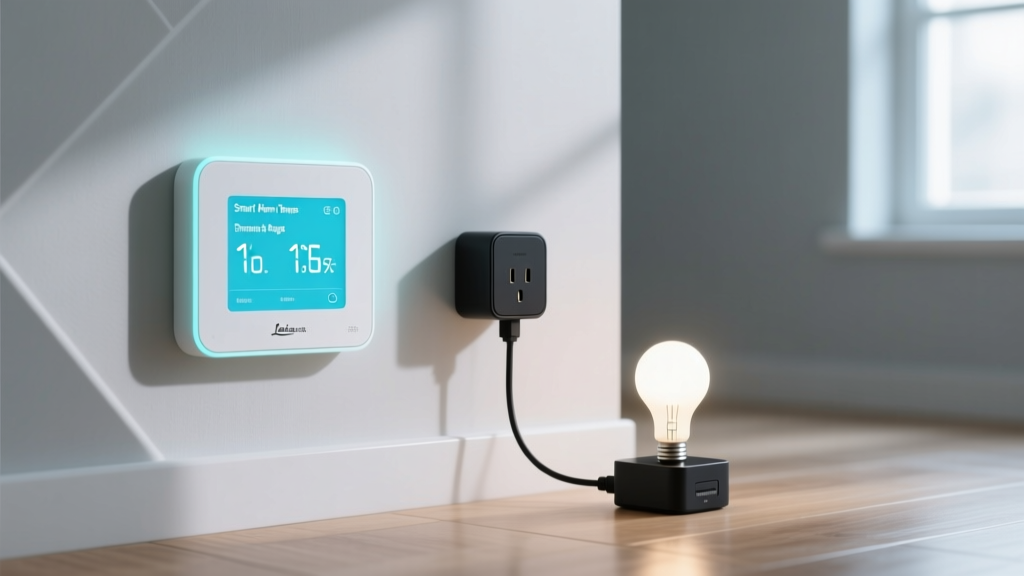
While sensors gather information, actuators are the components that physically do something in response to commands. A smart bulb contains LED drivers that adjust brightness and color. A smart lock contains a motor that turns the deadbolt. A smart plug contains a relay that opens or closes an electrical circuit. A smart thermostat contains actuators that interface with your HVAC system's control wires. The quality and reliability of these actuators largely determines how well a device performs its core function over years of daily use.
Wireless Protocols: The Languages Smart Devices Speak
One of the most important — and often confusing — aspects of smart home technology is the variety of wireless communication protocols in use. Think of these protocols as different languages. Just as two people need to speak the same language to have a conversation, smart devices need to use the same protocol to communicate with each other and with your home network.
Wi-Fi: The Ubiquitous Standard
Wi-Fi is the most widely recognized wireless protocol and the backbone of many smart home setups. Its primary advantage is universality — nearly every home already has a Wi-Fi router, so Wi-Fi-enabled devices can connect directly to your existing network without requiring additional hardware. Wi-Fi also offers high bandwidth, making it ideal for data-intensive devices like security cameras that stream high-definition video.
However, Wi-Fi has drawbacks in a smart home context. It is relatively power-hungry, which makes it unsuitable for battery-powered sensors that need to last months or years on a single charge. Wi-Fi networks can also become congested when dozens of devices compete for bandwidth, potentially leading to slower response times. Most consumer Wi-Fi routers are designed to handle somewhere between 20 and 40 connected devices before performance degrades, though higher-end mesh Wi-Fi systems can handle significantly more.
Zigbee and Z-Wave: The Mesh Network Specialists
Zigbee and Z-Wave are low-power wireless protocols specifically designed for smart home applications. Both use mesh networking, a topology where each powered device acts as a signal repeater, passing messages from device to device until they reach their destination. This creates a self-healing network that actually becomes stronger and more reliable as you add more devices.
Zigbee operates on the 2.4 GHz frequency band (the same as Wi-Fi and Bluetooth) and supports up to 65,000 devices on a single network. It is an open standard maintained by the Connectivity Standards Alliance (CSA), meaning products from many different manufacturers can work together. Zigbee is widely used in smart bulbs, sensors, and switches.
Z-Wave operates on a lower frequency (around 908 MHz in the United States), which gives it better range and less interference from Wi-Fi networks. It supports up to 232 devices per network and is known for its strict certification requirements, which help ensure interoperability between products from different brands. Z-Wave is popular in security systems, smart locks, and garage door controllers.
Bluetooth and Bluetooth Low Energy (BLE)
Bluetooth is familiar to most people from headphones and speakers, but Bluetooth Low Energy (BLE) has become an important smart home protocol as well. BLE uses very little power, making it suitable for battery-operated sensors and smart locks. Its main limitation is range — standard Bluetooth typically works only within about 30 feet. However, Bluetooth mesh networking has extended its capabilities, and many smart home hubs now include Bluetooth radios to serve as bridges for BLE devices.
Thread and Matter: The Future of Smart Home Connectivity
The smart home industry is converging around two interrelated standards that promise to solve many of the compatibility headaches that have plagued the ecosystem.
Thread is a low-power, mesh networking protocol that operates on the same 802.15.4 radio standard as Zigbee but uses IPv6 networking, meaning every device gets its own IP address and can communicate directly with the internet without protocol translation. Thread networks are self-healing and have no single point of failure, making them extremely reliable.
Matter (formerly known as Project CHIP) is an application layer built by the Connectivity Standards Alliance that runs on top of Thread, Wi-Fi, and Ethernet. Matter defines a common language for smart home devices regardless of which underlying transport protocol they use. A Matter-certified smart bulb using Thread can communicate seamlessly with a Matter-certified smart plug using Wi-Fi, and both can be controlled from any Matter-compatible platform — whether that is Apple HomeKit, Google Home, Amazon Alexa, or Samsung SmartThings.
According to the Connectivity Standards Alliance, Matter represents the most significant advancement in smart home interoperability to date, with hundreds of certified products already available and growing rapidly.
Hubs, Bridges, and the Role of the Cloud
Understanding how smart home devices work requires understanding the infrastructure that connects them — both inside your home and beyond it. This infrastructure typically involves three layers: local hubs, cloud services, and the mobile apps that tie everything together.
Smart Home Hubs: The Central Coordinators
A smart home hub is a dedicated device that serves as the central coordinator for your connected devices. It translates between different wireless protocols, stores automation routines, and provides a single point of control. If you have Zigbee or Z-Wave devices, a hub is essential because these devices cannot connect directly to your Wi-Fi router — they need a hub with the appropriate radio to bridge them to your home network.
Popular hubs include dedicated devices like the Samsung SmartThings Hub, Home Assistant servers, and Hubitat Elevation. However, many modern smart speakers and displays also function as hubs. For example, certain Amazon Echo devices include built-in Zigbee radios, and Apple HomePod devices serve as Thread border routers and HomeKit hubs.
A border router is a special type of hub used in Thread networks. It bridges the Thread mesh network to your Wi-Fi or Ethernet network and ultimately to the internet. Thread border routers are built into many modern smart speakers, Wi-Fi routers, and smart displays.
Cloud Computing: The Invisible Backbone
Most smart home devices rely on cloud services to some degree, even if you never think about it. When you issue a voice command to a smart speaker, the audio is typically streamed to cloud servers where powerful processors run speech recognition and natural language understanding algorithms far too complex to run on a small device. The cloud server interprets your command, determines which device to control, and sends a signal back to your smart home to execute the action.
Cloud services also handle:
- Remote access: When you control your devices from outside your home via a mobile app, your commands travel through the manufacturer's cloud servers to reach your home network.
- Over-the-air (OTA) updates: Manufacturers push firmware updates through the cloud to add features, fix bugs, and patch security vulnerabilities.
- Data storage: Security camera footage, energy usage logs, and device history are typically stored in cloud servers.
- Machine learning: Cloud-based AI models learn your habits and preferences over time to optimize automations, such as a thermostat learning your schedule to pre-heat or cool your home.
- Cross-device coordination: Complex routines that involve devices from different manufacturers are often orchestrated through cloud platforms.
The reliance on cloud services does introduce some considerations. If your internet connection goes down, cloud-dependent devices may lose functionality. Privacy-conscious users may also have concerns about their data being processed on remote servers. This is why there is a growing movement toward local processing, where devices and hubs handle as much computation as possible without relying on the cloud. Platforms like Home Assistant have gained significant popularity precisely because they prioritize local control and keep your data within your own home.
Mobile Apps: Your Window Into the Smart Home
The mobile app is the primary interface through which most people interact with their smart home. Apps serve multiple functions: they guide you through device setup (often called "onboarding" or "pairing"), provide real-time status information, allow manual control, let you create automations and routines, and deliver notifications and alerts.
Most ecosystems have a unified app that controls all compatible devices. Google Home, Apple Home, Amazon Alexa, and Samsung SmartThings each provide a single app that aggregates control of devices from hundreds of different manufacturers. This unified approach is far more convenient than juggling separate apps for every device brand, and it is one of the major benefits of choosing devices within a single ecosystem or opting for Matter-certified products.
How Automation and Routines Bring It All Together
Individual smart devices are useful on their own, but the real magic of a connected home emerges when devices work together through automation. Automation is the process of defining triggers and actions — when X happens, do Y. This is what transforms a collection of gadgets into a truly intelligent home environment.
Types of Triggers
Automations are activated by triggers, which fall into several categories:
- Sensor triggers: A motion sensor detects movement, a contact sensor detects a door opening, or a temperature sensor reads a value above or below a threshold.
- Time-based triggers: An action occurs at a specific time of day, on specific days of the week, or relative to sunrise and sunset.
- Location triggers (geofencing): Your smartphone's location services detect that you are arriving home or leaving, triggering appropriate actions like adjusting the thermostat or turning off lights.
- Device state triggers: One device completing an action triggers another. For example, when your smart washer finishes a cycle, your smart speaker announces it.
- Voice triggers: A spoken command or phrase activates a routine that controls multiple devices simultaneously.
Building Complex Routines
Modern smart home platforms allow you to chain together multiple actions into sophisticated routines. A "Good Morning" routine might gradually brighten your bedroom lights over 15 minutes, start your coffee maker, adjust the thermostat to your preferred daytime temperature, read out the weather forecast, and unlock the front door — all triggered by your alarm going off or by a simple voice command.
More advanced platforms support conditional logic, meaning routines can make decisions based on current conditions. For example, an "Arriving Home" routine might turn on the lights only if it is after sunset, adjust the thermostat only if the temperature is outside your comfort range, and play music only on weekdays. This conditional approach makes automations feel genuinely intelligent rather than rigid and mechanical.
Machine Learning and Adaptive Behavior
The most advanced smart home devices go beyond simple if-this-then-that automations and incorporate machine learning to adapt to your behavior over time. According to research from the U.S. Environmental Protection Agency, smart thermostats with learning capabilities can reduce heating and cooling costs by an average of 8-15% by automatically building schedules based on your actual patterns rather than relying on manual programming.
These adaptive systems work by collecting data about your interactions — when you adjust the temperature, when you turn lights on and off, when you arm or disarm your security system — and using algorithms to identify patterns. Over time, the system can anticipate your needs and make adjustments proactively. The key principle is that the system should enhance convenience without becoming intrusive, and most platforms give you full control to override or disable adaptive features at any time.
Security and Privacy: Protecting Your Connected Home
As smart home devices become more prevalent and more deeply integrated into daily life, security and privacy considerations become increasingly important. Every connected device represents a potential entry point into your home network, and the data these devices collect can reveal intimate details about your routines, habits, and lifestyle.
How Smart Home Data Is Protected
Reputable smart home manufacturers employ multiple layers of security to protect your devices and data:
- Encryption: Data transmitted between your devices, hub, and cloud servers is encrypted using protocols such as TLS (Transport Layer Security). This means that even if someone intercepts the data, they cannot read it without the encryption key.
- Authentication: Devices use authentication mechanisms to verify that commands are coming from authorized sources. This prevents unauthorized users from controlling your devices.
- Firmware updates: Regular software updates patch known vulnerabilities. Keeping your devices updated is one of the most important things you can do to maintain security.
- Network segmentation: Advanced users can place smart home devices on a separate Wi-Fi network or VLAN, isolating them from personal computers and smartphones that contain sensitive data.
- Two-factor authentication (2FA): Most smart home apps support 2FA, requiring a second form of verification beyond your password when logging in.
Best Practices for Smart Home Security
While manufacturers bear significant responsibility for security, there are several steps you can take to harden your smart home:
- Change default passwords. Many devices ship with default passwords that are widely known. Change them immediately during setup.
- Keep firmware updated. Enable automatic updates whenever possible, or check for updates regularly.
- Use strong, unique passwords for each smart home account and enable two-factor authentication.
- Review permissions. Periodically check what data each device and app is collecting and sharing, and revoke unnecessary permissions.
- Secure your Wi-Fi network. Use WPA3 encryption (or WPA2 if WPA3 is not available), choose a strong password, and consider setting up a guest network for smart devices.
- Research before you buy. Choose devices from reputable manufacturers with a track record of providing security updates and transparent privacy policies. The National Institute of Standards and Technology (NIST) provides guidelines and frameworks for IoT security that inform industry best practices.
Local vs. Cloud Processing: A Privacy Tradeoff
One of the most significant privacy decisions in a smart home is choosing between devices that process data locally and those that rely on cloud services. Local processing keeps your data within your home, reducing exposure to cloud breaches and third-party data sharing. Devices that support local control also tend to work more reliably during internet outages. However, cloud processing enables more advanced features like sophisticated voice recognition, remote access, and cross-device intelligence. Many modern devices offer a hybrid approach, performing basic functions locally while using the cloud for more complex tasks.
Frequently Asked Questions
Do smart home devices work without internet?
It depends on the device and how it is configured. Devices that rely entirely on cloud processing, such as most smart speakers, will lose significant functionality without an internet connection. However, devices that communicate through a local hub using protocols like Zigbee, Z-Wave, or Thread can continue to operate locally. Automations stored on a local hub will keep running, and physical switches and buttons will still work. The key is to choose devices and platforms that support local processing if internet independence is important to you. Home Assistant, Hubitat, and some Samsung SmartThings configurations are well-regarded for their local processing capabilities.
How many smart devices can my Wi-Fi network handle?
Most standard consumer Wi-Fi routers can comfortably support between 20 and 40 connected devices before performance begins to degrade. However, this number varies based on the router's hardware, the Wi-Fi standard it supports (Wi-Fi 6 handles more devices more efficiently than Wi-Fi 5), and how much bandwidth each device consumes. A smart bulb that sends occasional on/off commands uses far less bandwidth than a security camera streaming 4K video. If you plan to have 50 or more smart devices, consider upgrading to a mesh Wi-Fi system or offloading low-bandwidth devices to a separate Zigbee, Z-Wave, or Thread network using a hub.
What is the difference between a smart home hub and a smart speaker?
A smart speaker (like an Amazon Echo or Google Nest Audio) is primarily an audio device with a built-in voice assistant. Some smart speakers also include smart home radios (like Zigbee or Thread) and can function as hubs, but this is not universal. A dedicated smart home hub is designed specifically to coordinate devices, translate between protocols, and run automations. It typically does not have a speaker or microphone. In practice, many people use a combination of both: smart speakers for voice control and a dedicated hub for reliable device coordination and local automation processing.
Are smart home devices from different brands compatible with each other?
Compatibility between brands has historically been one of the biggest challenges in the smart home industry. Devices using the same wireless protocol (such as Zigbee) can often work together at a basic level, but full feature support usually requires devices to be within the same ecosystem. This is precisely why the Matter standard was created. Matter-certified devices from any brand are guaranteed to work together across major platforms including Apple Home, Google Home, Amazon Alexa, and Samsung SmartThings. When shopping for new devices, looking for the Matter logo is the simplest way to ensure broad compatibility.
How much electricity do smart home devices use?
Individual smart home devices consume very little electricity. A smart LED bulb typically uses between 7 and 10 watts when lit and less than 0.5 watts in standby mode. A smart plug uses roughly 0.5 to 1 watt in standby. A smart speaker typically draws 2 to 4 watts when idle and up to 10 to 15 watts during active use. Even with dozens of smart devices, the total standby power consumption is usually modest — often adding just a few dollars to your monthly electricity bill. In many cases, smart devices actually save energy by automating lights to turn off when rooms are unoccupied, optimizing HVAC schedules, and providing energy usage insights that help you identify waste.
Building Your Smart Home With Confidence
Understanding how smart home devices work demystifies the technology and empowers you to make informed decisions. At the most fundamental level, every smart device is a combination of sensors that perceive the environment, a processor that makes decisions, a connectivity module that communicates with other devices, and actuators that take physical action. These devices communicate through a variety of wireless protocols — Wi-Fi, Zigbee, Z-Wave, Bluetooth, Thread, and the emerging Matter standard — each with its own strengths and ideal use cases.
The infrastructure that ties everything together includes local hubs that coordinate devices within your home, cloud services that enable advanced features and remote access, and mobile apps that give you control at your fingertips. Automation and machine learning transform individual devices into a cohesive, responsive system that adapts to your lifestyle.
As you build or expand your smart home, prioritize interoperability by choosing Matter-certified devices when possible, invest in a reliable hub or mesh network to ensure stable communication, and take security seriously by keeping devices updated and using strong authentication practices. The smart home of the future is not just about individual gadgets — it is about creating an environment that is more comfortable, efficient, secure, and responsive to your needs.
Ready to start building your connected home? Explore our smart home learning center for more in-depth guides, or browse our product reviews to find the best devices for your setup.