How Does Smart Home Automation Work? A Complete Beginner's Guide
You walk through your front door after a long day at work, and the lights gently brighten to your preferred setting. The thermostat has already adjusted to your ideal temperature, your favorite playlist begins streaming through the living room speakers, and the coffee maker starts brewing a fresh pot — all without you lifting a finger. This isn't science fiction. This is smart home automation in action.
But what actually makes all of this possible? Behind every voice command, every scheduled routine, and every automated response lies a sophisticated ecosystem of hardware, software, wireless protocols, and cloud infrastructure working in seamless harmony. Understanding how smart home automation works can help you make smarter purchasing decisions, troubleshoot issues faster, and build a connected home that truly serves your lifestyle.
In this comprehensive guide, we'll break down the entire smart home automation stack — from the sensors that detect changes in your environment to the cloud servers that process your voice commands — so you can finally understand the technology powering the modern connected home.
The Core Architecture: How Smart Home Systems Are Built
Every smart home automation system, regardless of brand or complexity, follows a fundamental architectural pattern. Think of it like a nervous system for your house. Just as your body relies on sensory organs to detect stimuli, nerves to transmit signals, and a brain to process information and trigger responses, a smart home relies on three analogous layers:
- Input Layer (Sensors & Triggers): Devices that detect changes in the environment or receive commands from users
- Processing Layer (Hubs, Controllers & Cloud): The "brain" that interprets inputs and decides what actions to take
- Output Layer (Actuators & Smart Devices): Devices that physically carry out the commanded actions
Let's say you have a motion-activated hallway light. The motion sensor (input) detects movement in the hallway. That signal travels to your smart home hub or cloud platform (processing), which checks your automation rules — "If motion is detected in the hallway between sunset and sunrise, turn on the hallway light to 50% brightness." The hub then sends a command to the smart light bulb (output) to illuminate accordingly. This entire cycle typically happens in under a second.
This input-process-output model scales from the simplest single-device automation to complex whole-home systems with hundreds of interconnected devices. The difference lies in the sophistication of each layer and the communication protocols that bind them together.
Communication Protocols: The Languages Your Devices Speak
One of the most critical — and often confusing — aspects of smart home automation is the variety of wireless communication protocols that devices use to talk to each other. Unlike your laptop connecting to Wi-Fi, smart home devices may use several different "languages" depending on their power requirements, range needs, and data throughput demands.
Wi-Fi
Wi-Fi is the most universally recognized protocol and is used by many smart home devices, especially those that require high bandwidth like security cameras, smart displays, and video doorbells. Wi-Fi devices connect directly to your home router and typically communicate with cloud servers for processing. The advantage is simplicity — no additional hub is required. The downside is that Wi-Fi consumes significant power, making it unsuitable for battery-operated sensors, and a large number of Wi-Fi devices can congest your network.
Zigbee
Zigbee is a low-power, mesh networking protocol specifically designed for smart home applications. It operates on the 2.4 GHz frequency band and creates a mesh network where each powered device acts as a signal repeater, extending the network's range. Zigbee supports hundreds of devices on a single network and is used extensively by platforms like Amazon Alexa and Samsung SmartThings. Because Zigbee uses a different radio frequency than Wi-Fi, it requires a dedicated hub or bridge.
Z-Wave
Z-Wave operates on a sub-GHz frequency (908.42 MHz in the US), which gives it superior range and wall penetration compared to Zigbee's 2.4 GHz signal. Like Zigbee, it uses mesh networking and requires a hub. Z-Wave is known for its strict certification standards, ensuring high interoperability between devices from different manufacturers. It's particularly popular in home security and lighting automation.
Thread & Matter
Thread is a newer mesh networking protocol built on IPv6, designed to be the foundation for Matter — the industry-wide smart home standard backed by Apple, Google, Amazon, and Samsung. Matter aims to solve the fragmentation problem by creating a universal language that allows devices from different ecosystems to work together seamlessly. Thread provides the low-power, reliable mesh networking layer, while Matter provides the application-level standard for device communication and control.
Bluetooth & Bluetooth Low Energy (BLE)
Bluetooth, particularly BLE, is commonly used for smart locks, proximity sensors, and device setup processes. Its range is limited compared to mesh protocols, but it excels at direct device-to-phone communication and consumes very little power.
Understanding these protocols helps you make informed decisions when choosing smart home devices. A well-designed smart home often uses a combination of protocols — Wi-Fi for bandwidth-heavy devices, Zigbee or Z-Wave for sensors and switches, and Bluetooth for locks and proximity-based automations.
Sensors, Triggers & Inputs: How Your Home Perceives the World
Sensors are the sensory organs of your smart home. They continuously monitor the environment and generate data that feeds into your automation system. Without sensors, your smart home would be entirely dependent on manual commands — essentially just remote-controlled rather than truly automated.
Types of Smart Home Sensors
Motion Sensors: Using passive infrared (PIR) technology, these detect changes in heat signatures caused by human movement. They're fundamental to lighting automation, security systems, and occupancy-based climate control.
Door & Window Contact Sensors: These use magnetic reed switches to detect when a door or window opens or closes. They're essential for security automations ("alert me when the front door opens after midnight") and climate control ("turn off the AC when a window is open").
Temperature & Humidity Sensors: Often built into thermostats and standalone sensor units, these provide real-time environmental data that drives heating and cooling automations. Advanced setups use multiple temperature sensors in different rooms to create zone-based climate control.
Light Sensors (Lux Sensors): These measure ambient light levels and can trigger lighting automations based on natural light availability — for example, turning on interior lights when cloud cover reduces natural light below a certain threshold.
Water Leak Sensors: Placed near water heaters, washing machines, and under sinks, these detect moisture and can trigger automatic shutoff valves to prevent flooding damage.
Air Quality Sensors: These monitor CO2 levels, volatile organic compounds (VOCs), particulate matter, and other air quality indicators, triggering ventilation systems or air purifiers when thresholds are exceeded.
User Inputs & Triggers
Beyond environmental sensors, smart home automation relies on several types of user-initiated triggers:
- Voice Commands: Processed by smart speakers and displays using natural language processing (NLP) and automatic speech recognition (ASR) technologies
- Mobile App Controls: Direct commands sent from your smartphone through cloud or local network connections
- Physical Buttons & Switches: Smart switches, scene controllers, and wireless buttons that trigger predefined automation routines
- Geofencing: Location-based triggers using your smartphone's GPS to detect when you arrive home or leave
- Schedules & Timers: Time-based triggers that execute automations at specific times, on specific days, or relative to events like sunrise and sunset
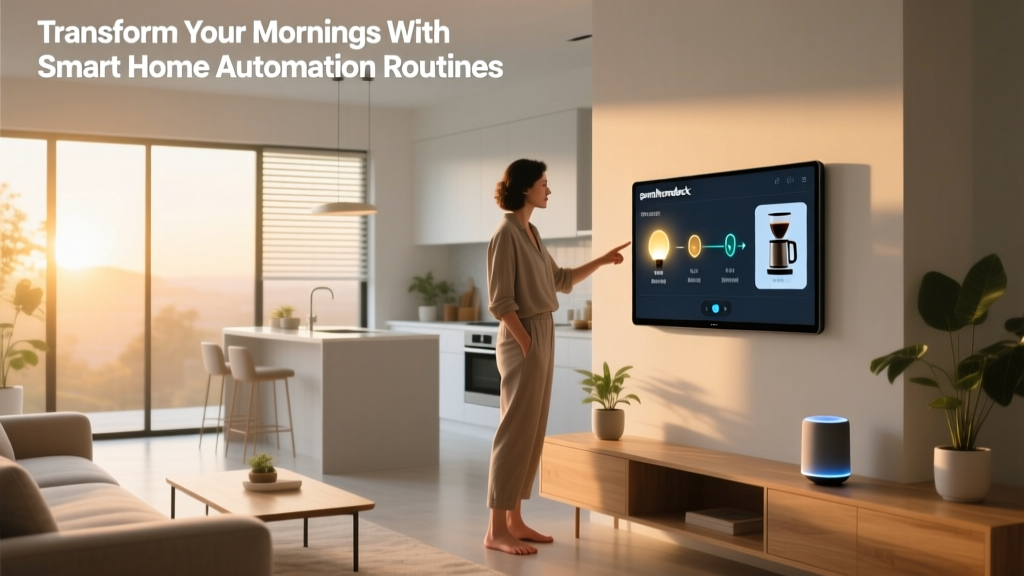
The true power of smart home automation emerges when you combine multiple input types. For instance, a "Good Morning" routine might be triggered by a schedule (7:00 AM on weekdays), confirmed by a motion sensor (detecting you've gotten out of bed), and then execute a cascade of actions: gradually brightening bedroom lights, starting the coffee maker, reading today's weather forecast through a smart speaker, and adjusting the thermostat to your daytime preference.
Hubs, Controllers & the Cloud: The Brain of Your Smart Home
If sensors are the eyes and ears of your smart home, the hub or controller is the brain. This is where inputs are processed, automation rules are evaluated, and commands are dispatched to output devices. Smart home processing can happen in three distinct locations, each with its own trade-offs.
Cloud-Based Processing
Many consumer smart home systems rely on cloud servers to process commands and run automations. When you give a voice command to Alexa or Google Assistant, the audio is typically streamed to cloud servers where powerful processors interpret your speech, determine your intent, and send back the appropriate command. Cloud processing offers several advantages:
- Access to virtually unlimited computing power for complex tasks like speech recognition and machine learning
- Remote access to your smart home from anywhere with an internet connection
- Regular software updates and new feature additions without hardware changes
- Integration with third-party services like weather APIs, calendar apps, and streaming platforms
However, cloud processing introduces latency (the time delay between trigger and action), requires a stable internet connection, and raises privacy concerns since your home data is processed on remote servers.
Local Hub Processing
Dedicated smart home hubs like Samsung SmartThings, Hubitat, and Home Assistant (running on a local server) process automations entirely within your home network. This approach offers significant benefits:
- Speed: Local processing eliminates the round-trip to cloud servers, resulting in near-instant automation execution
- Reliability: Automations continue working even when your internet connection goes down
- Privacy: Your data never leaves your home network
- Advanced Logic: Local hubs often support more complex automation rules, conditional logic, and scripting than cloud-based alternatives
According to CNET's smart home coverage, local processing is becoming increasingly important to consumers who prioritize reliability and privacy in their connected homes.
Hybrid Processing
Most modern smart home ecosystems use a hybrid approach, processing simple automations locally while delegating complex tasks like voice recognition, machine learning, and remote access to the cloud. Apple's HomeKit, for example, processes many automations locally through a HomePod or Apple TV acting as a home hub, while still leveraging cloud services for Siri's more complex voice queries and remote access.
The Role of Smart Home Platforms
Whether cloud-based, local, or hybrid, smart home platforms serve as the central orchestration layer that ties everything together. Major platforms include:
- Amazon Alexa: The most widely adopted voice assistant platform with the largest ecosystem of compatible devices
- Google Home: Deep integration with Google services and superior natural language understanding
- Apple HomeKit: Prioritizes privacy and local processing with tight integration across Apple devices
- Samsung SmartThings: Strong hub-based platform with broad protocol support
- Home Assistant: Open-source platform offering maximum customization and local control for advanced users
Each platform has its own approach to ecosystem management, device compatibility, and automation capabilities. Your choice of platform will significantly influence which devices you can use and how sophisticated your automations can become.
Actuators & Output Devices: Where Digital Commands Become Physical Actions
The final layer of the smart home automation stack is where digital signals transform into tangible actions in your physical environment. Actuators are the components within smart devices that convert electrical signals into physical movement or state changes.
Smart Lighting
Smart bulbs contain wireless radios and LED drivers that receive commands and adjust brightness, color temperature, or full RGB color output. Smart switches replace traditional wall switches and control dumb lights by interrupting or allowing electrical current flow. Smart plugs extend smart control to any device with a physical power switch.
Smart Thermostats & Climate Control
Smart thermostats like those from Ecobee and Nest use actuators to physically control your HVAC system's relay switches, turning heating and cooling equipment on and off. They combine this with sensor data and machine learning algorithms to optimize energy usage. According to the U.S. Department of Energy, properly programmed smart thermostats can save homeowners significant amounts on heating and cooling costs annually.
Smart Locks & Access Control
Smart locks use motorized actuators to physically turn the deadbolt mechanism. They can be triggered by keypad codes, smartphone proximity, fingerprint scanners, facial recognition, or automation rules ("lock all doors at 11 PM"). The actuator must generate enough torque to reliably operate the lock mechanism while remaining energy-efficient enough to run on batteries for months or years.
Motorized Blinds & Curtains
These use small, quiet electric motors to raise, lower, or tilt window coverings based on schedules, light sensor data, or temperature readings. Automated blinds can significantly contribute to energy efficiency by blocking solar heat gain in summer and allowing passive solar heating in winter.
Smart Speakers & Displays
Beyond serving as voice input devices, smart speakers and displays are output devices that play music, read notifications, display camera feeds, show recipe instructions, and provide visual feedback for automation events.
Smart Appliances
From robot vacuums that navigate your home using LIDAR and computer vision to refrigerators that track inventory using internal cameras, smart appliances represent the frontier of output devices. These increasingly incorporate artificial intelligence and machine learning to improve their performance over time.
Putting It All Together: Real-World Automation Examples
Understanding each component is valuable, but seeing how they work together in real-world scenarios brings smart home automation to life. Here are several examples that demonstrate the interplay between sensors, processing, and output devices:
The "Away from Home" Automation
Trigger: Your smartphone's GPS crosses the geofence boundary (input)
Processing: Your hub verifies no other household members are home by checking their phone locations (processing)
Actions: All lights turn off, thermostat switches to eco mode, all doors lock, security cameras activate, robot vacuum begins cleaning, and you receive a confirmation notification (output)
The "Movie Night" Scene
Trigger: You say "Hey Google, it's movie night" (voice input)
Processing: Google Assistant recognizes the scene command and triggers the associated routine (processing)
Actions: Living room lights dim to 10%, blinds close, TV turns on and launches your streaming app, soundbar switches to movie mode, and thermostat adjusts to your preferred movie-watching temperature (output)
The "Sleep Well" Routine
Trigger: Scheduled for 10:30 PM on weekdays (time input)
Processing: Hub checks if motion was detected in the bedroom in the last 10 minutes, confirming you're home and likely going to bed (conditional processing)
Actions: All doors lock, garage door closes, exterior lights activate, interior lights turn off except for a dim hallway nightlight, thermostat adjusts to sleeping temperature, white noise machine turns on, and bedroom fan activates (output)
These examples illustrate how multiple inputs can be combined with conditional logic to create automations that feel intelligent and contextually aware. As CEDIA (Custom Electronic Design & Installation Association) notes, well-designed smart home automations should feel invisible — they should anticipate your needs without requiring conscious interaction.
Security, Privacy & Reliability Considerations
As you build your understanding of how smart home automation works, it's essential to consider the security and privacy implications of connecting dozens of devices to your home network.
Network Security
Every smart device is a potential entry point into your home network. Best practices include:
- Creating a separate VLAN or guest network for IoT devices, isolating them from your personal computers and phones
- Using strong, unique passwords for every device and platform account
- Enabling two-factor authentication (2FA) on all smart home accounts
- Keeping device firmware updated to patch security vulnerabilities
- Disabling unnecessary features like remote access on devices that don't need it
Data Privacy
Smart home devices collect significant amounts of data about your daily routines, occupancy patterns, and personal preferences. When choosing devices and platforms, consider:
- Whether the device processes data locally or in the cloud
- The manufacturer's data retention and sharing policies
- Whether voice recordings are stored and for how long
- Whether you can delete your data and history
Reliability & Redundancy
A smart home should enhance your life, not create new frustrations. To build a reliable system:
- Maintain manual control options for critical functions like lighting and locks
- Choose devices with local processing capabilities to reduce internet dependency
- Invest in a quality mesh Wi-Fi system or dedicated hub to ensure strong wireless coverage
- Start simple and add complexity gradually as you learn your system's capabilities and limitations
Frequently Asked Questions
Do I need a smart home hub, or can I just use Wi-Fi devices?
It depends on the scale and sophistication of your smart home. If you're starting with a few smart plugs, bulbs, and a smart speaker, Wi-Fi devices work well without a hub. However, as you add more devices — especially battery-powered sensors — a hub becomes increasingly valuable. Hubs provide dedicated processing power for automations, support low-power protocols like Zigbee and Z-Wave, and reduce the load on your Wi-Fi network. Many users find that a hybrid approach works best: Wi-Fi for high-bandwidth devices like cameras and a hub for sensors, switches, and lighting.
Will my smart home still work if the internet goes down?
This is one of the most important questions in smart home design, and the answer depends on your system architecture. Cloud-dependent devices — those that require internet connectivity to process commands — will lose functionality during an outage. However, systems with local processing capabilities, such as Home Assistant, Hubitat, or Apple HomeKit with a local hub, can continue running automations without internet access. When building your smart home, prioritize local processing for critical automations like lighting, locks, and security systems. For a deeper dive into building a resilient setup, check out our guide on smart home reliability and troubleshooting.
How many smart devices can my home network handle?
A typical consumer Wi-Fi router can handle approximately 30 to 50 connected devices before performance degrades. However, this number varies significantly based on your router's quality, the bandwidth demands of each device, and how many devices are actively transmitting data simultaneously. If you plan to have 50 or more smart devices, consider upgrading to a mesh Wi-Fi system with higher device capacity, offloading low-bandwidth devices to a dedicated Zigbee or Z-Wave hub, and segmenting your network to reduce congestion.
Is smart home automation expensive to set up?
Smart home automation can be as affordable or as expensive as you want it to be. You can start with a basic setup — a smart speaker, a few smart plugs, and a couple of smart bulbs — for under $150. A mid-range setup with whole-home lighting, a smart thermostat, security sensors, and a hub typically ranges from $500 to $2,000. A comprehensive, professionally installed system with motorized shades, multi-room audio, advanced security, and whole-home automation can cost $5,000 to $50,000 or more. The key is to start small, learn what works for your lifestyle, and expand gradually. Focus on automations that solve real problems in your daily routine rather than adding technology for its own sake.
What is the best smart home platform for beginners?
For most beginners, Amazon Alexa or Google Home are the most accessible starting points due to their broad device compatibility, intuitive apps, and extensive documentation. Alexa offers the largest selection of compatible devices and robust routine-building capabilities. Google Home excels at natural language understanding and integrates seamlessly with Google services like Calendar, Maps, and Nest products. If privacy is your primary concern, Apple HomeKit offers strong local processing and data protection, though with a smaller device ecosystem. For advanced users who want maximum control and customization, Home Assistant is an open-source platform that runs locally and supports virtually every smart home protocol and device. The "best" platform ultimately depends on your priorities: ease of use, device selection, privacy, or customization. Many smart homes successfully use multiple platforms together, especially as the Matter standard continues to improve cross-platform compatibility.
Conclusion
Smart home automation works through an elegant interplay of sensors that perceive your environment, communication protocols that transmit data, processing systems that make decisions, and actuators that execute physical actions. While the technology stack is complex, the fundamental concept is simple: detect a condition, evaluate a rule, and take an action.
By understanding this architecture — from the Zigbee signal traveling from a motion sensor to your hub, to the cloud server interpreting your voice command, to the motorized actuator turning your deadbolt — you're equipped to make informed decisions about which devices to buy, which platform to choose, and how to design automations that genuinely improve your daily life.
The smart home landscape continues to evolve rapidly, with standards like Matter promising greater interoperability and new technologies like on-device AI processing bringing more intelligence to local hubs. But the core principles remain the same: input, process, output. Master these fundamentals, and you'll be well-prepared to build a smart home that's not just connected, but truly intelligent.
Ready to start building your smart home? Explore our beginner's guide to the best smart home devices to find the perfect starting point for your connected home journey.