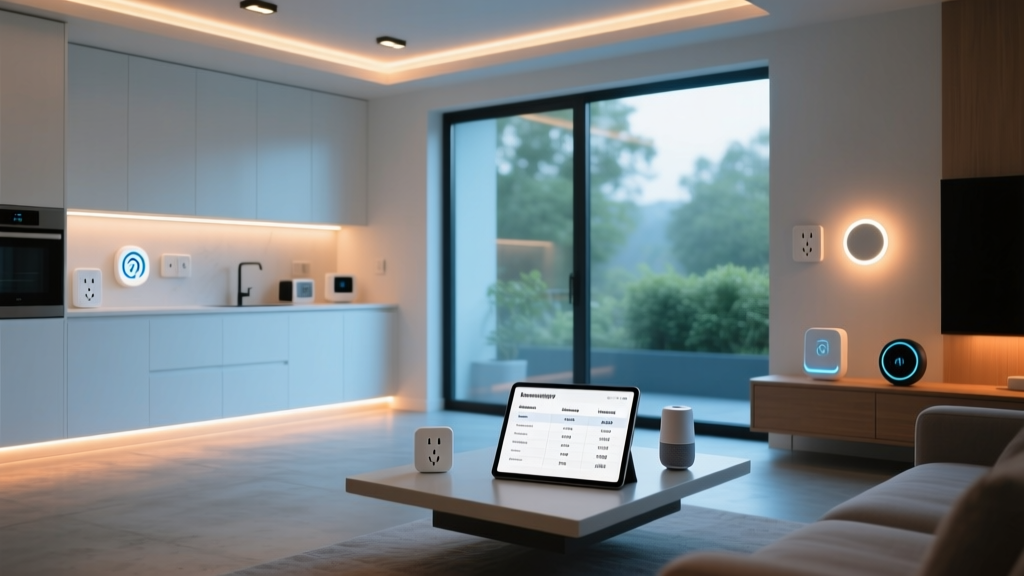
Transforming your living space into a futuristic, automated environment no longer requires a massive budget, technical expertise, or tearing down your walls. A simple smart home setup focuses on high-impact, low-effort devices that seamlessly integrate into your daily life, offering convenience, security, and energy savings from day one. Whether you want to turn off the lights from your bed, ensure your coffee is brewing when you wake up, or monitor your home while on vacation, starting small is the smartest approach to home automation.
In this comprehensive guide, we will walk you through everything you need to know about building a beginner-friendly smart home. From choosing the right ecosystem to selecting your first devices and crafting automated routines, this guide will demystify the process and help you avoid common pitfalls. Let us explore how to build a simple smart home setup that works for you, not the other way around.
Why Start with a Simple Smart Home Setup?
The smart home market is flooded with thousands of gadgets, ranging from intelligent refrigerators to automated pet doors. While these advanced devices are impressive, they can easily overwhelm beginners. Starting with a simple smart home setup offers several distinct advantages that set you up for long-term success.
- Cost-Effective Entry: You do not need to spend thousands of dollars to experience the benefits of automation. A basic setup utilizing smart plugs, bulbs, and a central speaker can be achieved for a fraction of the cost of a fully integrated custom system.
- Reduced Troubleshooting: Fewer devices mean fewer network conflicts and software glitches. By starting small, you can learn how your home network handles IoT (Internet of Things) traffic before scaling up.
- Focus on Actual Needs: A minimalist approach forces you to identify what truly adds value to your life. Instead of buying gadgets for the sake of novelty, you invest in devices that solve specific daily friction points, such as forgetting to turn off the porch light or adjusting the thermostat.
- Scalability: A well-planned simple setup serves as a robust foundation. Once you understand how your devices communicate and automate, you can gradually expand your system room by room.
Choosing Your Smart Home Ecosystem
The most critical decision in your simple smart home setup is choosing a central ecosystem. The ecosystem acts as the brain of your smart home, allowing you to control various devices from a single app or via voice commands. While many devices are cross-compatible, sticking primarily to one ecosystem ensures a smoother, more cohesive experience.
Amazon Alexa
Amazon Alexa remains one of the most popular and accessible ecosystems on the market. With a vast library of compatible third-party devices, Alexa is incredibly versatile. The Echo line of smart speakers serves as excellent central hubs, and the voice recognition software is highly responsive. Alexa is ideal for users who want maximum device compatibility and robust voice control features.
Google Home
If you are heavily invested in Google services like Gmail, Google Calendar, and Android, the Google Home ecosystem is a natural fit. Google Assistant excels at answering complex questions, managing schedules, and understanding natural language context. Google Nest speakers and displays offer fantastic audio quality and serve as beautiful control centers for your home.
Apple HomeKit
For iPhone and Mac users, Apple HomeKit offers unparalleled privacy and a beautifully integrated user experience. While HomeKit historically had a smaller selection of compatible devices compared to Alexa or Google, it prioritizes security and local processing. Control is seamlessly managed through the Apple Home app or Siri, making it the premium choice for those deeply embedded in the Apple ecosystem.
The Matter Standard: A Game Changer
When researching ecosystems, you will inevitably encounter Matter, an industry-wide connectivity standard developed by the Connectivity Standards Alliance. Matter is designed to break down the walls between ecosystems, allowing devices to work seamlessly across Apple, Amazon, and Google platforms simultaneously. When shopping for your simple smart home setup, looking for the Matter logo on packaging ensures your devices will remain compatible and future-proof, regardless of which voice assistant you choose to use.
The Foundation: Network Requirements and Hubs
Before plugging in your first smart bulb, you must ensure your home network is ready to handle the extra traffic. A simple smart home setup can easily introduce a dozen or more new devices to your Wi-Fi network, which can strain older routers.
Most entry-level smart home devices, such as smart plugs and basic Wi-Fi cameras, operate exclusively on the 2.4GHz Wi-Fi band. This frequency offers better range and wall penetration than the faster 5GHz band, making it ideal for IoT devices scattered throughout your home. However, if your router combines both bands under a single network name (SSID), you may experience pairing issues. Learning how to separate your 2.4GHz and 5GHz networks in your router settings is a crucial first step.
For larger homes, consider investing in a mesh Wi-Fi system. Mesh networks use multiple nodes to blanket your home in a strong, consistent signal, ensuring that the smart plug in your farthest bedroom stays connected just as reliably as the smart speaker in your living room. For a deeper dive into optimizing your network, check out our guide on choosing the best mesh Wi-Fi routers for smart homes.
Additionally, some advanced lighting systems and sensors use low-power wireless protocols like Zigbee or Thread. These devices require a dedicated smart hub to communicate with your router. While hubs add a slight layer of complexity, they significantly reduce Wi-Fi congestion and improve the reliability of your automations.
Essential Devices for a Beginner-Friendly Smart Home
To build a highly effective simple smart home setup, focus on devices that offer immediate, noticeable improvements to your daily routine. Here are the core categories every beginner should consider.
Smart Speakers and Displays
A smart speaker is the traditional gateway into home automation. Devices like the Amazon Echo Dot or Google Nest Mini provide hands-free voice control for your entire home. Smart displays, such as the Echo Show or Nest Hub, add a visual element, allowing you to view security camera feeds, follow cooking recipes, or make video calls. Placing a central smart speaker in a high-traffic area like the kitchen or living room provides immediate utility.
Smart Plugs
Smart plugs are arguably the most cost-effective and versatile devices in any simple smart home setup. By plugging a standard appliance into a smart plug, you instantly grant it smart capabilities. You can schedule your coffee maker to turn on at 6:30 AM, ensure your curling iron is turned off after you leave for work, or automate your holiday lights to turn on at dusk. They require zero wiring and can be moved from room to room as your needs change. Explore our curated list of the best smart plugs to find the perfect fit for your outlets.
Smart Lighting
Smart lighting dramatically alters the ambiance and functionality of your home. You have two primary choices: smart bulbs and smart switches. Smart bulbs (like Philips Hue or Sengled) are perfect for lamps and offer features like color-changing capabilities and tunable white light. Smart switches replace your existing wall switches and are better suited for overhead lighting, ensuring the smart functionality remains intact even if someone physically flips the switch on the wall.
Smart Thermostats
Upgrading to a smart thermostat is one of the most impactful changes you can make. According to Energy Star, certified smart thermostats can save homeowners an average of 8% on heating and cooling bills. These devices learn your schedule, utilize geofencing to adjust the temperature when you leave the house, and allow you to manage your home's climate remotely via your smartphone.
Step-by-Step Guide to Setting Up Your First Devices
Once you have selected your ecosystem and purchased your devices, it is time to bring your simple smart home setup to life. Follow these best practices to ensure a smooth installation process.
- Update Firmware First: Before customizing settings or creating routines, ensure every device is running the latest firmware. Manufacturers frequently release updates to patch security vulnerabilities and improve connectivity.
- Use a Logical Naming Convention: When naming your devices in the app, be specific and consistent. Instead of naming a device "Lamp 1," name it "Living Room Corner Lamp." This makes voice commands much more intuitive and prevents the system from turning off the wrong light.
- Group Devices by Room: Create digital rooms within your smart home app. Grouping all living room lights and plugs into a single "Living Room" category allows you to issue blanket commands like, "Turn off the living room," saving you from listing every individual device.
- Test Connectivity: After setup, walk to the farthest corners of the room where the device is installed and test its responsiveness via the app. If there is a noticeable lag or disconnection, you may need to reposition your router or add a Wi-Fi extender.
Crafting Your First Automations and Routines
The true magic of a smart home is not controlling devices with your phone; it is having the devices anticipate your needs. Automations (often called Routines) consist of a "trigger" (the event that starts the action) and an "action" (what the devices do). Here are three essential routines to program in your simple smart home setup.
The "Good Morning" Routine
Trigger: A specific time (e.g., 6:30 AM) or a voice command ("Good morning").
Actions: The smart plug turns on the coffee maker. The bedroom smart bulbs slowly fade up to a warm, energizing white light over 10 minutes. The smart speaker reads aloud your daily calendar events and the local weather forecast.
The "Leaving Home" Routine
Trigger: Geofencing (detecting when your smartphone leaves a designated radius around your house) or a manual voice command.
Actions: All smart lights turn off. The smart thermostat shifts to an eco-friendly "Away" temperature. Smart plugs connected to space heaters or unnecessary electronics are powered down to save energy and reduce fire risks.
The "Movie Night" Routine
Trigger: Voice command ("It's movie time").
Actions: The main overhead lights turn off. The smart LED strip behind the television dims to a soft, cinematic blue. The smart plug connected to the popcorn maker or home theater sound system powers on.
Frequently Asked Questions About Simple Smart Home Setups
Do I need a special router for a simple smart home setup?
You do not necessarily need a specialized "gaming" or enterprise-grade router, but you do need a reliable one. Most standard routers provided by internet service providers can handle 10 to 15 smart home devices without issue. However, if you plan to expand your simple smart home setup to include dozens of devices, security cameras, and smart locks, upgrading to a high-quality mesh Wi-Fi system is highly recommended to prevent network bottlenecks and dropped connections.
Will my smart home devices work if the internet goes down?
This depends heavily on the devices and protocols you use. Most Wi-Fi-based smart plugs and bulbs rely on cloud servers to process voice commands and remote app access; if your internet goes down, you lose remote access and voice control, though physical switches will still work. However, devices that utilize local hubs (like Zigbee or Thread-based lighting systems) or support local processing (like Apple HomeKit) will continue to run their scheduled automations and respond to physical switches even during an internet outage.
How much does a basic smart home setup cost?
A highly functional simple smart home setup can be assembled for a surprisingly low cost. A basic starter kit including one smart speaker, two smart plugs, and a pack of four smart bulbs can often be purchased for under $150. Adding a smart thermostat will increase the initial investment by $100 to $250, but the energy savings can help offset this cost over time. By avoiding expensive, hardwired systems and focusing on plug-and-play devices, you can automate your home on a very reasonable budget.
Are smart home devices secure from hackers?
Like any device connected to the internet, smart home gadgets carry inherent security risks. However, you can drastically minimize these risks by following basic smart home security protocols. Always change the default passwords on your devices and router, enable two-factor authentication (2FA) on your smart home accounts, and ensure your devices are running the latest firmware. According to Consumer Reports, purchasing devices from reputable brands that prioritize regular security updates and data encryption is the best way to protect your digital privacy and keep your home secure.
Conclusion
Building a simple smart home setup is an exciting journey that enhances your daily life through convenience, efficiency, and a touch of modern magic. By starting with a solid ecosystem foundation, ensuring your network is prepared, and selecting high-impact devices like smart plugs, bulbs, and thermostats, you can create a responsive living space without the stress of a complicated installation. Remember that the best smart home is one that works quietly in the background, anticipating your needs and adapting to your lifestyle. Start small, experiment with automations, and gradually expand your system as you become more comfortable with the technology. Your perfect smart home is just a few simple steps away.