Smart Home Basic Service: The Complete Beginner's Guide to Connected Living
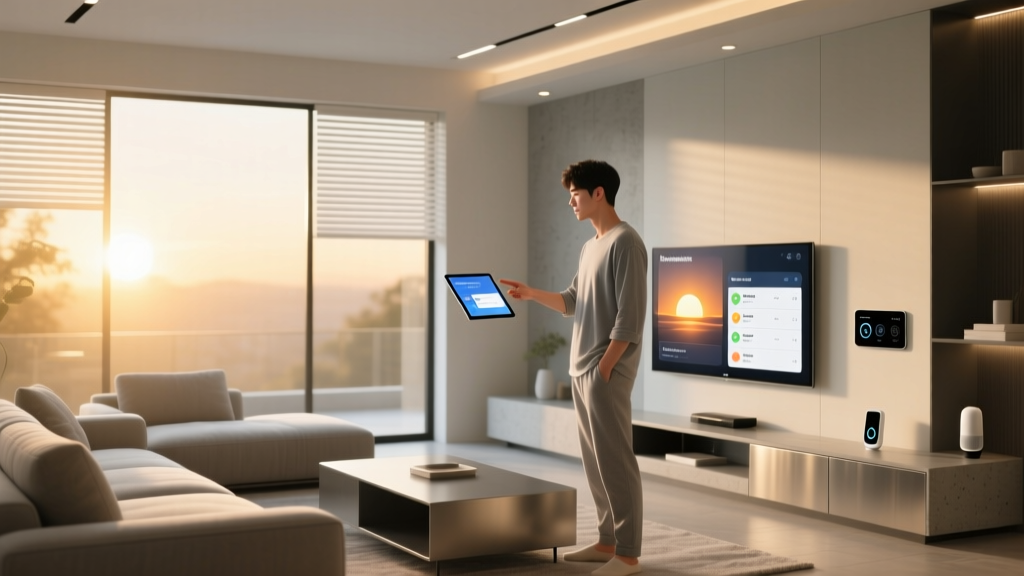
Imagine arriving home after a long day to find your lights already dimmed to a warm glow, your thermostat set to the perfect temperature, and your favorite playlist softly playing through the living room speakers. This isn't a scene from a futuristic movie — it's the everyday reality that a smart home basic service can deliver. Whether you're a curious homeowner dipping your toes into home automation or a renter looking to add convenience without a major renovation, understanding the fundamentals of smart home services is the first step toward a more connected, efficient, and comfortable lifestyle.
The smart home market has grown exponentially, and what was once a luxury reserved for tech enthusiasts and high-end builders is now accessible to virtually everyone. A basic smart home service package typically bundles together essential devices, a central hub or platform, and the software infrastructure that ties everything together into a seamless ecosystem. But with so many options, protocols, and platforms available, knowing where to start can feel overwhelming.
This comprehensive guide breaks down everything you need to know about smart home basic services — from what they include and how they work, to choosing the right platform and avoiding common pitfalls. By the end, you'll have the knowledge and confidence to build or subscribe to a smart home setup that fits your needs, your budget, and your technical comfort level.
What Is a Smart Home Basic Service?
At its core, a smart home basic service refers to the foundational layer of devices, connectivity, and software that enables home automation in a residential setting. It is the entry point into the world of connected living, designed to provide homeowners and renters with essential automation capabilities without the complexity or cost of a fully integrated, professionally installed system.
A typical smart home basic service encompasses three critical components:
- Smart Devices: These are the physical products that perform automated tasks. In a basic service tier, this usually includes smart bulbs or switches, a smart thermostat, smart plugs, a video doorbell or security camera, and a smart speaker or display that serves as a voice-controlled assistant.
- A Central Hub or Platform: This is the "brain" that connects your devices and allows them to communicate with one another and with you. Popular platforms include Amazon Alexa, Google Home, Apple HomeKit, and Samsung SmartThings. Some services provide a dedicated hardware hub, while others rely on cloud-based software or a combination of both.
- Connectivity & Software: The wireless protocols (Wi-Fi, Zigbee, Z-Wave, Thread, or Bluetooth) and companion apps that let you control, monitor, and automate your devices from your smartphone, tablet, or voice commands.
Many internet service providers (ISPs), security companies, and tech retailers now offer bundled smart home basic service packages. These might include a curated selection of devices, professional installation or guided self-setup, a subscription to a monitoring or cloud storage service, and ongoing technical support. The goal is to lower the barrier to entry so that even someone with zero technical background can enjoy the benefits of home automation.
According to Parks Associates, a leading research firm specializing in connected home technology, consumer adoption of smart home devices continues to accelerate as bundled service offerings make setup simpler and more affordable. Their research highlights that consumers who start with a basic service package are significantly more likely to expand their smart home ecosystems over time, adding advanced devices like smart locks, automated blinds, and whole-home audio systems.
Core Components of a Smart Home Basic Service
Understanding the individual pieces that make up a basic smart home service helps you make informed decisions about which products to include and how they'll work together. Let's explore each core component in detail.
Smart Lighting
Smart lighting is often the first category people explore when building a connected home, and for good reason. It's affordable, easy to install, and delivers an immediate "wow" factor. A basic smart lighting setup might include smart bulbs (like Philips Hue or LIFX) that screw into your existing fixtures, or smart switches (like those from Lutron or TP-Link Kasa) that replace your wall switches to make any bulb smart.
With smart lighting as part of your basic service, you can:
- Turn lights on and off remotely via your smartphone
- Set schedules so lights turn on at sunset and off at bedtime
- Adjust brightness and color temperature to match your mood or activity
- Create scenes that activate multiple lights simultaneously with a single command
- Use motion sensors to automatically illuminate hallways or entryways
Smart Thermostats
A smart thermostat is one of the most impactful devices in any basic service package because it directly affects your comfort and your energy bills. Devices like the Google Nest Thermostat, ecobee SmartThermostat, and Amazon Smart Thermostat learn your heating and cooling patterns, adjust temperatures based on occupancy, and can be controlled remotely.
The U.S. Department of Energy has noted that properly programmed thermostats can save households significant percentages on heating and cooling costs annually. Smart thermostats take this further by automating those savings without requiring you to remember to adjust settings manually. According to Energy.gov, heating and cooling account for nearly half of a typical home's energy consumption, making smart climate control one of the most financially rewarding smart home investments you can make.
Smart Security & Monitoring
Security is consistently ranked as one of the top motivations for adopting smart home technology. A basic smart home service typically includes at least one of the following:
- Video Doorbell: Devices like the Ring Video Doorbell or Google Nest Doorbell let you see and speak with visitors at your front door from anywhere, receive motion alerts, and review recorded clips.
- Indoor/Outdoor Cameras: Wi-Fi-connected cameras provide live feeds and motion-triggered recordings, with many offering free or low-cost cloud storage for recent events.
- Smart Locks: While sometimes part of an upgraded tier, basic smart locks from brands like August or Yale allow keyless entry, remote locking and unlocking, and temporary access codes for guests or service providers.
- Sensors: Door/window contact sensors and motion detectors can trigger alerts, activate lights, or start camera recordings when unexpected activity is detected.
Smart Speakers & Voice Assistants
The smart speaker is often the centerpiece of a basic smart home service. Devices like the Amazon Echo, Google Nest Audio, or Apple HomePod serve multiple roles: they're high-quality speakers for music and podcasts, they provide voice-controlled access to your entire smart home ecosystem, and they act as information hubs for weather, news, timers, and reminders.
Voice control is what transforms a collection of individual smart devices into a cohesive, intuitive system. Instead of opening separate apps for your lights, thermostat, and cameras, you simply say, "Hey Google, goodnight," and your basic service executes a routine that locks the doors, turns off the lights, lowers the thermostat, and arms the security system — all in one step.
Smart Plugs & Switches
Smart plugs are the unsung heroes of a basic smart home service. These inexpensive adapters plug into any standard outlet and make "dumb" devices smart. Want to schedule your coffee maker to start brewing at 6:30 AM? Plug it into a smart plug. Want to turn off the living room fan from bed? A smart plug handles it. They're an incredibly cost-effective way to expand your smart home's capabilities without replacing existing appliances.
How Smart Home Basic Services Work: Protocols, Platforms & Connectivity
Behind the convenience of voice commands and automated routines lies a complex web of communication protocols and platform architectures. Understanding these fundamentals helps you choose compatible devices and avoid the frustration of products that won't work together.
Wireless Protocols Explained
Smart home devices communicate using various wireless protocols, each with its own strengths:
- Wi-Fi: The most common protocol, leveraging your existing home network. It offers high bandwidth (great for cameras) but can consume significant power and crowd your network if you have dozens of devices.
- Zigbee: A low-power, mesh-networking protocol used by many sensors, bulbs, and locks. It requires a compatible hub but can support hundreds of devices with minimal network congestion.
- Z-Wave: Similar to Zigbee but operates on a different frequency, reducing interference with Wi-Fi. Widely used in security and home automation devices, particularly in professionally installed systems.
- Thread: A newer, IP-based mesh protocol designed specifically for smart homes. It offers low latency, high reliability, and native compatibility with the emerging Matter standard.
- Bluetooth/BLE: Used for direct, short-range communication between devices and your phone, often for initial setup or proximity-based automation.
The Role of Platforms & Hubs
A smart home platform is the software ecosystem that ties your devices together. The major platforms each have distinct philosophies and compatibility considerations:
- Amazon Alexa: The most broadly compatible platform, supporting tens of thousands of devices from hundreds of brands. Ideal for users who want maximum device choice and don't mind Amazon's data ecosystem.
- Google Home: Deeply integrated with Google services (Calendar, Maps, YouTube), with excellent voice recognition and natural language processing. A natural fit for Android users and those already invested in Google's ecosystem.
- Apple HomeKit: Prioritizes privacy and security with strict device certification requirements. Best for iPhone and iPad users who value a polished, secure experience, though with a smaller compatible device library.
- Samsung SmartThings: A versatile, hub-based platform that supports Zigbee, Z-Wave, and Wi-Fi devices. Popular among enthusiasts who want deep customization and local processing capabilities.
Many smart home basic service packages are built around one of these platforms, so choosing a service often means choosing a platform. Consider which ecosystem you're already invested in, which devices you want to use, and how much you value privacy versus feature breadth.
The Matter Standard: A Game Changer for Compatibility
One of the most significant developments in the smart home industry is the Matter standard, developed by the Connectivity Standards Alliance (CSA). Matter creates a universal communication layer that allows devices from different manufacturers and platforms to work together seamlessly. According to the Connectivity Standards Alliance, Matter is supported by Apple, Google, Amazon, Samsung, and hundreds of device manufacturers, making it the most broadly backed smart home standard in history.
For consumers exploring smart home basic services, Matter means greater flexibility. You're no longer locked into a single platform's compatible device list. A Matter-certified smart bulb will work with Alexa, Google Home, and HomeKit simultaneously, giving you the freedom to switch platforms or mix and match as your needs evolve.
Choosing the Right Smart Home Basic Service for Your Needs
Not all smart home basic services are created equal. The right choice depends on your living situation, technical comfort level, budget, and what you hope to achieve with home automation. Here's a framework to guide your decision.
Assess Your Goals
Before browsing products or packages, clarify what you want your smart home to do. Common goals include:
- Convenience: Automating repetitive tasks like adjusting lights, playing music, or starting the coffee maker.
- Energy Efficiency: Reducing utility bills through intelligent climate control and lighting schedules.
- Security & Peace of Mind: Monitoring your home remotely, receiving alerts about unusual activity, and controlling access.
- Accessibility: Making home controls easier for elderly family members or individuals with mobility challenges through voice commands and automation.
- Entertainment: Creating immersive experiences with synchronized lighting, audio, and video.
Your primary goals will determine which devices and features should be prioritized in your basic service package.
Consider Your Living Situation
Renters and homeowners face different constraints. If you rent, you'll want devices that don't require permanent installation — smart bulbs instead of hardwired switches, plug-in cameras instead of wired systems, and smart plugs instead of in-wall dimmers. Homeowners have more flexibility to install smart switches, wired cameras, smart thermostats (which require access to HVAC wiring), and built-in smart locks.
Apartment dwellers should also consider whether their building's Wi-Fi infrastructure can support multiple smart devices, or whether a dedicated hub with its own mesh network (like Zigbee or Z-Wave) would be more reliable.
Evaluate Total Cost of Ownership
The upfront cost of devices is only part of the equation. Consider these additional factors:
- Subscription Fees: Many security cameras and monitoring services require monthly or annual subscriptions for cloud storage, professional monitoring, or advanced features. These can range from a few dollars per month to $30 or more for comprehensive packages.
- Energy Costs: While smart thermostats and lighting typically save energy, always-on devices like hubs, cameras, and speakers add to your electricity usage. Most consume very little power individually, but the cumulative effect of dozens of devices is worth considering.
- Replacement & Upgrades: Smart home technology evolves rapidly. Budget-friendly devices may need replacement sooner, while premium products often receive longer software support and firmware updates.
- Installation Costs: Some basic services include professional installation, while others are strictly DIY. If you're not comfortable with electrical work (for smart switches or thermostats), factor in the cost of hiring an electrician.
DIY vs. Professional Installation
One of the biggest decisions when selecting a smart home basic service is whether to go the DIY route or opt for professional installation. DIY setups offer maximum flexibility, lower costs, and the satisfaction of building your system yourself. Most modern devices are designed for easy self-installation, with companion apps that walk you through each step.
Professional installation, offered by companies like ADT, Vivint, or local smart home integrators, provides a turnkey experience. A technician visits your home, assesses your needs, installs and configures all devices, and provides a tutorial on using the system. This is ideal for those who want a hands-off experience or have complex homes with challenging layouts, older wiring, or multiple HVAC zones.
For a deeper look at building your ideal setup, explore our guide on smart home essentials to see which devices deliver the most value for beginners.
Setting Up Your Smart Home Basic Service: A Step-by-Step Overview
Once you've selected your service or devices, the setup process generally follows a predictable pattern. Here's what to expect.
Step 1: Prepare Your Network
A robust Wi-Fi network is the backbone of any smart home. Before adding devices, ensure your router can handle the additional load. For homes with more than 15-20 connected devices, consider upgrading to a mesh Wi-Fi system that provides consistent coverage throughout your home. Place your router or primary mesh node in a central location, and ensure your network uses WPA2 or WPA3 encryption for security.
Pro tip: Many smart home enthusiasts create a separate "guest" or IoT network specifically for their smart devices. This isolates them from your personal devices (laptops, phones) and adds an extra layer of security against potential vulnerabilities.
Step 2: Set Up Your Hub or Platform
If your basic service includes a dedicated hub (like a SmartThings Station, Amazon Echo with built-in Zigbee, or Apple HomePod), set it up first. Download the companion app, create your account, and follow the on-screen instructions to connect the hub to your Wi-Fi network and link it to your chosen platform.
If you're using a speaker-based hub (like an Echo Dot or Nest Mini), this step doubles as setting up your voice assistant. Take a few minutes to configure your voice profile, set your home address, and link any relevant services (calendar, music streaming, etc.).
Step 3: Add Devices One at a Time
Resist the temptation to unbox everything at once. Add devices one at a time, testing each before moving to the next. This makes troubleshooting far easier if something doesn't connect properly. For each device:
- Download the manufacturer's app and create an account if needed
- Power on the device and put it into pairing mode (usually indicated by a blinking light)
- Use the app to connect the device to your Wi-Fi network or hub
- Assign the device to a room and give it a clear, descriptive name (e.g., "Living Room Lamp" instead of "Device 001")
- Test all functions — on/off, dimming, scheduling, voice control
- Link the device to your primary platform (Alexa, Google Home, or HomeKit) for unified control
Step 4: Create Routines & Automations
This is where the magic happens. Routines (or automations) let you trigger multiple actions from a single command or condition. Start with simple, high-impact routines:
- "Good Morning": Lights gradually brighten, thermostat adjusts to daytime temperature, coffee maker starts (via smart plug), and your morning news briefing plays.
- "Goodnight": All lights turn off, doors lock, thermostat drops to sleeping temperature, and cameras arm.
- "Away": Lights turn off, thermostat enters eco mode, cameras activate, and random light schedules simulate occupancy.
- Motion-Triggered: When the hallway motion sensor detects movement after 10 PM, the hallway light turns on at 10% brightness for safe navigation without waking others.
Most platforms offer a visual routine builder within their apps, making this process accessible even to those without programming experience. For more advanced automation ideas, check out our article on smart home automation to take your routines to the next level.
Step 5: Secure Your Smart Home
Security shouldn't be an afterthought. Protect your smart home with these essential practices:
- Use strong, unique passwords for every smart home account and enable two-factor authentication (2FA) wherever available
- Keep your router's firmware and all device firmware up to date — enable automatic updates when possible
- Review and minimize the permissions each app requests; not every smart bulb needs access to your location or contacts
- Disable remote access features you don't use, such as UPnP or port forwarding on your router
- Regularly review which devices are connected to your network and remove any you no longer use
Benefits & Limitations of Smart Home Basic Services
Like any technology investment, smart home basic services come with clear advantages and some trade-offs. Understanding both sides helps you set realistic expectations and maximize the value you get from your system.
The Benefits
- Convenience & Comfort: Automating everyday tasks frees up mental bandwidth and makes your home more responsive to your lifestyle. Voice control means you never have to get up to adjust a light or check who's at the door.
- Energy Savings: Smart thermostats, lighting schedules, and occupancy-based automation can meaningfully reduce energy consumption. Many users report noticeable decreases in their utility bills within the first few months.
- Enhanced Security: Remote monitoring, instant alerts, and the ability to grant or revoke access remotely provide a level of home security that was previously only available through expensive professional monitoring contracts.
- Accessibility: Voice-controlled smart home systems can be transformative for individuals with mobility limitations, visual impairments, or other disabilities, enabling independent control of their environment.
- Property Value: A well-configured smart home system can be an attractive feature for potential buyers, particularly when devices are hardwired and professionally installed.
- Scalability: Starting with a basic service gives you a foundation to build on. As your needs evolve, you can add devices incrementally without overhauling your entire system.
The Limitations
- Internet Dependency: Most smart home systems require an active internet connection for remote access and cloud-based features. If your internet goes down, some automations may not function, though local-control hubs can mitigate this.
- Privacy Concerns: Smart devices collect data about your habits, schedules, and preferences. While reputable companies implement strong privacy protections, it's important to understand what data is collected and how it's used.
- Compatibility Challenges: Despite improvements like Matter, the smart home landscape still has compatibility gaps. Not every device works with every platform, and some features are only available within a manufacturer's own app.
- Learning Curve: While basic services are designed for simplicity, there's still a learning period as you familiarize yourself with apps, voice commands, and automation logic. Household members who are less tech-savvy may need time to adapt.
- Maintenance: Smart devices occasionally require firmware updates, Wi-Fi reconnection, or battery replacements. While usually straightforward, this ongoing maintenance is something traditional home devices don't require.
If you're interested in comparing different service tiers and understanding what you get at each level, our breakdown of smart home packages covers everything from entry-level to premium setups.
Frequently Asked Questions
How much does a smart home basic service typically cost?
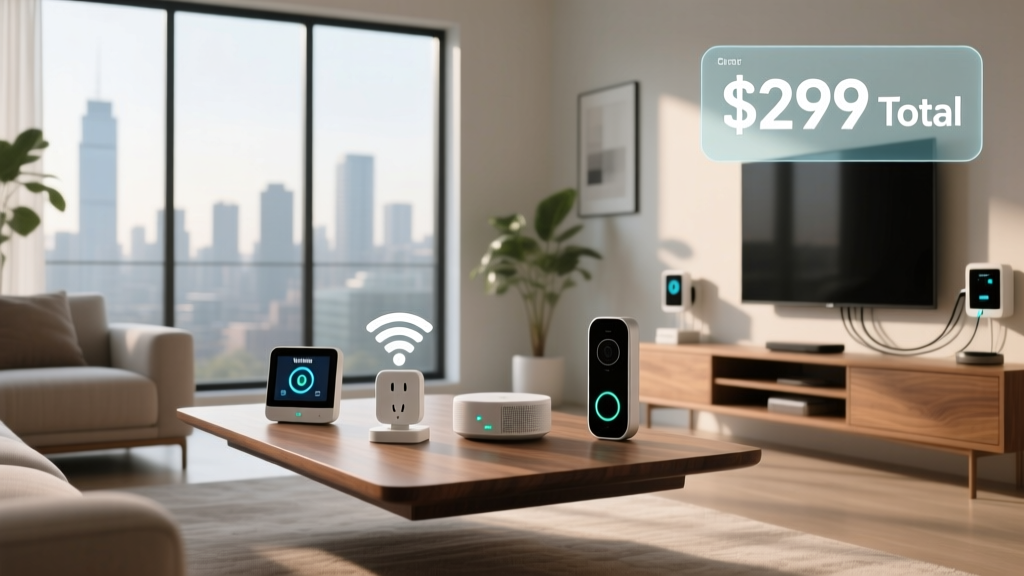
The cost of a smart home basic service varies widely depending on whether you build your own system or subscribe to a bundled package. A DIY setup with a smart speaker, a few smart bulbs, a smart plug, and a video doorbell can be assembled for $150 to $300. Bundled services from providers like ADT, Vivint, or your local ISP typically range from $10 to $30 per month, often with an equipment package included or financed over a contract term. Premium packages with professional installation and monitoring can cost $40 to $60 or more per month. The key is to start with what you need and expand gradually rather than investing in a comprehensive system upfront.
Do I need a strong internet connection for a smart home basic service?
Yes, a reliable internet connection is important for most smart home services. While some devices can operate locally (especially those using Zigbee or Z-Wave with a local hub), features like remote access, cloud-based voice assistants, camera streaming, and firmware updates all require internet connectivity. A broadband connection with at least 25 Mbps download speed is generally sufficient for a basic smart home with 10 to 20 devices. If you plan to add multiple security cameras that stream in HD, you'll want higher upload speeds — at least 5 to 10 Mbps of upload bandwidth. For homes with poor Wi-Fi coverage, a mesh Wi-Fi system is a worthwhile investment to ensure every device maintains a stable connection.
Can I use a smart home basic service in a rental apartment?
Absolutely. Many smart home devices are designed to be renter-friendly, requiring no permanent modifications to your living space. Smart bulbs screw into existing fixtures, smart plugs use standard outlets, and most indoor cameras simply sit on a shelf or mount with removable adhesive strips. Smart speakers and displays are entirely portable. Even some smart thermostats can be installed and then removed when you move, taking the device with you. The key considerations for renters are avoiding devices that require hardwiring (like some smart switches or wired cameras), checking your lease for any restrictions on modifications, and ensuring your Wi-Fi network is robust enough to support your devices. When you move, you simply unplug everything and take it with you.
Is a smart home basic service secure from hackers?
Smart home security is a valid concern, but the risk can be managed effectively with good practices. Reputable manufacturers encrypt communications between devices and their cloud servers, release regular firmware updates to patch vulnerabilities, and offer two-factor authentication for user accounts. The most common security weaknesses come from user behavior rather than device flaws — using weak or reused passwords, failing to enable 2FA, running outdated router firmware, or connecting devices to unsecured Wi-Fi networks. By following basic cybersecurity hygiene (strong unique passwords, 2FA, regular updates, and network segmentation), you can make your smart home extremely difficult to compromise. Additionally, choosing devices from established brands with a track record of security support is far safer than purchasing unbranded devices from unknown manufacturers that may never receive security updates.
What happens to my smart home if the internet goes out?
The impact of an internet outage depends on how your system is configured. Cloud-dependent devices — like cameras that record to the cloud, voice assistants that process commands remotely, and devices controlled exclusively through a manufacturer's cloud app — will lose remote functionality during an outage. However, many devices continue to operate based on their last-known settings: your thermostat maintains its schedule, your smart bulbs stay in their current state, and locally stored automations on a hub continue to run. Systems built around a local hub (like SmartThings, Hubitat, or Home Assistant) are more resilient because they process automations on-device rather than in the cloud. If internet reliability is a concern in your area, prioritize devices and platforms that support local control, and consider a UPS (uninterruptible power supply) for your router and hub to maintain connectivity during brief power fluctuations.
Final Thoughts: Starting Your Smart Home Journey
A smart home basic service is your gateway to a more convenient, efficient, and secure living environment. By starting with the essentials — smart lighting, a connected thermostat, basic security devices, and a voice-controlled hub — you can experience the benefits of home automation without overwhelming complexity or expense.
The most successful smart home setups are built gradually, with each new device solving a real problem or adding genuine convenience. Resist the urge to automate everything at once. Instead, live with your basic service for a few weeks, observe your daily routines, and identify the friction points that automation could smooth away. Maybe you always forget to turn off the garage light — a smart switch and a schedule solve that. Maybe you want to check on your pets during the workday — an indoor camera gives you that peace of mind.
The smart home is not about replacing human interaction with technology; it's about removing small annoyances so you can focus on what truly matters. Whether you choose a curated service package from a provider or hand-pick your own devices, the important thing is to start. The connected home of your imagination is more accessible than ever, and a basic smart home service is the perfect first step.
Ready to explore specific products and setups? Browse our complete learning center for in-depth guides on every aspect of smart home technology, from choosing the right devices to advanced automation strategies.