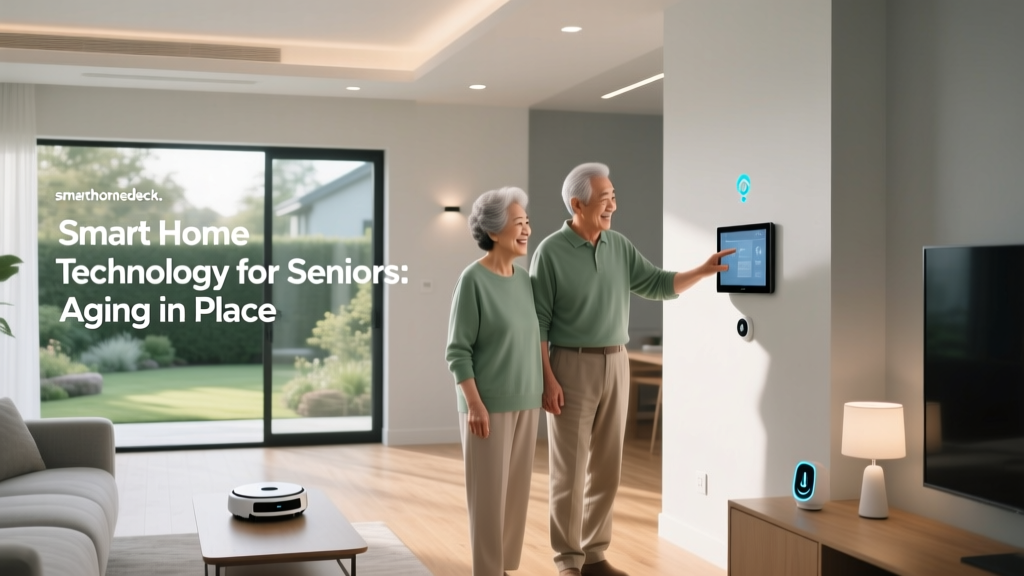
Stepping into the world of home automation can feel like learning an entirely new language. Between the endless acronyms, competing voice assistants, and a seemingly infinite array of connected gadgets, it is completely normal to feel overwhelmed. However, the fundamental goal of a smart home is actually quite simple: to make your daily life more convenient, efficient, and secure. Whether you want your lights to turn on automatically when you arrive home, or you simply want to check your front door camera from your office, understanding the foundational concepts is the first step toward building a seamless automated ecosystem.
At Smart Home Deck, we believe that technology should work for you, not the other way around. This comprehensive guide will walk you through the essential smart home basics, breaking down complex technologies into easy-to-understand concepts. By the end of this article, you will know exactly how to choose the right devices, understand the invisible networks that connect them, and secure your digital home against potential threats. If you are ready to transform your living space, our learning center is the perfect place to start your journey.
What Exactly is a Smart Home?
At its core, a smart home is a residence equipped with a network of internet-connected devices that can be monitored, controlled, and automated remotely. This concept falls under the broader umbrella of the Internet of Things (IoT), which refers to the billions of physical devices around the world that are now connected to the internet, all collecting and sharing data. In a traditional home, you must physically interact with your environment—flipping a light switch, turning a thermostat dial, or locking a deadbolt. In a smart home, these manual tasks are replaced by digital commands, automated schedules, and intelligent triggers.
It is important to distinguish between a 'connected' home and a 'smart' home. A connected home simply allows you to control devices remotely via a smartphone app. For example, using an app to turn on your living room lamp from the couch makes the lamp connected. A truly smart home, however, takes automation a step further. It uses sensors, routines, and artificial intelligence to anticipate your needs. If your smart home knows you usually read in the living room at 8:00 PM, it can automatically adjust the lighting and temperature to your preferred settings without you ever lifting a finger.
The beauty of modern home automation lies in its modularity. You do not need to wire your entire house or spend thousands of dollars to get started. The ecosystem is designed to be scalable, allowing you to begin with a single smart plug or a voice assistant, and gradually expand your setup as you become more comfortable with the technology. This flexibility is what has driven the massive global adoption of IoT devices, shifting them from niche luxury items to everyday household staples.
The Core Components of Home Automation
To build a reliable automated environment, you need to understand the four main pillars that make up any smart home ecosystem. Think of these components as the brain, the nervous system, the muscles, and the voice of your home. When these elements work in harmony, the result is a frictionless living experience.
- The Brain (Hubs and Controllers): The hub is the central command center that bridges the gap between your devices and your home network. While many modern devices connect directly to Wi-Fi, a dedicated hub is often necessary to manage devices that use specialized low-power protocols. If you are unsure which central controller is right for your setup, exploring our smart hub reviews can help you find the perfect brain for your home.
- The Nervous System (Sensors): Sensors provide your home with awareness. Motion detectors, contact sensors for doors and windows, temperature monitors, and leak detectors feed real-time data back to the hub. This data acts as the trigger for your automated routines. For instance, a motion sensor detecting activity in the hallway can signal the hub to turn on the lights.
- The Muscles (Actuators and Devices): These are the devices that physically alter your environment based on the commands they receive. Smart bulbs, motorized blinds, smart locks, and automated valves fall into this category. They execute the actions that make your home feel magical.
- The Interface (Apps and Voice Assistants): This is how you communicate with your home. Smartphone applications provide deep control over settings, schedules, and firmware updates. Meanwhile, voice assistants like Amazon Alexa, Google Assistant, and Apple Siri offer hands-free, instantaneous control, making it incredibly easy to manage your environment while cooking, working, or relaxing.
Understanding Smart Home Protocols & Connectivity
One of the most confusing aspects for beginners is understanding how devices actually talk to one another. Just like humans use different languages, smart devices use different wireless communication protocols. Choosing the right protocol is crucial for ensuring your devices respond quickly and reliably without draining their batteries or clogging up your home Wi-Fi network.
Wi-Fi is the most common protocol, primarily used for high-bandwidth devices like security cameras, smart displays, and thermostats. While it offers excellent range and direct internet access, Wi-Fi consumes a lot of power, making it unsuitable for small, battery-operated sensors. Furthermore, connecting dozens of smart devices directly to your standard Wi-Fi router can cause network congestion, leading to dropped connections and slow internet speeds for your laptops and phones.
Zigbee and Z-Wave were developed specifically to solve the limitations of Wi-Fi in home automation. Both are low-power, mesh-networking protocols. In a mesh network, every plugged-in device acts as a repeater, bouncing the signal from one device to the next until it reaches the hub. This creates a highly reliable web of connectivity that easily penetrates thick walls and reaches the far corners of your property. Because they use very little energy, a Zigbee or Z-Wave door sensor can run on a single coin-cell battery for several years.
Thread and Matter: The industry has recently unified around a new standard to solve the problem of brand fragmentation. Matter is an application layer that ensures devices from different manufacturers work together seamlessly, regardless of whether you use Apple, Amazon, or Google ecosystems. Matter runs over Thread (a low-power mesh network similar to Zigbee) and Wi-Fi. The Connectivity Standards Alliance developed this protocol to guarantee that if a device bears the Matter logo, it will work natively with your chosen smart home platform.
Essential Smart Devices to Start Your Journey
When you are ready to make your first purchases, it is best to start with high-impact, low-complexity devices. These entry-level products offer immediate benefits and require minimal technical expertise to install and configure.
Smart Lighting: Lighting is the most popular entry point into home automation. You can choose between smart bulbs, which offer millions of color options and dimming capabilities, or smart switches, which make your existing 'dumb' fixtures smart. Smart lighting allows you to create cinematic scenes, schedule lights to mimic your presence while you are on vacation, and gently wake up in the morning with simulated sunlight. For a deeper dive into illuminating your space, check out our comprehensive smart lighting guide.
Smart Thermostats: Heating and cooling account for the majority of a household's energy consumption. A smart thermostat learns your schedule and adjusts the temperature automatically, ensuring you are never paying to heat or cool an empty house. Many models also provide detailed energy usage reports, helping you reduce your carbon footprint and lower your utility bills. You can compare the top-rated models in our thermostat reviews.
Smart Plugs: If you want to automate a device that already has a physical power button—like a coffee maker, a desk lamp, or a box fan—a smart plug is the most cost-effective solution. You simply plug the smart adapter into the wall, plug your appliance into the adapter, and instantly gain app and voice control over the device's power supply.
Smart Security: Peace of mind is a major driver for home automation. Video doorbells allow you to see and speak to delivery drivers from anywhere in the world, while smart locks let you grant temporary digital keys to dog walkers or guests without hiding a physical key under the mat. Explore our smart security camera reviews to find the best eyes and ears for your property.
Privacy, Security, & Best Practices
As your home becomes more connected, your digital attack surface expands. Securing your smart home is not just about protecting your data; it is about ensuring the physical safety of your living space. The Federal Trade Commission (FTC) frequently advises consumers to take proactive steps in securing their connected devices against unauthorized access.
The first and most critical step is to secure your home network. Your router is the front door to your digital life. Ensure you are using WPA3 or WPA2 encryption, and change the default administrator password immediately. For an added layer of security, many modern routers allow you to create a 'Guest Network' or an IoT-specific VLAN (Virtual Local Network). By placing all your smart home devices on a separate network from your personal computers and smartphones, you prevent a compromised smart bulb from being used as a backdoor to access your sensitive financial data.
Furthermore, the National Institute of Standards and Technology (NIST) emphasizes the importance of regular firmware updates. Manufacturers frequently release patches to fix newly discovered vulnerabilities. Enable automatic updates whenever possible, and periodically check your device apps to ensure everything is running the latest software. Finally, always enable Two-Factor Authentication (2FA) on your smart home accounts. This ensures that even if a hacker manages to guess your password, they cannot access your cameras or smart locks without the secondary verification code sent to your phone.
Frequently Asked Questions
Is a smart home expensive to set up?
Not necessarily. One of the biggest misconceptions about home automation is that it requires a massive upfront investment. While a fully integrated, professionally installed system can cost thousands of dollars, the DIY smart home market is incredibly affordable. You can start automating your home for under fifty dollars by purchasing a smart speaker and a couple of smart plugs. From there, you can gradually add devices as your budget allows, spreading the cost out over months or even years.
Do I need a smart hub to get started?
It depends on the devices you choose. If you stick to Wi-Fi-enabled devices and use a smart speaker as your primary controller, you do not need a dedicated hub. However, if you want to use low-power mesh devices like Zigbee sensors, or if you want your automations to run locally so they continue working when your internet goes down, a dedicated smart hub is highly recommended. Hubs provide a much more stable and responsive experience for complex automations.
Will my smart devices work if the internet goes down?
This is a common concern, and the answer varies based on your setup. Cloud-dependent devices, like most Wi-Fi cameras and basic smart plugs, will lose their remote access and advanced features if your internet connection drops. However, devices connected to a local hub using protocols like Zigbee, Z-Wave, or Matter over Thread will continue to function locally. Your physical switches will still work, and your local automations—like a motion sensor triggering a light—will execute normally, even without an active internet connection.
How do I choose the right voice assistant?
Choosing a voice assistant usually comes down to your existing tech ecosystem and personal preferences. Amazon Alexa boasts the largest library of compatible third-party devices and advanced routine capabilities. Google Assistant excels at natural language processing and seamlessly integrates with Google services like Calendar and Maps. Apple Siri, via HomeKit, is the best choice for users deeply invested in the Apple ecosystem who prioritize strict privacy and local processing. Pick one primary ecosystem and stick to it to avoid the frustration of managing multiple conflicting apps.
Can I mix and match different smart home brands?
Historically, mixing brands was a major headache, often requiring third-party workaround software to make devices communicate. Today, thanks to the Matter standard and robust hub ecosystems, mixing brands is easier than ever. As long as the devices support the same protocol or are certified under the Matter umbrella, they can coexist in the same app and interact in the same automations. Always check the compatibility logos on the packaging before purchasing to ensure the device will integrate smoothly with your chosen platform.