The Rise of Aging in Place with Smart Technology
The concept of "aging in place" has become a cornerstone of modern eldercare and accessibility planning. According to the National Institute on Aging, aging in place refers to the ability to live in one's own home and community safely, independently, and comfortably, regardless of age, income, or ability level. For decades, achieving this required extensive physical home modifications, such as installing grab bars, wheelchair ramps, and stairlifts. Today, the smart home revolution has introduced a digital layer of accessibility that is often less invasive, highly customizable, and profoundly effective.
Smart home technology for seniors is not about replacing human care; it is about augmenting independence, providing peace of mind to family caregivers, and creating a responsive environment that adapts to the user's physical and cognitive needs. From voice-activated lighting that prevents midnight falls to automated medication reminders and remote health monitoring, the Internet of Things (IoT) offers unprecedented tools for accessible living.
Choosing the Right Smart Home Ecosystem
Before purchasing individual devices, it is crucial to select a central smart home ecosystem. The ecosystem acts as the "brain" of the home, allowing different devices to communicate and be controlled via a single interface or voice assistant. For seniors and individuals with mobility or visual impairments, voice control is often the most critical accessibility feature.
Amazon Alexa (Echo Devices)
Amazon's ecosystem is widely considered the most robust for senior care, primarily due to a feature called Alexa Care Hub. This free service allows seniors to designate a family member or caregiver as a "helper." If the senior says, "Alexa, call for help," the system automatically alerts the caregiver via a push notification and phone call. Alexa also supports "Drop In," an intercom feature that allows caregivers to instantly check in via an Echo Show smart display, provided the senior has granted permission.
Apple HomeKit (HomePod)
For seniors already entrenched in the Apple ecosystem (using iPhones or iPads), HomeKit offers unparalleled ease of use and strict privacy standards. Apple's accessibility features, such as VoiceOver and Switch Control, integrate seamlessly with HomeKit. Furthermore, the Apple Watch's built-in Fall Detection and Crash Detection can trigger HomeKit automations, like turning on all the lights and unlocking the front door if a severe fall is detected in the home.
Google Home (Nest)
Google Home excels in natural language processing, making it highly forgiving for seniors who may struggle to remember exact voice commands. If a user says, "Turn on the kitchen lights" or "Make the kitchen bright," Google Assistant understands the intent. Google Nest Hub displays also feature "Quick Phrases," allowing users to control devices without saying the "Hey Google" wake word, reducing the cognitive load required to operate the system.
Essential Smart Devices for Senior Safety and Comfort
When outfitting a home for accessibility, focus on devices that solve specific pain points: fall prevention, security, climate regulation, and cognitive support.
1. Smart Lighting and Fall Prevention
The World Health Organization notes that falls are a leading cause of fatal and non-fatal injuries among older adults. Poor lighting, especially during nighttime bathroom trips, is a major hazard. Smart lighting eliminates the need to fumble for switches in the dark.
- Philips Hue Motion Sensors & Bulbs: By placing motion sensors in hallways and bathrooms, lights can automatically fade up to 20% brightness when movement is detected at night. This provides safe navigation without disrupting the senior's circadian rhythm with harsh, bright light. Cost: $40-$60 per bulb, $40 per sensor.
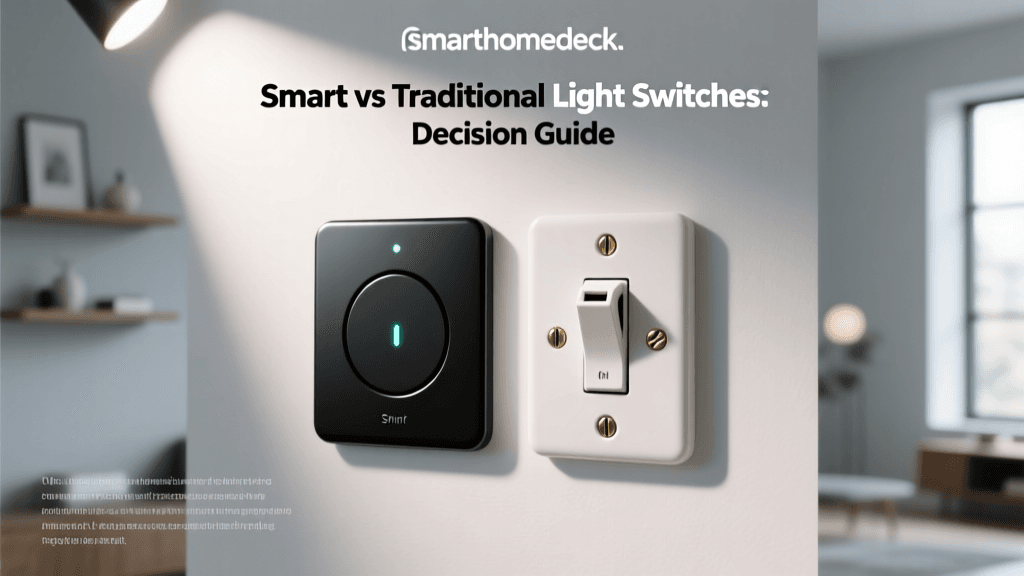
- Lutron Caseta Smart Switches: For seniors who prefer physical controls or have guests who don't use voice commands, Lutron Caseta replaces standard wall switches. They feature large, easy-to-press buttons and can be controlled via voice, app, or remote. Cost: $50-$60 per switch.
2. Smart Locks and Video Doorbells
Security and access management are vital, especially for seniors with early-stage dementia who may wander, or those with limited mobility who struggle to reach the door.
- Schlage Encode Plus Smart Deadbolt: This lock integrates with Apple Home Key, allowing seniors to tap their iPhone or Apple Watch to unlock the door, similar to using Apple Pay. It also features auto-lock capabilities, ensuring the door is never accidentally left unlocked. Cost: $250-$300.
- Ring Video Doorbell (Wired or Battery): Paired with an Echo Show or smart TV, seniors can see who is at the door without getting up. This is crucial for preventing scams or unauthorized entry by strangers posing as utility workers. Cost: $100-$200.
3. Smart Thermostats and Climate Control
Older adults are more susceptible to temperature-related health issues, such as hypothermia or heat exhaustion, due to a decreased ability to regulate body temperature and a diminished sensitivity to thermal changes.
- Ecobee SmartThermostat Premium: This device includes built-in room sensors that detect occupancy and temperature. If a senior spends most of their day in the living room, the Ecobee ensures that specific room is comfortable, rather than relying on a hallway sensor. Caregivers can also monitor the home's temperature remotely via the app to ensure the HVAC system hasn't failed. Cost: $200-$250.
4. Environmental and Safety Sensors
Discreet sensors can alert caregivers to potential hazards before they become emergencies.
- Nest Protect (Smoke & CO Alarm): Unlike traditional alarms that emit a deafening, confusing siren, Nest Protect uses a human voice to state the exact location and type of danger (e.g., "There is smoke in the kitchen"). It also sends immediate alerts to a caregiver's smartphone. Cost: $120 per unit.
- Aqara Water Leak Sensors: Placed under sinks or near the water heater, these $25 sensors can detect leaks early, preventing catastrophic water damage and dangerous slip hazards.
Device Comparison and Cost Breakdown
The following table summarizes the most impactful smart home categories for aging in place, providing a quick reference for budgeting and feature prioritization.
| Device Category | Top Recommendation | Estimated Cost | Primary Accessibility Benefit |
|---|---|---|---|
| Smart Lighting | Philips Hue Motion & Bulbs | $100 - $150 (per room) | Automated nightlights to prevent falls |
| Smart Lock | Schlage Encode Plus | $250 - $300 | Auto-lock for memory care; NFC tap entry |
| Video Doorbell | Ring Video Doorbell Pro 2 | $150 - $200 | Visual verification without walking to the door |
| Smart Thermostat | Ecobee SmartThermostat | $200 - $250 | Remote caregiver monitoring; room-specific comfort |
| Smart Display | Amazon Echo Show 8 | $100 - $130 | Visual cues for hearing impaired; easy video calls |
Visualizing Caregiver Priorities in Smart Home Tech
When designing a smart home for a senior, caregivers often have to prioritize which devices to install first based on immediate safety needs versus long-term comfort. The chart below illustrates the relative importance caregivers place on various smart home benefits when setting up a home for an aging relative.
Bar chart showing caregiver priorities for senior smart home tech based on safety and daily living needs.
Smart Routines for Cognitive and Memory Support
For seniors experiencing mild cognitive impairment (MCI) or early-stage dementia, maintaining a structured daily routine is vital for reducing anxiety and confusion. Smart home "Routines" (or "Automations") can act as a gentle, non-intrusive cognitive prosthetic.
Example Routine: "Alexa, Good Morning"
When the senior wakes up and says "Good Morning," the system can automatically open the smart blinds to let in natural light, start the coffee maker (via a smart plug), read aloud the day's weather forecast, and recite any calendar appointments or medication reminders scheduled for the day.
Similarly, a "Goodnight" routine can provide immense peace of mind. With a single voice command, the home can lock all exterior doors, turn off the stove (if equipped with a smart shut-off valve), lower the thermostat, and turn off all lights except for the motion-activated hallway nightlights. This eliminates the anxiety of "Did I leave the stove on?" or "Did I lock the back door?" that frequently plagues older adults.
Medication and Hydration Reminders
Using smart speakers with scheduled announcements is a highly effective way to manage medication adherence. Instead of relying on a confusing plastic pill organizer, a caregiver can program the smart speaker to announce: "It is 8:00 AM. Time to take your morning blood pressure medication with a glass of water." Smart speakers can also be programmed with gentle hydration reminders throughout the afternoon, combating the common issue of chronic dehydration in the elderly, which can lead to urinary tract infections (UTIs) and subsequent delirium.
Overcoming Barriers: Privacy, Setup, and Usability
Despite the immense benefits, technology adoption among seniors is often hindered by three main barriers: privacy concerns, complex setup processes, and physical interface usability.
Addressing Privacy and the "Creep Factor"
Many seniors are understandably wary of having microphones and cameras in their private spaces. To build trust, it is essential to utilize devices with physical privacy controls. For example, the Amazon Echo Show and Lenovo Smart Display feature physical camera shutters that can be slid closed, and physical microphone mute buttons that physically disconnect the circuit, often indicated by a red LED light. Educating the senior on how these hardware-level privacy switches work can significantly increase their comfort level with the technology.
Simplifying the Interface
Touchscreens can be difficult for seniors with arthritis or neuropathy (numbness in the fingers). When setting up smart displays or tablets, caregivers should:
- Increase the system-wide font size and display scaling.
- Enable "High Contrast" modes.
- Remove unnecessary apps from the home screen, leaving only large, single-tap icons for essential functions like "Call Daughter," "Turn on Lights," or "Play Music."
- Utilize voice commands as the primary interface, reserving touchscreens only for visual confirmation or video calls.
The Importance of Caregiver Access
A smart home for a senior is only as effective as the caregiver's ability to manage it. Ensure that the primary caregiver's smartphone is designated as an "Admin" or "Home Manager" within the chosen ecosystem. This allows the caregiver to troubleshoot issues, reset passwords, add new devices, and check sensor statuses remotely, without requiring the senior to navigate complex app settings or remember Wi-Fi passwords.
Conclusion: A Step-by-Step Path Forward
Transitioning to a smart home for aging in place should not be done all at once, which can overwhelm the user. Start small. Begin with a smart speaker for voice-activated music and simple questions. Next, introduce smart lighting in the bedroom and hallway to immediately improve nighttime safety. Once the senior is comfortable with voice commands, expand to smart locks, thermostats, and environmental sensors.
By thoughtfully integrating smart home technology, families can create a living environment that respects the senior's desire for independence while providing a robust, invisible safety net. The ultimate goal of accessible smart home tech is not to monitor every move, but to empower older adults to live confidently, safely, and comfortably in the homes they love for as long as possible.