Transforming your living space into a smart home is one of the most exciting and rewarding home improvement projects you can undertake. A connected home offers unparalleled convenience, enhanced security, and significant energy savings. However, navigating the endless sea of gadgets, protocols, and platforms can feel overwhelming for beginners and enthusiasts alike. Whether you are looking to install your first smart bulb or build a fully automated, sensor-driven ecosystem, this comprehensive smart home guide will walk you through everything you need to know.
In this guide, we will break down the foundational technologies that make smart homes possible, explore the essential devices you should consider, compare the major voice assistants, and provide actionable tips for securing your network. By the end of this article, you will have the knowledge and confidence to build a seamless, reliable, and future-proof connected home.
The Foundation: Understanding Smart Home Protocols & Hubs
Before purchasing any devices, it is crucial to understand how they communicate. Unlike traditional appliances, smart devices rely on wireless protocols to send and receive data. Choosing the right protocol ensures your devices respond quickly and do not overwhelm your home network.
Wi-Fi
Wi-Fi is the most common protocol for entry-level smart home devices like smart plugs, basic cameras, and smart speakers. While convenient because it connects directly to your existing router, Wi-Fi consumes a lot of power and bandwidth. If you connect dozens of Wi-Fi devices to a standard consumer router, you may experience network congestion, dropped connections, and slower internet speeds.
Zigbee & Z-Wave
To solve the Wi-Fi congestion problem, the smart home industry developed low-power mesh networks like Zigbee and Z-Wave. These protocols require a dedicated smart home hub or bridge. Instead of connecting directly to your router, devices connect to the hub and to each other, creating a "mesh" that extends the range and reliability of the signal. They are ideal for battery-operated sensors, smart locks, and advanced lighting systems.
Thread & Matter
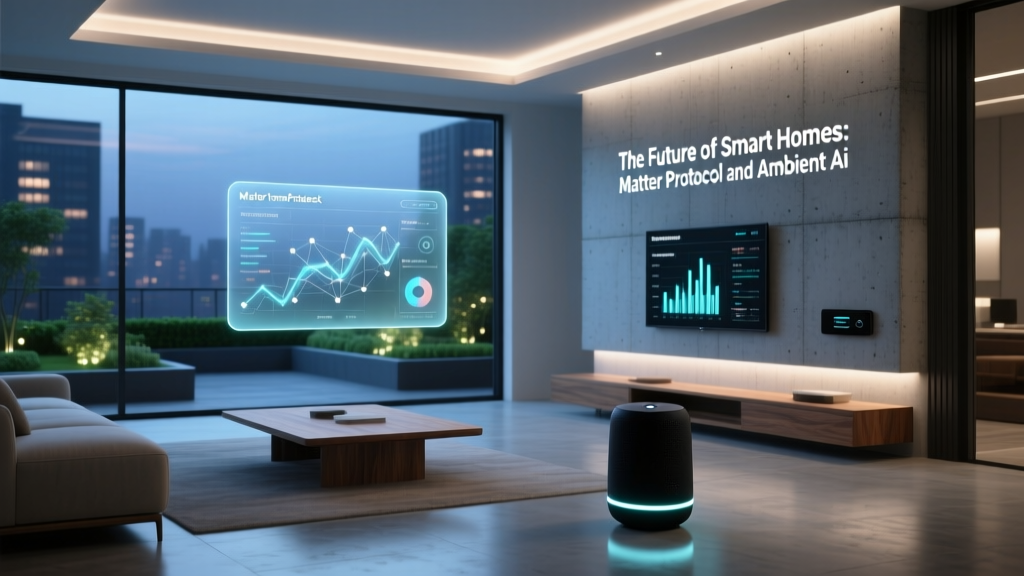
The newest and most exciting development in the industry is the Matter protocol, built on the Thread networking standard. Backed by the Connectivity Standards Alliance, Matter is a universal language designed to break down the "walled gardens" of different smart home brands. With Matter, a device from one brand can seamlessly communicate with a hub or app from another, ensuring long-term compatibility and easier setup.
Essential Smart Home Devices for Every Room
Building a smart home is not about replacing every single item in your house; it is about strategically adding technology where it provides the most value. Here is a breakdown of the essential categories to focus on when starting your journey.
Smart Lighting
Lighting is often the gateway to home automation. You have two main choices: smart bulbs and smart switches. Smart bulbs (like Philips Hue or LIFX) offer millions of colors and tunable whites, making them perfect for lamps and accent lighting. However, if someone flips the physical wall switch, the smart bulb loses power and goes offline. Smart switches, on the other hand, replace your wall switches and keep the physical controls functional while adding smart capabilities. Check out our in-depth smart lighting reviews to find the best options for your specific fixtures.
Smart Climate Control
Heating and cooling account for the majority of a home's energy usage. Smart thermostats learn your schedule, detect when you are away using geofencing, and adjust the temperature automatically to save money. Many models also provide detailed energy usage reports and can integrate with smart vents to direct airflow only to the rooms you are currently using.
Smart Security & Access
Peace of mind is a major driver for smart home adoption. A robust security setup includes video doorbells, indoor and outdoor cameras, and smart locks. Smart locks allow you to grant temporary access codes to guests or dog walkers and automatically lock the door when you leave. For a complete breakdown of securing your perimeter, read our comprehensive home security guide.
Choosing Your Command Center: Voice Assistants & Platforms
The "brain" of your smart home is the platform you use to control it. While many devices come with their own proprietary apps, unifying them under a single ecosystem makes management significantly easier. Here are the major players in the space:
- Amazon Alexa: Alexa boasts the largest library of compatible third-party devices. It is an excellent choice for users who want maximum hardware flexibility and do not mind a slightly more complex app interface. Alexa's "Routines" feature is highly customizable and user-friendly.
- Google Home: Powered by Google Assistant, this platform excels at natural language processing and answering complex questions. If you are heavily invested in Google services like Calendar, Maps, and Nest products, Google Home offers the most seamless integration.
- Apple HomeKit: Apple's platform is renowned for its strict security and privacy standards. While it historically had a smaller selection of compatible devices, the introduction of Matter has vastly expanded its roster. HomeKit is the undisputed choice for households that exclusively use iPhones, iPads, and Apple Watches.
- Samsung SmartThings: SmartThings is a powerhouse for advanced users. It supports a massive array of protocols (including Zigbee and Z-Wave via its hub) and offers incredibly deep automation logic that rivals professional home control systems.
When choosing a platform, consider the smartphones and smart speakers your household already uses. Mixing platforms is possible but often leads to a fragmented experience where family members cannot easily control the home.
The Magic of Automation: Routines & Scenes
The true power of a smart home is not controlling devices with your phone; it is having the devices anticipate your needs and act on their own. This is achieved through automations, commonly referred to as routines or scenes.
A Scene is a snapshot of device states triggered by a single command. For example, a "Movie Night" scene might dim the living room lights to 20%, close the smart blinds, turn on the TV, and lower the thermostat.
A Routine (or automation) relies on triggers and conditions. It follows an "If This, Then That" logic. Here are a few powerful examples to implement in your home:
- The Geofencing Routine: If the last person's smartphone leaves the home perimeter, then turn off all lights, lock the doors, arm the security system, and set the thermostat to "Eco" mode.
- The Morning Wake-Up: If it is 7:00 AM on a weekday, then slowly fade the bedroom lights to a warm sunrise color, start the coffee maker (via a smart plug), and read your daily calendar agenda through the smart speaker.
- The Security Deterrent: If an outdoor camera detects motion between 11:00 PM and 5:00 AM, then turn on the porch light and trigger a notification to your phone.
When building automations, start simple. Test your triggers thoroughly before adding complex conditions. Over-automating can lead to frustration if a sensor fails or a family member's routine changes unexpectedly.
Securing Your Digital Fortress
As you add more internet-connected devices to your home, you inherently increase your digital attack surface. Smart home security is not just about preventing physical burglaries; it is about protecting your network and personal data from cyber threats. The National Institute of Standards and Technology (NIST) provides extensive guidelines on IoT security, emphasizing the need for proactive network management.
Follow these essential best practices to keep your smart home secure:
- Change Default Passwords: Never leave the default admin password on your router, smart hub, or cameras. Use a password manager to generate and store complex, unique passwords for every device.
- Enable Two-Factor Authentication (2FA): Ensure 2FA is enabled on all smart home apps and accounts. This prevents unauthorized access even if your password is compromised in a data breach.
- Segment Your Network: Many modern routers allow you to create a "Guest" network or a dedicated IoT VLAN (Virtual Local Area Network). Place all your smart bulbs, plugs, and appliances on this isolated network. If a cheap smart plug is compromised, the hacker cannot use it as a bridge to access your personal computers or smartphones.
- Keep Firmware Updated: Enable automatic updates on your router, hubs, and smart devices. Manufacturers frequently release patches to fix newly discovered security vulnerabilities.
- Disable Unused Features: If your smart TV or camera has a microphone or remote access feature that you do not use, disable it in the settings.
Frequently Asked Questions
Is a smart home expensive to set up?
A smart home can be as affordable or as expensive as you want it to be. You can start with a single smart speaker and a couple of smart plugs for under $100. From there, you can gradually expand your system over time. High-end, professionally installed systems with custom wiring and dedicated control panels can cost thousands, but the DIY route using consumer-grade Wi-Fi and Zigbee devices is highly accessible for almost any budget.
Do smart devices work without an internet connection?
It depends on the protocol and the device. Cloud-dependent Wi-Fi devices (like many budget cameras and basic smart plugs) will lose their smart features if your internet goes down, though they may still function manually. However, local-processing hubs (like Home Assistant, Hubitat, or Apple TV acting as a HomeKit hub) can continue to run automations and respond to local voice commands even during an internet outage, provided the local network is still powered.
What is the Matter protocol and why does it matter?
Matter is an open-source, royalty-free connectivity standard developed by major tech companies including Apple, Google, Amazon, and Samsung. It matters because it solves the fragmentation problem in the smart home industry. With Matter, you no longer have to worry if a specific light bulb works with your specific hub. If a device has the Matter logo, it is guaranteed to work seamlessly across all major platforms, ensuring your devices will not become obsolete if you switch ecosystems.
How do I choose between Wi-Fi, Zigbee, and Z-Wave?
Choose Wi-Fi for high-bandwidth devices like security cameras and smart displays, or for single, standalone devices like a smart plug. Choose Zigbee or Z-Wave for low-power, battery-operated devices like door/window sensors, motion detectors, and smart locks. Mesh networks (Zigbee/Z-Wave) are much more reliable for homes with dozens of sensors and will not slow down your home's primary Wi-Fi network.
Can I mix different smart home brands together?
Yes, but the experience varies. If you are using a unifying platform like Samsung SmartThings, Apple HomeKit, or a Hubitat hub, you can easily mix brands (e.g., using a Philips Hue bulb alongside a Lutron switch and a Yale lock). The platform acts as the translator. However, trying to mix brands using only their individual native apps will result in a frustrating experience. Always centralize your control through a primary hub or ecosystem app, and look for devices that support the Matter standard for the easiest cross-brand compatibility.