The Paradigm Shift in Voice Control
When most consumers first adopt smart home technology, their interaction is largely transactional. You ask your smart speaker to turn on a light, check the weather, or set a timer. While these single-command interactions are useful, they barely scratch the surface of what modern smart home ecosystems can achieve. The true power of a connected home lies in automation workflows—multi-step, conditional routines triggered by a single voice phrase, a sensor state, or a geofencing boundary.
Transitioning from basic voice commands to complex automation workflows transforms your home from a collection of remote-controlled gadgets into a proactive, intelligent environment. Instead of saying, "Turn on the living room lights," "Set the thermostat to 72," and "Play jazz music," a well-designed workflow allows you to simply say, "I'm home," and watch as your house orchestrates a dozen actions simultaneously. This guide will walk you through the anatomy of voice-triggered workflows, compare major ecosystems, and provide actionable blueprints for building reliable, low-latency automations.
The Anatomy of a Voice-Triggered Workflow
Every robust smart home routine consists of three foundational components. Understanding how these interact is critical for troubleshooting and designing advanced logic.
- The Trigger: This is the catalyst for the routine. In the context of voice control, the trigger is a specific spoken phrase (e.g., "Alexa, start my day" or "Hey Google, movie time"). Triggers can also be time-based, location-based (geofencing), or device-based (a smart button press).
- The Condition: Conditions act as logical gatekeepers. They ensure that actions only execute if specific criteria are met. For example, your "Good Morning" routine might have a condition that checks if your smartphone is connected to the home Wi-Fi, preventing the routine from running if you are on vacation.
- The Action: Actions are the physical or digital results of the routine. This includes adjusting smart bulbs, changing thermostat setpoints, sending push notifications, or initiating media playback.
Pro Tip: When naming your voice triggers, avoid phonetic overlaps. Phrases like "Good Night" and "Good Light" can confuse Natural Language Processing (NLP) engines, leading to accidental executions. Use distinct, multi-word phrases like "Activate Sleep Mode" or "Start Evening Routine."
Ecosystem Showdown: Alexa vs. Google vs. Apple
Not all voice assistants handle automation workflows equally. The underlying architecture, hub requirements, and routine complexity vary significantly across the big three ecosystems.
| Ecosystem | Native Hub Requirement | Routine Complexity | Avg Starter Cost |
|---|---|---|---|
| Amazon Alexa | Optional (Echo devices act as hubs) | High (Multi-step, conditional, custom skills) | $50 - $100 |
| Google Home | Optional (Nest Hubs) | Medium (Starter routines, improving logic) | $50 - $100 |
| Apple HomeKit | Required (HomePod or Apple TV) | High (Deep Shortcuts integration) | $100 - $300 |
Amazon Alexa remains the most accessible platform for complex routines, allowing for nested conditions, wait times, and integration with third-party custom skills. Google Home excels in natural language processing and contextual awareness but has historically lagged in complex conditional logic, though recent updates to Google Home scripts are closing the gap. Apple HomeKit, powered by the Apple Shortcuts app, offers the most granular control and privacy-focused local execution, but demands a higher entry cost due to the mandatory home hub requirement and premium hardware ecosystem.
Blueprint: Building the Ultimate 'Good Morning' Routine
Let us break down a practical, high-value workflow: the "Good Morning" routine. This routine is designed to wake you up gradually, adjust the climate, and deliver your daily briefing. Here is a recommended hardware stack and the step-by-step logic.
Recommended Hardware Stack
- Lighting: Philips Hue White Ambiance Starter Kit ($80 - $100). These bulbs support tunable white light, essential for circadian rhythm alignment.
- Climate: Ecobee SmartThermostat Premium ($249). Known for its remote room sensors and robust API integration with all major voice assistants.
- Audio: Sonos Era 100 ($249) or Amazon Echo Studio ($230) for high-quality morning briefings and news playback.
Workflow Logic & Configuration
1. The Trigger: Set the voice phrase to "Start my morning" or schedule it for 6:30 AM on weekdays.
2. Action 1 (Lighting Fade): Configure the Philips Hue bridge to turn on the bedroom lights at 10% brightness with a warm color temperature (2700K). Add a "Wait" or "Fade" block in your routine settings to gradually increase brightness to 80% and shift the color temperature to a cool, energizing daylight (4000K) over 10 minutes.
3. Action 2 (Climate Adjustment): Command the Ecobee thermostat to switch from "Sleep" mode to "Home" mode. According to the U.S. Department of Energy, utilizing smart thermostat scheduling and automated setbacks can save households up to 10% a year on heating and cooling costs. By automating the transition from a nighttime setback (e.g., 65°F) to a comfortable morning setpoint (e.g., 71°F), you ensure comfort without wasting energy during the night.
4. Action 3 (Audio Briefing): Trigger your smart speaker to play a customized "Flash Briefing" or a specific morning playlist on Spotify at a moderate volume (level 4).
5. Action 4 (Delay & Cleanup): Add a 15-minute delay block, followed by an action to turn off the bedroom lights and smart plugs (like a coffee maker) to ensure safety when you leave the room.
The Role of Network Protocols in Automation Latency
A common frustration with voice-triggered workflows is latency—the awkward pause between speaking a command and the devices reacting. This delay is rarely the fault of the microphone; it is almost always a byproduct of network protocols and cloud dependency.
When you use a Wi-Fi-based smart plug and trigger it via an Alexa Routine, the signal often travels from your router to the cloud server, back to your router, and finally to the plug. If you have five Wi-Fi devices in a single routine, this cloud-round-trip creates a cascading delay. This is where modern mesh protocols become essential.
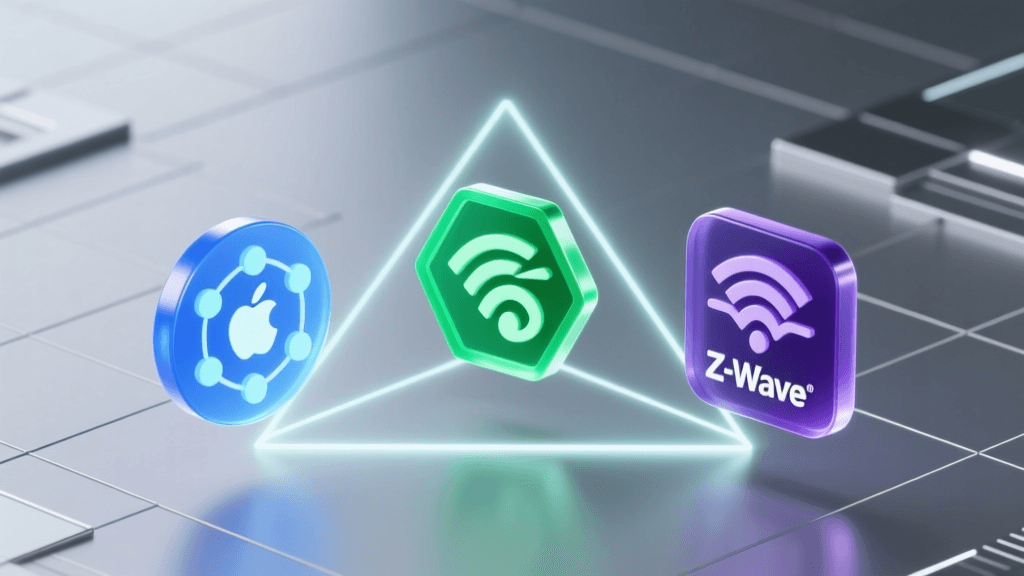
The introduction of the Matter standard, backed by the Connectivity Standards Alliance (CSA), has revolutionized local automation. Matter, combined with the Thread networking protocol, allows devices to communicate locally via a border router without pinging external cloud servers. This ensures that your voice routines execute instantly, even if your home's internet connection goes down.
As visualized above, migrating your core routine devices (lights, locks, sensors) from cloud-dependent Wi-Fi to local Thread or Zigbee networks reduces routine execution latency from nearly a full second down to a fraction of a millisecond, creating a truly seamless experience.
Advanced Logic: Conditions, Delays, and Geofencing
Once you master basic linear routines, it is time to introduce conditional logic. This prevents routines from executing at inappropriate times and adds a layer of intelligence to your home.
Implementing Geofencing Boundaries
Geofencing uses your smartphone's GPS to trigger automations based on your physical location. For a "Leaving Home" workflow, set a geofence radius of 150 meters around your property. When the last registered user crosses this boundary, the routine triggers. However, you must add a condition: "Only execute if the front door smart lock (e.g., Schlage Encode) is locked." If the door is unlocked, the routine pauses and sends a critical push notification to your phone instead of turning off the HVAC system.
Using State-Based Delays
Delays are crucial for multi-room transitions. In an "Evening Wind Down" routine, you might want the living room lights to turn off immediately, but the hallway lights to remain on at 20% brightness for 5 minutes to allow safe passage to the bedroom. By inserting a "Wait 5 minutes" block before the final "Turn off hallway lights" action, you create a fluid, user-centric environment rather than a jarring, abrupt blackout.
Troubleshooting Common Voice Automation Failures
Even the most meticulously designed workflows can fail. Here is how to troubleshoot the most common pain points in voice-triggered automations:
- Microphone Placement and Acoustics: If your voice assistant frequently fails to recognize the trigger phrase, evaluate the room's acoustics. Hard surfaces cause echo, while white noise machines or HVAC vents can mask your voice. Place smart speakers at least three feet away from noisy appliances and avoid corner placements that distort microphone arrays.
- Network Segmentation (VLANs): Smart home networks often suffer from IP conflicts and broadcast storms, especially when exceeding 30+ IoT devices. Advanced users should place all smart home hubs and devices on a dedicated 2.4GHz VLAN (Virtual Local Area Network). This isolates IoT traffic from your primary streaming and work devices, ensuring that routine commands are processed without network congestion.
- Firmware Desynchronization: A routine may fail if a specific device drops offline due to a pending firmware update. Schedule routine hub reboots (via a smart plug on a weekly timer) and check your ecosystem app for "offline" devices weekly to maintain workflow integrity.
Conclusion
Mastering voice control automation workflows is the bridge between simply owning smart devices and truly living in a smart home. By understanding the anatomy of triggers and conditions, selecting the right ecosystem for your technical comfort level, and prioritizing local network protocols like Thread and Matter, you can build a home that anticipates your needs. Start with a single, high-impact routine like the "Good Morning" workflow, refine the latency, and gradually expand your logic. The result is a seamless, energy-efficient, and deeply personalized living space that works for you, not the other way around.