The Dawn of True Smart Home Interoperability
For over a decade, the smart home industry has been plagued by a frustrating 'walled garden' problem. Consumers were forced to choose between ecosystems like Apple HomeKit, Amazon Alexa, or Google Home, often buying proprietary hubs and dealing with fragmented apps. If you wanted to use a smart lock from one brand and smart bulbs from another, you likely needed three different apps and a complex web of cloud-based IFTTT routines just to make them communicate.
Enter Matter. Developed by the Connectivity Standards Alliance (CSA), Matter is not a new wireless radio frequency; rather, it is a universal application layer that runs on top of existing network protocols like Wi-Fi, Ethernet, and Thread. Its primary goal is to guarantee that certified devices will work seamlessly across all major smart home platforms simultaneously. According to Build With Matter, the standard ensures local control, meaning your devices respond instantly without relying on distant cloud servers, vastly improving both speed and privacy.
In this comprehensive roundup, we explore the best Matter-compatible devices available today, focusing on how they leverage underlying protocols like Thread and Wi-Fi to deliver a responsive, secure, and unified smart home experience.
Under the Hood: How Matter and Thread Work Together
While Matter can operate over Wi-Fi, its most powerful implementation for low-power devices (like sensors, locks, and bulbs) is over Thread. The Thread Group defines Thread as an IP-based, low-power mesh networking protocol. Unlike Zigbee or Z-Wave, which require a dedicated proprietary hub to translate their signals to your home network, Thread is IP-addressable. This means a Thread device can communicate directly with your router's network infrastructure, provided you have a Thread Border Router.
The Multi-Admin Advantage
One of the most revolutionary features of the Matter protocol is Multi-Admin. In the past, if you paired a smart plug to Apple Home, it was locked to that ecosystem. With Matter, a single device can be commissioned to multiple controllers simultaneously. You can have a Matter smart plug controlled via Siri on your iPhone, Alexa in the living room, and Google Assistant on your Nest Hub, all operating in perfect sync without complex cloud-linking workarounds.
Uncompromising Security
Matter introduces Device Attestation Certificates (DAC). Every certified device contains a unique, factory-installed cryptographic certificate. When you scan the Matter QR code during setup, your smart home hub verifies this certificate against a secure blockchain-like ledger maintained by the CSA. This ensures the device is genuine, has not been tampered with, and is running secure, encrypted firmware.
Top Matter-Compatible Devices to Upgrade Your Home
Building a Matter ecosystem requires selecting devices that not only support the standard but also excel in their primary functions. Below is our curated roundup of the best Matter-compatible devices, categorized by their use cases and underlying transport protocols.
1. Smart Plugs & Energy Monitoring: Eve Energy (Matter over Thread)
The Eve Energy smart plug is a gold standard for Matter over Thread. Priced between $40 and $50, it offers more than just remote on/off capabilities; it features highly accurate, real-time energy monitoring that feeds directly into your preferred smart home app.
- Protocol: Matter over Thread
- Measurements: Tracks Voltage (V), Amperage (A), and Wattage (W)
- Hub Required: Yes (Thread Border Router required)
- Best Feature: Because it runs on Thread, the Eve Energy plug acts as a mesh node. Plugging it into an outlet extends the range and reliability of your entire Thread network, helping your smart locks and sensors stay connected.
Practical Use Case: Use Eve Energy to monitor the power draw of your home office setup or space heater, and automate it to turn off automatically when your Thread-based room occupancy sensor detects the room is empty.
2. Smart Lighting: Nanoleaf Essentials A19 Bulb (Matter over Thread)
Nanoleaf was among the first to adopt Thread, and their Essentials A19 Bulb (around $20) remains one of the most affordable and reliable ways to introduce Matter lighting to your home. It supports a wide color gamut and tunable white temperatures from 2700K to 6500K.
- Protocol: Matter over Thread (with Bluetooth fallback for commissioning)
- Brightness: 806 Lumens (60W equivalent)
- Hub Required: Yes (Thread Border Router)
- Best Feature: Adaptive Lighting support in Apple Home and similar circadian rhythm features in other ecosystems, adjusting the color temperature automatically based on the time of day.
Practical Use Case: Group multiple Nanoleaf Essentials bulbs in a living room fixture. Because they use a mesh network, turning on the group happens instantaneously, eliminating the 'popcorn effect' (where bulbs turn on one by one) common in older Wi-Fi or Bluetooth bulbs.
3. Climate & Bridging: SwitchBot Hub 2 (Matter over Wi-Fi)
Not all Matter devices are end-nodes; some are controllers. The SwitchBot Hub 2 (approx. $90) is a Wi-Fi-based Matter controller that features a built-in E-Ink temperature and humidity display, an IR blaster, and a light sensor. Crucially, it acts as a bridge, allowing you to expose your existing Bluetooth-based SwitchBot devices (like curtain rods and blind tilts) to the Matter ecosystem.
- Protocol: Matter over Wi-Fi (2.4GHz)
- Sensors: Temperature, Humidity, Ambient Light
- Hub Required: No (Connects directly to Wi-Fi)
- Best Feature: The E-Ink screen provides at-a-glance climate data without draining power, and the IR blaster allows you to control 'dumb' AC units and TVs via Matter routines.
Practical Use Case: Use the Hub 2's temperature sensor to trigger a Matter routine that adjusts your smart thermostat, while simultaneously using its IR blaster to turn on a traditional ceiling fan.
4. Smart Security: Aqara U200 Retrofit Lock (Matter over Thread)
Smart locks demand reliability, security, and low latency. The Aqara U200 Retrofit Lock (priced around $230) installs over your existing deadbolt without replacing your keys. It supports Matter over Thread, ensuring that lock status updates are pushed to your phone instantly via local network routing.
- Protocol: Matter over Thread
- Power: 4x AA Batteries (approx. 6-9 months life)
- Hub Required: Yes (Thread Border Router)
- Best Feature: Apple HomeKey support alongside Matter, allowing you to unlock your door by simply tapping your iPhone or Apple Watch against the lock.
Practical Use Case: Create a Matter 'Goodnight' routine that verifies the Aqara U200 is locked, arms your security system, and turns off all Nanoleaf bulbs, executing locally without cloud delay.
Device Comparison Matrix
To help you choose the right devices for your specific network setup, refer to the comparison table below. Understanding whether a device requires a Thread Border Router or connects directly to Wi-Fi is critical for network planning.
| Device Name | Protocol | Est. Price | Hub Required? | Primary Use Case |
|---|---|---|---|---|
| Eve Energy | Matter / Thread | $40 - $50 | Yes (Thread) | Energy Monitoring & Mesh Extension |
| Nanoleaf Essentials A19 | Matter / Thread | $18 - $25 | Yes (Thread) | Responsive Color & Tunable Lighting |
| SwitchBot Hub 2 | Matter / Wi-Fi | $85 - $99 | No (Wi-Fi) | IR Control, Climate & BLE Bridging |
| Aqara U200 Lock | Matter / Thread | $220 - $240 | Yes (Thread) | Secure, Low-Latency Door Access |
Network Latency: Matter Over Thread vs. Wi-Fi vs. Legacy Protocols
One of the most significant advantages of Matter—specifically when paired with Thread—is local command latency. Because the communication does not need to travel to a cloud server and back, and because Thread's mesh routing is highly optimized for small data packets, the response time is nearly instantaneous. Below is a visualization of average command latency across popular smart home protocols.
As the chart illustrates, Matter over Thread offers the lowest latency, making it ideal for security devices and lighting where immediate feedback is expected by the user. Matter over Wi-Fi is slightly slower due to the overhead of the Wi-Fi protocol and potential network congestion, but it excels in high-bandwidth devices like smart displays and cameras.
How to Build Your Matter Network: Actionable Steps
If you are ready to transition to a Matter-compatible smart home, you cannot simply buy Matter devices and expect them to work out of the box without the proper infrastructure. Follow these actionable steps to ensure a smooth commissioning process.
Step 1: Secure a Thread Border Router
Thread devices cannot connect directly to your Wi-Fi router; they require a Border Router to translate Thread mesh traffic to your IP network. Fortunately, you may already own one. Common Thread Border Routers include:
- Apple TV 4K (3rd Generation, Wi-Fi + Ethernet)
- Apple HomePod (2nd Gen) and HomePod Mini
- Google Nest Hub (2nd Gen) and Nest Hub Max
- Amazon Echo (4th Gen) and Echo Show 10
Pro Tip: For the most stable Thread mesh network, deploy at least two Border Routers from the same ecosystem (e.g., two HomePod Minis) to act as primary and secondary routing nodes, preventing single points of failure.
Step 2: Prepare Your 2.4GHz Wi-Fi Network
When commissioning a Matter over Wi-Fi device (like the SwitchBot Hub 2), your smartphone and the device must be on the same 2.4GHz Wi-Fi band. Many modern mesh routers combine 2.4GHz and 5GHz into a single SSID, which can cause Matter commissioning to fail. Temporarily split your bands or ensure you are standing close to the router during the initial QR code scan.
Step 3: Scan and Commission
Matter uses a standardized QR code that contains the device's Vendor ID, Product ID, and a cryptographic setup code. Open your preferred smart home app (Apple Home, Google Home, Alexa, or Samsung SmartThings), select 'Add Accessory,' and scan the code. The app will securely transfer your Thread network credentials to the device via Bluetooth Low Energy (BLE), after which the device will join the mesh and disable its BLE radio to save power.
Troubleshooting Common Matter Setup Issues
While Matter promises simplicity, the technology is still maturing. If a device fails to connect, consider the following troubleshooting steps:
- Update Border Router Firmware: Ensure your Apple TVs, Nest Hubs, or Echo devices are running the latest software. Thread credential sharing requires up-to-date firmware.
- Check for IP Conflicts: Because Matter devices are IP-based, ensure your router's DHCP server has enough available IP addresses and isn't assigning duplicates.
- Factory Reset the Device: If commissioning times out, perform a hardware factory reset on the smart device. Often, a failed initial attempt leaves the device in a 'limbo' state that requires a hard reset to clear.
Final Verdict: Is Matter Ready for Prime Time?
The transition to a unified smart home standard is a marathon, not a sprint. However, with the robust lineup of devices available today—from the energy-tracking Eve Energy plug to the secure Aqara U200 lock—Matter is absolutely ready for early adopters and enthusiasts. By prioritizing Matter over Thread for your low-power devices and utilizing Wi-Fi for high-bandwidth hubs, you can build a resilient, local, and lightning-fast smart home that survives platform lock-in and cloud outages.
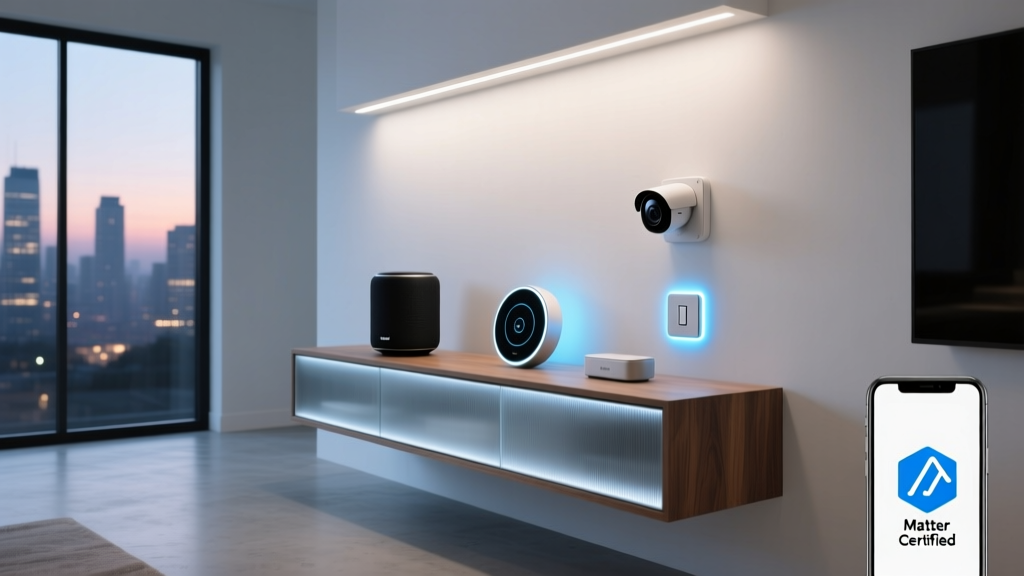
Before purchasing, always verify the 'Matter Certified' logo on the packaging, and ensure your existing smart speakers or hubs support Thread Border Routing. By doing so, you will future-proof your home for the next decade of smart living.