The Smart Home Protocol Landscape: Why Your Choice Matters
Building a reliable smart home is no longer just about picking the sleekest gadgets; it is fundamentally about choosing the right underlying communication protocols. The wireless standard your devices use dictates their range, battery life, responsiveness, and how well they play with other ecosystems. With the recent introduction of Matter and the continued dominance of veterans like Zigbee and Z-Wave, consumers are faced with a fragmented but highly capable landscape.
At SmartHomeDeck, we believe that no single protocol is perfect for every use case. Wi-Fi excels at high-bandwidth tasks, Z-Wave avoids interference, Zigbee offers massive mesh scalability, and Matter promises universal interoperability. In this comprehensive guide, we break down the best smart home devices for each major protocol, providing curated picks based on technical specifications, reliability, security features, and real-world performance.
Matter and Thread: The Future-Proof IP Standards
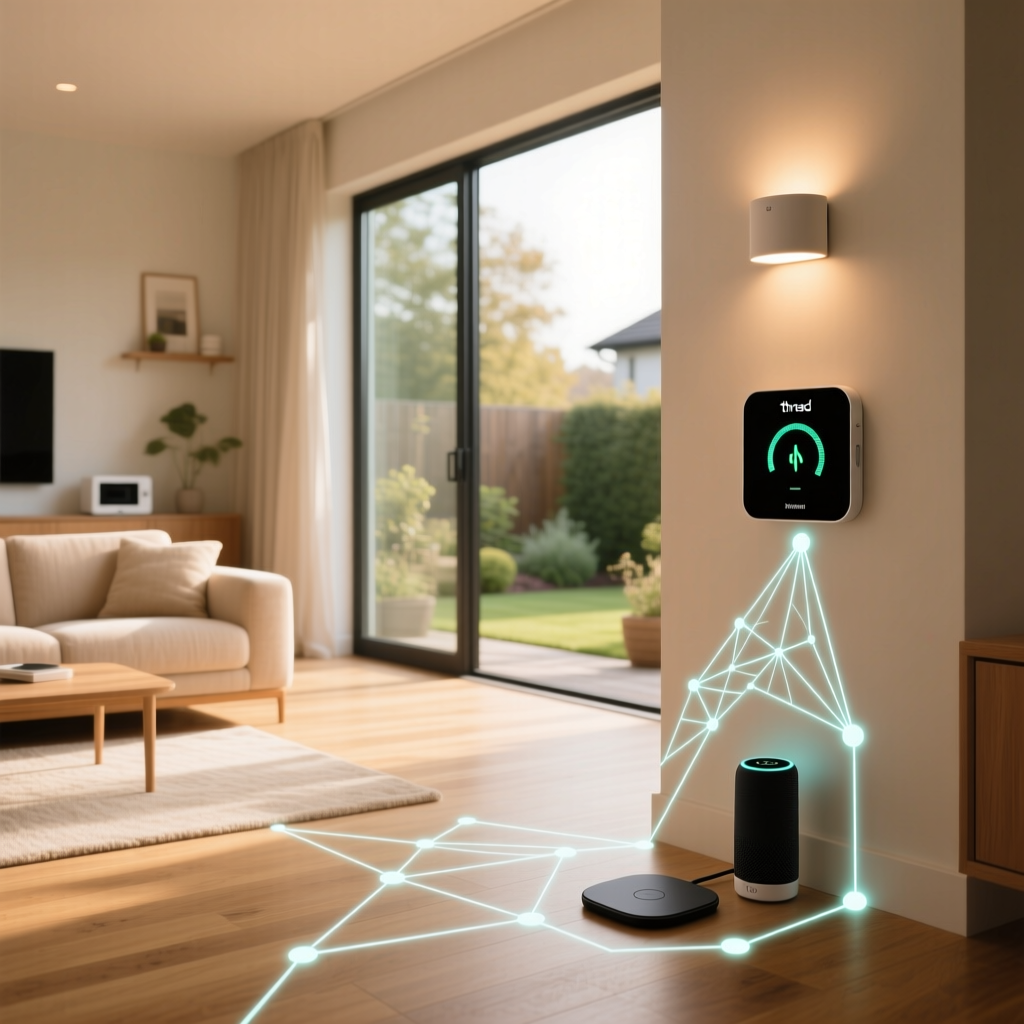
Matter is not a wireless protocol itself; rather, it is an application layer that runs over existing IP-based networks like Wi-Fi and Thread. Thread is a low-power, mesh-networking protocol built on the IEEE 802.15.4 standard, designed specifically to connect smart home devices efficiently. Because Matter ensures multi-admin support (allowing a device to be controlled by Apple Home, Google Home, and Amazon Alexa simultaneously), it is the most future-proof choice for new smart home deployments.
Best Matter/Thread Hub: Apple TV 4K (3rd Gen) & HomePod Mini
To utilize Thread-based Matter devices, you need a Thread Border Router. Apple has integrated Thread radios into the Apple TV 4K (3rd generation, Wi-Fi + Ethernet model) and the HomePod Mini. These devices act as the bridge between your low-power Thread mesh network and your home's Wi-Fi router. They offer rock-solid reliability, local processing, and seamless integration with the Apple Home ecosystem, while remaining fully accessible to Matter-compatible third-party apps.
- Cost Range: $99 - $149
- Best For: Users wanting local control, high security, and a built-in Thread border router without buying dedicated hub hardware.
Best Matter Smart Plug: Eve Energy (Thread/Matter)
The Eve Energy smart plug is a flagship example of Thread and Matter done right. It not only allows you to control power to your appliances but also features built-in energy monitoring. Because it uses Thread, it responds instantaneously to commands without congesting your Wi-Fi network. With Matter support, you can pair it directly to Amazon, Google, or Apple ecosystems without needing the proprietary Eve app.
- Cost Range: $40 - $50
- Key Feature: Real-time energy consumption tracking and native Thread mesh routing.
Best Matter Lighting: Nanoleaf Essentials A19 Bulb
Nanoleaf was one of the first manufacturers to fully embrace Thread and Matter. Their Essentials A19 bulb offers 1100 lumens of brightness, a wide color gamut, and features like Circadian Lighting that adjusts color temperature throughout the day. The Thread integration ensures that if one bulb loses connection to the router, it can route its signal through neighboring Thread devices, maintaining 100% uptime.
- Cost Range: $20 - $25 per bulb
- Compatibility: Requires a Thread Border Router for optimal performance.
Zigbee: The Reliable 2.4GHz Mesh Veteran
Zigbee operates on the crowded 2.4GHz frequency band but uses a highly efficient mesh topology. Every mains-powered Zigbee device acts as a repeater, extending the network's range. It is heavily favored for lighting and sensor networks due to its low latency and ability to support hundreds of nodes on a single coordinator. For a deep dive into its architecture, the Connectivity Standards Alliance provides extensive technical documentation on Zigbee PRO.
Best Zigbee Hub: Home Assistant Connect ZBT-1
Formerly known as the SkyConnect, this USB dongle is the ultimate tool for Zigbee enthusiasts. When paired with a Home Assistant server (like a Raspberry Pi or Intel NUC), it allows you to build a massive, local-only Zigbee network using the ZHA (Zigbee Home Automation) integration or Zigbee2MQTT. It supports the latest Zigbee 3.0 standard and can even be flashed to support Thread/Matter in the future.
- Cost Range: $30 - $35
- Best For: Advanced users who want total local control and zero cloud dependency.
Best Zigbee Lighting: Philips Hue White and Color Ambiance
While Philips Hue uses a proprietary implementation of Zigbee, it remains the gold standard for smart lighting. The Hue Bridge is incredibly reliable, handling up to 50 light sources with zero lag. The bulbs themselves offer industry-leading color accuracy, deep dimming capabilities without flickering, and excellent power-loss recovery states.
- Cost Range: $50 - $60 per color bulb; Bridge is $60
- Security: Uses AES-128 encryption for all mesh communications.
Best Zigbee Sensor: Aqara Door and Window Sensor
Aqara's sensors are legendary in the smart home community for their tiny form factor, low price, and exceptional battery life (often lasting over two years on a single CR2032 coin cell). They report open/close states in milliseconds and include a physical tamper switch. While they work best with the Aqara Zigbee hub, they can easily be paired to third-party coordinators like Sonoff or Home Assistant.
- Cost Range: $15 - $20
- Use Case: Triggering automations, security alarms, and HVAC shutoffs when doors are left open.
Z-Wave: The Interference-Free Sub-GHz Workhorse
Unlike Zigbee and Wi-Fi, Z-Wave operates on sub-GHz frequencies (908.42 MHz in North America, 868.42 MHz in Europe). This is its superpower: it completely avoids interference from Wi-Fi routers, Bluetooth devices, and microwaves. Furthermore, the Z-Wave Alliance enforces strict certification requirements, meaning a Z-Wave switch from one brand will always work flawlessly with a Z-Wave hub from another.
Best Z-Wave Hub: Hubitat Elevation
Hubitat is built for local processing and complex automations. Its built-in Z-Wave Plus V2 radio is highly optimized, offering excellent range and rapid inclusion of new devices. The Rule Machine app built into Hubitat allows for incredibly complex, logic-based automations that do not rely on cloud servers, ensuring your home keeps functioning even if your internet goes down.
- Cost Range: $150
- Best For: Users who prioritize local execution speed and complex, multi-condition automations.
Best Z-Wave Switch: Zooz ZEN72 Dimmer
Zooz has become the community favorite for Z-Wave wiring devices. The ZEN72 dimmer features a smart bulb mode (preventing the physical switch from cutting power to smart bulbs), customizable LED indicators, and supports S2 Security and SmartStart for easy, secure pairing. It also acts as a robust Z-Wave mesh repeater, strengthening your network with every installation.
- Cost Range: $40 - $45
- Installation: Requires a neutral wire and standard single-gang box.
Best Z-Wave Lock: Schlage Connect (Z-Wave Plus)
Smart locks require high security and reliable battery-powered communication. The Schlage Connect uses Z-Wave Plus to communicate with your hub, ensuring that lock/unlock commands are not delayed by Wi-Fi congestion. It features a built-in alarm, ANSI Grade 1 deadbolt security, and a capacitive touchscreen that resists smudges and weather.
- Cost Range: $180 - $220
- Security: Z-Wave S2 authenticated encryption ensures wireless commands cannot be intercepted.
Wi-Fi: The High-Bandwidth Heavyweight
Wi-Fi (802.11 b/g/n/ac/ax) is ubiquitous, offering massive bandwidth and direct internet connectivity without the need for a dedicated smart home hub. However, it is power-hungry and can suffer from network congestion if dozens of low-power IoT devices are connected to a standard consumer router. Wi-Fi is best reserved for devices that require high data throughput or continuous power.
Best Wi-Fi Thermostat: Ecobee Smart Thermostat Premium
Thermostats require constant Wi-Fi connectivity for weather data, remote access, and software updates. The Ecobee Premium connects directly to your 2.4GHz Wi-Fi network and includes a built-in Alexa speaker, Siri support, and a remote room sensor to balance temperatures across your home. Its high-power nature makes Wi-Fi the perfect protocol for this always-on, mains-powered device.
- Cost Range: $240 - $250
- Key Feature: Built-in air quality monitor and smart security occupancy detection.
Best Wi-Fi Relay: Shelly Plus 1
Shelly devices are incredibly versatile Wi-Fi relays that fit behind existing wall switches or inside light fixtures. The Plus 1 supports WPA3 encryption, features a dry contact output, and can be powered by either AC or DC voltage. Crucially, Shelly devices offer an open local API and MQTT support, allowing advanced users to integrate them into local systems like Home Assistant without relying on the Shelly cloud.
- Cost Range: $12 - $15
- Best For: Retrofitting dumb switches and appliances with smart capabilities on a budget.
Protocol Comparison and Performance Metrics
Choosing the right device often comes down to understanding the physical limitations and power requirements of the protocol it uses. Below is a structured comparison of the major smart home protocols discussed in this guide.
| Protocol | Frequency | Topology | Power Draw | Best Use Case | Top Curated Device |
|---|---|---|---|---|---|
| Matter/Thread | 2.4 GHz | Mesh (IP-based) | Very Low | Future-proof sensors & plugs | Eve Energy Plug |
| Zigbee | 2.4 GHz | Mesh | Very Low | Massive lighting & sensor networks | Philips Hue Bulbs |
| Z-Wave | Sub-GHz | Mesh | Low | Switches, locks, interference-free | Zooz ZEN72 Dimmer |
| Wi-Fi | 2.4 / 5 GHz | Star | High | Cameras, thermostats, high bandwidth | Ecobee Thermostat |
Sensor Power Consumption Analysis
One of the most critical factors for battery-operated devices like door/window sensors and motion detectors is sleep-mode power consumption. Wi-Fi is notoriously inefficient for battery sensors, whereas low-power mesh protocols excel. The chart below visualizes the average sleep mode power consumption (in milliwatts) of standard magnetic contact sensors across different protocols.
Expert Insight: As illustrated in the data, Wi-Fi consumes exponentially more power in sleep states compared to mesh protocols. This is why you will rarely find a battery-powered Wi-Fi door sensor on the market; they would require weekly recharging. Always reserve Wi-Fi for mains-powered devices and utilize Thread, Zigbee, or Z-Wave for your battery-operated security and environmental sensors.
Final Buying Advice: Mixing and Matching Protocols
The modern smart home is rarely a single-protocol ecosystem. The most robust setups utilize a hybrid approach. We recommend using Z-Wave for your critical, hardwired infrastructure like wall switches and smart locks to ensure they are immune to Wi-Fi interference. Use Zigbee or Thread for your battery-operated sensors and smart bulbs to keep your mesh network healthy and responsive. Finally, reserve Wi-Fi for high-bandwidth devices like security cameras, video doorbells, and smart thermostats.
With the ongoing rollout of Matter, the lines between these ecosystems are blurring. If you are starting a new smart home build today, prioritizing Matter-over-Thread devices for your plug-and-play accessories will ensure the longest lifespan and broadest compatibility across Apple, Google, and Amazon platforms. Always verify that your chosen hub supports the specific protocol versions (like Z-Wave Plus V2 or Zigbee 3.0) to guarantee the best security and range.