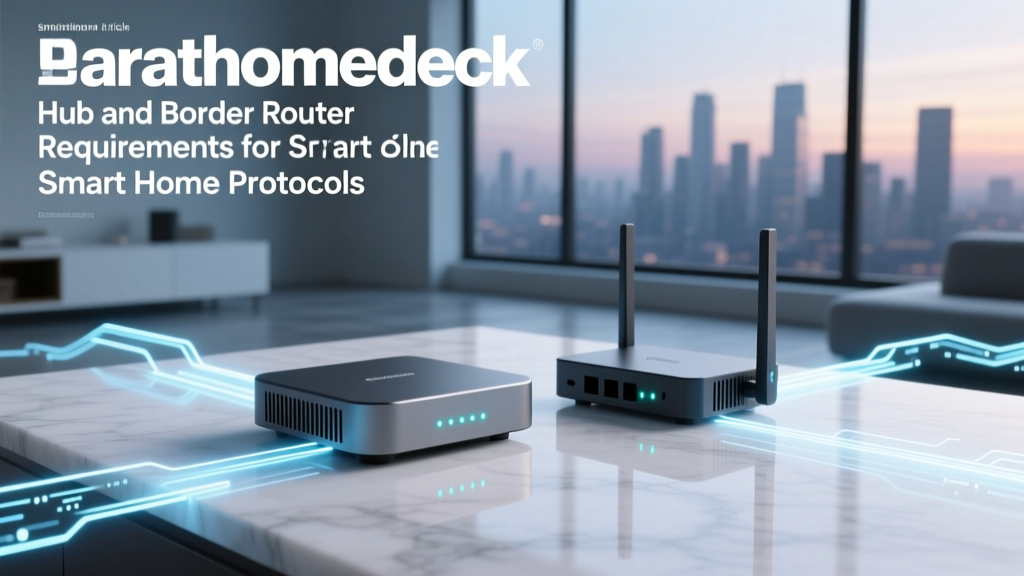
The Backbone of Your Smart Home: Hubs vs. Border Routers
As the smart home industry transitions away from cloud-dependent Wi-Fi devices toward local, low-power mesh networks, consumers are facing a new wave of hardware requirements. If you have spent any time researching smart home protocols, you have likely encountered terms like 'smart home hub,' 'coordinator,' 'dongle,' and the increasingly ubiquitous 'Thread Border Router.' While these devices all serve as the central nervous system for your connected home, their technical architectures, network requirements, and operational roles differ drastically depending on the protocol they support.
Understanding the hardware requirements for Zigbee, Z-Wave, and Thread is no longer just a concern for advanced tinkerers; it is a fundamental necessity for anyone looking to build a reliable, responsive, and future-proof smart home. In this comprehensive guide, we will break down the exact hub and border router requirements by protocol, explore the underlying radio frequencies, and provide actionable buying advice with specific product recommendations and cost ranges.
The Common Denominator: IEEE 802.15.4
Before diving into specific protocols, it is crucial to understand the physical hardware layer that powers the majority of modern smart home mesh networks. Both Zigbee and Thread operate on the IEEE 802.15.4 standard. This standard defines the operation of low-rate wireless personal area networks (LR-WPANs), typically operating in the 2.4 GHz frequency band (though sub-GHz variants exist regionally).
Because Zigbee and Thread share this physical and MAC (Media Access Control) layer, the actual silicon radios used in smart home hubs and border routers are often identical. A single piece of hardware, such as the Silicon Labs EFR32MG24 SoC, can technically transmit and receive both Zigbee and Thread packets. The divergence happens at the network and application layers. Zigbee uses its own proprietary mesh routing and application profiles, while Thread utilizes native IPv6 networking. This shared hardware reality is why many modern multi-protocol hubs and border routers can support both ecosystems simultaneously, provided the firmware and processing overhead allow for it.
Traditional Smart Home Hubs: Zigbee and Z-Wave Coordinators
In the traditional smart home paradigm, a 'hub' acts as a Network Coordinator. For Zigbee and Z-Wave networks, the coordinator is the absolute brain and the single point of origin for the mesh. Without a coordinator, the network simply cannot exist.
Zigbee Coordinator Requirements
Zigbee networks utilize a tree or mesh topology, but every single network must have exactly one coordinator. The coordinator is responsible for forming the network, assigning addresses to joining devices, and managing security keys. Because it handles network management and often bridges the 802.15.4 radio traffic to your local IP network (via Ethernet or Wi-Fi), a Zigbee hub requires decent processing power and adequate RAM.
- Hardware Form Factors: USB dongles, standalone Ethernet hubs, and integrated smart speakers.
- Top Products: Home Assistant Connect ZBT-1 (approx. $30), Sonoff Zigbee 3.0 USB Dongle Plus (approx. $25), Hubitat Elevation (approx. $150).
- Network Limitation: A Zigbee network is limited to one active coordinator. If you want to run Zigbee2MQTT and ZHA simultaneously, you need two separate physical coordinators.
Z-Wave Controller Requirements
Z-Wave operates on sub-GHz frequencies (e.g., 908.42 MHz in the US), which provides superior wall penetration compared to 2.4 GHz Zigbee, but at the cost of lower bandwidth. Z-Wave networks also require a primary controller to manage the mesh, handle security (S2 encryption), and route commands. The newer Z-Wave Long Range (ZWLR) standard introduces a star topology alongside the traditional mesh, requiring controllers with updated 800-series silicon to manage the increased node capacity (up to 4,000 nodes).
- Hardware Form Factors: USB sticks, dedicated home automation boxes, and smart home panels.
- Top Products: Zooz Z-Wave 800 Series USB Stick (approx. $45), HomeSeer SmartStick+ G3 (approx. $40), Home Assistant Connect ZWA-2 (approx. $35).
- Cost Range: $30 to $150 depending on whether you are buying a raw radio stick or a fully packaged consumer hub.
According to the Connectivity Standards Alliance (CSA), the unified governing body for both Zigbee and Matter, ensuring your coordinator supports the latest security standards (like Zigbee 3.0 and Z-Wave S2) is critical for preventing network hijacking and ensuring device interoperability.
The Thread Paradigm: Enter the Border Router
Thread represents a massive architectural shift in how smart home networks operate. Unlike Zigbee and Z-Wave, Thread does not use a central coordinator. Instead, Thread is an IP-based mesh networking protocol. Every Thread device (even a battery-powered sensor) has its own IPv6 address and can route traffic for other devices. There is no single point of failure in a Thread mesh; if one router drops, the network dynamically heals and reroutes traffic.
What is a Thread Border Router?
If Thread devices can talk to each other without a central hub, why do you need a Border Router? A Thread Border Router is the bridge between the Thread mesh network (802.15.4) and your home's IP network (Wi-Fi or Ethernet). It does not 'control' the Thread mesh; rather, it translates the low-power mesh traffic into standard IPv6 packets that your smartphone, cloud services, or Matter controllers can understand.
According to the Thread Group, a Thread Border Router performs three critical functions:
- Routing: Forwarding packets between the Thread mesh and the local Wi-Fi/Ethernet network.
- Service Registry: Advertising the presence of the Thread network to other IP devices using DNS-SD (DNS Service Discovery).
- Commissioning: Assisting new devices in securely joining the Thread mesh via Bluetooth Low Energy (BLE) handoffs.
Thread Border Router Hardware Requirements
Because Thread relies on native IPv6, the border router must be capable of handling IP routing tables and managing multicast DNS (mDNS) traffic. This requires significantly more processing power and memory than a simple Zigbee coordinator. Consequently, you rarely see 'dumb' Thread USB dongles. Instead, Thread Border Routers are almost always integrated into high-performance consumer electronics.
- Apple TV 4K (3rd Gen, Wi-Fi + Ethernet): One of the most robust Thread Border Routers available, leveraging Apple's A15 Bionic chip for seamless Matter and Thread routing (approx. $149).
- Google Nest Hub Max / Nest Hub (2nd Gen): Excellent multipurpose border routers that also act as Matter controllers (approx. $99 - $229).
- Amazon Echo (4th Gen) / Echo Show 15: Amazon's premium smart speakers include dedicated 802.15.4 radios for Thread and Zigbee (approx. $99 - $249).
- Standalone Options: Nanoleaf Smart Thread Border Router and Nanoleaf Shapes/Elements panels feature built-in border routing capabilities (approx. $120+).
Matter Controllers vs. Border Routers: Clearing the Confusion
The introduction of Matter has added a layer of semantic confusion to smart home hardware. Matter is an application layer protocol that runs over Thread, Wi-Fi, or Ethernet. To use Matter over Thread, you need two distinct logical components, which are often (but not always) housed in the same physical device:
- The Matter Controller: The 'brain' that stores your automations, device states, and user interfaces (e.g., Apple HomePod, Amazon Echo, Samsung SmartThings Station).
- The Thread Border Router: The 'bridge' that allows the Matter Controller to reach the Thread devices.
In the Apple ecosystem, an Apple TV 4K acts as both the Matter Controller and the Thread Border Router. However, if you use an iPad as a Matter Controller, it cannot act as a Thread Border Router; it must rely on an Apple TV or HomePod on your network to bridge the traffic. Understanding this distinction is vital when planning your hardware purchases.
Protocol Requirements Comparison Table
To visualize the differences in hardware and network requirements, refer to the comprehensive comparison table below:
| Feature | Zigbee | Z-Wave | Thread |
|---|---|---|---|
| Central Hub Required? | Yes (Coordinator) | Yes (Primary Controller) | No (Mesh is independent) |
| Border Router Required? | No (Hub bridges to IP) | No (Hub bridges to IP) | Yes (For IP/Internet access) |
| Frequency Band | 2.4 GHz (Global) | Sub-GHz (Regional) | 2.4 GHz (Global) |
| Network Topology | Tree / Mesh | Mesh / Star (LR) | IP Mesh |
| Single Point of Failure | Yes (Coordinator) | Yes (Controller) | No (Self-healing mesh) |
| Avg. Hub/Router Cost | $30 - $150 | $40 - $150 | $100 - $250 (Multipurpose) |
Visualizing Hub and Border Router Costs
The financial investment required to build your network backbone varies significantly depending on whether you are deploying dedicated raw radio coordinators or leveraging multipurpose smart home appliances. The chart below illustrates the average hardware costs associated with each protocol's central management devices.
Network Planning: How Many Hubs or Routers Do You Need?
A common mistake among smart home beginners is assuming that one central hub or border router is sufficient for an entire property. The physical realities of radio frequency (RF) propagation dictate otherwise.
Zigbee and Z-Wave Routing
For Zigbee and Z-Wave, you only ever need one coordinator/controller. However, you need multiple mains-powered repeaters to extend the mesh. Every smart plug, hardwired light switch, and smart bulb acts as a router, repeating the signal from your coordinator to distant battery-powered sensors. If your home is larger than 2,000 square feet or has dense materials like brick or concrete, you must strategically place smart plugs to create a reliable path back to the single hub.
Thread Border Router Redundancy
Thread operates differently. Because there is no central coordinator, you can—and should—have multiple Thread Border Routers on your network. If you have an Apple TV in the living room and a Nest Hub in the kitchen, they will automatically form a Border Router cluster. Thread devices will dynamically route their traffic through the border router with the strongest signal and lowest latency. For a standard home, having two to three Thread Border Routers (often already present if you own modern smart speakers or high-end Wi-Fi mesh nodes like the Eero 6+) ensures total coverage and seamless failover.
Critical Troubleshooting: The USB 3.0 Interference Problem
If you are deploying a dedicated Zigbee or Thread USB dongle (like the Home Assistant Connect ZBT-1 or a Sonoff stick) into a Raspberry Pi, Intel NUC, or standard PC, you must be aware of a well-documented hardware conflict: USB 3.0 interference.
USB 3.0 ports and poorly shielded cables emit broad-spectrum RF noise that peaks right around the 2.4 GHz frequency band. This noise can completely deafen the 802.15.4 radio on your hub, reducing your Zigbee or Thread range from 30 feet to less than 3 feet. To mitigate this:
- Always use a USB 2.0 extension cable (at least 3 to 6 feet long) to physically separate the dongle from the USB 3.0 ports and the host computer's motherboard.
- Avoid plugging the coordinator directly into the back of a router or a Raspberry Pi without an extension cable.
- Ensure your Wi-Fi access points are configured to use channels 1, 6, or 11, and try to align your Zigbee/Thread network to channel 15, 20, or 25 to minimize overlapping interference.
Actionable Advice: Building Your Hub and Router Strategy
Choosing the right hardware depends entirely on your preferred ecosystem and your tolerance for technical configuration. Here is a strategic buying guide based on user profiles:
1. The Tinkerer (Home Assistant / openHAB)
If you run a local home automation server, skip the expensive consumer smart speakers. Purchase a Home Assistant Connect ZBT-1 for Zigbee and Thread (via experimental firmware) or a dedicated Zooz Z-Wave 800 Long Range stick for sub-GHz reliability. Mount them on USB extension cables away from your server's SSDs and USB 3.0 ports. Total cost: Under $80.
2. The Apple Ecosystem User
Do not buy standalone hubs. Apple has integrated Thread Border Routing and Matter Controller capabilities directly into the Apple TV 4K (Ethernet model) and the HomePod (2nd Gen). Ensure you have at least one of these devices on every floor of your home to guarantee robust Thread mesh bridging and local Matter processing.
3. The Google / Amazon Mainstream Consumer
If you rely on Google Home or Amazon Alexa, look for their flagship smart displays. The Nest Hub Max and the Amazon Echo Show 10 contain powerful processors and dedicated 802.15.4 antennas that serve as excellent, multipurpose Thread Border Routers and Matter Controllers. Avoid the budget, entry-level smart speakers (like the Echo Dot or Nest Mini), as they often lack the internal radios required for Thread routing.
Conclusion
The era of the monolithic, proprietary smart home hub is ending, replaced by a more distributed, IP-based architecture driven by Thread and Matter. While Zigbee and Z-Wave still rely on the traditional coordinator model to manage their meshes, Thread shifts the burden of routing to the edge devices, requiring Border Routers simply to bridge the gap to your IP network. By understanding the distinct hardware requirements, radio frequencies, and network topologies of each protocol, you can strategically invest in the right coordinators and border routers. Whether you are plugging a $30 USB stick into a Raspberry Pi or leveraging a $150 Apple TV 4K, building a resilient smart home backbone starts with respecting the underlying protocols.