The Rebellion Against Walled Gardens
For years, smart home enthusiasts have been trapped in a cycle of proprietary hubs and fragmented ecosystems. Brands like Philips Hue, SmartThings, and Aqara require their own dedicated bridges, leading to a cluttered router, increased latency, and an over-reliance on cloud servers. When the internet goes down, your smart home often becomes a dumb home. This frustration has fueled a massive shift toward open-source protocol implementations, fundamentally changing how we interact with wireless standards.
By leveraging community-driven projects, users can bypass manufacturer lock-in, run their networks entirely locally, and integrate thousands of disparate devices into a single, cohesive mesh network. At the forefront of this movement is the open-source support for the Zigbee protocol. Through powerful software stacks and affordable hardware coordinators, the community has democratized smart home automation, making it faster, more reliable, and significantly cheaper than proprietary alternatives.
Understanding Zigbee Mesh Topology
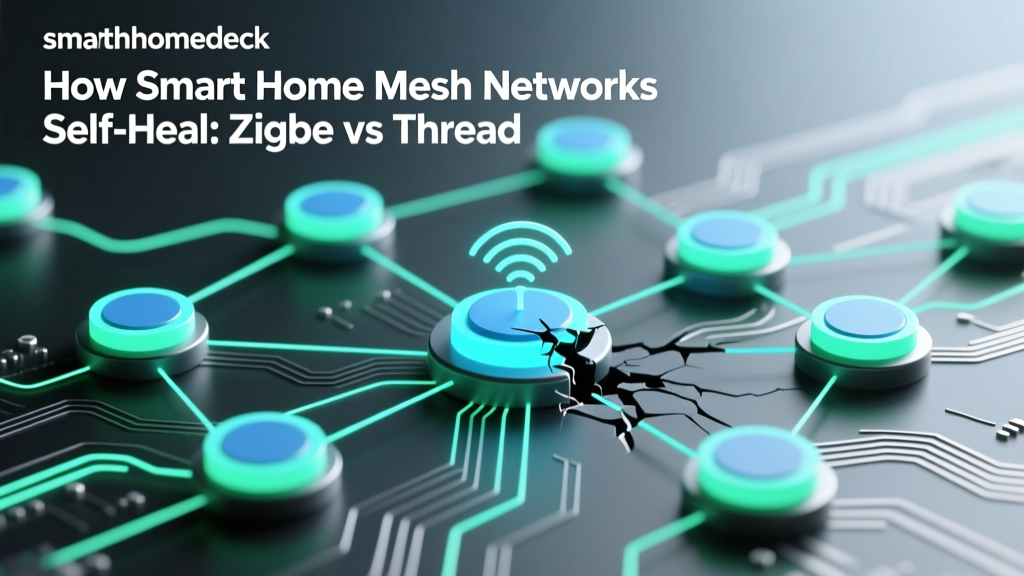
Before diving into open-source software, it is crucial to understand the underlying Zigbee mesh topology. Unlike Wi-Fi, where every device connects directly to a central router, Zigbee relies on a mesh network comprising three types of nodes:
- Coordinator: The brain of the network (your USB dongle or hub). There is only one coordinator per network. It forms the network, assigns addresses, and manages security keys.
- Router: Mains-powered devices (like smart plugs, light bulbs, and dedicated repeaters) that route traffic between end devices and the coordinator. They expand the range and reliability of the mesh.
- End Device: Battery-powered sensors (door/window contacts, motion detectors, temperature sensors) that sleep to conserve battery and only communicate through a parent router.
In a proprietary ecosystem, you are often forced to buy expensive branded routers to maintain a stable mesh. In the open-source world, the community has verified that affordable IKEA Tradfri repeaters, Sonoff S31 smart plugs, and even certain Aqara wall switches act as excellent Zigbee routers, allowing you to build a robust mesh for a fraction of the cost.
Zigbee2MQTT vs. ZHA: Choosing Your Open-Source Engine
When building an open-source Zigbee network, particularly within the Home Assistant ecosystem, you are faced with two primary software choices: Zigbee2MQTT (Z2M) and Zigbee Home Automation (ZHA). Both are phenomenal, community-supported projects, but they operate on fundamentally different philosophies.
Architecture and Decoupling
Zigbee2MQTT is a standalone Node.js application that translates Zigbee messages into MQTT (Message Queuing Telemetry Transport) payloads. It requires an MQTT broker, such as Eclipse Mosquitto, to function. This architecture completely decouples your Zigbee network from your home automation platform. Whether you use Home Assistant, Node-RED, OpenHAB, or Domoticz, Zigbee2MQTT simply publishes state changes to MQTT topics (e.g., zigbee2mqtt/living_room_motion). This makes Z2M the undisputed king of multi-platform and advanced enterprise setups.
ZHA, on the other hand, is a native integration built directly into Home Assistant using the Python-based zigpy library. It does not require an external MQTT broker and is tightly coupled with Home Assistant's device registry. ZHA is generally easier to set up for beginners, offering a plug-and-play experience directly from the Home Assistant user interface.
Device Compatibility and Community Speed
The true power of open-source support is the speed at which the community reverse-engineers new hardware. When a new, obscure Zigbee device launches on AliExpress or Amazon, proprietary hubs may take months to add support—if they ever do. According to the official Zigbee2MQTT GitHub repository, the project currently supports over 3,500 unique devices from hundreds of vendors. The community actively maps the Zigbee Cluster Library (ZCL) attributes, ensuring that niche features like specific Aqara vibration sensitivities or Tuya thermostat schedules are exposed to the user.
While ZHA relies on the zigpy device registry and quirk system to handle non-standard Tuya implementations, Zigbee2MQTT's external converter system allows advanced users to write custom JavaScript mappings for unsupported devices in minutes, without waiting for a core software update.
Hardware Guide: The Best Zigbee Coordinators
To run Z2M or ZHA, you need a Zigbee Coordinator USB dongle. The market has evolved rapidly, moving away from older, unstable chips to powerful silicon capable of handling hundreds of direct children. Below is a comparison of the most highly recommended open-source coordinators available today.
| Coordinator Model | Chipset | Max Direct Children | Approx. Price | Best Use Case |
|---|---|---|---|---|
| Sonoff Zigbee 3.0 USB Dongle Plus (P-Version) | TI CC2652P | 200+ | $35 - $45 | Best overall for Zigbee2MQTT & ZHA |
| Home Assistant Connect ZBT-1 (SkyConnect) | Silicon Labs EFR32MG21 | 200+ | $30 - $40 | Native HA integration & future Thread |
| ConBee II | Phoscon NXP | ~32 | $45 - $55 | Legacy support & DeCONZ GUI users |
| TubeZB Ethernet Coordinator | TI CC2652P / EFR32 | 200+ | $60 - $75 | Wired Ethernet backhaul, remote placement |
As detailed on the Zigbee2MQTT getting started guide, the Texas Instruments CC2652P chipset (found in the Sonoff P-Dongle) is currently the gold standard for community-driven networks due to its exceptional stability, high transmit power (+20dBm), and mature firmware ecosystem.
Visualizing Coordinator Value
The following chart illustrates the relationship between coordinator price, community satisfaction ratings, and maximum supported network size, highlighting why certain dongles dominate the open-source market.
The USB 3.0 Interference Phenomenon
If there is one universal truth in the open-source smart home community, it is this: Never plug your Zigbee coordinator directly into your server's USB 3.0 port.
This is not a myth; it is a documented hardware reality. USB 3.0 data transfer generates broadband noise that heavily interferes with the 2.4GHz radio spectrum, which is exactly where Zigbee, Wi-Fi, and Bluetooth operate. Plugging a Sonoff or SkyConnect dongle directly into a Raspberry Pi 4 or an Intel NUC's blue USB 3.0 port will result in massive packet loss, delayed sensor triggers, and devices randomly dropping off the mesh.
The Actionable Fix: Purchase a high-quality, shielded USB 2.0 extension cable (1.5 to 2 meters in length). This physically separates the coordinator's antenna from the server's noisy motherboard and USB 3.0 data lanes. Furthermore, using a USB 2.0 hub or extension ensures the port operates strictly at 2.4GHz-compatible speeds, virtually eliminating interference and dramatically improving your mesh reliability.
Cost Analysis: Proprietary vs. Open-Source
Let us break down the financial reality of building a 30-device smart home network using proprietary hubs versus an open-source Zigbee implementation.
The Proprietary Route
- Philips Hue Bridge: $60 (Required for Hue lights, limits 3rd party device functionality)
- SmartThings Hub v3: $70 (Used for Aqara and Tuya sensors)
- Proprietary Range Extenders: $40 (2x branded plugs)
- Cloud Subscription Fees: $0 - $120/year (Depending on advanced features or IFTTT integrations)
- Total Infrastructure Cost: ~$170 + potential annual fees
The Open-Source Route
- Sonoff CC2652P Dongle: $40
- USB 2.0 Extension Cable: $8
- Community-Verified Routers: $25 (3x Sonoff S26R2ZB smart plugs or IKEA Tradfri repeaters)
- Server Hardware: Repurposed old laptop or existing Raspberry Pi ($0 marginal cost)
- Total Infrastructure Cost: ~$73 (One-time, zero cloud fees)
By utilizing open-source protocols, you cut your infrastructure costs by more than half while gaining 100% local control, zero cloud latency, and the ability to mix and match any Zigbee 3.0 certified sensor on the market.
Security and the Zigbee Cluster Library
A common misconception is that open-source implementations sacrifice security for convenience. In reality, Zigbee 3.0 mandates AES-128 encryption for all network traffic. Both Z2M and ZHA handle these encryption keys locally on your hardware.
When pairing devices, some manufacturers (notably Aqara and Xiaomi) utilize 'Install Codes' to enhance security during the commissioning phase. The Home Assistant ZHA documentation outlines how to input these QR-code-derived install codes directly into the UI to securely join these devices. Zigbee2MQTT handles this via its configuration YAML file, ensuring that the handshake remains encrypted and immune to basic sniffing attacks during the pairing window.
Furthermore, because your network is entirely local, your device states and automation routines never traverse the public internet. In an era where cloud breaches can expose home layouts and occupancy patterns, a locally-hosted MQTT broker and Zigbee coordinator offer superior privacy.
Future-Proofing: Matter and Thread Intersections
As the smart home industry transitions toward the Matter standard, open-source communities are already adapting. While Zigbee and Matter are distinct protocols, they share underlying IPv6 and networking philosophies. Hardware like the Home Assistant Connect ZBT-1 (SkyConnect) was designed with multi-protocol support in mind. Through community-driven firmware updates (like OpenThread Border Router integrations), users can begin experimenting with Thread networks alongside their established Zigbee meshes.
Zigbee2MQTT is also actively exploring bridges to Matter, ensuring that your existing investment in hundreds of Zigbee sensors will not become obsolete. The open-source community's ability to write translation layers means that legacy Zigbee devices can eventually be exposed to Matter-compatible ecosystems like Apple HomeKit or Google Home without requiring proprietary bridges.
Conclusion: Joining the Community
Building an open-source Zigbee network is no longer just for software engineers; it is a mature, highly documented, and deeply rewarding endeavor. By choosing Zigbee2MQTT or ZHA, investing in a CC2652P-based coordinator, and respecting the physical realities of 2.4GHz interference, you can build a smart home that is faster, cheaper, and infinitely more customizable than any proprietary alternative. The true value lies not just in the software, but in the vibrant community forums, GitHub repositories, and Discord servers where thousands of users collaborate daily to ensure every smart home device works exactly as it should.