Why Zigbee Is Better Than Wi-Fi for Smart Home Devices
When building a smart home, the wireless protocol you choose behind the scenes matters far more than most people realize. While Wi-Fi dominates our laptops, phones, and streaming devices, it was never designed for the dozens — or even hundreds — of low-power sensors, switches, and actuators that make up a modern smart home. That is exactly the problem Zigbee was built to solve.
Zigbee is a low-power, mesh-networking wireless protocol based on the IEEE 802.15.4 standard. It operates primarily on the 2.4 GHz band (with sub-GHz regional variants) and is engineered specifically for home automation, industrial monitoring, and IoT applications where battery life, network density, and reliability matter more than raw throughput. In this comprehensive guide, we break down exactly why Zigbee consistently outperforms Wi-Fi as the backbone of a smart home — covering how each protocol works, their compatibility ecosystems, real-world performance, security architectures, and the best devices to build your network around.
Protocol Overview: Zigbee vs. Wi-Fi at a Glance
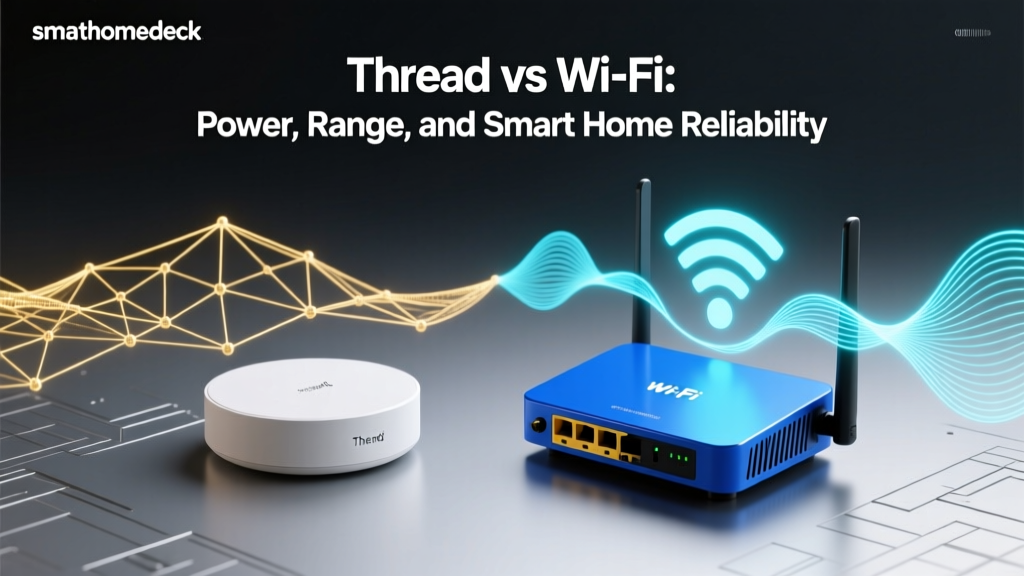
Before diving into the technical details, it helps to understand the fundamental design philosophies behind each protocol. Wi-Fi (IEEE 802.11) was created to move large amounts of data quickly over moderate distances. It excels at streaming video, loading web pages, and transferring files. Zigbee (IEEE 802.15.4) was created to move tiny amounts of data — a sensor reading, a switch command, a lock status — with extreme efficiency, minimal power consumption, and rock-solid reliability across a mesh of dozens or hundreds of nodes.
These different design goals lead to dramatically different behaviors in a smart home environment. A Wi-Fi-connected smart plug might consume 1–3 watts of power just to maintain its network connection. A Zigbee smart plug, by contrast, uses a fraction of that — often measured in milliwatts — because the protocol was designed from the ground up for always-on, low-energy operation.
As the comparison above makes clear, neither protocol is universally "better" in every scenario. Wi-Fi will always win when you need to stream 4K video from a security camera. But for the vast majority of smart home devices — door/window sensors, motion detectors, smart bulbs, thermostats, locks, and switches — Zigbee holds decisive advantages. Let us explore each of those advantages in detail.
How Zigbee Works: Mesh Networking, Low Power, and the Coordinator Model
Understanding why Zigbee outperforms Wi-Fi in smart home settings starts with understanding how the protocol actually works under the hood. Zigbee networks are built around three device types:
The Zigbee Coordinator
Every Zigbee network has exactly one coordinator. This is the brain of the network — typically built into a smart home hub such as a Samsung SmartThings station, an Amazon Echo (4th Gen), or a dedicated Zigbee USB stick like the ConBee II or Sonoff Zigbee 3.0 dongle. The coordinator is responsible for forming the network, assigning addresses to joining devices, storing the network encryption key, and managing routing tables. It is the single point of authority, but thanks to mesh networking, it is emphatically not a single point of failure for message delivery.
Zigbee Routers
Any mains-powered Zigbee device — a smart plug, a light bulb, an in-wall switch — can act as a router. Routers receive messages from nearby devices and retransmit them, extending the effective range of the network with every node you add. This is the mesh in "mesh networking." Unlike a Wi-Fi range extender, which creates a separate network segment and often halves throughput, a Zigbee router seamlessly participates in a single, unified network. Each router can handle dozens of child devices, and the network automatically calculates the most efficient path for every message.
Zigbee End Devices
Battery-powered sensors — door/window contacts, motion detectors, temperature sensors, water leak detectors — typically operate as end devices. These are the sleepiest nodes on the network. An end device spends most of its time in a deep sleep state, consuming virtually zero power. It wakes up only to take a sensor reading, transmit its data to its parent router (or the coordinator), confirm delivery, and go back to sleep. This duty-cycling is why a Zigbee door sensor can run for two to five years on a single CR2032 coin cell battery, while a Wi-Fi equivalent might drain the same battery in weeks.
The Mesh Advantage in Practice
Imagine a three-story home with a Zigbee coordinator on the first floor. A water leak sensor in the third-floor bathroom might be too far from the coordinator to communicate directly. But if there is a Zigbee smart bulb in the second-floor hallway and a Zigbee smart plug in the third-floor bedroom, the sensor's message hops from the sensor to the plug (router), then to the bulb (router), and finally to the coordinator. The network finds this route automatically — no configuration required. If the smart plug is unplugged, the mesh self-heals and finds an alternate path through other routers.
Wi-Fi, by contrast, uses a star topology. Every device must communicate directly with the access point (router). If a device is too far from the router, the connection degrades or drops entirely. Adding a Wi-Fi range extender helps, but it introduces latency, reduces bandwidth, and creates a separate network segment that can complicate device discovery and local control. In a home with 40 or 50 smart devices, a single Wi-Fi access point — or even a mesh Wi-Fi system — begins to struggle with the sheer number of connected clients, each maintaining persistent connections, DHCP leases, and keep-alive traffic.
Zigbee 3.0 and the Unified Standard
Earlier versions of Zigbee suffered from fragmentation — different manufacturers implemented different "profiles" (Zigbee Home Automation, Zigbee Light Link) that were not always interoperable. The introduction of Zigbee 3.0 unified these profiles into a single standard, ensuring that a Zigbee 3.0-certified sensor from one manufacturer will work with a Zigbee 3.0-certified hub from another. This interoperability guarantee is one of the protocol's strongest selling points and something Wi-Fi-based smart home ecosystems have historically struggled to match without cloud-dependent middleware.
Compatibility and Ecosystem: What Works with Zigbee?
One of the most common concerns when choosing a smart home protocol is compatibility — will the devices you buy actually work together? Zigbee's open standard and certification program give it a significant edge over proprietary Wi-Fi-based ecosystems in this regard.
Hub Compatibility
Zigbee is supported by a wide and growing range of smart home hubs, including:
- Samsung SmartThings Station — One of the most popular Zigbee hubs, supporting hundreds of certified devices and integrating with Samsung's broader SmartThings ecosystem.
- Amazon Echo (4th Gen and later) — Several Echo devices include built-in Zigbee radios, eliminating the need for a separate hub for basic setups.
- Home Assistant with Zigbee adapters — Open-source enthusiasts can use Zigbee USB coordinators (ConBee II, Sonoff ZBDongle-E, Texas Instruments CC2652-based sticks) with Home Assistant's ZHA or Zigbee2MQTT integrations for maximum flexibility and local control.
- Hubitat Elevation — A privacy-focused hub that processes all automations locally, with robust Zigbee support.
- Aqara Hub M2 / M3 — Supports Zigbee devices with a focus on Aqara's own extensive sensor lineup while remaining open to third-party devices.
Device Compatibility
The Zigbee Alliance (now the Connectivity Standards Alliance, or CSA) maintains a rigorous certification program. As a result, the Zigbee ecosystem includes thousands of certified devices across every major smart home category:
- Lighting: Philips Hue, IKEA TRÅDFRI, Sengled, Innr, GLEDOPTO
- Sensors: Aqara, SmartThings, Sonoff, Third Reality, Centralite
- Locks: Yale, Schlage, Kwikset (Zigbee models)
- Thermostats: Zen, Stelpro, Sinopé
- Plugs & switches: SmartThings, Sonoff, Aqara, GE/Jasco, Leviton
- Curtain & blind motors: Aqara, Zemismart, Moes
The key advantage here is cross-brand interoperability. A Philips Hue bulb, an Aqara door sensor, and a Sonoff smart plug — all Zigbee 3.0 certified — can coexist on the same network, be controlled by the same hub, and participate in the same automations. With Wi-Fi smart home devices, you often end up juggling multiple apps (Tuya, Smart Life, eWeLink, proprietary brand apps), each with its own cloud account, its own API, and its own points of failure.
The Matter Protocol and Zigbee's Future
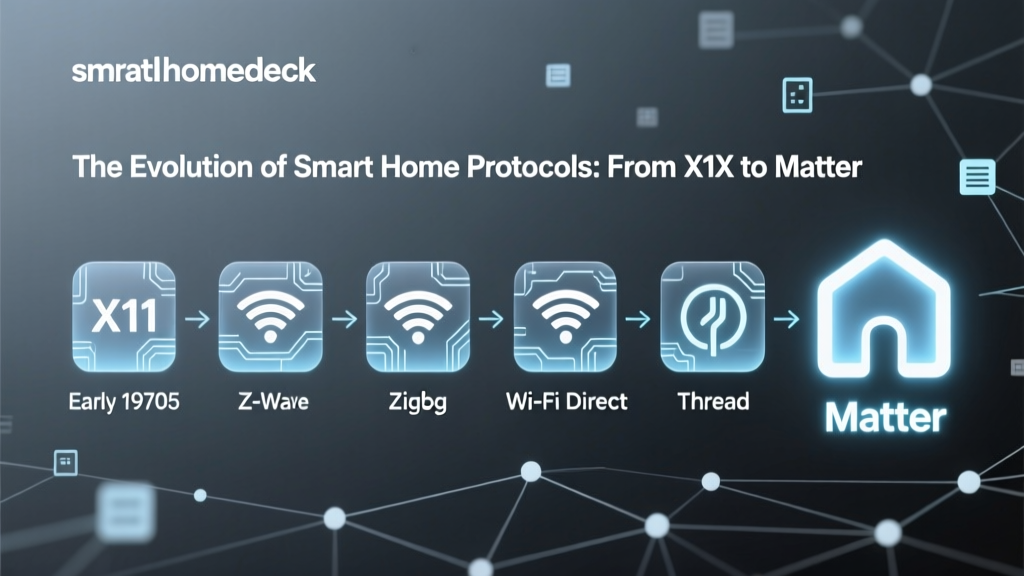
The introduction of Matter — the new unified smart home standard backed by Apple, Google, Amazon, and Samsung — has raised questions about Zigbee's future. Rather than replacing Zigbee, Matter actually complements it. Many Zigbee hub manufacturers are adding Matter bridge support, which allows your existing Zigbee devices to appear as Matter devices on newer platforms. In this way, Zigbee serves as the proven, battle-tested radio layer while Matter provides a unified application layer on top. Your investment in Zigbee devices is protected, not obsolete.
Performance: Latency, Reliability, and Network Scale
Raw data throughput is where Wi-Fi obviously wins — Zigbee's maximum data rate of 250 kbps is a fraction of what even Wi-Fi 4 can deliver. But smart home commands are tiny. Turning on a light requires transmitting a few dozen bytes. A temperature sensor reading is even smaller. At 250 kbps, these messages transmit in milliseconds, and Zigbee's protocol overhead is far leaner than Wi-Fi's, resulting in lower real-world latency for smart home commands.
Latency Comparison
In controlled testing, Zigbee command latency (the time from pressing a switch to the light responding) typically falls between 10 and 50 milliseconds on a well-configured mesh network. Wi-Fi smart home commands, which must traverse the device's Wi-Fi stack, the home router, often a cloud server, and back to the target device, frequently exhibit latencies of 100 to 500 milliseconds — and sometimes much more when the internet connection is congested or the cloud service is experiencing issues.
This difference is noticeable in daily use. A Zigbee light switch feels instant — as responsive as a traditional wired switch. A Wi-Fi smart switch often has a perceptible delay that can feel sluggish, especially when multiple family members are streaming video or gaming on the same network.
Network Congestion and Device Density
Modern smart homes can easily contain 50, 100, or even 200 connected devices. Wi-Fi access points are designed for a relatively small number of high-bandwidth clients. Most consumer Wi-Fi routers begin to struggle when more than 30–50 devices are connected, exhibiting increased latency, dropped connections, and DHCP conflicts. Enterprise-grade access points handle more clients, but at significantly higher cost.
Zigbee, by contrast, supports up to 65,535 nodes on a single network. In practice, well-designed Zigbee meshes routinely handle 100–200 devices without issue. Each router can manage multiple end-device children, and the mesh topology distributes traffic across many paths rather than funneling everything through a single access point. This makes Zigbee inherently more scalable for the high device counts typical of modern smart homes.
Interference and Coexistence
Both Zigbee and Wi-Fi operate on the 2.4 GHz band, which means they can interfere with each other. However, Zigbee uses narrower channels (2 MHz wide versus Wi-Fi's 20–40 MHz) and employs techniques like channel agility and frequency hopping to avoid congested frequencies. A well-configured Zigbee network can be set to use channels that fall in the gaps between Wi-Fi channels — specifically Zigbee channels 15, 20, and 25 align with the least-used portions of the 2.4 GHz spectrum when Wi-Fi is configured on channels 1, 6, and 11.
Furthermore, Zigbee's mesh nature provides inherent resilience. If one communication path is degraded by interference, the network automatically routes messages through an alternate path. Wi-Fi's star topology offers no such redundancy — if the path between a device and the access point is degraded, that device simply loses connectivity.
Local Control and Independence from the Cloud
Perhaps the most critical performance advantage of Zigbee is that it enables true local control. When you flip a Zigbee switch, the command travels directly from the switch through your local mesh to the target device. It never touches the internet. It never depends on a cloud server being online. It works even during an internet outage.
Many Wi-Fi smart home devices, by contrast, route commands through manufacturer cloud servers. Pressing a button in an app sends a signal to a server in a data center, which then relays the command back to the device in your home. This adds latency, creates a dependency on the manufacturer's server uptime, and means your smart home stops being smart when your internet goes down. Some Wi-Fi devices support local control protocols (like Tuya Local or HomeKit), but this is the exception rather than the rule.
Security Architecture: How Zigbee Protects Your Smart Home
Security is a paramount concern for any connected device in your home. Zigbee's security architecture, particularly in Zigbee 3.0, is robust and purpose-built for IoT environments.
Encryption Standards
Zigbee 3.0 mandates AES-128 encryption for all network-layer communications. Every message transmitted across the mesh is encrypted with a network key that is shared among all devices on the network. Additionally, Zigbee supports link-key encryption, which provides an extra layer of security for sensitive communications between specific device pairs (for example, between a door lock and the coordinator).
This is comparable to the WPA2/WPA3 encryption used by Wi-Fi. However, Zigbee's smaller attack surface — lower data rates, simpler protocol stack, no IP-based services exposed — makes it inherently less attractive to remote attackers. A Wi-Fi device, by contrast, runs a full TCP/IP stack, often exposes network services (HTTP, MQTT, mDNS), and may have open ports that can be probed and exploited by attackers on the local network.
Secure Commissioning and Install Codes
Zigbee 3.0 introduced install codes — unique, per-device cryptographic keys printed on the device or its packaging. When adding a new device to the network, the install code is used to securely derive a link key, ensuring that the joining process itself is encrypted and authenticated. This prevents eavesdroppers from intercepting the network key during the pairing process — a vulnerability that existed in earlier Zigbee versions that used a well-known default trust center link key.
Wi-Fi device commissioning varies wildly by manufacturer. Some use Wi-Fi Protected Setup (WPS), which has known vulnerabilities. Others use SmartConfig or SoftAP provisioning, where the device temporarily creates its own Wi-Fi network or listens for credentials broadcast over the air. These methods vary in security quality and are often implemented inconsistently across manufacturers.
Network Isolation and Privacy
Zigbee devices communicate exclusively within their own mesh network. They do not have IP addresses, do not appear on your Wi-Fi network, and cannot be directly accessed from the internet (unless your hub explicitly provides that functionality). This provides a natural layer of network isolation that protects Zigbee devices from many common attack vectors.
Wi-Fi smart home devices, on the other hand, sit directly on your home network alongside your computers, phones, and NAS drives. A compromised Wi-Fi smart plug could potentially be used as a foothold to attack other devices on your network. While network segmentation (VLANs) can mitigate this risk, it requires advanced networking knowledge that most consumers do not possess.
Firmware Updates and Long-Term Security
Zigbee 3.0 supports Over-The-Air (OTA) firmware updates through the hub, allowing manufacturers to patch security vulnerabilities without requiring physical access to each device. The update process itself is encrypted and authenticated. Major hub platforms like SmartThings, Home Assistant (via ZHA or Zigbee2MQTT), and Hubitat facilitate these updates through their respective interfaces.
Wi-Fi device firmware update practices vary enormously. Some manufacturers provide regular updates; many do not. Budget Wi-Fi smart home devices from lesser-known brands are often abandoned shortly after launch, leaving known vulnerabilities unpatched indefinitely.
Best Zigbee Devices to Build Your Smart Home
Ready to build a Zigbee-based smart home? Here are the top devices across key categories, selected for reliability, interoperability, and value.
Best Zigbee Hubs
- Home Assistant SkyConnect / Connect ZBT-1: The ideal choice for enthusiasts who want full local control, maximum flexibility, and integration with thousands of devices through Home Assistant. Pair with Zigbee2MQTT for the widest device compatibility available.
- Samsung SmartThings Station: Best for users who want a polished app experience with broad device support and easy setup. Works well with both Zigbee and Z-Wave devices.
- Hubitat Elevation: Best for privacy-conscious users who want powerful local automations without cloud dependency. Supports Zigbee, Z-Wave, and LAN-based devices.
- Sonoff Zigbee 3.0 USB Dongle Plus (P or E version): Best budget option for DIY setups with Home Assistant or openHAB. Excellent range and compatibility at a low price point.
Best Zigbee Sensors
- Aqara Door & Window Sensor P2: Compact, reliable, with excellent battery life and fast response times. Also available in a Zigbee 3.0 variant for broader hub compatibility.
- SmartThings Multipurpose Sensor: Combines open/close detection with temperature sensing and vibration detection for garage doors.
- Sonoff SNZB-02D: A temperature and humidity sensor with an LCD display, excellent accuracy, and long battery life at a budget-friendly price.
- Third Reality Motion Sensor: Matter-over-Zigbee compatible, making it future-proof and broadly compatible with modern hubs.
Best Zigbee Lighting
- Philips Hue White & Color Ambiance: The gold standard for smart lighting. Reliable, feature-rich, and widely compatible (note: Hue uses a proprietary Zigbee profile but is interoperable with most hubs via Zigbee 3.0).
- IKEA TRÅDFRI / Dirigera: Affordable, widely available, and fully Zigbee 3.0 compliant. An excellent budget option for bulbs, outlets, and blinds.
- Sengled Element Classic: Budget-friendly Zigbee bulbs that work directly with SmartThings, Echo, and other Zigbee hubs without requiring a separate bridge.
- Innr Smart Bulbs: European-based brand offering excellent color accuracy and full Zigbee 3.0 compliance at competitive prices.
Best Zigbee Switches & Plugs
- Aqara Smart Wall Switch (with neutral): Elegant, responsive, and available in single, double, and triple gang configurations. Provides both physical and wireless control.
- Sonoff ZBMINI-L2: An extremely compact Zigbee relay module that fits behind existing wall switches, converting them to smart switches without replacing the visible hardware.
- SmartThings Smart Plug (Zigbee): Compact, energy-monitoring capable, and doubles as a Zigbee router to extend your mesh.
Best Zigbee Locks
- Yale Assure Lock 2 (Zigbee module): Premium build quality, reliable Zigbee connectivity, and excellent battery life.
- Schlage Connect (Zigbee): ANSI Grade 1 rated for maximum physical security, with integrated Zigbee for hub-based control and automation.
Frequently Asked Questions
Can I use Zigbee and Wi-Fi smart home devices together?
Absolutely. In fact, the optimal smart home uses both protocols where they excel. Use Zigbee for sensors, switches, locks, bulbs, and plugs — the devices that benefit from low power, mesh networking, and local control. Reserve Wi-Fi for high-bandwidth devices like security cameras, smart speakers, and smart displays that need to stream audio or video. A hub like Home Assistant, SmartThings, or Hubitat can bridge both ecosystems into a single, unified control interface with cross-protocol automations.
Does Zigbee interfere with my Wi-Fi network?
Zigbee and Wi-Fi both operate on the 2.4 GHz band, so there is potential for interference. However, Zigbee uses much narrower channels (2 MHz vs. Wi-Fi's 20–40 MHz) and can be configured to use channels that fall between the most commonly used Wi-Fi channels. Specifically, setting your Wi-Fi to channels 1, 6, or 11 and your Zigbee network to channel 15, 20, or 25 minimizes overlap almost entirely. In practice, most users experience no noticeable interference between the two protocols running simultaneously.
What is the range of a Zigbee network?
A single Zigbee radio hop typically covers 10 to 100 meters, depending on obstacles, building materials, and transmit power. However, because Zigbee is a mesh protocol, the effective range of the network extends with every mains-powered device you add. Each smart plug, bulb, or in-wall switch acts as a router, relaying messages for devices further away. In a typical home with 15–20 mains-powered Zigbee devices, coverage is excellent from the basement to the attic, the garage, and even outdoor areas near the house — all without range extenders.
Is Zigbee more secure than Wi-Fi for smart home devices?
Zigbee 3.0 offers strong security with mandatory AES-128 encryption, secure commissioning via install codes, and network isolation from your IP network. Wi-Fi offers comparable encryption (WPA2/WPA3) but exposes devices to a broader attack surface because Wi-Fi devices sit on your IP network, run full TCP/IP stacks, and often expose network services. Zigbee devices, lacking IP addresses and network services, are inherently harder for remote attackers to reach. That said, security ultimately depends on proper implementation by the device manufacturer, so choosing Zigbee-certified devices from reputable brands is essential.
Will Matter replace Zigbee?
No — Matter and Zigbee serve different layers of the smart home stack and are complementary, not competitive. Matter is an application-layer protocol that defines how devices communicate and are controlled, regardless of the underlying wireless technology. Zigbee is a network and radio-layer protocol that handles the actual wireless communication. Many hub manufacturers are implementing Matter bridges that expose Zigbee devices as Matter devices, allowing them to work with Apple Home, Google Home, and Amazon Alexa through the Matter standard. In this model, Zigbee continues to handle the low-power, mesh-networked radio communication while Matter provides a unified control language on top. Your existing Zigbee devices remain useful and compatible as the smart home ecosystem evolves.