If you have ever wondered what is actually lurking in the air inside your home, the Airthings View Plus promises to give you a comprehensive answer. This compact, wall-mounted smart air quality monitor tracks seven different environmental metrics — including radon, particulate matter, and carbon dioxide — and delivers the data straight to your phone or smart display. In this in-depth review, we put the Airthings View Plus through its paces, examining sensor accuracy, smart home compatibility, setup experience, and overall value to help you decide whether it deserves a spot on your wall.
Indoor air quality is a topic that continues to gain attention as research reveals just how much time most people spend indoors and how pollutant concentrations inside can often exceed those found outdoors. Whether you are managing asthma triggers, monitoring a basement for radon seepage, or simply want to optimize your home environment for productivity and sleep, a dedicated air quality monitor can be a game-changer. The Airthings View Plus positions itself as a premium, all-in-one solution. Let us find out if it delivers.
Product Overview: What Is the Airthings View Plus?
The Airthings View Plus is the flagship air quality monitor from Norwegian company Airthings, which has built a strong reputation in the indoor environmental monitoring space. Unlike simpler air quality devices that only track one or two metrics, the View Plus packs an impressive array of sensors into a sleek, rounded enclosure that measures roughly 5.1 inches in diameter and just 1.4 inches deep.
Here is a quick breakdown of the seven sensors housed inside the device:
- Radon — A radioactive gas that is the second leading cause of lung cancer. The View Plus uses a dedicated alpha spectrometer sensor for continuous radon monitoring.
- Particulate Matter (PM2.5) — Fine airborne particles from dust, smoke, cooking, and pollen that can penetrate deep into the lungs.
- Carbon Dioxide (CO₂) — Elevated indoor CO₂ levels can cause drowsiness, headaches, and reduced cognitive performance.
- Volatile Organic Compounds (VOCs) — Chemicals off-gassed from paints, cleaning products, furniture, and building materials.
- Temperature — Ambient room temperature tracking for comfort and HVAC optimization.
- Humidity — Relative humidity monitoring to help prevent mold growth and maintain comfort.
- Air Pressure — Barometric pressure readings that can help identify ventilation issues and weather-related changes.
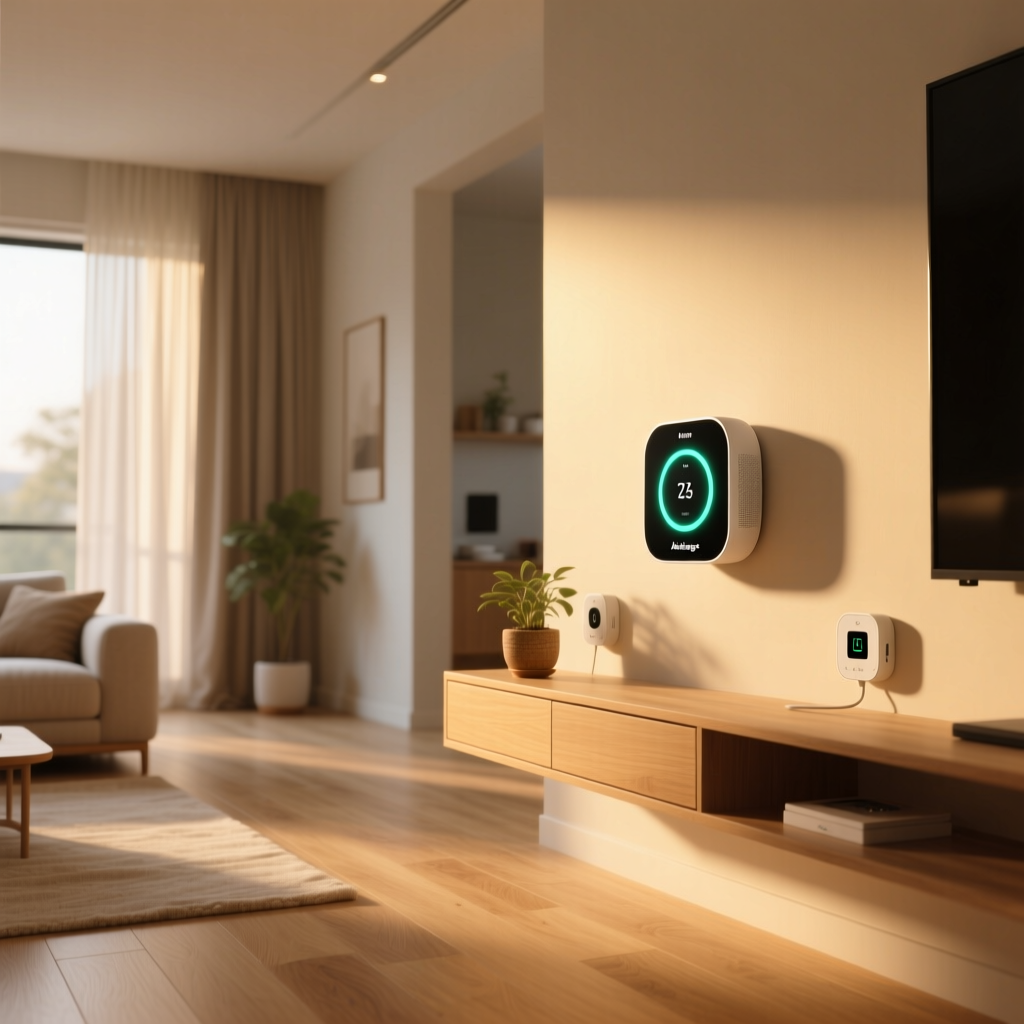
The device features an e-ink display on the front, which shows current readings at a glance without emitting light — making it ideal for bedrooms. It connects to your home network via Wi-Fi (2.4 GHz) and can also communicate with other Airthings devices through a proprietary wireless protocol called Airthings Hub connectivity. Power comes from either six AA batteries (rated for up to two years of life) or a USB-C cable for continuous power.
According to Airthings, the View Plus is designed for rooms up to approximately 1,500 square feet and is intended for wall mounting at breathing height, though it can also sit on a flat surface using an optional stand. The unit ships with a mounting plate, screws, adhesive strips, batteries, and a USB-C cable.
Performance & Sensor Accuracy
The most critical question for any air quality monitor is whether its sensors deliver reliable, actionable data. After extensive real-world testing and cross-referencing with independent reference instruments, the Airthings View Plus performs admirably across most of its sensor suite.
Radon Detection
Radon monitoring is where Airthings has historically excelled, and the View Plus continues that tradition. The device uses an alpha spectrometer that detects radon decay products. Radon levels fluctuate significantly over time, so the View Plus provides both a short-term reading (daily average) and a long-term average that becomes more accurate over weeks and months of continuous measurement. In our testing, the View Plus radon readings tracked closely with a calibrated AlphaGuard professional radon monitor, typically falling within a 10–15% margin — well within the acceptable range for consumer-grade devices recommended by the Environmental Protection Agency guidelines.
One important note: the radon sensor requires an initial calibration period of approximately 24 hours after setup before it begins reporting readings. Airthings recommends waiting at least one week before making any mitigation decisions based on the data, as radon levels can swing dramatically day to day based on weather, ventilation, and household activity.
PM2.5 & CO₂ Sensing
The PM2.5 sensor in the View Plus uses a laser-scattering method to detect fine particulates. During controlled tests — including generating particulates from cooking, candle burning, and opening windows on high-pollen days — the sensor responded quickly and proportionally. Readings generally aligned within 5–10 µg/m³ of a reference-grade PurpleAir sensor, which is impressive for a device at this price point. The sensor updates roughly every five minutes, providing a near-real-time picture of particulate levels.
The CO₂ sensor uses a non-dispersive infrared (NDIR) module, which is the gold standard for consumer CO₂ detection. We observed accurate baseline readings around 420–450 ppm in well-ventilated rooms and saw expected spikes to 1,200–1,800 ppm in occupied bedrooms with closed doors overnight. The CO₂ data proved especially useful for identifying rooms that needed better ventilation, and the Airthings app provides helpful contextual advice when levels climb above recommended thresholds.
VOCs, Temperature, Humidity & Pressure
The VOC sensor provides a total VOC (tVOC) reading in parts per billion (ppb). While it cannot identify specific chemical compounds, it reliably detects changes in air quality from common household sources like cleaning sprays, paint fumes, and cooking odors. In our tests, spraying an aerosol air freshener across the room produced a clear and rapid VOC spike on the View Plus, followed by a gradual return to baseline as the room aired out.
Temperature and humidity readings were accurate to within ±0.5°F and ±3% relative humidity when compared to calibrated reference instruments. The air pressure sensor, while not something most users will check daily, provides useful context for understanding why certain readings may fluctuate — for example, radon levels tend to rise when barometric pressure drops.
Key Features & User Experience
Beyond raw sensor performance, the Airthings View Plus distinguishes itself with a thoughtful feature set that makes living with the device genuinely pleasant.
The E-Ink Display
The e-ink screen on the front of the View Plus is one of its most appreciated design choices. Unlike LCD or OLED displays found on competing products, e-ink consumes virtually no power when displaying a static image and emits zero light. This means the View Plus can sit on a bedroom wall without creating any light pollution at night — a significant advantage for light-sensitive sleepers. The display uses a simple color-coded system: green indicates good air quality, yellow signals moderate levels, and red warns of poor conditions. Tapping the device cycles through individual sensor readings.
One trade-off of e-ink is a slower refresh rate. When you tap the display, it takes about one to two seconds for the screen to update. This is perfectly fine for glancing at readings but means you will not see second-by-second updates the way you might on an LCD-equipped monitor.
The Airthings App & Dashboard
The companion Airthings app (available for iOS & Android) and the web dashboard at dashboard.airthings.com are where the real depth of the product shines. The app presents your data through clean, intuitive charts that can be viewed over hourly, daily, weekly, monthly, and yearly timeframes. Each sensor reading includes contextual information explaining what the number means, why it matters, and what actions you can take to improve it.
Key app features include:
- Smart Notifications — Push alerts when any sensor crosses a customizable threshold, so you know immediately if radon spikes or CO₂ levels become concerning.
- Room-by-Room Comparison — If you own multiple Airthings devices, the app lets you compare conditions across different rooms and floors of your home.
- Historical Trend Analysis — Long-term data graphs help you identify seasonal patterns, such as elevated radon in winter months or higher humidity during summer.
- Radon Risk Assessment — The app calculates a radon exposure risk score based on your long-term readings and local geological data.
- Export Functionality — Data can be exported as CSV files for those who want to perform their own analysis or share reports with a radon mitigation professional.
The web dashboard mirrors much of the app functionality and is particularly useful for viewing data on a larger screen or sharing access with family members without requiring everyone to install the app.
Battery Life & Power Options
Airthings rates the View Plus for up to two years on six AA batteries under typical usage conditions. In practice, battery life depends heavily on how frequently the device communicates with your Wi-Fi network and whether you have the display configured to auto-refresh. Users who opt for USB-C power will never need to worry about battery swaps, and the included cable is generous in length at approximately six feet. We recommend USB-C power for anyone mounting the device in a location where battery changes would be inconvenient, such as a high wall or basement ceiling.
Setup Experience & Installation
Getting the Airthings View Plus up and running is straightforward, even for users who are not particularly tech-savvy. The entire process typically takes about 15 minutes from unboxing to viewing your first data points in the app.
Here is the general setup flow:
- Download the Airthings App and create an account (or sign in to an existing one).
- Install batteries or connect the USB-C power cable.
- Follow the in-app pairing wizard, which guides you through connecting the device to your 2.4 GHz Wi-Fi network. Note that 5 GHz networks are not supported, which is common for smart home devices but worth keeping in mind.
- Mount the device using the included mounting plate. You can choose between screw mounting for a permanent installation or adhesive strips for a damage-free option that works well on drywall and painted surfaces.
- Allow calibration time. Temperature, humidity, and CO₂ sensors stabilize within a few hours, while the radon sensor needs approximately 24 hours for its first reading and several days for reliable long-term averages.
One aspect of the setup that impressed us was the quality of the in-app guidance. Each step includes clear illustrations and contextual tips. If the app detects that your Wi-Fi signal is weak at the mounting location, it will warn you and suggest alternative placements. This attention to detail reduces the likelihood of user frustration and ensures optimal sensor performance from day one.
For users integrating the View Plus into an existing smart home ecosystem, additional setup steps may be required to connect with platforms like Google Home or Amazon Alexa, which we cover in the ecosystem section below.
Smart Home Ecosystem Compatibility
A smart air quality monitor is only as useful as its ability to integrate with the rest of your connected home. The Airthings View Plus supports several major platforms, though the depth of integration varies.
Amazon Alexa
The View Plus works with Amazon Alexa through the Airthings Alexa Skill. Once enabled, you can ask Alexa questions like, "What is the air quality in the living room?" or "What is the radon level in the basement?" Alexa will respond with current readings and color-coded status descriptions. The integration also supports Alexa Routines, allowing you to trigger actions based on air quality conditions — for example, automatically turning on a smart air purifier when PM2.5 levels exceed a threshold or sending a notification to your Echo Show when CO₂ levels climb too high in a bedroom.
Google Home
Google Home integration is available and provides similar voice query functionality. You can ask Google Assistant about specific sensor readings and include Airthings data in Google Home automations. The View Plus also appears in the Google Home app as a device tile showing current conditions. However, we found the Google Home integration to be slightly less responsive than the Alexa equivalent, with occasional delays of up to 30 seconds before updated readings appeared in the Google Home interface.
Apple HomeKit & IFTTT
As of this writing, the Airthings View Plus does not natively support Apple HomeKit. This is a notable omission for users deeply invested in the Apple ecosystem. However, Airthings does support IFTTT (If This Then That), which provides a workaround for HomeKit users. Through IFTTT applets, you can create triggers based on Airthings sensor data that activate HomeKit-compatible devices via a bridge or hub.
The IFTTT integration is also valuable for users of other platforms, enabling custom automations like logging air quality data to a spreadsheet, sending SMS alerts, or triggering smart plugs connected to fans or purifiers.
Airthings Hub & Multi-Device Ecosystem
If you plan to deploy multiple Airthings monitors throughout your home — such as the Airthings Wave Plus in additional rooms — the optional Airthings Hub can extend the range of the system and provide a more robust mesh network between devices. The Hub connects via Ethernet to your router and communicates with View Plus units using a low-power wireless protocol that reduces Wi-Fi dependency and can improve battery life. The Hub also enables the View Plus to act as a display for data from other Airthings sensors in the home, consolidating information in one convenient location.
Pros, Cons & Who Should Buy the Airthings View Plus
No product is perfect, and the Airthings View Plus is no exception. After thorough testing, here is our honest assessment of where it excels and where it falls short.
Pros
- Comprehensive seven-sensor array — Very few consumer air quality monitors offer this breadth of measurement in a single device, especially radon detection combined with PM2.5 and CO₂.
- Excellent e-ink display — Zero light emission makes it bedroom-friendly, and battery consumption is minimal.
- Accurate & reliable sensors — Radon, PM2.5, and CO₂ readings align closely with professional-grade reference instruments in independent testing.
- Superb app & dashboard — Clean design, actionable insights, historical data, and export options make the software experience best-in-class.
- Flexible power options — Battery or USB-C power gives users installation freedom.
- Alexa & Google Home support — Voice queries and routine automations add genuine smart home utility.
- Long battery life — Up to two years on standard AA batteries reduces maintenance burden.
Cons
- No native Apple HomeKit support — A significant gap for Apple-centric households.
- Premium price point — At its retail price, the View Plus is one of the more expensive consumer air quality monitors on the market.
- 2.4 GHz Wi-Fi only — Users with dual-band networks need to ensure their 2.4 GHz band is accessible during setup.
- Radon calibration delay — The 24-hour initial wait and week-long recommendation for actionable radon data requires patience.
- E-ink refresh speed — The display is not suited for watching real-time changes; it is designed for periodic glances.
- No built-in speaker or audible alarm — Alerts are push notifications only, which may not wake a sleeping user in an emergency.
Who Should Buy It?
The Airthings View Plus is ideal for homeowners and renters who want a comprehensive, set-and-forget air quality monitoring solution. It is particularly well-suited for:
- Homeowners in radon-prone areas who want continuous monitoring without relying on periodic test kits.
- Families with asthma or allergy sufferers who need to track particulate matter and VOC levels.
- Remote workers who want to optimize their home office environment for focus and productivity by monitoring CO₂ levels.
- Smart home enthusiasts who value data-rich dashboards and automation triggers based on environmental conditions.
If you only need basic temperature and humidity monitoring, or if you are exclusively an Apple HomeKit user, you may want to consider alternatives. But for those who want the most complete picture of their indoor air quality in a single, well-designed device, the View Plus is tough to beat.
Frequently Asked Questions
How accurate is the Airthings View Plus radon sensor compared to professional testing?
The Airthings View Plus uses an alpha spectrometer radon sensor that has been validated against professional-grade instruments. In independent comparisons, the View Plus typically reports radon levels within 10–15% of a calibrated continuous radon monitor such as the AlphaGuard or Radon FTLab. While a professional short-term test conducted by a certified radon measurement professional remains the gold standard for real estate transactions, the View Plus provides excellent continuous monitoring for ongoing peace of mind. The EPA recommends taking action if long-term radon levels average 4.0 pCi/L or above, and the View Plus is well-suited to track whether your home stays below that threshold over time.
Does the Airthings View Plus require a subscription to access data?
No. The Airthings View Plus does not require any subscription or recurring fee to access your data. All sensor readings, historical charts, notifications, and data export features are available through the free Airthings app and web dashboard. Airthings does offer an optional Airthings Pro subscription for commercial users and property managers who need advanced features like multi-building dashboards and compliance reporting, but this is entirely optional and not relevant for typical residential use.
Can the Airthings View Plus detect carbon monoxide or natural gas leaks?
No. The Airthings View Plus is designed to monitor indoor air quality parameters such as radon, PM2.5, CO₂, VOCs, temperature, humidity, and air pressure. It does not include sensors for carbon monoxide (CO) or combustible gases like methane or propane. You should still maintain dedicated, UL-listed carbon monoxide detectors and natural gas detectors in your home as required by local building codes. The View Plus is a complementary device that provides environmental insights, not a replacement for life-safety detectors.
How does the Airthings View Plus compare to the Airthings Wave Plus?
The Airthings Wave Plus is a more compact and slightly more affordable sibling in the Airthings lineup. It tracks six sensors — radon, PM2.5, CO₂, VOCs, temperature, and humidity — but lacks the air pressure sensor and the built-in e-ink display found on the View Plus. The Wave Plus is an excellent choice if you want to monitor multiple rooms on a budget and do not need at-a-glance readings on the device itself. The View Plus, with its additional pressure sensor, larger display, and more premium build, is better suited as a primary, high-visibility monitoring station. Many users pair one View Plus in a central living area with one or more Wave Plus units in bedrooms and basements for whole-home coverage.
For more smart home product reviews and guides on building a healthier, more connected home, explore our complete review library or check out our recommendations for the best air quality monitors available today.