Introduction: The Fragmented Smart Home Dilemma
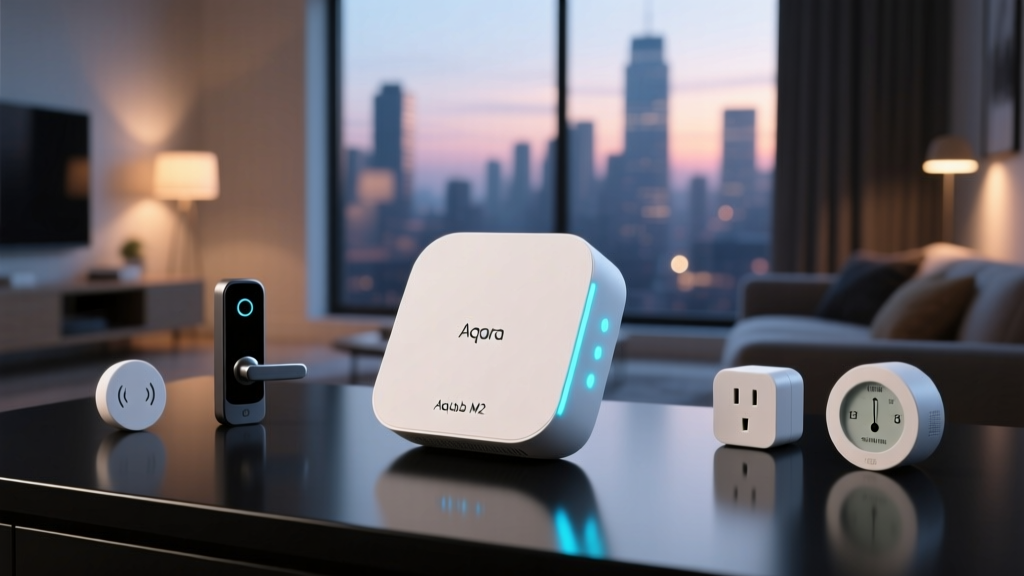
For smart home enthusiasts, the dream of a fully automated, seamlessly integrated home is often interrupted by the harsh reality of fragmented ecosystems. You might have Apple HomeKit for your lighting, Amazon Alexa for your smart plugs, and a collection of Zigbee sensors that refuse to talk to your primary hub. Enter the Aqara Hub M2, a device that positions itself not just as a simple Zigbee coordinator, but as a universal translator for your smart home. Priced typically between $60 and $70, the M2 promises to bridge the gap between proprietary walled gardens and the emerging open-source Matter standard championed by the Connectivity Standards Alliance (CSA).
In this comprehensive ecosystem integration experience review, we put the Aqara Hub M2 through rigorous real-world testing. We evaluated how well it handles local execution, cloud-dependent routines, and the complexities of acting as a Matter bridge. Whether you are deeply entrenched in the Apple Home App ecosystem or juggling a mix of Google Home and Amazon Alexa, this review will reveal if the M2 is the missing link your smart home needs.
Hardware Design and Specifications
Before diving into software ecosystems, it is crucial to understand the physical foundation of the Hub M2. Unlike its predecessor, the M1S, which relied solely on Wi-Fi and featured an ambient light ring, the M2 adopts a more utilitarian, performance-driven design.
- Dimensions: 90 x 90 x 25 mm (3.54 x 3.54 x 0.98 inches)
- Connectivity: Zigbee 3.0, Wi-Fi 2.4GHz, Ethernet (RJ45)
- Special Features: Built-in 360-degree Infrared (IR) Blaster
- Power: 5V/1A via Micro-USB
- Child Device Capacity: Up to 128 Zigbee devices
The inclusion of an Ethernet port is a massive win for ecosystem stability. Wi-Fi congestion is the enemy of smart home reliability, and hardwiring your primary Zigbee coordinator ensures that your mesh network remains unaffected by bandwidth-heavy streaming or downloads. However, the decision to use a Micro-USB port instead of USB-C in a modern hub is a baffling omission and our primary hardware grievance.
The Core Test: Ecosystem Integration Experience
The true value of the Aqara Hub M2 lies in its software versatility. We tested its integration across the three major platforms, focusing on latency, local control, and feature parity.
Apple HomeKit and Adaptive Lighting
For Apple users, the M2 is a powerhouse. When paired with an Apple TV or HomePod acting as a home hub, the M2 pushes local control to the forefront. We connected several Aqara Zigbee sensors (including the Door and Window Sensor P2 and the Temperature and Humidity Sensor) and exposed them to HomeKit. The latency was virtually imperceptible. Furthermore, the M2 fully supports HomeKit Adaptive Lighting for compatible Aqara LED strips and bulbs, automatically adjusting color temperature throughout the day to match your circadian rhythm. The integration is native, secure, and does not require cloud polling for basic automations.
Amazon Alexa and Google Home
Integration with Alexa and Google Home is robust but relies more heavily on cloud execution unless specific local API conditions are met. Through the Aqara skill in Alexa and the Aqara action in Google Home, all child devices are exposed accurately. The standout feature here is the IR blaster integration. Unlike HomeKit, which has limited native support for IR devices, Alexa and Google Home allow you to create complex voice routines using the M2’s learned IR commands. Saying, "Alexa, turn on the living room AC and set it to 72 degrees," works flawlessly, provided you have configured the virtual remote correctly in the Aqara app.
Matter Support: The Ultimate Bridge
This is where the Aqara Hub M2 separates itself from standard Zigbee hubs. Through firmware updates, the M2 acts as a Matter Bridge. It does not merely expose the hub itself to Matter; it translates its connected Zigbee child devices into individual Matter endpoints. This means an Aqara Zigbee motion sensor connected to the M2 can be natively discovered and controlled by Samsung SmartThings, Google Home, and Apple Home simultaneously via the Matter protocol, without relying on Aqara's cloud servers. This future-proofs your investment and dismantles the walled garden approach entirely.
Real-World Testing: The IR Blaster Experience
The built-in 360-degree IR blaster is a fantastic addition for bringing "dumb" appliances into your smart ecosystem. We tested it with a Daikin split-system air conditioner and a Samsung OLED TV.
Pro Tip: While Aqara advertises a 360-degree IR blaster, infrared light still requires line-of-sight and bounces off walls. Do not hide the Hub M2 inside a closed media console. Place it on an open shelf or mount it centrally on a wall for the best signal reflection.
The learning process in the Aqara app is intuitive. You simply point your original remote at the hub and press the corresponding buttons. However, we encountered a common IR hub limitation: state tracking. If you turn on your AC using the physical remote control on the wall, the Hub M2 has no way of knowing the AC is on, leading to state mismatches in your smart home app. To counter this, we recommend creating automations that rely on Aqara’s temperature and humidity sensors to trigger the IR commands, rather than relying solely on manual toggles.
Performance and Latency Analysis
To quantify the ecosystem integration experience, we measured the command latency—the time between triggering an automation and the physical device responding. We tested a Zigbee smart plug connected to the M2, triggering it via different ecosystem routines.
Command Latency Comparison Across Smart Home Ecosystems
As the data illustrates, local execution via Apple HomeKit and the Matter bridge offers vastly superior responsiveness compared to cloud-dependent routines in Alexa and Google Home. If speed and reliability are your top priorities, prioritizing local ecosystems and utilizing the M2's Ethernet port is essential.
Deck Score Dimensions
At SmartHomeDeck, we evaluate products across five core dimensions to provide a holistic view of their value and performance.
| Dimension | Score | Analysis |
|---|---|---|
| Performance | 9.0 / 10 | Zigbee 3.0 mesh is highly stable, especially when utilizing the Ethernet port for backhaul. Local execution is lightning-fast. |
| Value | 8.5 / 10 | At roughly $65, the inclusion of an IR blaster and Ethernet port makes it one of the most cost-effective multi-protocol hubs on the market. |
| Compatibility | 10.0 / 10 | Unmatched. Native support for HomeKit, Alexa, Google, and Matter bridging ensures it works with virtually every major platform. |
| Ease-of-Use | 7.0 / 10 | The Aqara app can be cluttered. Furthermore, switching from Wi-Fi to Ethernet requires a factory reset due to a firmware quirk. |
| Features | 9.0 / 10 | Automations, IR learning, adaptive lighting, and Matter bridging provide a massive toolkit for advanced users. |
Pros and Cons Summary
Pros:
- Acts as a Matter bridge, exposing Zigbee devices to all Matter-compatible ecosystems.
- Built-in Ethernet port for rock-solid network stability.
- 360-degree IR blaster integrates legacy appliances into modern routines.
- Excellent local execution speeds with Apple HomeKit.
Cons:
- Uses an outdated Micro-USB power connector.
- Network interface switching (Wi-Fi to Ethernet) requires a hard factory reset.
- IR state tracking relies on workarounds and secondary sensors.
Practical Setup Advice and Cost Analysis
If you are planning to integrate the Aqara Hub M2 into your home, here is our actionable advice for a frictionless setup:
- Prioritize Ethernet: If you plan to use the Ethernet port, plug it in before you begin the setup process in the Aqara app. If you set it up on Wi-Fi first and later decide to plug in the Ethernet cable, the hub will not automatically prioritize the wired connection. You will need to press the reset button for 10 seconds and re-pair the hub to force it to recognize the RJ45 connection.
- Centralize the Hub: Zigbee 3.0 relies on a mesh network. Place the M2 in the geographic center of your home, elevated at least three feet off the ground, to ensure the strongest possible signal distribution to your battery-powered sensors.
- Manage IR Expectations: Use the Aqara app to create "scenes" for your IR devices rather than individual toggles. For example, create a "Movie Night" scene that sends the IR code to turn on the TV, switch the input to HDMI 2, and dim your Aqara smart bulbs simultaneously. This reduces the chance of IR codes failing mid-sequence.
Regarding cost, the Aqara Hub M2 retails for approximately $60 to $70 USD. When compared to buying a dedicated Zigbee hub ($40) and a separate IR blaster ($25), the M2 offers tangible financial savings while reducing the number of power adapters cluttering your outlets.
Final Verdict
The Aqara Hub M2 is a triumph of ecosystem integration. It successfully addresses the modern smart home user's biggest pain point: fragmentation. By serving as a robust Zigbee 3.0 coordinator, a capable IR bridge, and a forward-looking Matter translator, the M2 proves that you do not need to choose just one ecosystem. You can have the privacy and local speed of Apple HomeKit, the voice convenience of Alexa, and the open interoperability of Matter, all running through a single, unassuming puck. While the Micro-USB port and minor network-switching quirks hold it back from absolute perfection, its compatibility and performance make it an indispensable tool for any serious smart home integrator.