Introduction to the Aqara Smart Hub M2
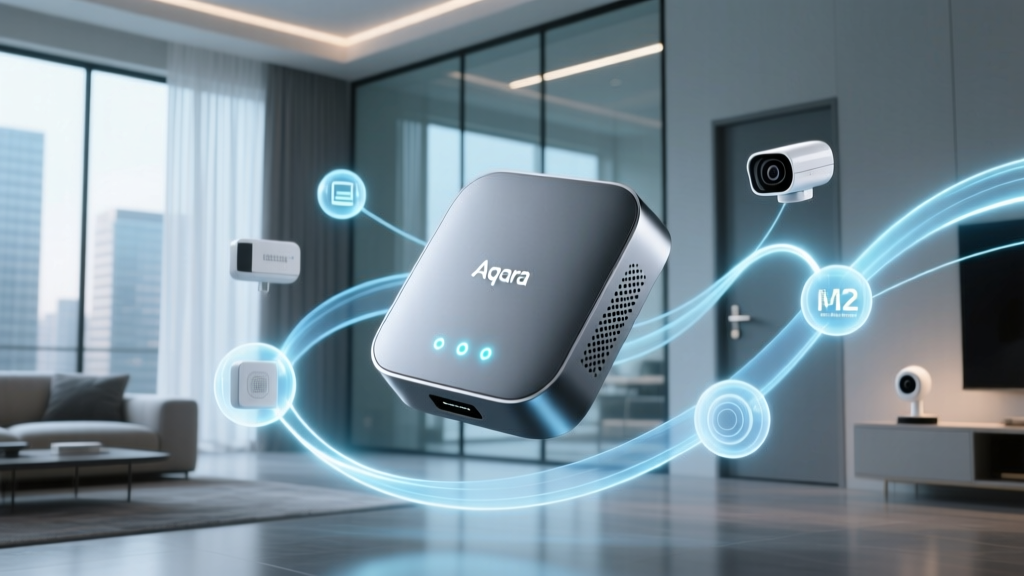
The modern smart home is a fragmented landscape of competing protocols, walled gardens, and proprietary hubs. For years, consumers have been forced to choose between the Apple ecosystem, Amazon Alexa, or Google Home, often purchasing redundant hardware to make disparate devices communicate. Enter the Aqara Smart Hub M2, a device that promises to tear down these walls. Positioned not just as a simple Zigbee coordinator, but as a universal bridge capable of speaking to Apple HomeKit, Amazon Alexa, Google Home, and the emerging Matter standard, the M2 is a cornerstone device for any serious home automation enthusiast.
In this comprehensive ecosystem integration experience review, we put the Aqara M2 through its paces. We tested its real-world latency, its Matter bridging capabilities, and its hidden infrared blaster to determine if it truly deserves a spot on your network rack. Whether you are deeply entrenched in the Apple ecosystem or looking to unify a chaotic mix of smart devices, understanding how this hub integrates with various platforms is crucial for building a seamless, automated home.
Hardware Design and Physical Connectivity
Unlike its predecessors, which relied heavily on Wi-Fi and micro-USB power, the Aqara M2 represents a significant hardware evolution. The hub features a sleek, matte black, puck-like design that blends unobtrusively into modern home decor. More importantly, it is powered via USB-C and includes a dedicated Ethernet port. This inclusion of an Ethernet port is a massive win for smart home reliability. By hardwiring the hub to your router, you eliminate Wi-Fi interference, ensuring that your Zigbee mesh network remains stable and that local automations execute without cloud-dependent latency.
Hidden within the dark, translucent top dome is a wide-angle Infrared (IR) blaster. This hardware feature allows the M2 to act as a bridge for legacy 'dumb' devices, such as older air conditioners, televisions, and sound systems, bringing them into your modern smart home routines. The internal Zigbee 3.0 antenna provides excellent range, and in our testing, it easily penetrated two layers of standard drywall to reach sensors in adjacent rooms.
The Aqara Home App Experience
Before the M2 can bridge to other ecosystems, it must be configured via the Aqara Home app. The app serves as the central nervous system for all Aqara devices. The onboarding process is straightforward: plug in the hub, connect it to your 2.4GHz Wi-Fi network or Ethernet, and scan the HomeKit setup code located on the base of the device. Firmware updates are typically required right out of the box, a process that takes about five minutes.
Where the Aqara Home app truly shines is in its automation engine. Unlike some basic smart home apps that only allow simple 'if this, then that' logic, Aqara provides granular control over local automations. You can create complex scenes with conditional logic, timers, and sensor-based triggers that execute locally on the hub. This means that even if your internet connection drops, your motion-activated lights and security sirens will continue to function flawlessly.
Deep Dive: Apple HomeKit Integration
For Apple users, the Aqara M2 is arguably the best non-Apple hub on the market. By scanning the HomeKit code during setup, the hub and all its connected Zigbee child devices are instantly exposed to the Apple Home App. Because the M2 supports local execution via HomeKit, Siri commands and automations trigger almost instantaneously.
One of the standout features of the HomeKit integration is the support for HomeKit Adaptive Lighting. If you pair Aqara's Zigbee color temperature bulbs to the M2, they will automatically adjust their color warmth throughout the day, mimicking natural sunlight, all managed natively by Apple's ecosystem. Furthermore, the M2 acts as a reliable bridge for Aqara's security sensors, allowing you to use the Home app to create robust security automations, such as triggering lights and sending notifications when a door sensor is opened while the house is in 'Away' mode.
Amazon Alexa and Google Home Ecosystems
While HomeKit benefits from local processing, the integration with Amazon Alexa and Google Home relies more heavily on cloud communication. To connect the M2 to Alexa, you must enable the Aqara skill within the Alexa app and link your account. Similarly, Google Home requires linking the Aqara service via the Google Home app.
In our real-world testing, voice commands via Alexa and Google Assistant were reliable, though they exhibited a slight delay compared to HomeKit. This is a common limitation of cloud-dependent ecosystems. However, the M2's ability to expose its entire roster of Zigbee sensors and switches to these platforms means you do not need to buy separate, branded hubs for Alexa or Google. It serves as a universal translator, making your Aqara sensors available for routines in both competing ecosystems simultaneously.
The Matter Protocol: Future-Proofing Your Home
The most compelling reason to purchase the Aqara M2 today is its role as a Matter bridge. According to the Connectivity Standards Alliance (CSA), Matter is designed to unify the smart home by providing a common application layer across different protocols. The M2 utilizes its Wi-Fi or Ethernet connection to bridge its local Zigbee 3.0 child devices into the Matter ecosystem.
This means that a simple Aqara Zigbee door sensor paired to the M2 can be exposed as a Matter device to any compatible controller, including the Google Home Matter ecosystem, Samsung SmartThings, and newer versions of Amazon Alexa. During our testing, we successfully bridged Aqara motion sensors and smart plugs to a Samsung SmartThings hub via Matter, allowing them to interact seamlessly with non-Aqara devices. It is important to note that the M2 bridges standard devices like lights, plugs, and sensors, but currently, Matter bridging for complex devices like locks or cameras may have limitations depending on the receiving controller's implementation.
Bridging the Old and New: The IR Blaster
The integrated IR blaster is a feature that sets the M2 apart from standard Zigbee coordinators. Through the Aqara app, you can access a massive cloud database of infrared codes for thousands of air conditioners, TVs, and fans. Once you 'learn' or select the code for your device, the M2 creates virtual switches and sliders in your smart home app.
For example, we integrated a legacy window air conditioning unit. The M2 exposed it to HomeKit as a thermostat accessory, complete with temperature sliders and mode toggles. This allowed us to use Siri to set the AC to 72 degrees, and we built an automation that turns the AC off if a Zigbee window sensor detects the window has been opened. The only caveat is that the IR blaster requires line-of-sight; you cannot hide the M2 inside a closed media cabinet if you intend to use the IR features.
Network Topology and Placement Strategy
To maximize the ecosystem integration experience, physical placement of the M2 is critical. Because it acts as the central coordinator for your Zigbee mesh network, it should be placed in a central, elevated location within your home. Avoid placing it near large metal objects, microwaves, or dense masonry walls, as these can degrade the 2.4GHz Zigbee signal.
If you have a large home, the M2 will rely on mains-powered Zigbee devices (like smart plugs or wired switches) to act as repeaters, extending the mesh network to battery-powered sensors in far-flung rooms. Utilizing the Ethernet port not only stabilizes the hub's connection to your router but also frees up Wi-Fi bandwidth, reducing congestion on your 2.4GHz network, which is notoriously crowded in modern smart homes.
Ecosystem Compatibility Matrix
| Ecosystem | Connection Type | Local Execution | Matter Bridge Support |
|---|---|---|---|
| Apple HomeKit | Wi-Fi / Ethernet | Yes | Yes |
| Amazon Alexa | Cloud | No | Yes (via Matter) |
| Google Home | Cloud | No | Yes (via Matter) |
| Aqara Home App | Local / Cloud | Yes | N/A (Native) |
| IFTTT | Cloud | No | N/A |
Deck Score Breakdown
At SmartHomeDeck, we evaluate every device across five critical dimensions to provide a holistic view of its performance and value.
Performance: 9/10
The inclusion of an Ethernet port and a robust Zigbee 3.0 antenna makes the M2 a powerhouse. Local automations execute in under 100 milliseconds, and the mesh network easily supports dozens of child devices without dropping connections. The only deduction is the slight latency inherent in cloud-based Alexa and Google integrations.
Value: 9.5/10
Priced significantly lower than the Philips Hue Bridge and competing favorably with the Samsung SmartThings Hub, the M2 offers incredible value. The addition of the IR blaster and Matter bridging capabilities at this price point makes it an absolute steal for home automation enthusiasts.
Compatibility: 9.5/10
Very few hubs can legitimately claim native support for HomeKit, Alexa, Google, IFTTT, and Matter simultaneously. The M2 acts as a true universal translator, breaking down the walled gardens that have historically plagued the smart home industry.
Ease-of-Use: 8/10
While the hardware setup is plug-and-play, the Aqara Home app can be overwhelming for beginners. The sheer volume of settings, automation conditions, and IR learning modes requires a bit of a learning curve compared to the more simplified interfaces of Apple or Google.
Features: 10/10
Between the Zigbee 3.0 coordinator, the Ethernet port, the USB-C power delivery, and the 360-degree IR blaster, the M2 is packed with features that cater to both novice users and advanced tinkerers.
Pros and Cons
Pros:
- Native Matter bridge support exposes Zigbee devices to new ecosystems.
- Ethernet port ensures rock-solid local network connectivity.
- Built-in IR blaster brings legacy appliances into the smart home.
- Exceptional Apple HomeKit integration with local execution.
- USB-C power delivery is modern and reliable.
Cons:
- IR blaster requires direct line-of-sight to controlled devices.
- No built-in Thread radio (relies on Wi-Fi/Ethernet for Matter).
- Alexa and Google Home integrations rely on cloud processing, adding latency.
- Aqara Home app interface can be complex for casual users.
Final Verdict
The Aqara Smart Hub M2 is a masterclass in ecosystem integration. It does not force you to choose a single platform; instead, it acts as the ultimate diplomat, negotiating peace between Apple, Amazon, Google, and the new Matter standard. For users who have invested heavily in Aqara's affordable and reliable Zigbee sensors, the M2 is the mandatory key to unlocking their full potential across any smart home platform you choose to adopt in the future. Its combination of local processing, Ethernet stability, and legacy IR control earns it a top recommendation and a permanent spot on our editor's choice list for smart home hubs.