Introduction: The Software Behind the Smart Home
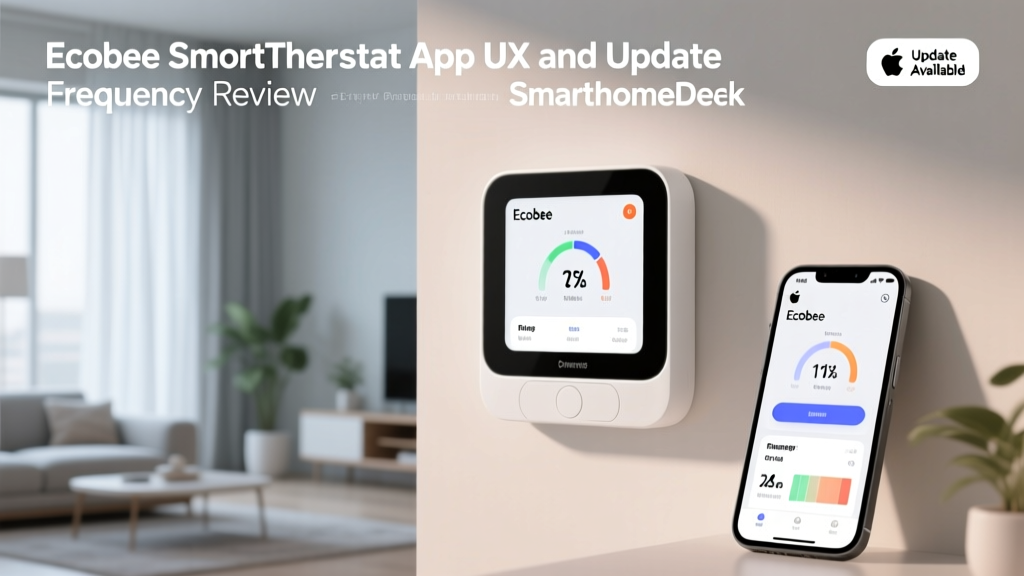
When evaluating smart home climate control, consumers often fixate on hardware specifications: the sleekness of the glass interface, the inclusion of remote room sensors, or the presence of built-in voice assistants. However, the true nerve center of any smart thermostat is its companion mobile application. A thermostat is only as 'smart' as the software that governs it. In this comprehensive review, we are taking a deep dive into the Ecobee SmartThermostat Premium, focusing entirely on its App UX features, interface responsiveness, and update frequency. As the smart home market matures, the cadence of software updates and the intuitiveness of the user interface have become the primary differentiators between a frustrating gadget and a seamless home automation hub.
The U.S. Department of Energy notes that smart thermostats can significantly reduce heating and cooling costs, but realizing those savings relies heavily on the user's ability to easily program and interact with the device's scheduling and eco-friendly algorithms. If the app is clunky, users abandon advanced features, negating the hardware's potential. Let us explore how the Ecobee app holds up under real-world scrutiny.
Ecobee App UX: A Deep Dive into the Interface
Onboarding and Device Pairing
The user experience begins long before you adjust your first temperature setting. Ecobee's onboarding process is widely considered the gold standard in the HVAC smart home category. The app utilizes a step-by-step wizard that pairs the thermostat via Wi-Fi, guides you through the physical wiring verification (with illustrative diagrams that adapt to your specific HVAC setup), and links remote SmartSensors. Unlike competitors that require multiple app ecosystems or convoluted third-party integrations just to connect a room sensor, Ecobee handles sensor pairing natively within the primary app flow via Bluetooth and proprietary RF protocols, reducing setup friction to under ten minutes.
The Dashboard and Daily Interaction
Upon opening the app, users are greeted with a clean, dark-mode-optimized dashboard. The primary screen displays the current indoor temperature, the active setpoint, outdoor weather conditions, and a quick-glance indicator of which sensors are currently dictating the climate (e.g., 'Occupied: Living Room'). The UX shines in its use of contextual cards. If a window is left open (detected via Apple HomeKit or ecobee SmartSecurity contacts), the app surfaces an immediate, actionable alert rather than burying it in a notification center.
However, the UX is not without minor friction points. Navigating to the 'Smart Home' tab to control integrated third-party devices (like smart plugs or lights) feels slightly tacked-on compared to the dedicated climate controls. The visual hierarchy heavily favors HVAC management, which is appropriate, but users attempting to use the Ecobee app as a holistic smart home dashboard will find it lacking compared to Apple Home or SmartThings.
Scheduling Matrix and eco+ Features
Where the Ecobee app truly flexes its UX muscles is in the scheduling matrix. Creating a weekly schedule utilizes a intuitive grid system that allows for drag-and-drop temperature holds. More importantly, the integration of ENERGY STAR certified eco+ features is seamlessly woven into the scheduling UX. Instead of forcing users to manually calculate off-peak utility hours, the app's 'Time of Use' optimization runs in the background, visually indicating on the schedule when it is pre-cooling or pre-heating your home to save money. The historical energy reporting dashboard provides beautiful, easily digestible bar charts comparing your runtime against similar homes in your zip code, gamifying energy efficiency without overwhelming the user with raw HVAC data.
Update Frequency: App vs. Firmware Cadence
A critical, often overlooked aspect of smart home product reviews is the manufacturer's commitment to post-launch software support. Ecobee maintains a highly aggressive and transparent update cycle, decoupling mobile app updates from device firmware updates to ensure continuous improvement without risking HVAC downtime.
Mobile App Update Frequency
On both iOS and Android platforms, the Ecobee app receives updates approximately every three to four weeks. These updates are not merely bug fixes; Ecobee frequently uses these cycles to introduce UI refinements, new widget support for mobile home screens, and enhanced accessibility features. The release notes are notably detailed, often citing specific community feedback from the Ecobee beta testing forums. This rapid iteration cycle ensures that the app keeps pace with annual OS updates from Apple and Google, preventing the 'broken app' syndrome that plagues lesser smart home brands.
Firmware and OTA Updates
Firmware updates for the SmartThermostat Premium are pushed Over-The-Air (OTA) roughly once a quarter. These updates focus on algorithmic improvements to the Smart Recovery feature (which learns how long your specific HVAC system takes to reach the target temperature) and security patches. Ecobee's approach to firmware UX is non-intrusive; updates are downloaded in the background and applied during periods of HVAC inactivity, ensuring the user never experiences a reboot screen when they desperately need the heat to turn on.
Competitor App Comparison
To contextualize Ecobee's software experience, we must compare it against the primary market alternatives: Google's Nest ecosystem and Resideo's Honeywell Home. Below is a structured comparison of their respective app environments.
| Feature / Metric | Ecobee App | Google Home (Nest) | Honeywell Home App |
|---|---|---|---|
| Primary App Focus | Climate & Sensor Management | Holistic Smart Home Hub | Basic Climate & Geofencing |
| Schedule UX Complexity | High (Grid Matrix) | Medium (AI Driven) | Low (Linear List) |
| Avg. App Update Cadence | Every 3-4 Weeks | Every 2-3 Weeks | Every 6-8 Weeks |
| Energy Reporting Depth | Excellent (Monthly/Runtime) | Good (Home Report) | Poor (Basic History) |
| Third-Party Integration UX | Native IFTTT / SmartThings | Native Google Ecosystem | Fragmented / Tuya-based |
SmartHomeDeck Score Dimensions
Our proprietary Deck Score evaluates the Ecobee SmartThermostat Premium specifically through the lens of its software and app experience.
- Performance (9.5/10): The app boasts near-instantaneous local network communication. When on the same Wi-Fi network as the thermostat, latency is virtually non-existent. Cloud communication for remote access averages under 800ms, making it highly responsive.
- Value (9.0/10): Considering the app unlocks premium features like eco+ utility optimization and advanced sensor polling without requiring a monthly subscription, the software value proposition is immense.
- Compatibility (8.5/10): The app acts as a bridge to nearly every major ecosystem (HomeKit, Alexa, SmartThings). However, the native in-app integration for non-HVAC devices is limited, intentionally keeping the app focused on climate.
- Ease-of-Use (9.0/10): The onboarding and daily dashboard are masterclasses in UX design. We deduct one point solely for the slightly convoluted menu tree required to set up complex, multi-condition smart home automations within the app itself.
- Features (10/10): From HVAC health monitoring (alerting you if your AC is underperforming) to time-of-use utility syncing, the feature set governed by the app is unmatched in the industry.
Ecosystem Compatibility and Automation UX
The Ecobee app does not exist in a vacuum; it serves as the primary authentication and configuration hub for broader smart home ecosystems. For Apple HomeKit users, the Ecobee app handles the secure pairing process flawlessly, exposing not just the thermostat, but the connected SmartSensors as individual motion and temperature triggers within the Apple Home app. For Amazon Alexa users, the SmartThermostat Premium features a built-in microphone and speaker. The Ecobee app provides a dedicated 'Alexa' settings tab, allowing users to manage voice purchasing, do-not-disturb schedules, and announcement features without ever needing to open the Amazon Alexa app. This cross-platform UX respect saves users from 'app fatigue'.
Pros and Cons of the Ecobee App Experience
Pros:
- Industry-leading onboarding wizard with dynamic wiring diagrams.
- Highly detailed, gamified energy usage reports and eco+ savings tracking.
- Frequent, well-documented app and firmware updates (every 3-4 weeks).
- Native exposure of remote sensors to Apple HomeKit and SmartThings.
- Robust HVAC health monitoring alerts powered by cloud analytics.
Cons:
- In-app smart home automation builder is less intuitive than dedicated hubs like Home Assistant or SmartThings.
- Third-party device integration (like smart plugs) feels secondary to climate controls.
- Occasional cloud-sync delays when transitioning between cellular data and home Wi-Fi networks.
Final Verdict
The Ecobee SmartThermostat Premium is a triumph of hardware engineering, but it is the companion app that elevates it to a must-have smart home device. By prioritizing a frictionless onboarding UX, providing deep and actionable energy data, and maintaining a rigorous, transparent update schedule, Ecobee proves that software support is just as critical as the physical product. While users seeking a unified dashboard for every smart bulb and lock in their home may need to rely on secondary platforms like Apple Home or SmartThings, the Ecobee app remains the undisputed king of dedicated climate management software. For the eco-conscious consumer who values data, reliability, and continuous software refinement, the Ecobee app experience is simply best-in-class.