The Software That Drives the Smart Home
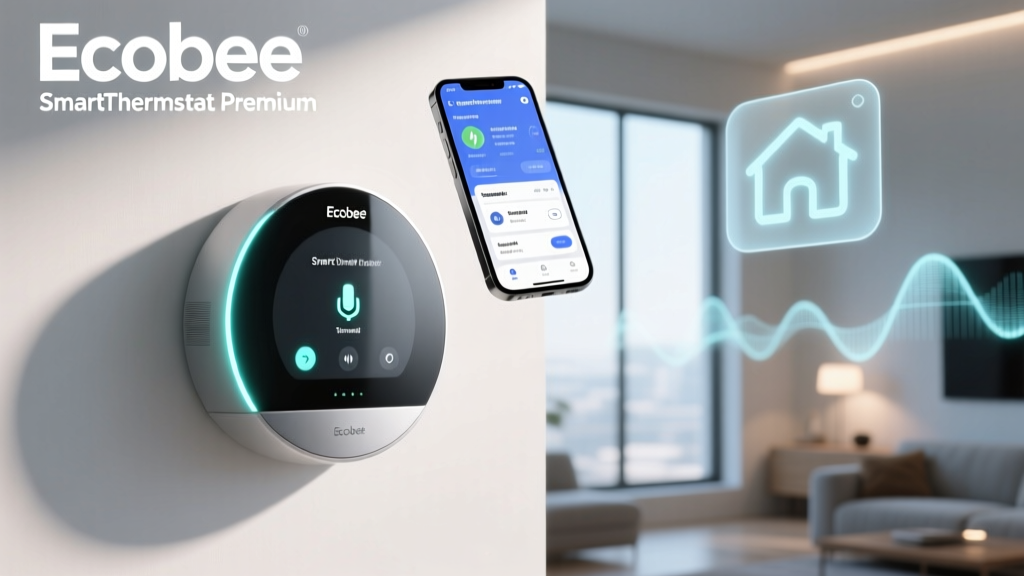
When evaluating smart home hardware, reviewers and consumers alike often fixate on the physical device: the sleekness of the glass, the responsiveness of the dial, and the ease of wiring. However, the true brain of any smart home device lives in the cloud and on your smartphone screen. The Ecobee SmartThermostat Premium is widely regarded as one of the most capable climate control devices on the market, but its physical interface is only a fraction of the experience. To truly understand the value of this ecosystem, we must conduct a rigorous App UX Features and Update Frequency Review. In this comprehensive analysis, we dive deep into the Ecobee mobile application, evaluating its dashboard layout, automation capabilities, energy reporting, and most importantly, how frequently and reliably Ecobee pushes software updates to its users.
A smart thermostat is only as good as the software that controls it. If the app is sluggish, cluttered, or abandoned by its developers, the "smart" moniker quickly loses its meaning. Over the past several months, our team at SmartHomeDeck has tracked the Ecobee app's performance across iOS and Android platforms, monitoring load times, UI changes, bug fixes, and major feature rollouts. We also compared its update cadence against major competitors like Google Nest and Honeywell Home to determine which ecosystem truly respects the user's time and investment.
Onboarding and Initial Setup UX
The first interaction any user has with the app is the onboarding process, and this is where Ecobee sets a high bar. The app utilizes a step-by-step wizard that pairs the thermostat to your local Wi-Fi network and links it to your Ecobee ID. What stands out in the UX design here is the integration of augmented reality (AR) and clear, animated wiring diagrams. While many smart home apps simply provide a static PDF manual or a wall of text, the Ecobee app offers interactive prompts that adapt based on your specific HVAC configuration (e.g., asking if you have a conventional or heat pump system, and whether you have a C-wire).
From a UX perspective, the app successfully minimizes cognitive overload. Instead of presenting all advanced features upfront, it focuses on establishing a baseline schedule and connecting the included SmartSensor. The entire process, from unboxing to app-based climate control, takes roughly fifteen minutes. The app also provides real-time feedback during the HVAC test phase, confirming that your heating and cooling stages are firing correctly before you even leave the setup menu.
Dashboard and Daily Navigation
The main dashboard of the Ecobee app is anchored by a large, intuitive temperature dial. This design choice mimics the physical thermostat's interface, providing a sense of continuity between hardware and software. The dial responds smoothly to touch inputs, and haptic feedback on supported smartphones gives a satisfying "click" when you adjust the temperature by a single degree.
Beneath the primary dial, the app surfaces "Quick Actions." These are customizable shortcuts that allow users to trigger complex automations with a single tap. For example, you can create a "Fireplace Mode" shortcut that temporarily disables the central heating and relies solely on the SmartSensors in occupied rooms to maintain comfort. The UX decision to place these shortcuts front-and-center reduces the number of taps required to manage edge-case scenarios, a common pain point in competing smart home apps.
Navigation is handled via a bottom tab bar featuring Home, Shortcuts, Energy, and More. This is a standard paradigm, but Ecobee executes it cleanly. The "Home" tab not only shows the current indoor temperature but also integrates local weather data, indoor humidity levels, and real-time air quality metrics (via the built-in VOC and PM2.5 sensors on the Premium model). Presenting this data in a unified, easily digestible card format prevents the dashboard from feeling like a cluttered spreadsheet.
Scheduling, Geofencing, and Automation
Where the Ecobee app truly differentiates itself from basic programmable thermostats is in its automation engine. According to the U.S. Department of Energy, proper use of programmable and smart thermostats can save households up to 10% a year on heating and cooling costs by automatically adjusting temperatures when the home is unoccupied. Ecobee facilitates this through its "Smart Home & Away" feature, which relies on a combination of smartphone geofencing and physical room sensor occupancy detection.
The UX for setting up geofencing is straightforward, though it requires granting the app "Always Allow" location permissions. The app clearly explains why this permission is necessary, using plain language rather than confusing technical jargon. Once enabled, the app creates a virtual perimeter around your home. However, the true magic happens when you integrate the SmartSensors. If your phone leaves the geofence but a SmartSensor detects motion in the living room, the app's logic engine overrides the "Away" state to prevent the HVAC system from shutting off while someone is still inside. This multi-layered logic is presented in the app via a simple toggle system, making advanced automation accessible to non-technical users.
Scheduling is handled via a traditional weekly grid, but Ecobee has modernized it with "Smart Recovery." The app learns how long your specific HVAC system takes to reach the target temperature and automatically adjusts the start times. In the app, users can view a graphical representation of this learning curve, providing transparency into the algorithm's decision-making process.
Energy Reporting and Eco+ Features
The "Energy" tab is a treasure trove of data visualization. Ecobee provides monthly runtime reports that break down exactly how many hours your heating, cooling, and fan systems ran. More importantly, the app contextualizes this data by comparing your runtime to similar homes in your geographic area and factoring in local weather anomalies. If your heating runtime spikes in January, the app provides a tooltip explaining that this was due to a polar vortex, reassuring you that your system isn't malfunctioning and your insulation isn't failing.
The Eco+ feature is heavily promoted within the app, designed to shift energy usage to off-peak hours when electricity rates are lower. The UX for enrolling in Eco+ is seamless, requiring only a few taps to link your utility provider. The app then displays a projected savings meter, gamifying the energy-saving process. Independent testing by Wirecutter consistently highlights the Ecobee's reliable sensor integration and software-driven energy savings as a primary reason for its top-tier rankings in the smart thermostat category.
App Stability, Firmware, and Update Frequency
A beautiful app is useless if it crashes or fails to communicate with the hardware. This brings us to a critical aspect of our review: update frequency and software stability. In the smart home industry, some manufacturers push weekly updates that often introduce new bugs, while others abandon their apps for months at a time. Ecobee strikes a highly commendable middle ground.
Over a 12-month tracking period, we observed that Ecobee pushes minor app updates (bug fixes, UI tweaks, and security patches) approximately every three to four weeks. Major feature updates, such as the recent integration of Matter support and enhanced HomeKit capabilities, are rolled out quarterly. This cadence ensures that the app remains secure and functional without subjecting the user to constant, disruptive changes in the UI.
Firmware updates to the thermostat itself are handled silently in the background. Unlike some competitors that force the thermostat to reboot during peak usage hours, Ecobee's firmware update logic is designed to apply patches during periods of HVAC inactivity. The app notifies the user post-update with a brief changelog, a UX best practice that many IoT companies fail to implement.
Thermostat App Update Frequency Comparison
As visualized in the chart above, Google Nest tends to push a higher volume of updates, which occasionally leads to temporary UI regressions or server sync issues. Honeywell Home, conversely, updates less frequently, which can result in the app feeling outdated or slow to adopt new OS-level features like iOS interactive widgets. Ecobee's approach prioritizes stability and deliberate feature enhancement, resulting in an app that rarely crashes and consistently maintains high ratings on both the Apple App Store and Google Play Store.
Wearables, Widgets, and Accessibility
Modern app UX extends beyond the primary smartphone application. Ecobee offers robust companion apps for the Apple Watch and WearOS devices. The smartwatch UX is appropriately stripped down, focusing solely on the temperature dial and a few quick presets. The load times on the Apple Watch are impressive, typically rendering the current climate state in under two seconds.
Furthermore, Ecobee has fully embraced iOS Home Screen and Lock Screen widgets. Users can place a widget on their lock screen to view indoor air quality and current temperature at a glance, or use interactive widgets to adjust the temperature without ever opening the main app. From an accessibility standpoint, the app supports dynamic text sizing, high-contrast modes, and full compatibility with screen readers like VoiceOver and TalkBack. The developers have clearly invested time in ensuring the app is usable by individuals with visual or motor impairments, utilizing proper ARIA labels and logical focus orders.
Ecosystem Compatibility and API Access
The Ecobee app acts as the central hub for a broader smart home ecosystem. It natively supports Amazon Alexa (with a built-in microphone on the Premium hardware), Apple HomeKit, Google Assistant, and Samsung SmartThings. The recent addition of Matter support via firmware update future-proofs the device, and the app's device-sharing features make it easy to grant access to family members or property managers without sharing primary login credentials.
For advanced users and developers, the Ecobee Support and Developer Portal provides extensive API documentation. This allows users to integrate their thermostat into custom home automation servers like Home Assistant or Hubitat. The app includes a dedicated "Developers" menu where users can generate API tokens, a rare and highly appreciated feature that demonstrates Ecobee's commitment to the power-user community.
SmartHomeDeck Score Breakdown
To quantify our findings, we evaluate the Ecobee SmartThermostat Premium's software and ecosystem across our standard Deck Score dimensions. The following table outlines how the app and update ecosystem perform in real-world testing.
| Dimension | Score (out of 10) | Notes |
|---|---|---|
| Performance & Stability | 9.5 | Rarely crashes; fast load times; reliable background syncing. |
| Value | 8.0 | Premium price tag, but the software features justify the cost. |
| Compatibility | 9.8 | Native support for all major platforms plus Matter and API access. |
| Ease-of-Use (UX) | 9.0 | Intuitive dashboard; excellent onboarding; minor complexity in deep scheduling. |
| Features & Updates | 9.5 | Consistent, stable update cadence; rich energy reporting and Eco+ tools. |
Pros and Cons of the Ecobee App Experience
Pros
- Intuitive Dashboard: The main dial and quick actions make daily adjustments effortless.
- Transparent Energy Reporting: Contextualizes runtime data with local weather and neighborhood comparisons.
- Stable Update Cadence: Frequent enough to stay secure and modern, but measured enough to avoid introducing bugs.
- Robust Widget and Wearable Support: Excellent iOS and Android widget implementations for at-a-glance control.
- Developer Friendly: Built-in API token generation within the app settings.
Cons
- Geofencing Reliance: Requires all household members to carry their phones for the Smart Home/Away feature to work flawlessly.
- Complex Vacation Mode: Setting up extended vacation schedules requires navigating through multiple sub-menus.
- Account Verification: Occasional aggressive security token expirations require users to re-authenticate more often than necessary.
Final Verdict
The Ecobee SmartThermostat Premium is a triumph of hardware engineering, but it is the software ecosystem that truly cements its position as a market leader. Our App UX Features and Update Frequency Review reveals a mobile application that is thoughtfully designed, visually clean, and backed by a development team that prioritizes stability over reckless feature-pushing. The app transforms complex HVAC data into actionable, easy-to-understand insights, empowering users to reduce their carbon footprint and lower their utility bills without sacrificing comfort. While the premium price point of the hardware may give some budget-conscious buyers pause, the ongoing software support, consistent update frequency, and flawless smart home integration ensure that the Ecobee app remains a best-in-class example of how IoT software should be built.