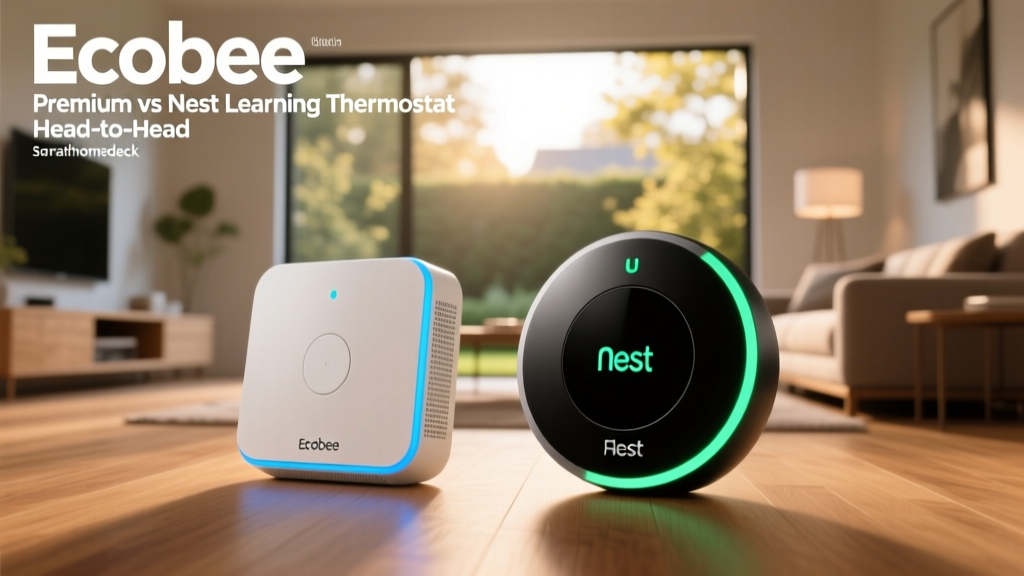
The Titans of Temperature: Ecobee Premium vs. Nest Learning Thermostat
When it comes to upgrading your home's climate control, the smart thermostat market is dominated by two undisputed heavyweights: the Ecobee SmartThermostat Premium and the Google Nest Learning Thermostat. Both devices promise to reduce your energy bills, learn your habits, and integrate seamlessly into your broader smart home ecosystem. However, beneath their sleek exteriors, they take fundamentally different approaches to achieving whole-home comfort.
At SmartHomeDeck, we believe that a spec sheet only tells half the story. Real-world testing reveals how these devices handle the quirks of older HVAC systems, the complexities of multi-story homes, and the daily friction of user interfaces. In this comprehensive head-to-head review, we will dissect the design, installation requirements, sensor ecosystems, and energy-saving algorithms of both thermostats to help you decide which one deserves a spot on your wall.
Design, Display, and Hardware
The Google Nest Learning Thermostat is widely credited with kicking off the smart home revolution, largely due to its iconic design. It features a 3.25-inch circular LCD display surrounded by a rotating stainless steel ring. The physical interaction is deeply satisfying; turning the heavy, machined metal ring to adjust the temperature feels premium and intuitive. The display uses a Farsight sensor to wake up when you enter the room, showing either the target temperature, digital clock, or current weather.
Conversely, the Ecobee SmartThermostat Premium embraces a more modern, tech-forward aesthetic. It sports a 3.5-inch capacitive glass touchscreen that operates much like a smartphone. While it lacks the tactile satisfaction of the Nest's dial, the Ecobee's screen is larger, sharper, and provides more information at a glance. Furthermore, the Ecobee Premium doubles as a high-fidelity smart speaker, featuring far-field microphones and a robust speaker grille that allows it to function as an Amazon Alexa device, complete with Spotify Connect support and the ability to take calls.
SmartHomeDeck Take: If you prefer minimalist, tactile hardware that blends into traditional decor, the Nest is unmatched. If you want a larger touchscreen and a built-in smart speaker, Ecobee takes the crown.
The C-Wire Conundrum: Installation and Power
One of the most critical factors in choosing a smart thermostat is your home's existing wiring. Smart thermostats require a constant trickle of power to keep their Wi-Fi radios and displays active. Historically, this requires a Common wire (C-wire) connected directly to your HVAC control board.
Google has long marketed the Nest Learning Thermostat as not requiring a C-wire, utilizing a technique called "power stealing." The Nest sips small amounts of power from the heating or cooling wires when the system is off. While this works in many modern systems, real-world testing shows it can cause severe issues in older homes, systems with zone valves, or setups with micro-currents. Symptoms include clicking relays, Wi-Fi drops, or even blown fuses on the HVAC control board.
Ecobee takes a much safer, more reliable approach. The Ecobee Premium explicitly requires a C-wire for stable operation. However, recognizing that many older homes lack one, Ecobee includes a Power Extender Kit (PEK) in the box. The PEK wires into your HVAC control board and multiplexes the existing wires to deliver constant power to the thermostat. This makes the Ecobee vastly superior for homes with complex or older wiring configurations, ensuring your Wi-Fi never drops during a firmware update.
Sensors and Whole-Home Comfort
This is where the philosophical differences between the two brands become most apparent. The Nest Learning Thermostat relies primarily on a single built-in passive infrared (PIR) sensor to detect occupancy, combined with smartphone geofencing to determine if the house is empty. It assumes that the temperature in the hallway or living room (where it is mounted) accurately represents the temperature of the entire house. In single-story, open-concept homes, this works reasonably well.
However, the Ecobee Premium shines in multi-story or larger homes through its use of remote SmartSensors. The Premium package includes one SmartSensor, which you can place in a bedroom, home office, or nursery. These battery-powered sensors track both temperature and occupancy. Using Ecobee's "Follow Me" feature, the thermostat will average the temperature only in the rooms that are currently occupied, ignoring empty spaces. This eliminates the classic problem of the thermostat turning off the AC because the downstairs hallway is cool, while the upstairs bedrooms are sweltering.
- Nest Sensor Support: Supports Nest Temperature Sensors (sold separately), but they only report temperature, not occupancy. You must manually schedule which sensor is active at what time of day.
- Ecobee Sensor Support: Supports up to 32 SmartSensors (occupancy + temperature). The system dynamically adjusts based on real-time room usage.
Smart Ecosystems and Voice Control
Ecosystem compatibility often dictates which thermostat you should buy, especially if you are heavily invested in a specific platform. The Google Nest Learning Thermostat is, unsurprisingly, a first-class citizen in the Google Home ecosystem. It integrates flawlessly with Google Assistant and Nest Cams. It also supports Amazon Alexa and has recently rolled out support for the Matter smart home standard, ensuring future-proofing.
However, the Nest's glaring omission is native Apple HomeKit support. If you use an iPhone and rely on the Apple Home app or Siri for your automations, the Nest is essentially a non-starter without complex third-party workarounds like Starling Home Hub.
The Ecobee Premium is the ultimate agnostic device. It features built-in Amazon Alexa, natively supports Google Home, and is one of the most reliable Apple HomeKit-compatible thermostats on the market. It also fully supports Matter over Thread, making it a bridge for future smart home expansions. For households with mixed device ecosystems (e.g., an iPhone user living with an Android user), Ecobee is the only logical choice.
App Interface and User Experience
A smart thermostat is only as good as the app that controls it. The Google Home app provides a clean, visually appealing interface for the Nest. The Auto-Schedule feature learns your manual adjustments over a week and builds a custom heating and cooling program. However, editing this schedule manually in the app can be frustrating, as the AI often overrides manual inputs if it deems your changes inefficient.
Ecobee's app is more utilitarian but offers granular control that power users crave. You can easily set complex hold schedules, adjust compressor protection timers, and view detailed HVAC runtime graphs. The "Smart Home/Away" feature uses both the built-in radar sensor and your phone's GPS to pause the schedule when you leave and resume it when you return, without the aggressive overrides seen in the Nest algorithm.
Energy Savings and HVAC Monitoring
Both thermostats are Energy Star certified, but they achieve savings differently. According to the U.S. Department of Energy, you can save as much as 10% a year on heating and cooling by simply turning your thermostat back 7°-10°F for 8 hours a day from its normal setting. Both devices automate this process through geofencing and eco-modes.
Research from the American Council for an Energy-Efficient Economy (ACEEE) indicates that smart thermostats can yield average heating savings of 10-12% and cooling savings of 15%. Ecobee pushes these boundaries with its "eco+" software, which factors in local utility time-of-use (TOU) rates and ambient humidity to pre-cool or pre-heat your home when electricity is cheapest. Nest offers a similar feature called "Rush Hour Rewards," but it requires integration with specific utility partners.
Both devices also offer HVAC monitoring. They track how long your AC or furnace runs and will send a push notification if they detect anomalies, such as an AC that runs for hours without dropping the temperature (indicating a potential refrigerant leak). In our testing, Ecobee's alerts were slightly more detailed, providing exact runtime metrics that are highly useful when speaking to an HVAC technician.
For a visual breakdown of how these two devices score across our core testing dimensions, refer to the SmartHomeDeck Score chart below:
SmartHomeDeck Score Comparison: Ecobee Premium vs Nest Learning Thermostat across 5 dimensions
Specification Comparison Table
| Feature | Ecobee SmartThermostat Premium | Google Nest Learning Thermostat |
|---|---|---|
| Display | 3.5" Capacitive Glass Touchscreen | 3.25" Circular LCD with Dial |
| Built-in Voice Assistant | Amazon Alexa | None (Requires separate smart speaker) |
| Remote Sensors | SmartSensor (Temp + Occupancy) | Temp Sensor (Temp only, sold separately) |
| C-Wire Required? | Yes (PEK included in box) | No (Power stealing, C-wire recommended) |
| Apple HomeKit | Yes | No |
| Matter Support | Yes (via Thread) | Yes (via Thread/Wi-Fi updates) |
| Approximate Retail Price | $249 | $229 |
The Verdict: Which Should You Buy?
Choosing between the Ecobee SmartThermostat Premium and the Google Nest Learning Thermostat ultimately comes down to your home's layout and your existing smart home ecosystem. The EPA's Energy Star program highlights that proper usage and zoning are key to maximizing efficiency, and the hardware you choose must align with your lifestyle.
Buy the Google Nest Learning Thermostat if: You are deeply embedded in the Google Home ecosystem, prefer a minimalist aesthetic with tactile controls, and live in a smaller, single-story home where a single sensor point is sufficient. Its Auto-Schedule is brilliant for users who want a "set it and forget it" experience without fiddling with manual programming.
Buy the Ecobee SmartThermostat Premium if: You live in a multi-story home with varying temperature zones, use Apple HomeKit, or want the most robust and reliable HVAC monitoring available. The inclusion of the SmartSensor and the Power Extender Kit makes it the superior choice for solving real-world comfort and installation headaches. While it carries a slightly higher price tag, the sheer versatility and cross-platform compatibility make it the overall winner in our SmartHomeDeck testing lab.