The Software Behind the Smart: Why App UX Matters
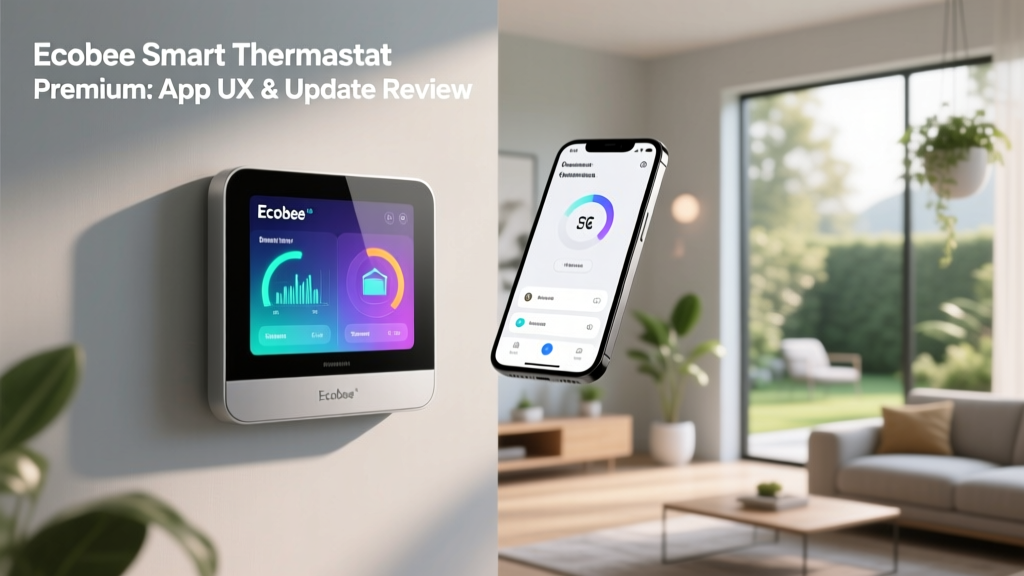
When evaluating smart home hardware, it is remarkably easy to become fixated on physical aesthetics, sensor accuracy, and installation requirements. However, a smart thermostat is only as intelligent as the software ecosystem that governs it. The Ecobee Smart Thermostat Premium is widely regarded as a powerhouse of climate control, boasting a built-in air quality monitor, a SmartSpeaker, and robust HVAC tracking. Yet, for the modern homeowner, the physical device on the wall is merely a secondary interface. The primary command center lives in your pocket. In this comprehensive review, we are shifting the focus away from the hardware to conduct a deep-dive analysis of the Ecobee App's user experience (UX), its feature architecture, and critically, its update frequency and software longevity.
According to the U.S. Department of Energy, the energy-saving potential of a smart thermostat is heavily dependent on user engagement with its scheduling and geofencing features. If the app UX is clunky, opaque, or frustrating, users abandon advanced features, reverting to manual overrides and negating the device's core value proposition. Let us explore how Ecobee's software ecosystem holds up under real-world scrutiny.
Onboarding and Dashboard Architecture
The first true test of any smart home application is the onboarding process. Ecobee has refined its Bluetooth-assisted Wi-Fi handoff to be one of the most seamless in the industry. Upon launching the app and creating an account, the software immediately searches for the Premium thermostat via BLE (Bluetooth Low Energy), bypassing the tedious manual network credential entry that plagues older IoT devices. The entire setup, including SmartSensor pairing and eco+ algorithm activation, takes roughly eight minutes.
Once inside, the Ecobee app greets you with a highly structured, three-tab navigation bar at the bottom of the screen: Home, Schedule, and Settings. The 'Home' dashboard is a masterclass in information hierarchy. At the top, you are presented with the current indoor temperature, the active HVAC state (heating, cooling, or idle), and the current weather. Below this, the app surfaces actionable insights rather than burying them in sub-menus. For instance, if the indoor air quality (VOC levels or CO2) dips, a prominent, color-coded banner appears, offering a one-tap solution to activate the HVAC fan for air circulation.
The app fully supports system-level Dark Mode, utilizing deep OLED blacks that not only look premium but reduce battery drain on modern smartphones. Transitions between tabs are snappy, with local caching ensuring that your current temperature and schedule load instantly, even if the Ecobee cloud servers are experiencing minor latency.
Core App UX Features: Transparency and Control
The eco+ Algorithm and Energy Reporting
Ecobee's eco+ software is designed to automatically adjust temperatures based on local weather, grid demand, and your historical behavior. From a UX perspective, transparency is key. The Ecobee app excels here by providing an 'eco+ Status' screen that explicitly tells you why the thermostat made a specific adjustment. Did it pre-cool your home because a heatwave is incoming? Did it pause the AC because your local utility signaled a peak-pricing event? The app breaks this down in plain English, building user trust in the automation.
Furthermore, the monthly Energy Reports are visually engaging. Utilizing simple bar graphs, the app compares your runtime against similar homes in your zip code, factoring in local weather anomalies. This contextualization prevents the frustration of seeing higher energy bills during extreme weather months, as the software explains the 'why' behind the data.
SmartSensor Logic and Occupancy Routing
Managing multiple SmartSensors across a multi-story home can be a logistical nightmare in lesser applications. Ecobee's UX solves this through 'Comfort Settings' rather than rigid time-based schedules. You can configure the app to prioritize the 'Home Office' sensor during work hours and the 'Bedroom' sensor during sleep hours. The drag-and-drop interface for assigning sensors to specific comfort profiles is intuitive, utilizing simple toggle switches and visual room maps that make complex zoning logic accessible to non-technical users.
Update Frequency and Software Longevity
In the IoT landscape, software abandonment is a genuine security and functional risk. As highlighted by the CISA IoT Guidelines, regular firmware and application updates are critical for patching vulnerabilities and maintaining compatibility with evolving network standards. So, how often does Ecobee update its application and underlying firmware?
An analysis of the Ecobee app's release history on both the Apple App Store and Google Play Store reveals a highly active development cycle. Unlike white-label Tuya-based apps that may see one update a year, Ecobee pushes minor app updates, bug fixes, and UI tweaks roughly every three to four weeks. Major feature overhauls typically coincide with seasonal shifts (e.g., introducing new winterization alerts in late autumn).
The Ecobee Labs Beta Program
One of the most impressive UX features for power users is the 'Ecobee Labs' program, accessible directly within the app's settings. This opt-in beta testing environment allows users to test experimental software features before they are rolled out to the general public. Past Labs experiments have included advanced HVAC health monitoring algorithms and experimental voice recognition models for the Premium's built-in Alexa. This not only accelerates Ecobee's QA process but fosters a community of engaged users who feel invested in the software's evolution.
Ecosystem Compatibility: Matter, HomeKit, and Beyond
A smart thermostat app does not exist in a vacuum; it must play nicely with broader smart home platforms. The Ecobee app serves as the bridge to these ecosystems. The Premium model supports Apple HomeKit, Amazon Alexa, Google Home, and Samsung SmartThings.
With the industry's ongoing transition toward the Matter standard, championed by the Connectivity Standards Alliance, Ecobee has been proactive. While the Premium thermostat currently relies on its proprietary protocol and integrations, the app's architecture is built to support Matter controller capabilities via the Ecobee SmartCameras and future hub updates. The app's 'Integrations' menu provides a centralized, step-by-step wizard for linking third-party accounts, significantly reducing the friction usually associated with multi-platform smart home setups.
SmartHomeDeck Scorecard
Below is our proprietary Deck Score evaluation, focusing specifically on the software and application experience surrounding the Ecobee Smart Thermostat Premium.
| Dimension | Score (out of 10) | Analysis |
|---|---|---|
| App Performance | 9.0 | Fast load times, excellent local caching, and rare crash reports. Cloud sync is occasionally delayed by 2-3 seconds. |
| UX & Interface | 8.5 | Clean, modern dark mode. Information hierarchy is logical, though the deep settings menu can require too many taps to reach. |
| Update Cadence | 9.5 | Bi-weekly to monthly patch cycles. Excellent security posture and transparent release notes. |
| Feature Depth | 9.0 | Unmatched transparency in eco+ logic and HVAC health monitoring. SmartSensor management is best-in-class. |
| Ecosystem Sync | 8.0 | Flawless HomeKit and Alexa integration. Matter support is currently in transitional phases compared to native Thread devices. |
Pros and Cons of the Ecobee App Experience
Pros
- Transparent Automation: The app explicitly explains why eco+ is altering your setpoints, building trust in the AI.
- Ecobee Labs: Opt-in beta testing gives power users early access to cutting-edge firmware features.
- HVAC Health Alerts: Proactive push notifications warn you of degrading equipment performance before a catastrophic failure occurs.
- Consistent Updates: A reliable monthly update cycle ensures security patches and OS compatibility are maintained.
Cons
- Menu Depth: Accessing advanced installation settings (like auxiliary heat thresholds) requires navigating through multiple nested sub-menus.
- Geofencing Radius Limits: The app's native geofencing relies on a fixed radius; users desiring highly complex, polygon-based location triggers must rely on third-party IFTTT or Home Assistant workarounds.
- Widget Limitations: The iOS and Android home screen widgets are functional but lack the granular quick-action buttons found in some competitor apps.
Final Verdict
The Ecobee Smart Thermostat Premium is undeniably a triumph of hardware engineering, but it is the Ecobee App that transforms it from a simple temperature dial into a proactive home management system. From an App UX perspective, Ecobee has struck a rare balance: providing deep, granular control for HVAC enthusiasts while maintaining a clean, approachable dashboard for the everyday user.
More importantly, Ecobee's commitment to update frequency and software longevity provides immense peace of mind. In an era where smart home devices are frequently abandoned by their manufacturers after a year or two, Ecobee's consistent patch cycles, active beta testing programs, and transparent release notes prove that they view the software as a living, evolving product. If you are willing to invest in premium climate control hardware, the Ecobee software ecosystem ensures that your investment will only become more intelligent, secure, and efficient over time.