Introduction: The Smart Home Privacy Dilemma
In the modern smart home ecosystem, convenience and privacy are frequently locked in a zero-sum game. When you install a video doorbell, you are essentially mounting a high-definition, internet-connected surveillance camera on your front porch. While the security benefits are undeniable, the data privacy implications are profound. As a senior reviewer for SmartHomeDeck, I have spent the last decade testing how these devices handle your most sensitive data: the comings and goings of your family, the faces of your visitors, and the layout of your property.
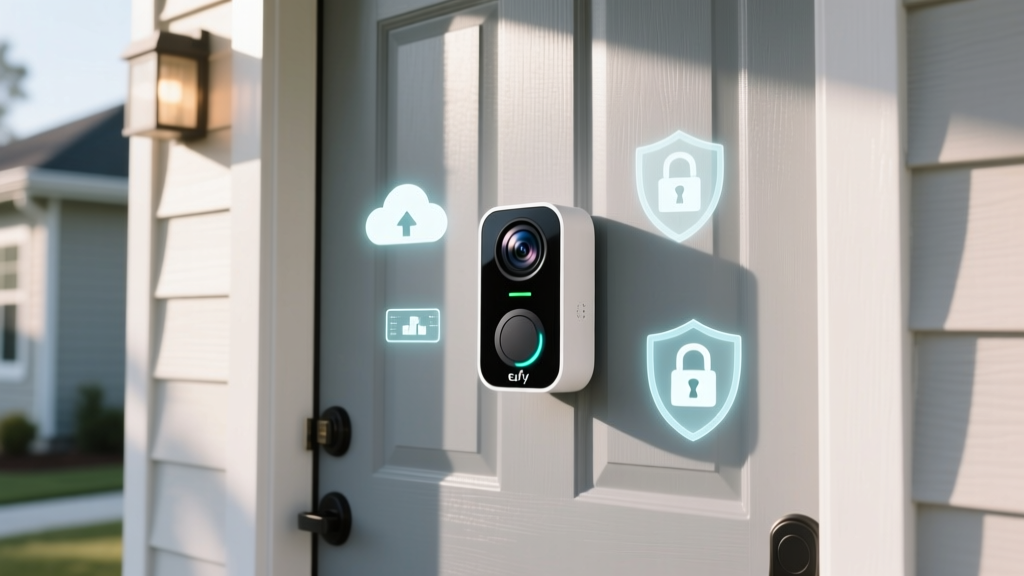
Today, we are conducting a deep-dive evaluation of the Eufy Video Doorbell Dual (Wired) through the specific lens of Privacy Data and Cloud Dependency. Eufy has historically marketed its products on a 'local-only' storage promise, positioning itself as the privacy-first alternative to cloud-heavy competitors like Ring and Nest. But does the hardware truly operate independently of the cloud? What data is actually transmitted to external servers? And how can power users secure their network traffic?
In this comprehensive review, we will dissect the Eufy Video Doorbell Dual's architecture, analyze its network behavior, explore the HomeKit Secure Video workaround, and provide actionable advice for minimizing your cloud footprint, referencing guidelines from the Federal Trade Commission (FTC) regarding home security camera privacy.
Hardware Overview and the Local AI Promise
Before we dissect the software and network layers, it is essential to understand the physical architecture of the Eufy Video Doorbell Dual. Unlike traditional single-lens doorbells, this device features two distinct cameras: a primary 2K lens for facial recognition and a secondary downward-facing lens dedicated to package detection. This dual-lens setup eliminates the blind spot that plagues most competing doorbells, allowing for simultaneous monitoring of visitors and porch deliveries.
The HomeBase 2: The Brain of the Operation
The true privacy value proposition of the Eufy ecosystem lies not in the doorbell itself, but in the HomeBase 2. This hub acts as a local server, bridging the connection between your doorbell, your home network, and your smartphone. Eufy claims that the HomeBase 2 utilizes 'BionicMind' AI to process facial recognition and human detection locally. If true, this means your biometric data (facial maps) never leaves your physical property, a massive advantage over cloud-dependent AI processing.
From a hardware perspective, the HomeBase 2 connects via Ethernet, ensuring a stable backhaul connection that Wi-Fi-only hubs often lack. It also houses a 16GB eMMC storage chip, which translates to roughly 90 days of continuous local recording for a single doorbell. Because the footage is stored locally on this chip, you avoid the mandatory monthly subscription fees required by Ring and Google Nest to access historical video data.
The Cloud Dependency Reality: Addressing the Controversy
To properly evaluate the Eufy Video Doorbell Dual, we must address the elephant in the room: the late-2022 privacy controversy that shook the smart home community. Security researchers discovered that despite Eufy's aggressive 'No Cloud' marketing, the Eufy app was uploading thumbnail images and facial recognition metadata to Amazon Web Services (AWS) servers. Furthermore, users who enabled the 'Web Portal' feature inadvertently enabled cloud storage for their video clips, a fact that was not clearly communicated in the user interface.
This revelation was a stark reminder of the findings highlighted by the Mozilla Foundation's Privacy Not Included guide, which frequently warns consumers that 'local storage' claims in the smart home industry are often riddled with asterisks and cloud-based telemetry.
What Data Does Eufy Actually Transmit Today?
Following the backlash, Eufy issued firmware updates and policy clarifications. Based on our network traffic analysis and Eufy's updated transparency reports, here is what the Eufy Video Doorbell Dual and HomeBase 2 currently transmit to the cloud:
- Account Authentication: Necessary to link the HomeBase to your mobile app via push notifications.
- Device Telemetry: Battery levels, signal strength, and hardware health metrics.
- Thumbnail Previews: Low-resolution snapshots used to populate the app's notification feed before the local video stream loads.
- Cryptographic Keys: For end-to-end encryption handshakes when you initiate a remote live view.
Crucially, the actual high-definition video files and the BionicMind facial recognition databases remain on the HomeBase 2. However, the transmission of thumbnails means that metadata regarding when motion occurred and a low-res preview of who was there does touch external servers. For strict privacy absolutists, this is a dealbreaker. For the average consumer, it is a necessary compromise for push-notification functionality.
Actionable Advice: Network Segmentation and DNS Sinkholing
If you want to utilize the Eufy Video Doorbell Dual while minimizing its cloud dependency, you must take control of your network. Relying solely on the manufacturer's privacy policy is not enough; you must enforce privacy at the router level. The NIST Special Publication 800-213 on IoT device cybersecurity heavily emphasizes the necessity of network segmentation to protect consumer data from compromised smart devices.
Step 1: Create an IoT VLAN
Do not place your HomeBase 2 on the same Local Area Network (LAN) as your personal computers, NAS drives, or smartphones. Using a router that supports Virtual Local Area Networks (VLANs) or multiple SSIDs (like UniFi, pfSense, or ASUS Merlin), create a dedicated 'IoT Network'. Configure the firewall rules to allow the IoT VLAN to communicate only with the specific IP addresses required for Eufy's push notification servers, while blocking lateral movement to your main LAN.
Step 2: Implement a DNS Sinkhole (Pi-hole)
To further restrict cloud dependency, set up a network-wide DNS sinkhole like Pi-hole or AdGuard Home. By monitoring the DNS queries generated by the HomeBase 2, you can identify exactly which domains it attempts to contact. You can safely block domains related to telemetry, analytics, and third-party marketing trackers. Warning: Blocking Eufy's core AWS authentication domains will break remote access and push notifications, effectively turning your smart doorbell into a localized CCTV system. You must decide which features you are willing to sacrifice for absolute privacy.
The Ultimate Privacy Shield: HomeKit Secure Video (HKSV)
For users deeply embedded in the Apple ecosystem, the Eufy Video Doorbell Dual offers a powerful privacy workaround: HomeKit Secure Video (HKSV). When you bridge the HomeBase 2 to Apple HomeKit, you can bypass the Eufy cloud infrastructure almost entirely for video storage and analysis.
Under HKSV, the video stream is encrypted locally by the HomeBase 2 and sent directly to your iCloud+ account. Apple's servers store the video, but they do not have the encryption keys to view it; only your authorized Apple devices can decrypt the footage. Furthermore, Apple's HomeKit architecture strictly prohibits the use of video data for marketing, advertising, or training AI models. While this shifts your data dependency from Eufy/Amazon to Apple, it aligns with a much stricter, privacy-focused corporate governance model. Note that HKSV requires an active iCloud+ subscription (starting at $0.99/month for one camera), which slightly diminishes the 'no monthly fees' appeal of the Eufy ecosystem.
Competitor Comparison: Cloud Dependency & Privacy Features
To contextualize the Eufy Video Doorbell Dual's privacy posture, we must compare it against the market leaders. The following table highlights the stark differences in data handling and storage requirements.
| Feature | Eufy Video Doorbell Dual | Ring Video Doorbell Pro 2 | Google Nest Doorbell (Wired) | Logitech Circle View (HKSV) |
|---|---|---|---|---|
| Default Storage | Local (HomeBase 2) | Cloud Only (AWS) | Cloud Only (Google Servers) | Apple iCloud+ (HKSV) |
| Mandatory Subscription | No (for local features) | Yes (Ring Home) | Yes (Nest Aware) | Yes (iCloud+) |
| AI Processing Location | Local (HomeBase 2) | Cloud | Cloud | Local (Apple TV / HomePod) |
| End-to-End Encryption | Yes (App-to-Base) | Optional (Breaks some features) | No (Google holds keys) | Yes (Apple E2EE) |
| Third-Party Data Sharing | Minimal (Telemetry) | High (Amazon Ecosystem) | High (Google Ecosystem) | None (Apple Policy) |
SmartHomeDeck Evaluation: The Deck Scores
Our proprietary Deck Score evaluates smart home products across five critical dimensions. Here is how the Eufy Video Doorbell Dual performs when weighted heavily toward privacy and cloud independence.
Performance: 8.5/10
The dual-lens setup is a game-changer for package detection. The local AI on the HomeBase 2 is remarkably fast, triggering push notifications within 1.5 seconds of motion. However, the 2K resolution, while sharp, struggles with dynamic range in high-contrast lighting (e.g., a dark porch with bright sunlight in the background) compared to HDR-equipped competitors.
Value: 9.0/10
Retailing around $279, the initial hardware cost is steep. However, the elimination of a mandatory $4-$10 monthly cloud subscription fee means the device pays for itself within two years compared to Ring or Nest. The local storage architecture provides immense long-term value.
Compatibility: 6.5/10
Eufy's ecosystem is somewhat walled-off. While it integrates with Amazon Alexa and Google Assistant for basic live-view streaming on smart displays, it lacks robust IFTTT or generic ONVIF support. The HomeKit Secure Video integration is a massive plus for Apple users, but Android users are locked strictly into the Eufy app.
Ease-of-Use: 8.0/10
The Eufy Security app is intuitive, and the local AI learning curve is minimal. However, the confusion surrounding the 'Web Portal' cloud settings and the necessity of managing HomeBase firmware updates manually can frustrate non-technical users who expect a simple 'plug-and-play' cloud experience.
Features: 8.5/10
Beyond the dual lenses, features like local voice changers, quick-response pre-recorded messages, and geofencing for auto-arming/disarming are excellent. The ability to draw custom detection zones locally without relying on cloud processing is a standout feature for privacy advocates.
Pros and Cons
Pros:
- True local storage via HomeBase 2 eliminates mandatory monthly fees.
- Dual-lens design provides unparalleled package and visitor coverage.
- Local BionicMind AI processes facial recognition without sending biometric data to the cloud.
- HomeKit Secure Video (HKSV) support offers an Apple-encrypted alternative to the Eufy cloud.
- End-to-End encryption options for remote viewing.
Cons:
- Thumbnail metadata and telemetry still require cloud communication for push notifications.
- Past controversies regarding cloud thumbnail uploads require users to remain vigilant about firmware and settings.
- Lacks ONVIF/RTSP support for local NVR (Network Video Recorder) integration.
- Dynamic range and low-light performance lag behind premium HDR competitors.
Final Verdict: Who Should Buy the Eufy Video Doorbell Dual?
If you are a strict privacy absolutist who demands zero network egress, the Eufy Video Doorbell Dual will still frustrate you; the modern smart home relies on cloud servers for push notifications and remote authentication, and Eufy is no exception. You will need to employ advanced network segmentation and DNS sinkholing to truly leash this device.
However, if you are a privacy-conscious consumer who wants to avoid the mandatory, perpetual cloud subscriptions of Ring and Nest, and you want to keep your high-definition video files and facial recognition databases off corporate servers, the Eufy Video Doorbell Dual is the best compromise on the market. By pairing it with Apple's HomeKit Secure Video or enforcing strict local network controls, you can enjoy top-tier physical security without sacrificing your digital sovereignty.